

Portfolio
Complete systems we've built
Not single boards — full workflows, connected end to end. Start here to see how the pieces fit together.
All builds · 142
All projects
Construction
Event Management
F&B
Finance
Grant Management
Human Resources
Logistics
Manufacturing
Marketing
Real Estate
Retail
Software Development
Cost Analysis
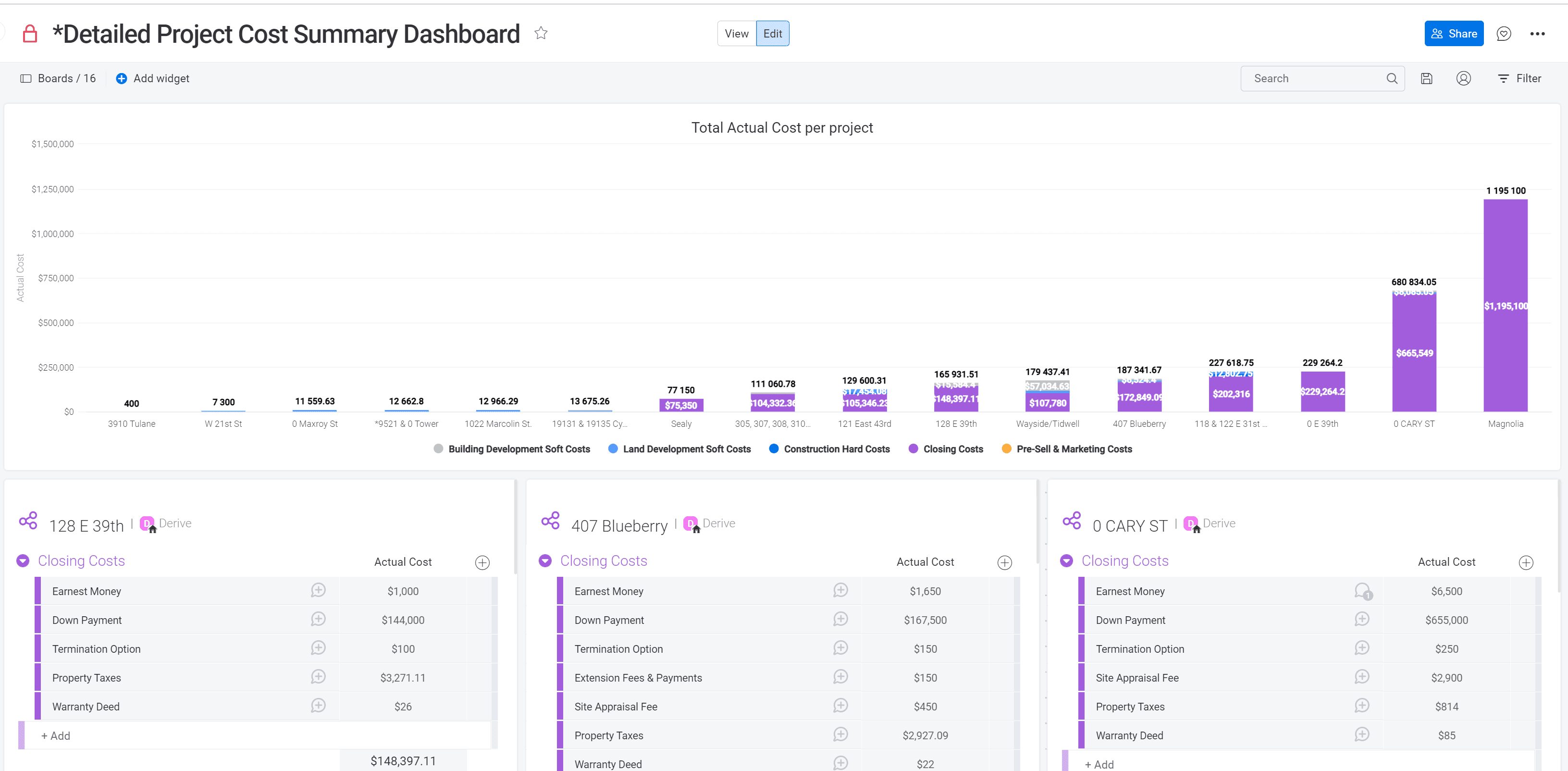
A monday.com dashboard providing a consolidated view of actual costs across multiple real estate development projects, breaking down expenses into categories. Individual project boards below the chart offer a detailed, line-item breakdown of closing costs, including earnest money, down payment, property taxes, and warranty deed fees, giving stakeholders full visibility into project-level and portfolio-wide spending.
Construction
Dashboard
Cost Analysis
Projected vs Actual Costs by Project
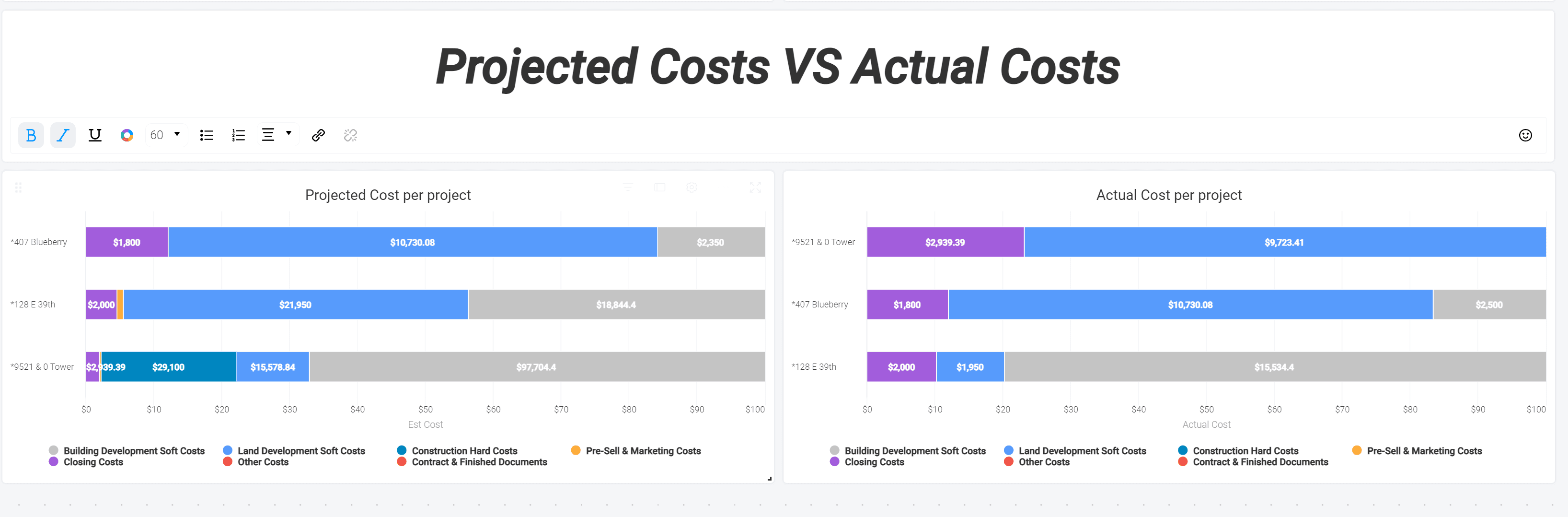
A monday.com dashboard comparing projected and actual costs side-by-side for real estate development projects, broken down by category. This side-by-side view allows stakeholders to quickly spot budget variances and track cost performance across individual projects.
Construction
Dashboard
Cost Analysis
Projected vs Actual Costs
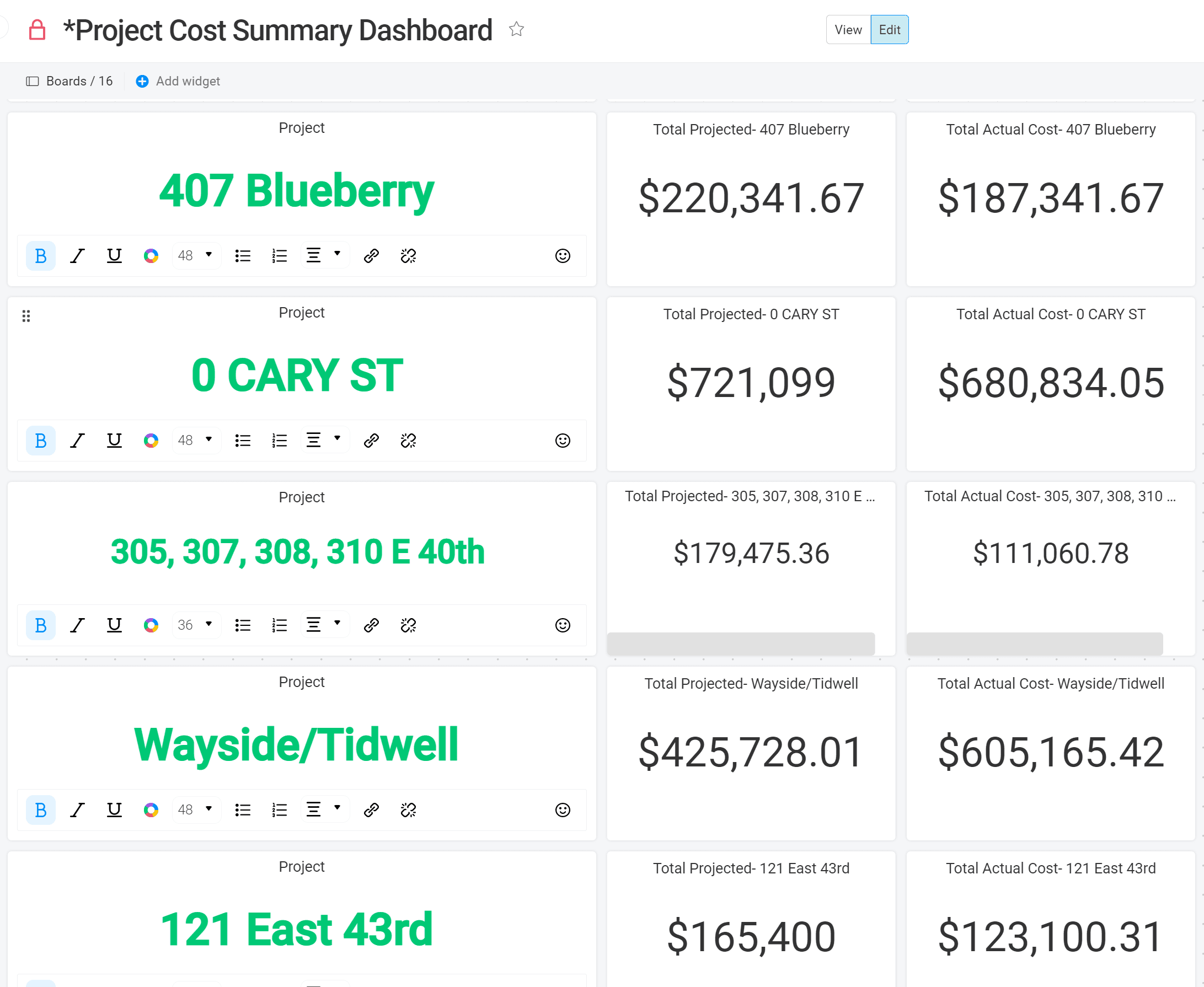
A monday.com dashboard displaying a project-by-project breakdown of projected versus actual costs across a real estate portfolio. Each chart highlights a specific property, allowing stakeholders to quickly compare budgeted estimates against actual spending and identify projects running over or under budget at a glance.
Construction
Dashboard
Cost Analysis
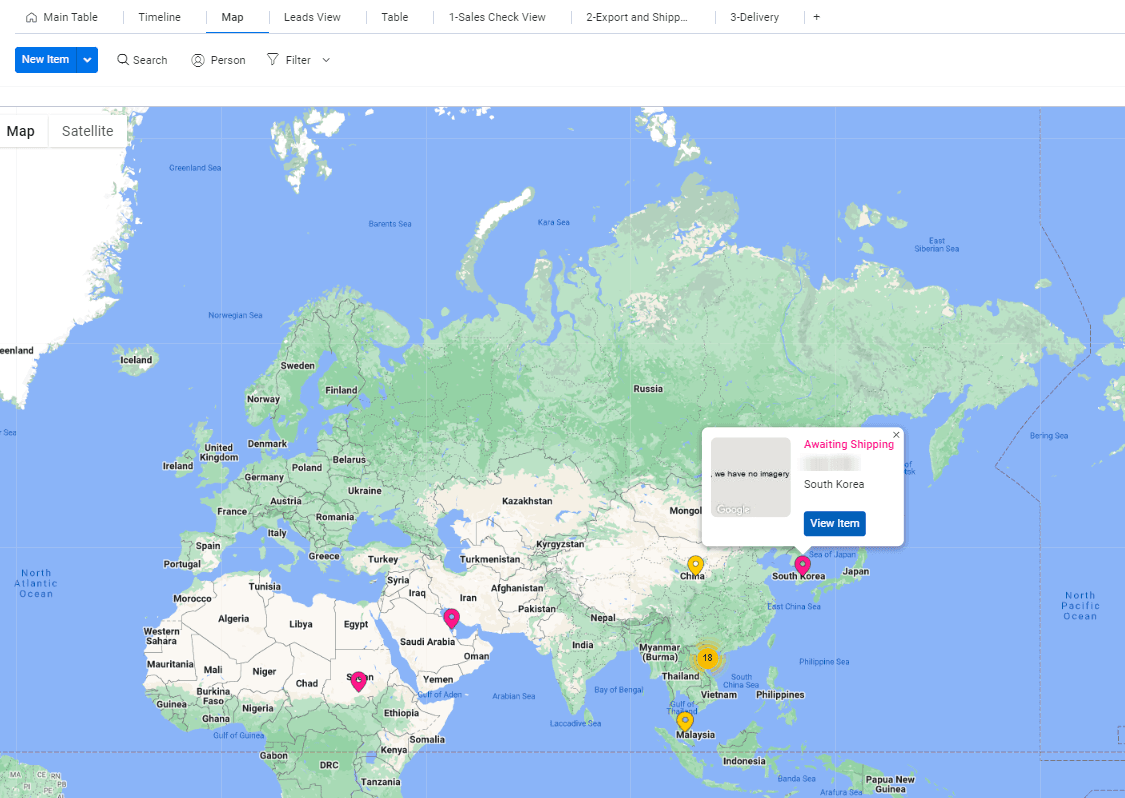
Map View of All Shipments
View of Export, Import, domestic shipments on a world map where data can be seen and updated directly from the map or on the Monday.com board.
Logistics
Maps
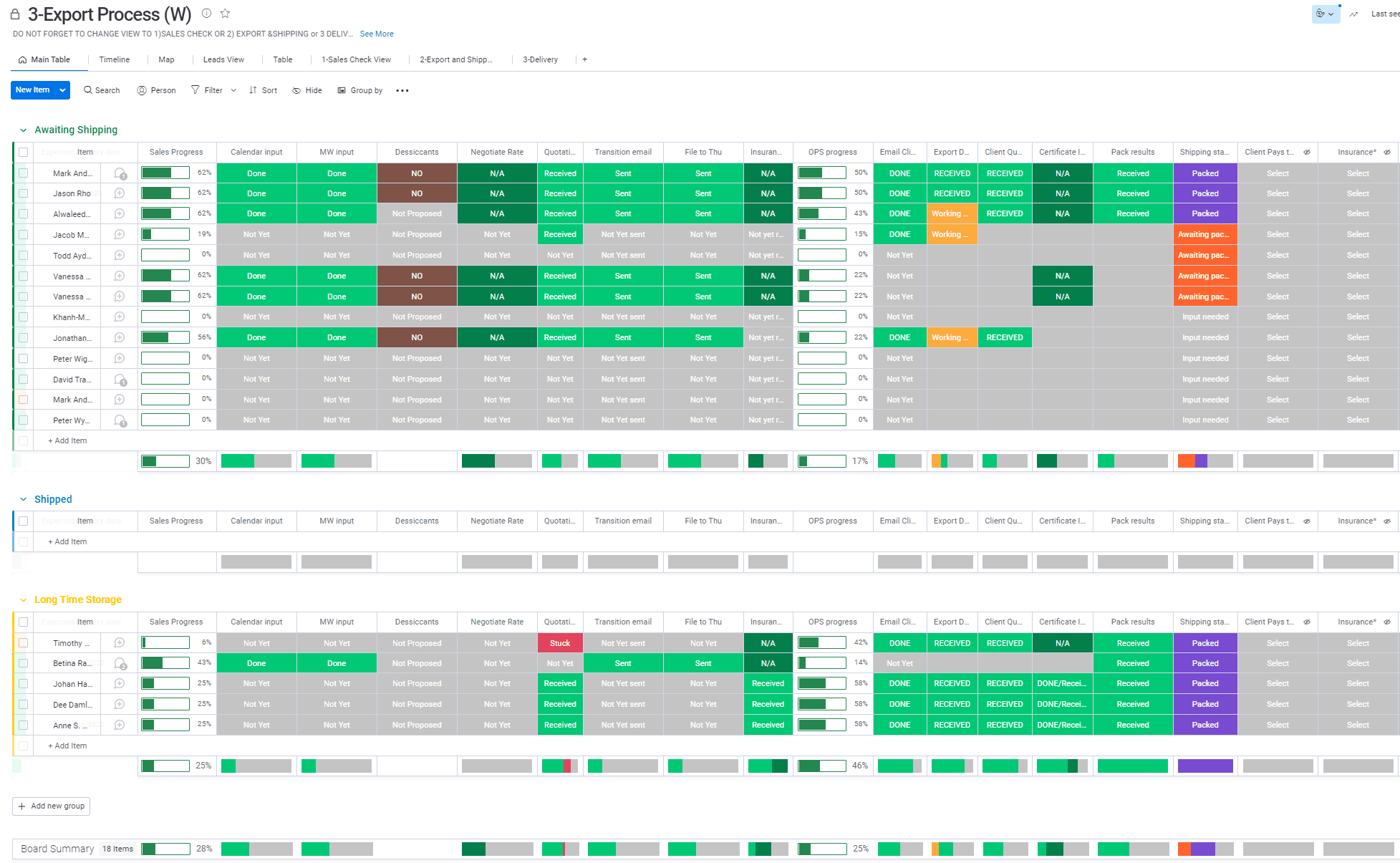
Outbounds Shipments
Used by an International Relocation company to track what needs to be done for each shipment. This board was displayed on a large screen for the team to have an overview of the status of each job
Logistics
Operations/Checklist
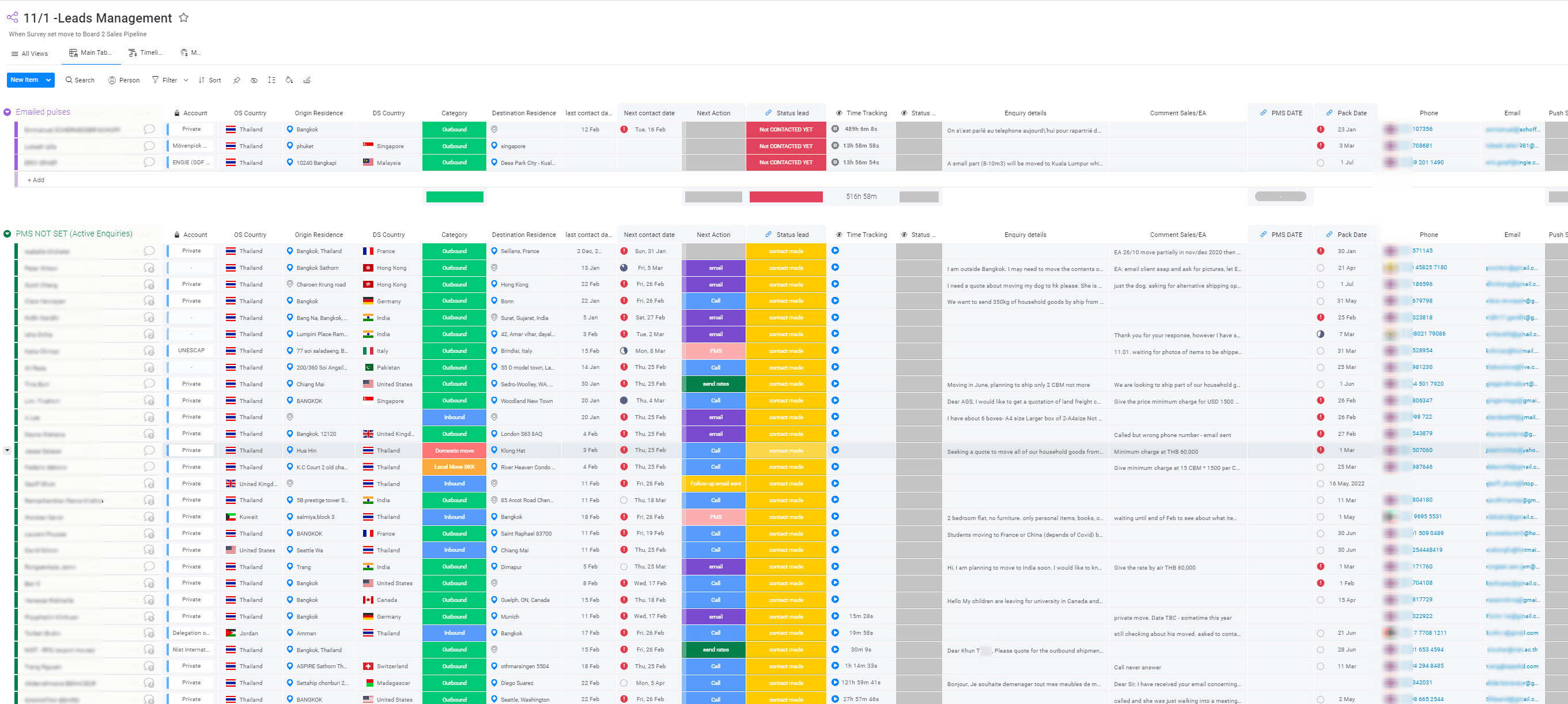
Leads Management Board
A board allowing to manage all leads by salesperson. This board is part of a CRM workflow with advanced automations in place
Logistics
CRM
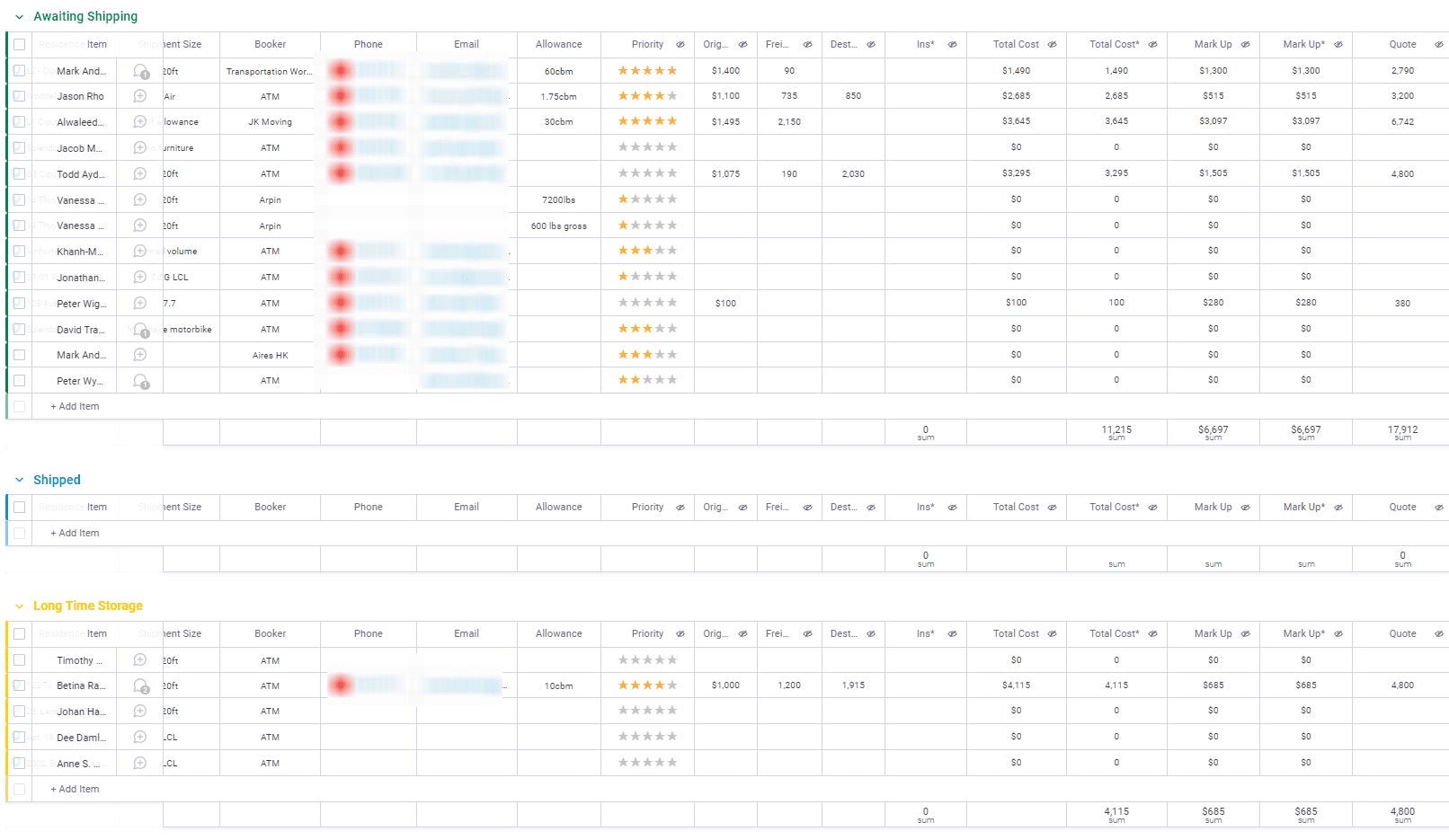
Sales Pipeline & Costing
Sales people able to generate a quotation from this board by first inputting various cost associated to each shipment
Logistics
CRM
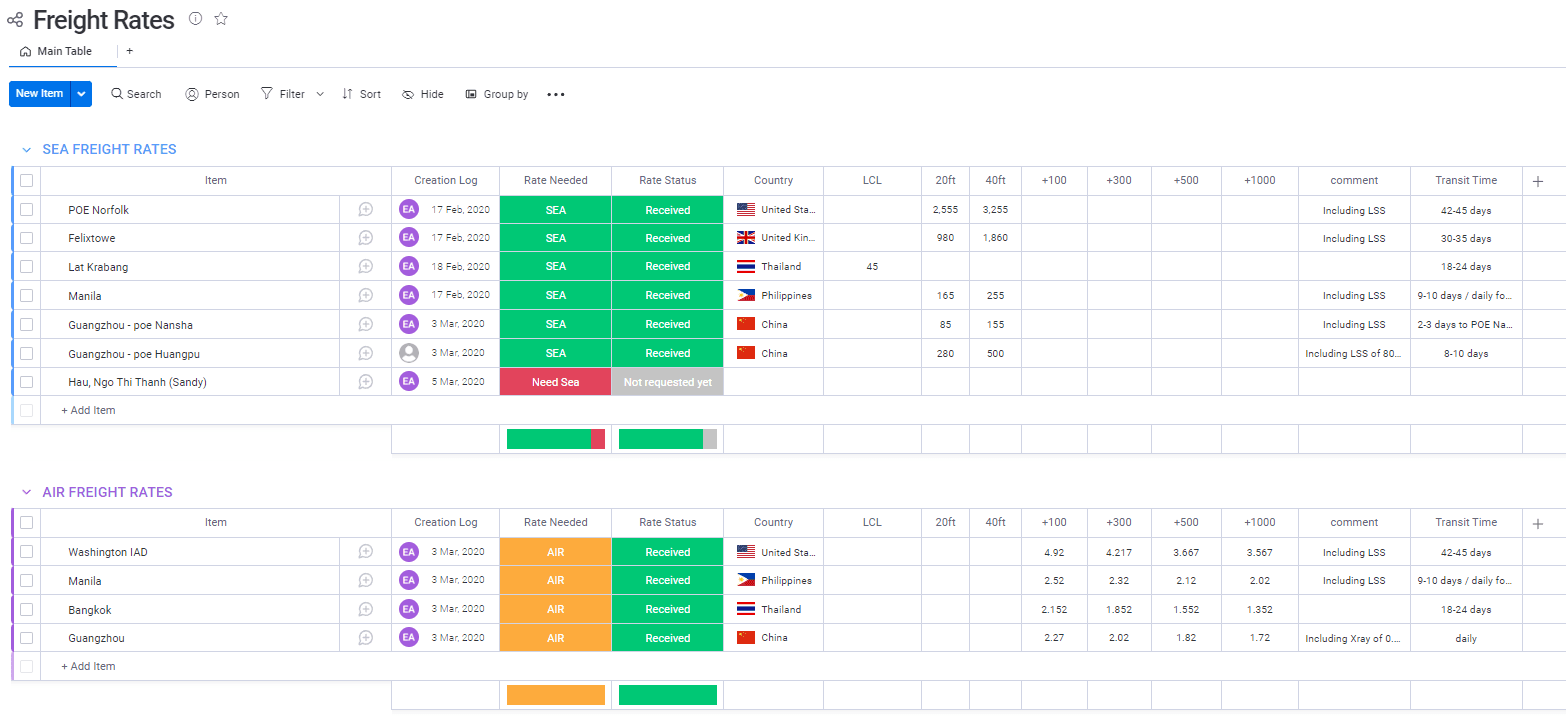
Freight Rates Management
Freight rates analysis coming from various suppliers that are used by the salespersons before generating quotations for clients.
Logistics
CRM
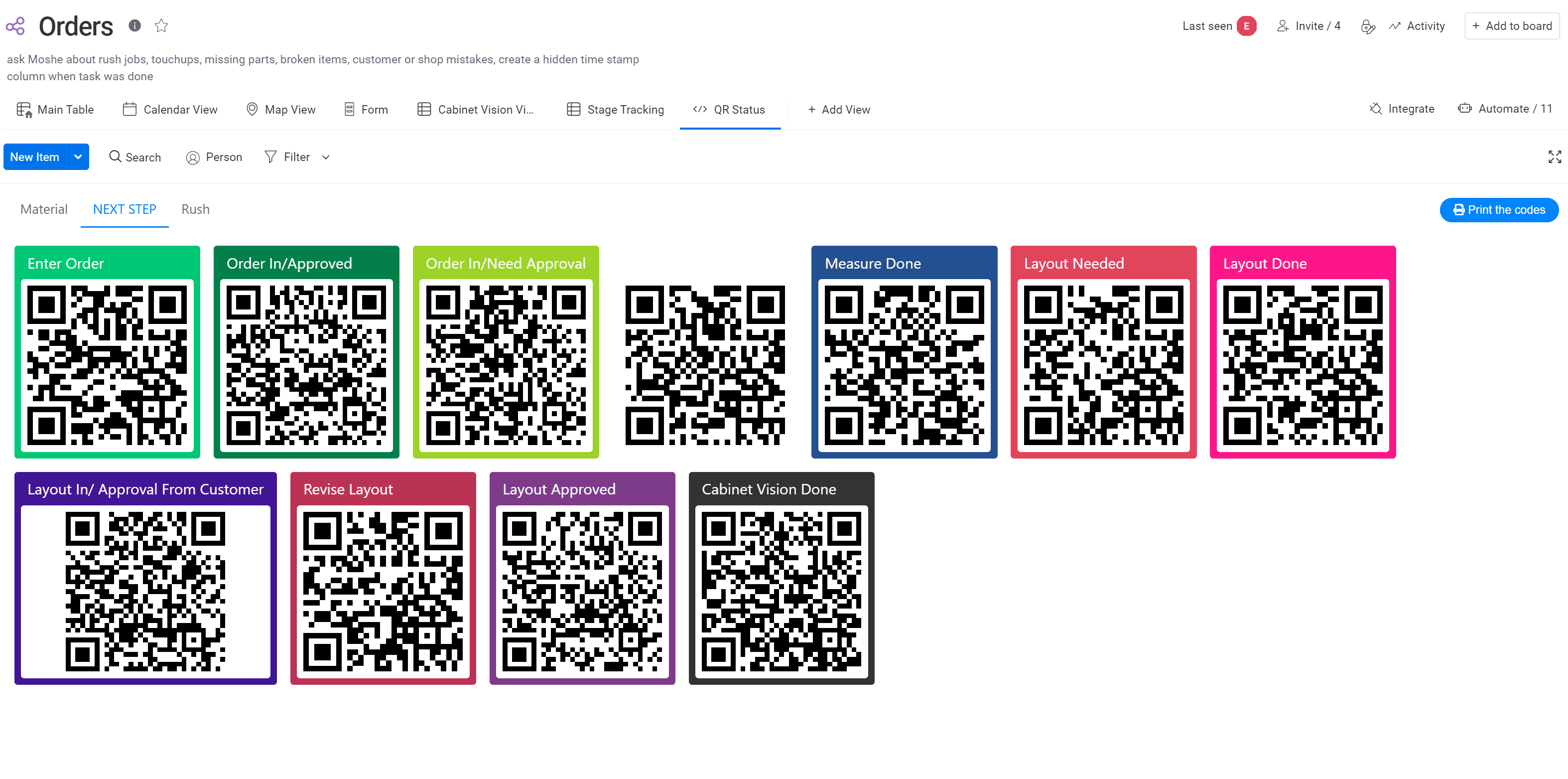
QR Codes Scan
Scanning QR codes at the Factory changing automatically statuses and timers on the Monday board.
Manufacturing
Integrations
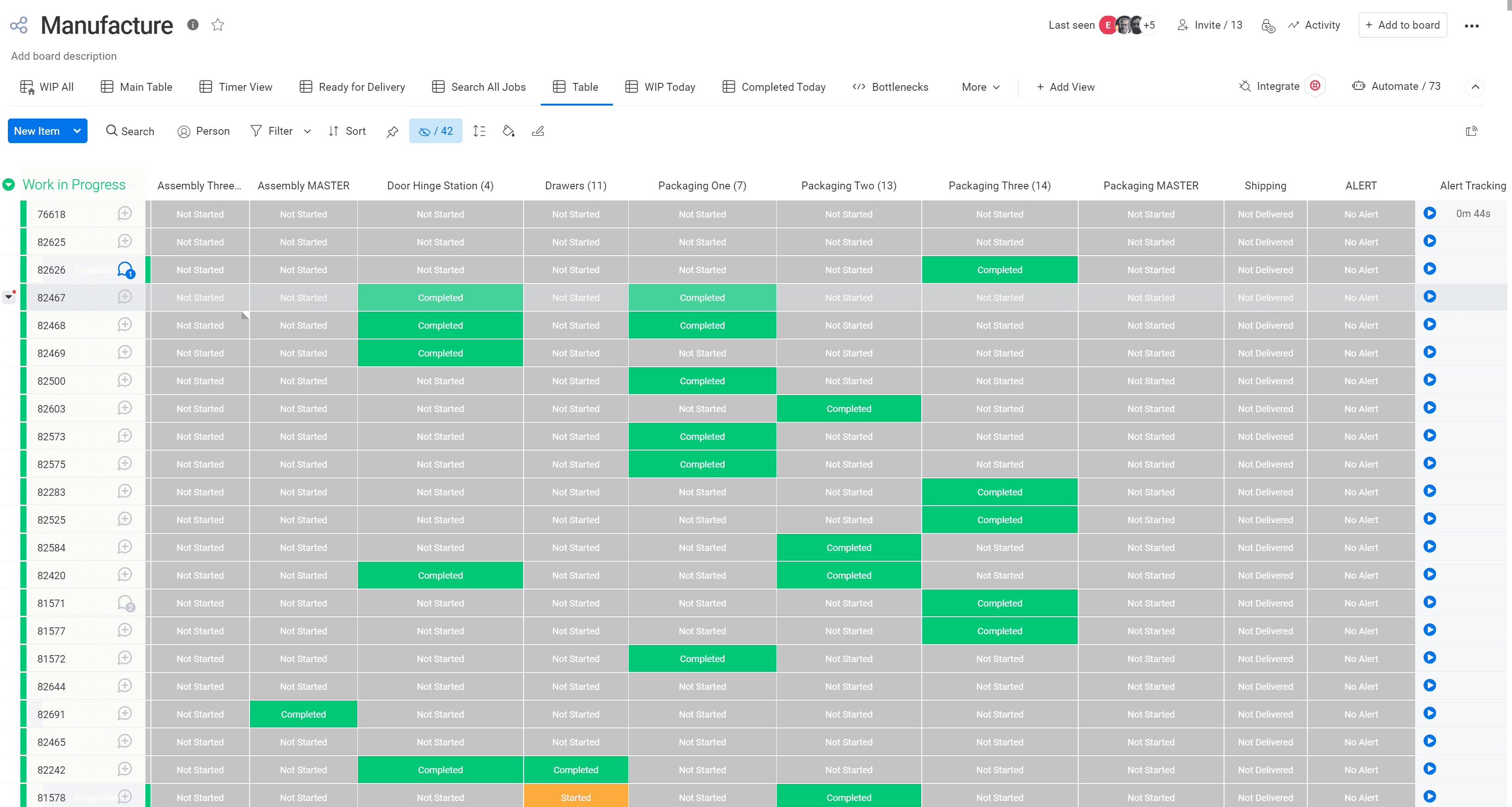
Manufacturing Board 1/2
Orders status for each station changing after the employees canning the orders at the factory.
Manufacturing
Operations/Checklist
Time Tracking
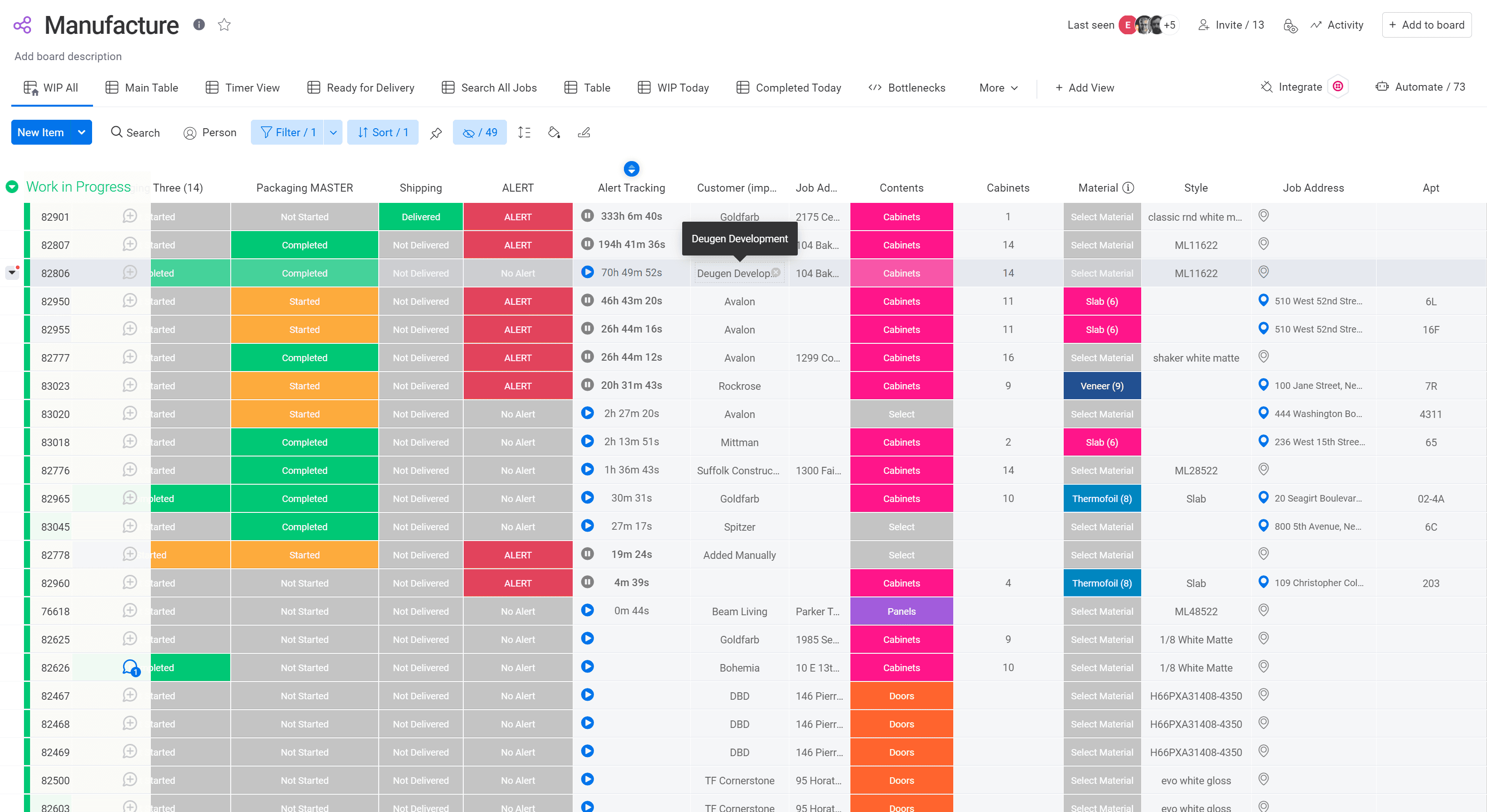
Manufacturing Board 2/2
This board is used to manage a manufacturing workflow, tracking each job from production through delivery. It monitors status across multiple stages giving the team real-time visibility into production progress and flagging delays before they impact delivery.
Manufacturing
Operations/Checklist
Time Tracking
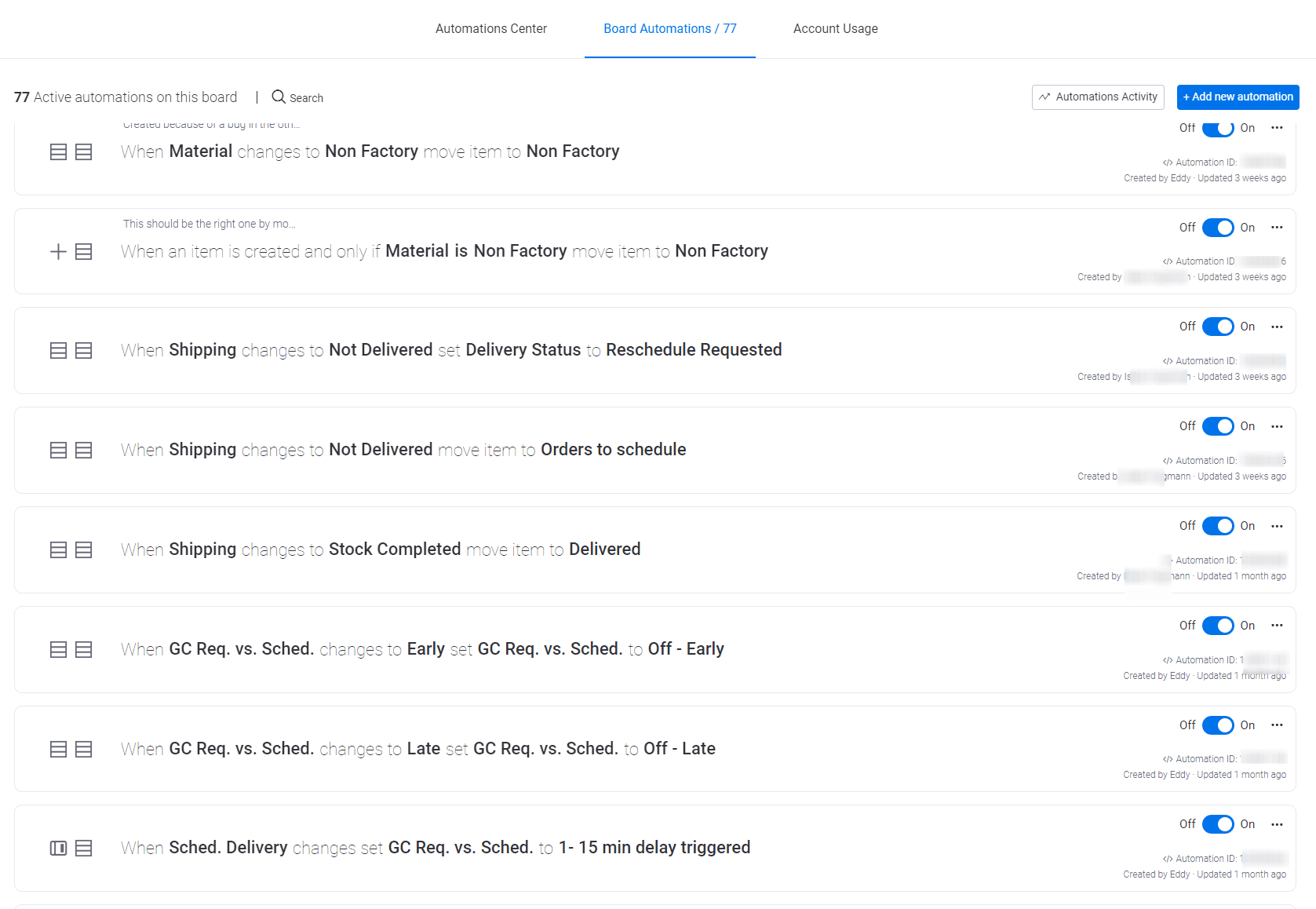
Automations in a Manufacturing Board
A set of 77 active automations built to streamline the manufacturing board's daily operations, automatically updating statuses and routing items based on key triggers throughout the workflow, reducing manual work and keeping the process running smoothly.
Manufacturing
Automations
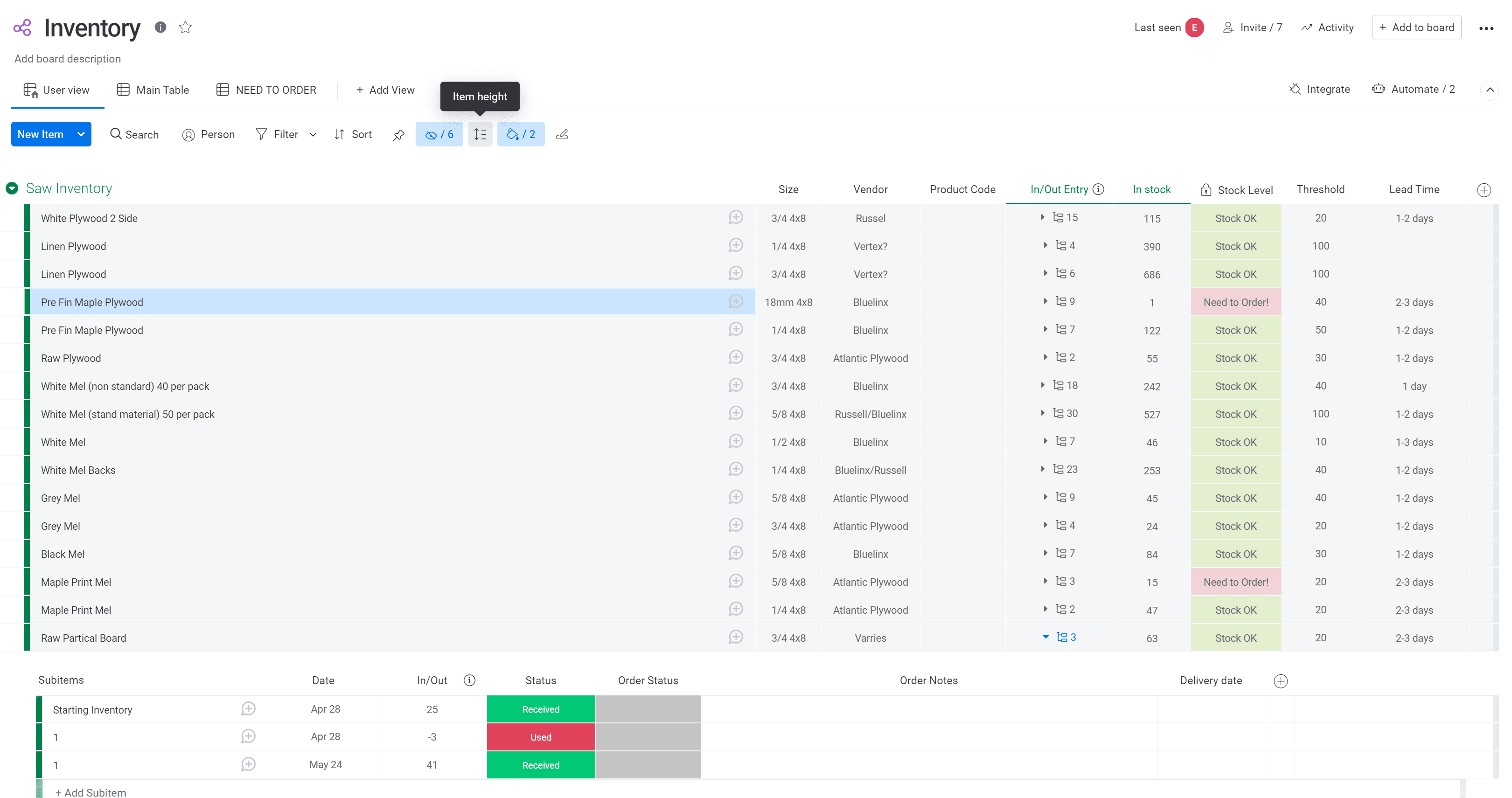
Inventory Management Board
A monday.com board used to track raw material inventory, monitoring stock levels, vendor details, thresholds, and lead times for each item. Automatic stock-level alerts (e.g., "Need to Order") flag low inventory, while subitems log detailed order history—including received, used, and delivery dates—to keep stock accurate and reordering timely.
Manufacturing
Inventory
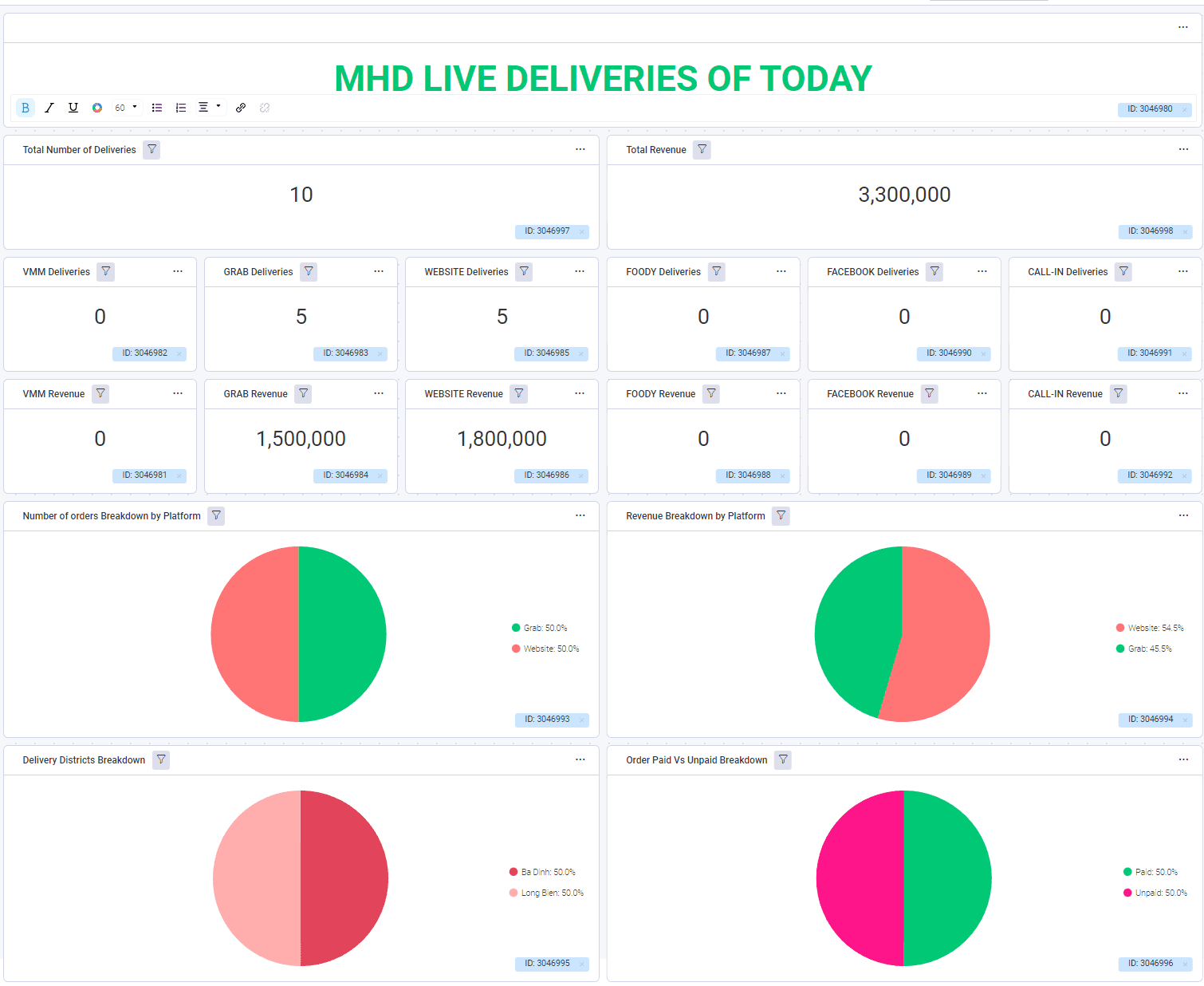
Live Dashboard - Daily Deliveries 1/3
Tracking orders made by customers on different channels. Reporting was done daily, weekly and monthly. Reporting was made per location as this restaurant had several branches.
F&B
Dashboard
Orders Tracking
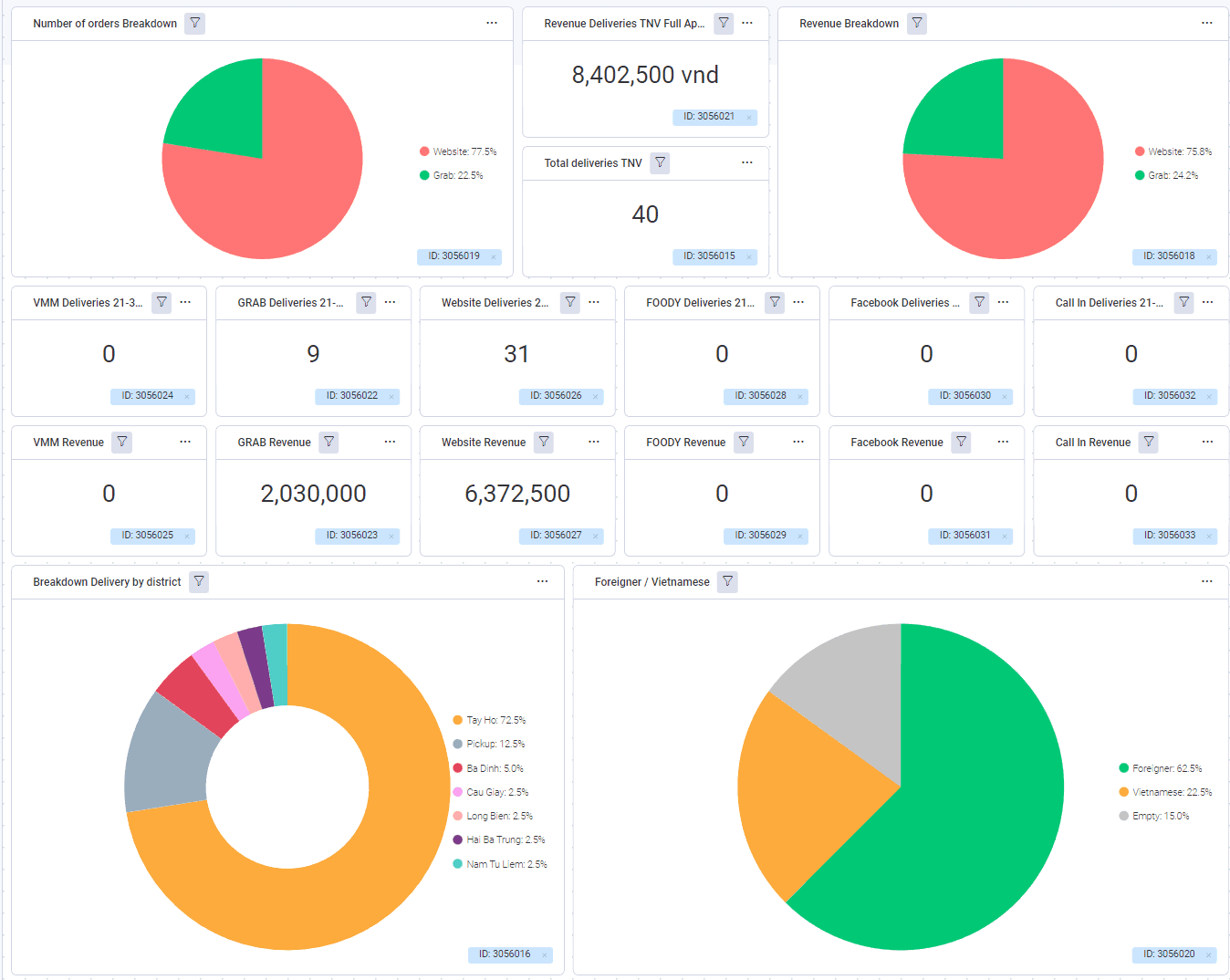
Live Dashboard - Daily Deliveries 2/3
We were able to tracking on the 2 bottom widgets the orders by geographical zones, and by type of customers
F&B
Dashboard
Orders Tracking
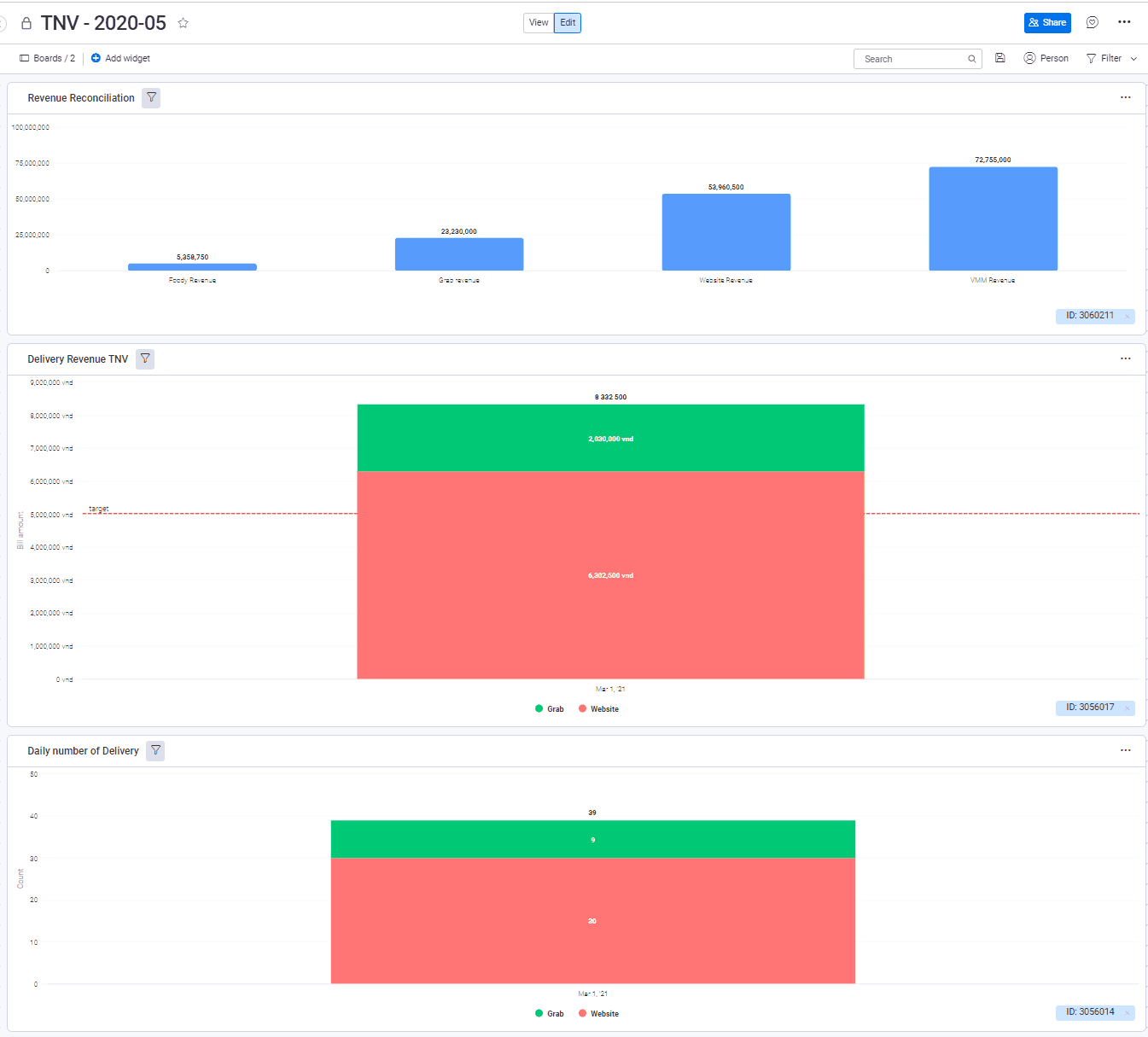
Live Dashboard - Daily Deliveries 3/3
A dashboard tracking monthly revenue reconciliation across multiple channels, comparing figures like Foody, Grab, Website, and WM revenue. It also breaks down delivery revenue and daily delivery volume by platform (Grab vs. Website), helping the team monitor performance against targets and spot channel-level trends.
F&B
Dashboard
Orders Tracking
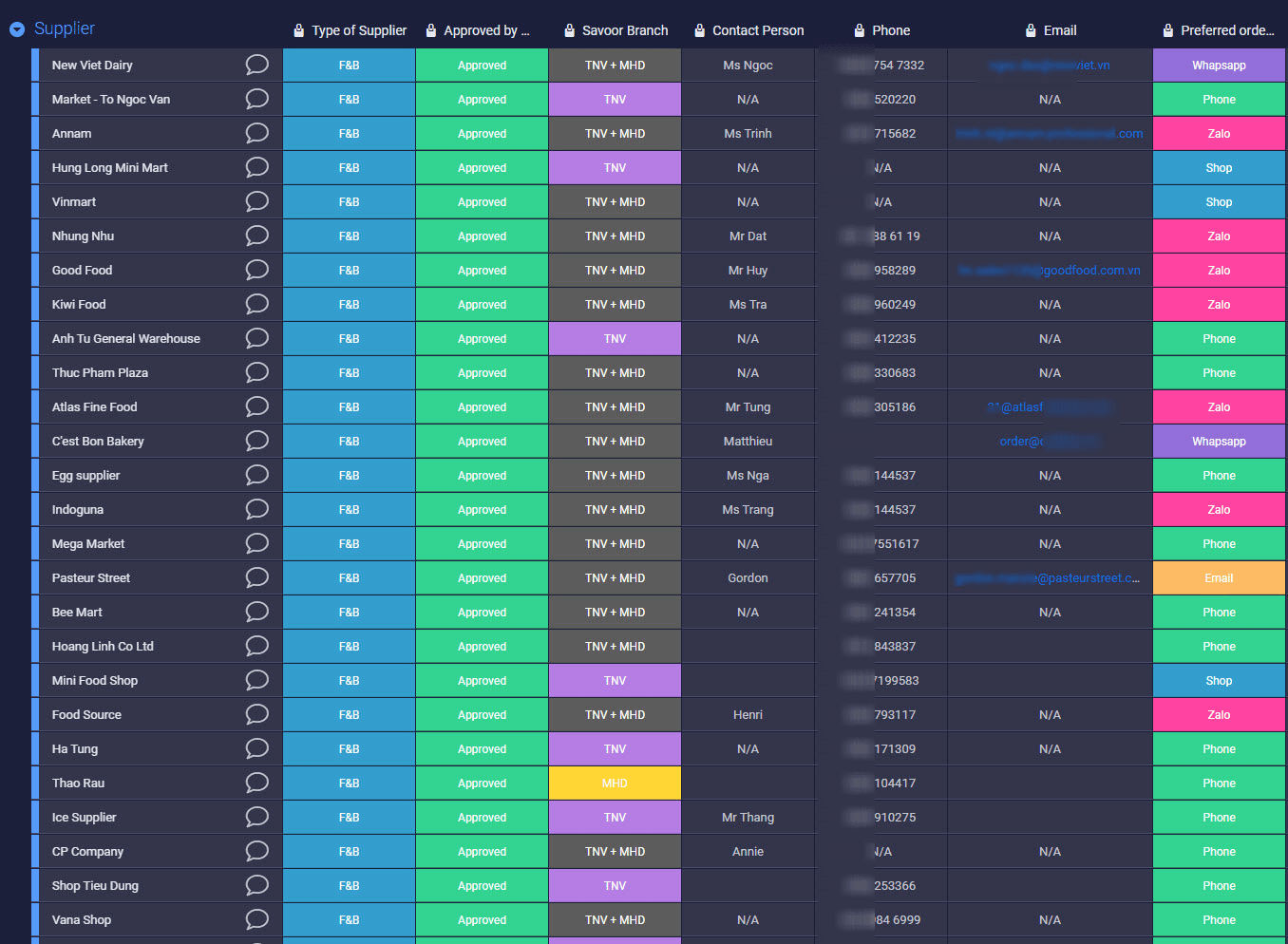
CRM Suppliers
This board maintains a centralized directory of approved F&B suppliers, tracking key details like branch approval, contact person, phone, email, and preferred order method (Zalo, Phone, Whatsapp, Email). It gives the team quick access to vetted supplier information and their designated communication channels for procurement
F&B
CRM
Orders Tracking
Directory
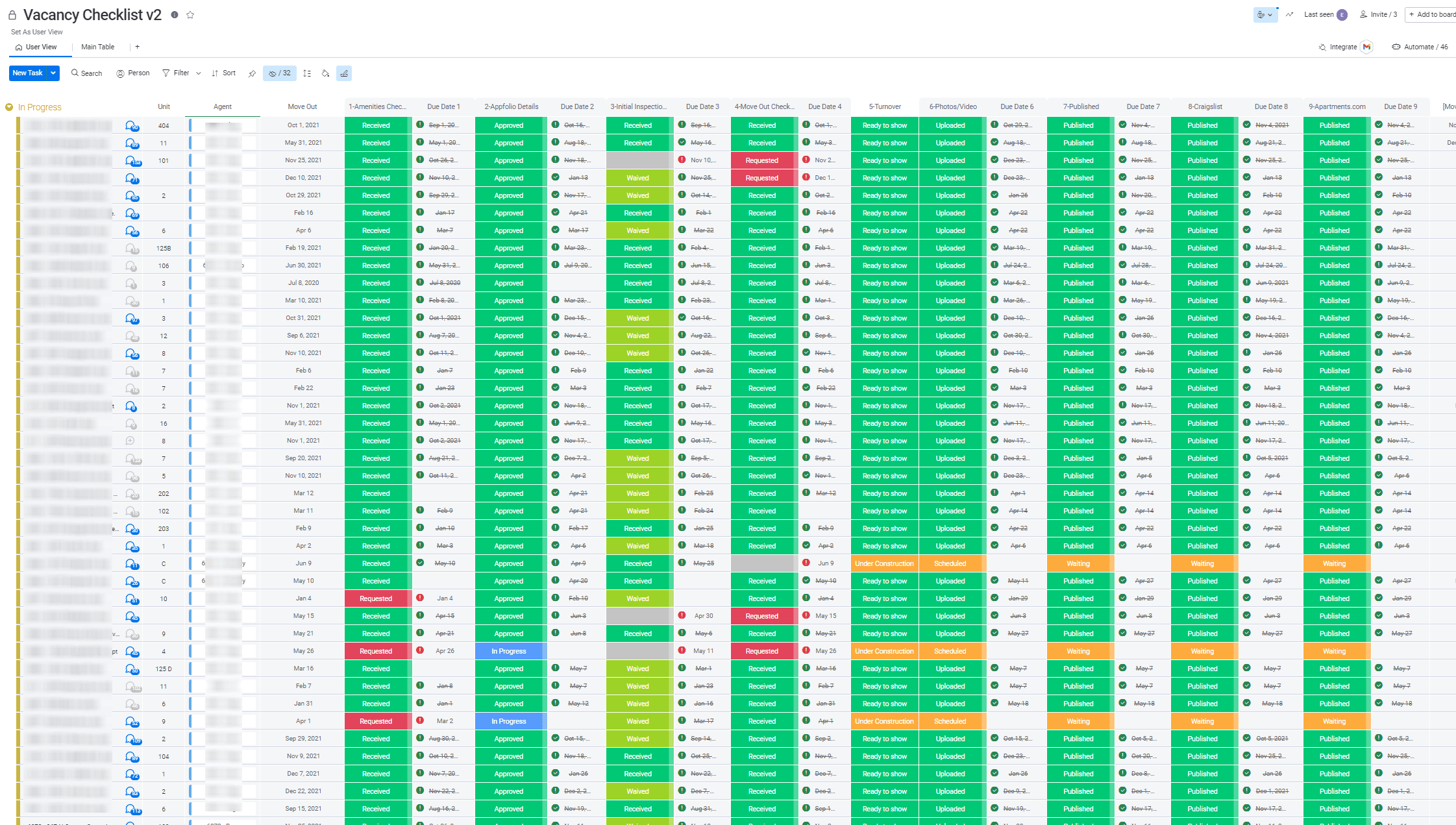
Vacancy Checklist 1/2
Fully automated checklist based on the move-out date allowing to track and manage hundreds of properties
Real Estate
Operations/Checklist
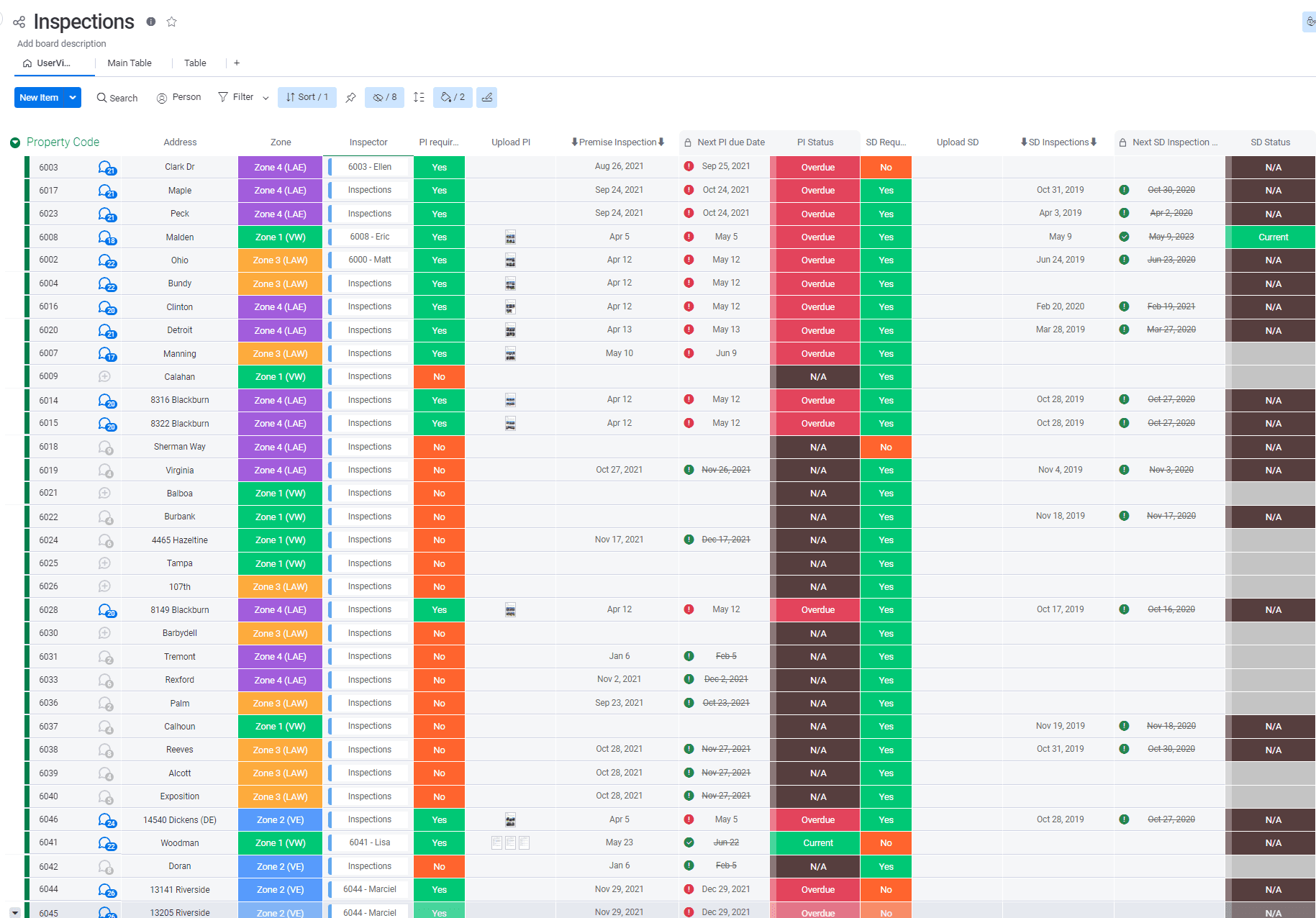
Vacancy Checklist 2/2
This board tracks periodic inspection schedules across a portfolio of properties, organized by zone and inspector. It monitors due dates and statuses for both PI (Periodic Inspection) and SD inspections, flagging overdue items in red so the team can quickly identify properties needing immediate attention.
Real Estate
Operations/Checklist
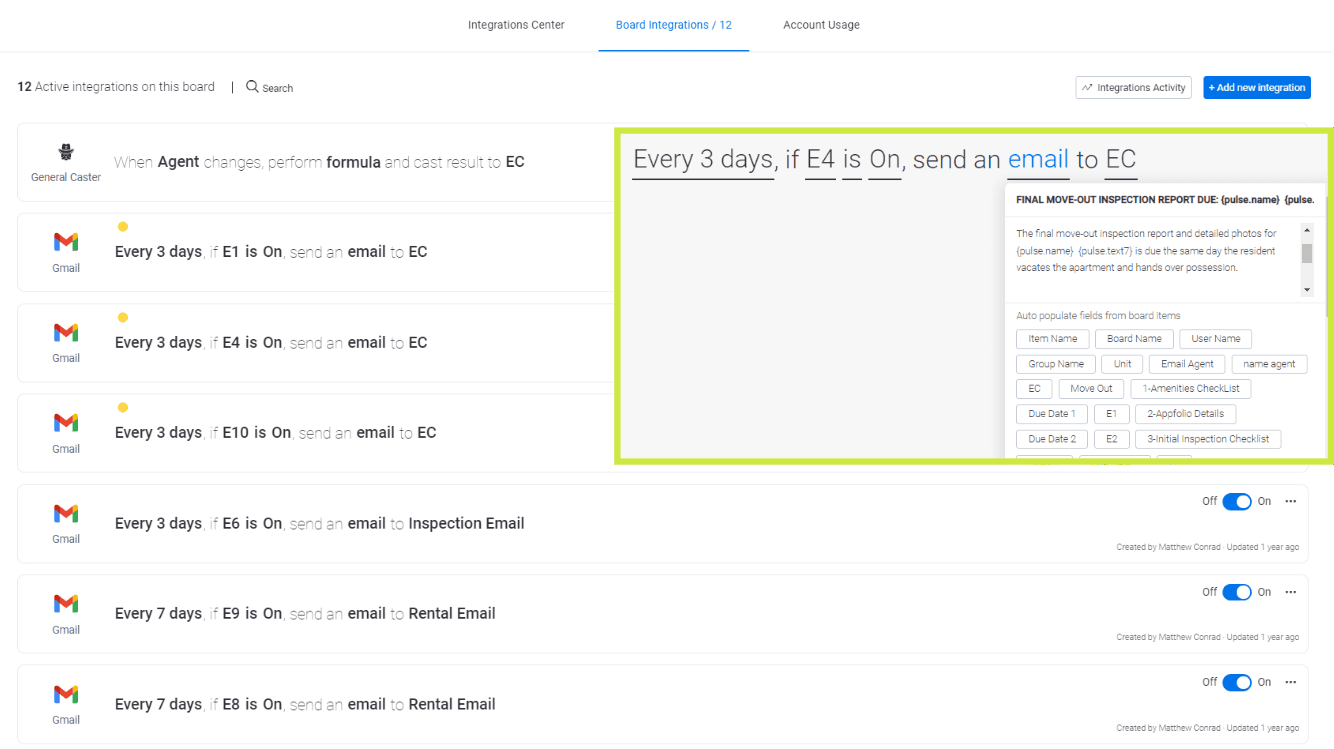
Automated Emails Integrations
When an element of the checklist is about to be due or overdue, emails are sent automatically to the PIC and Managers based on a set of rules
Real Estate
Automations
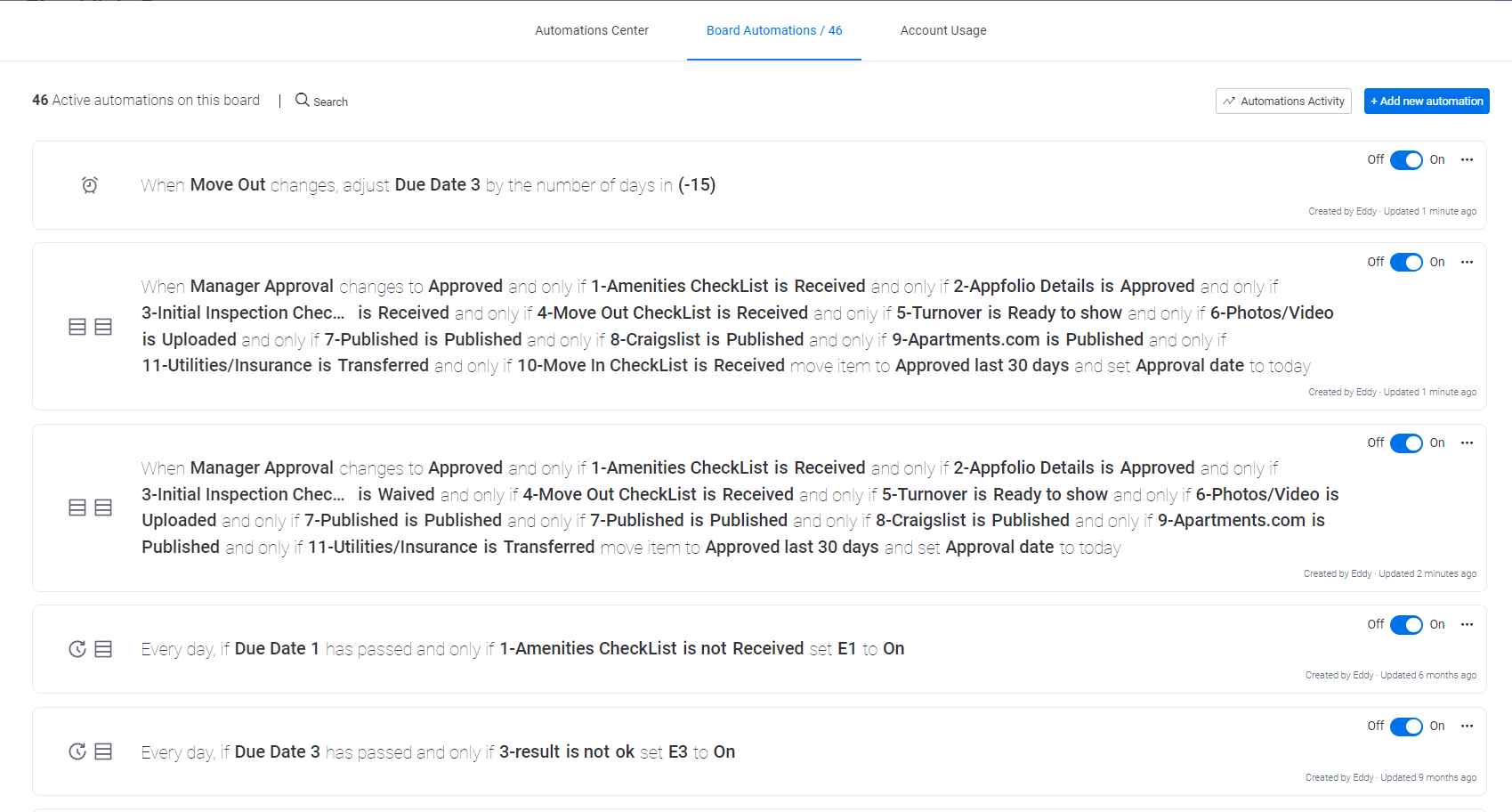
Automations for Real Estate 1/2
A set of 46 active automations built to streamline day-to-day operations, automatically adjusting due dates, updating approval statuses, and flagging overdue tasks based on key workflow conditions—keeping the process running smoothly without manual intervention.
Real Estate
Automations
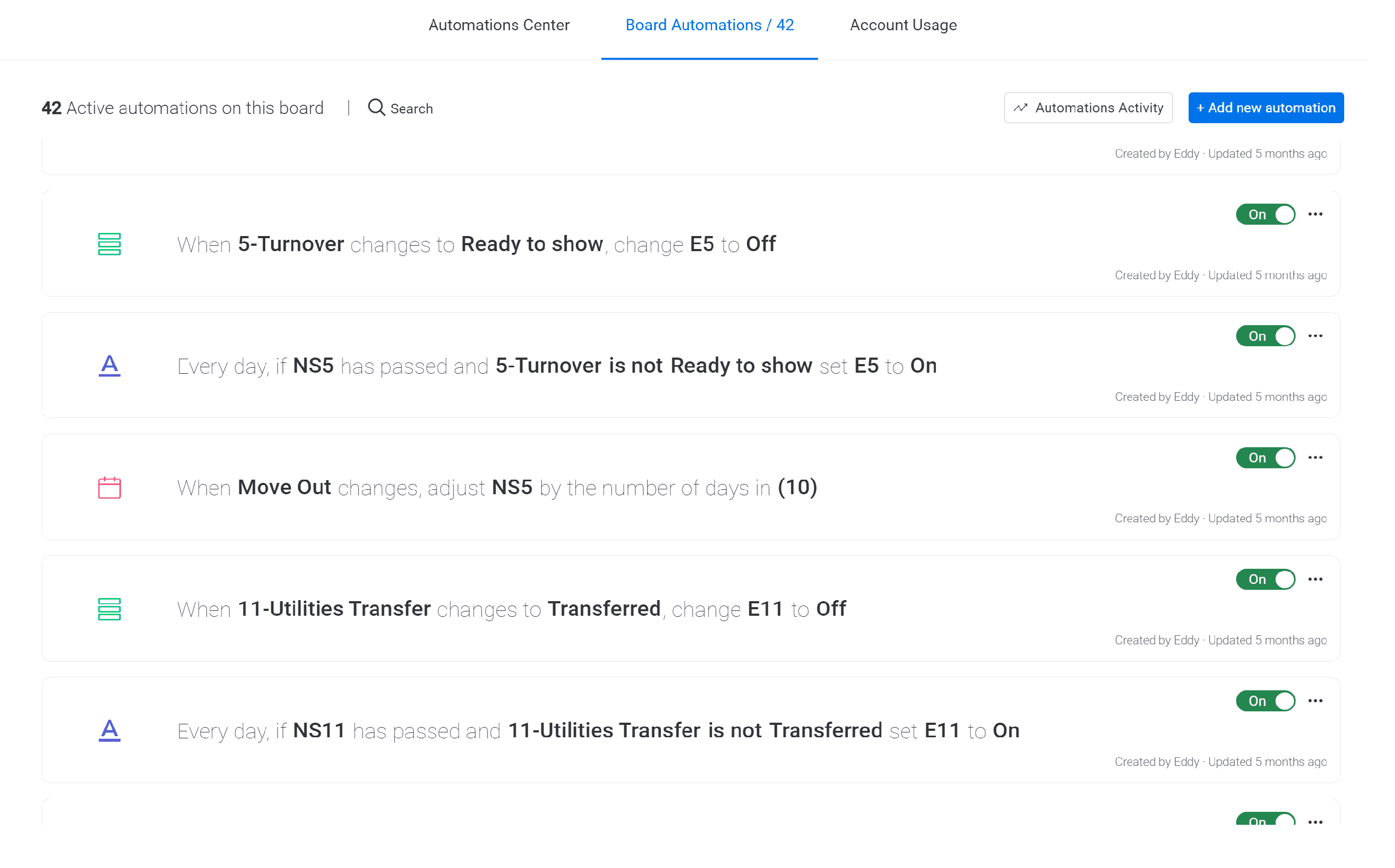
Automations for Real Estate 2/2
Active automations built to streamline day-to-day operations, automatically adjusting due dates, toggling status flags, and triggering alerts based on key workflow conditions—keeping the process running smoothly without manual intervention.
Real Estate
Automations
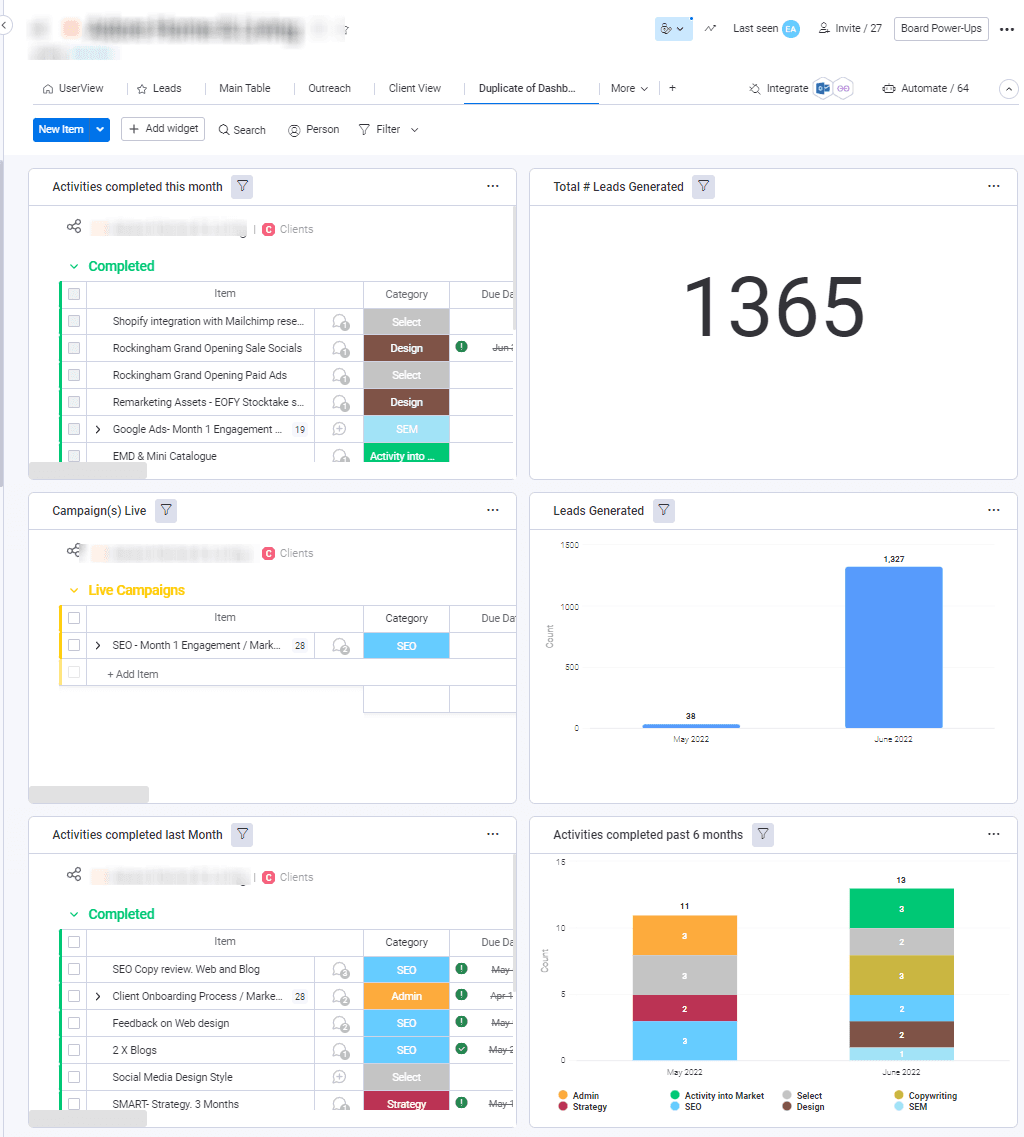
Client Overview Dashboard
Used by a Marketing Agency to see what are the activity for a particular account. The leads are connected from the client's website so that everything can be managed within Monday.com
Marketing
Dashboard
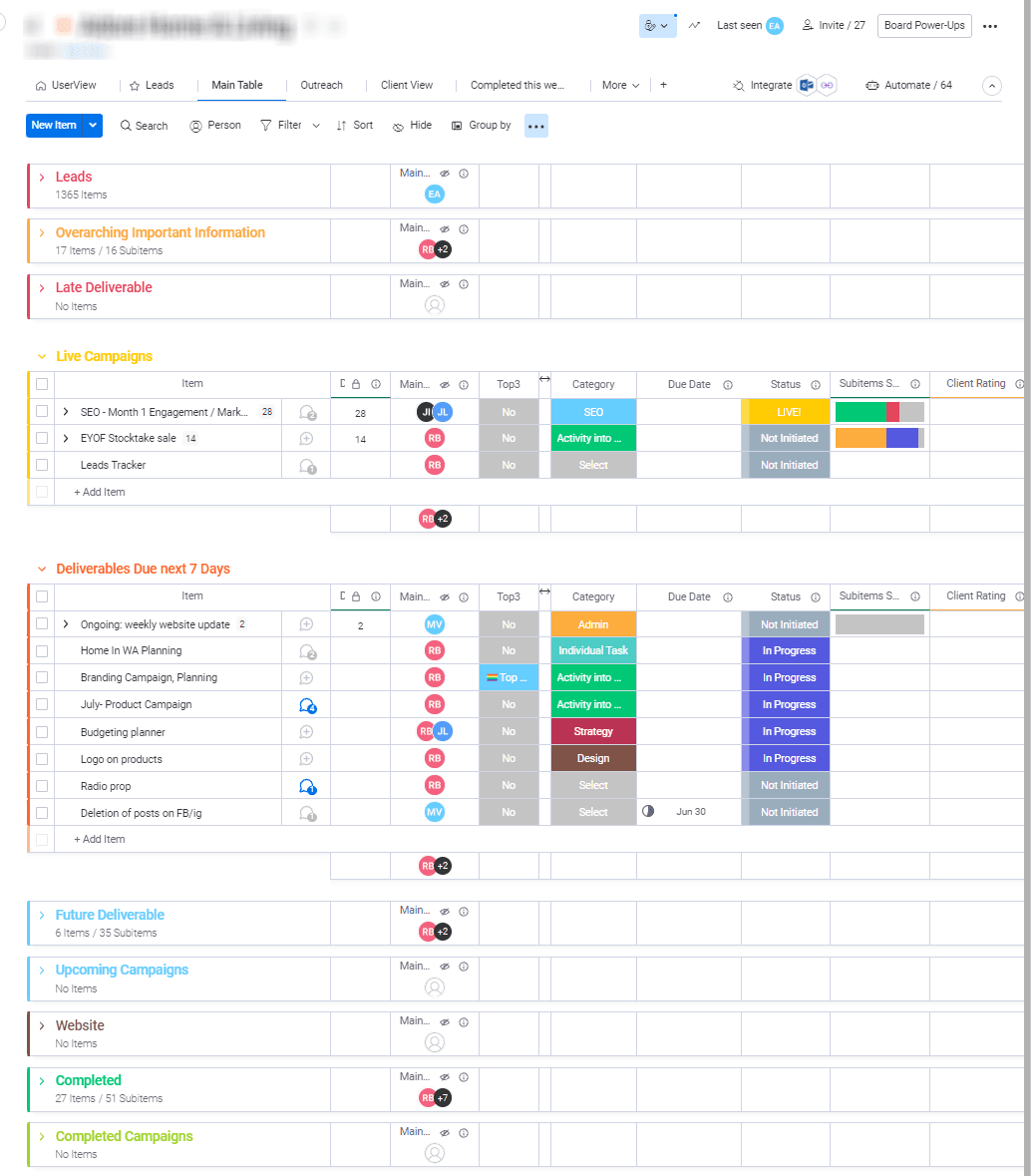
Marketing Agency
Marketing Agency
Marketing
Project Management
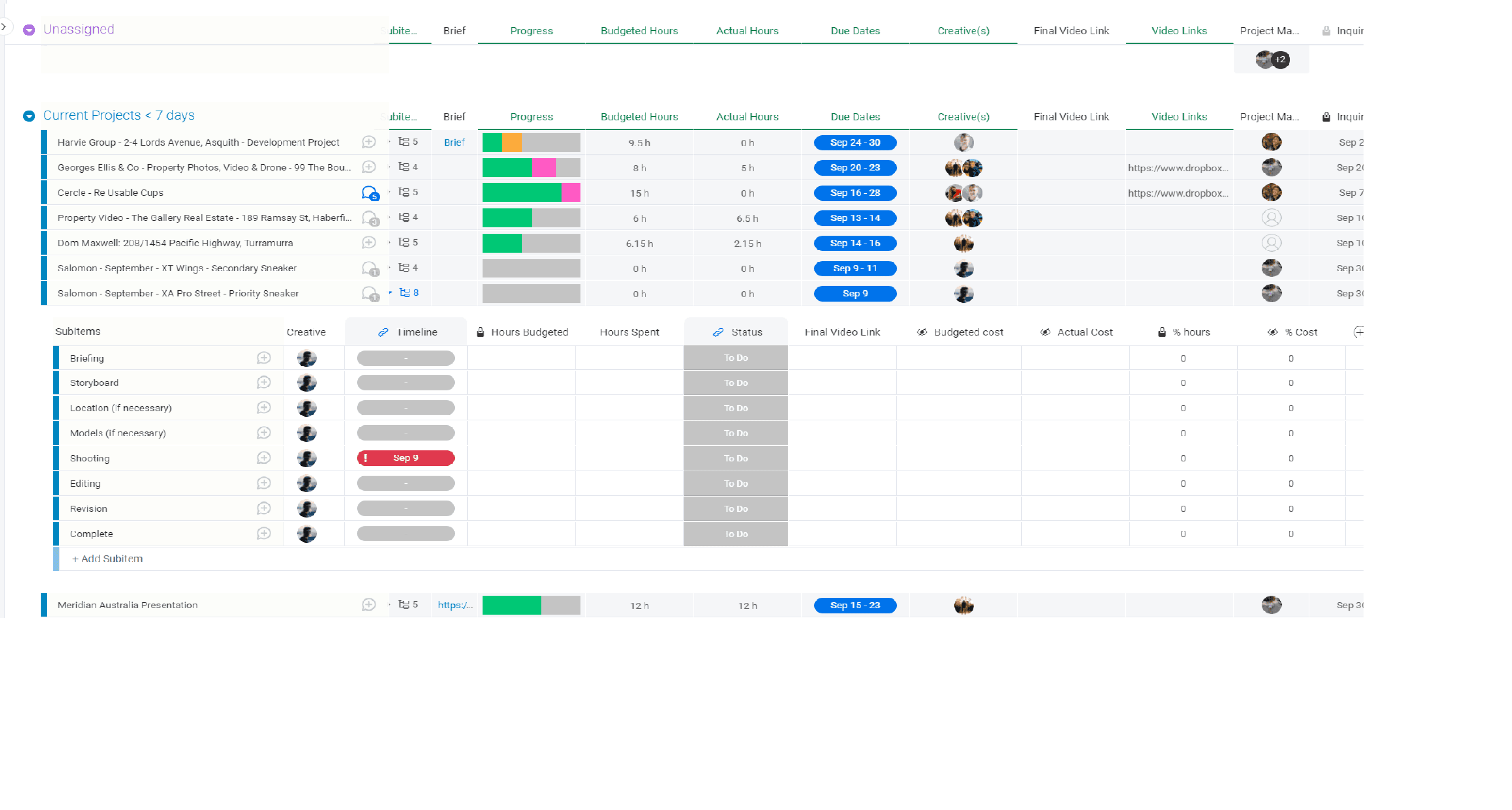
Video Production 1/2
This board tracks active video and photo production projects, monitoring progress, budgeted vs. actual hours, due dates, and assigned creatives. Subitems break each project into production stages—briefing, storyboard, shooting, editing, and revision—with timelines and status tracked at every step, alongside budgeted and actual cost.
Marketing
Project Management
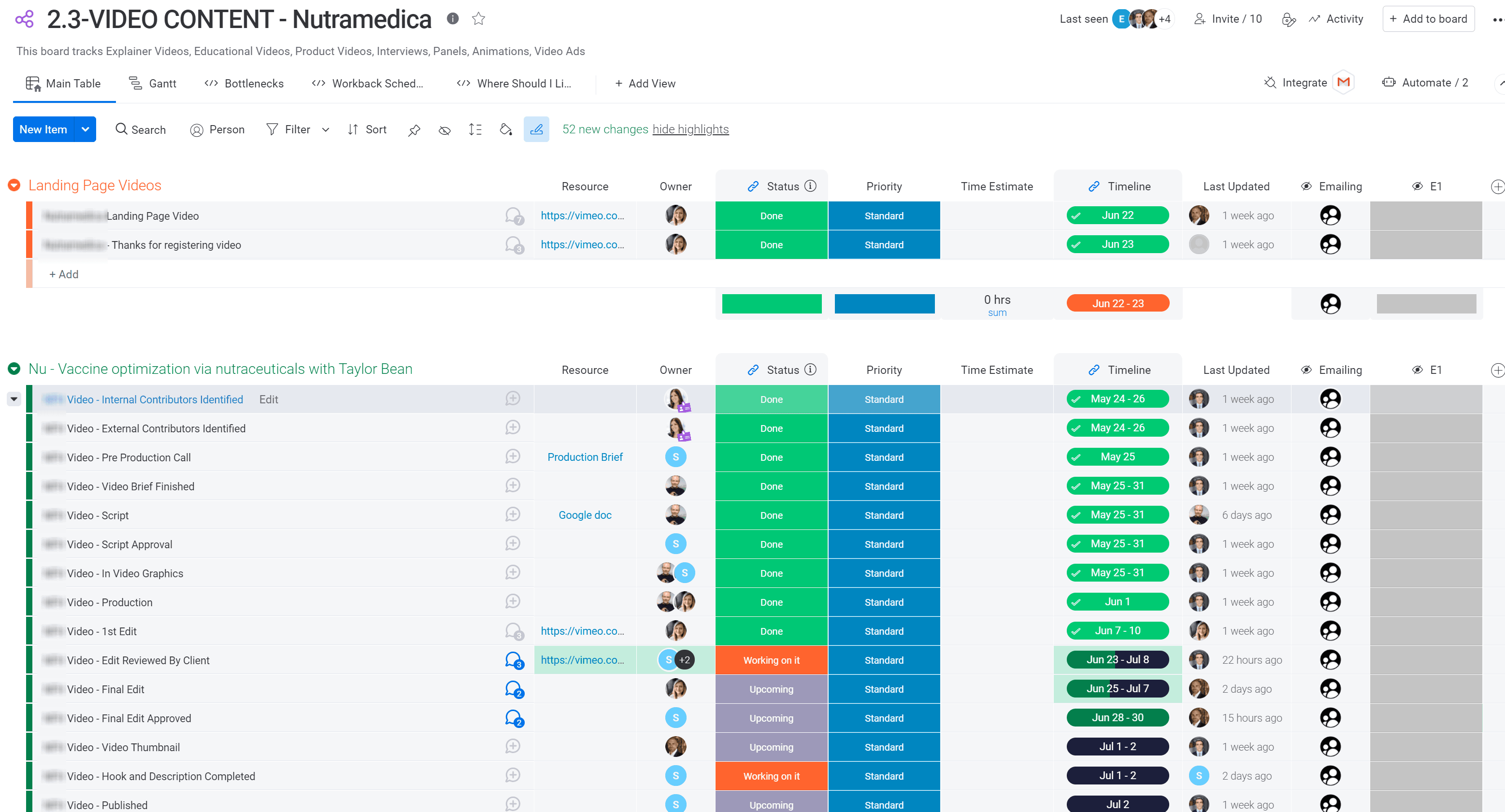
Video Production 2/2
This board tracks the full lifecycle of video content—explainer videos, educational content, product videos, interviews, and animations—organized by project group with status, priority, and timeline for each production stage, from pre-production and scripting through editing, client review, and final publishing.
Marketing
Project Management
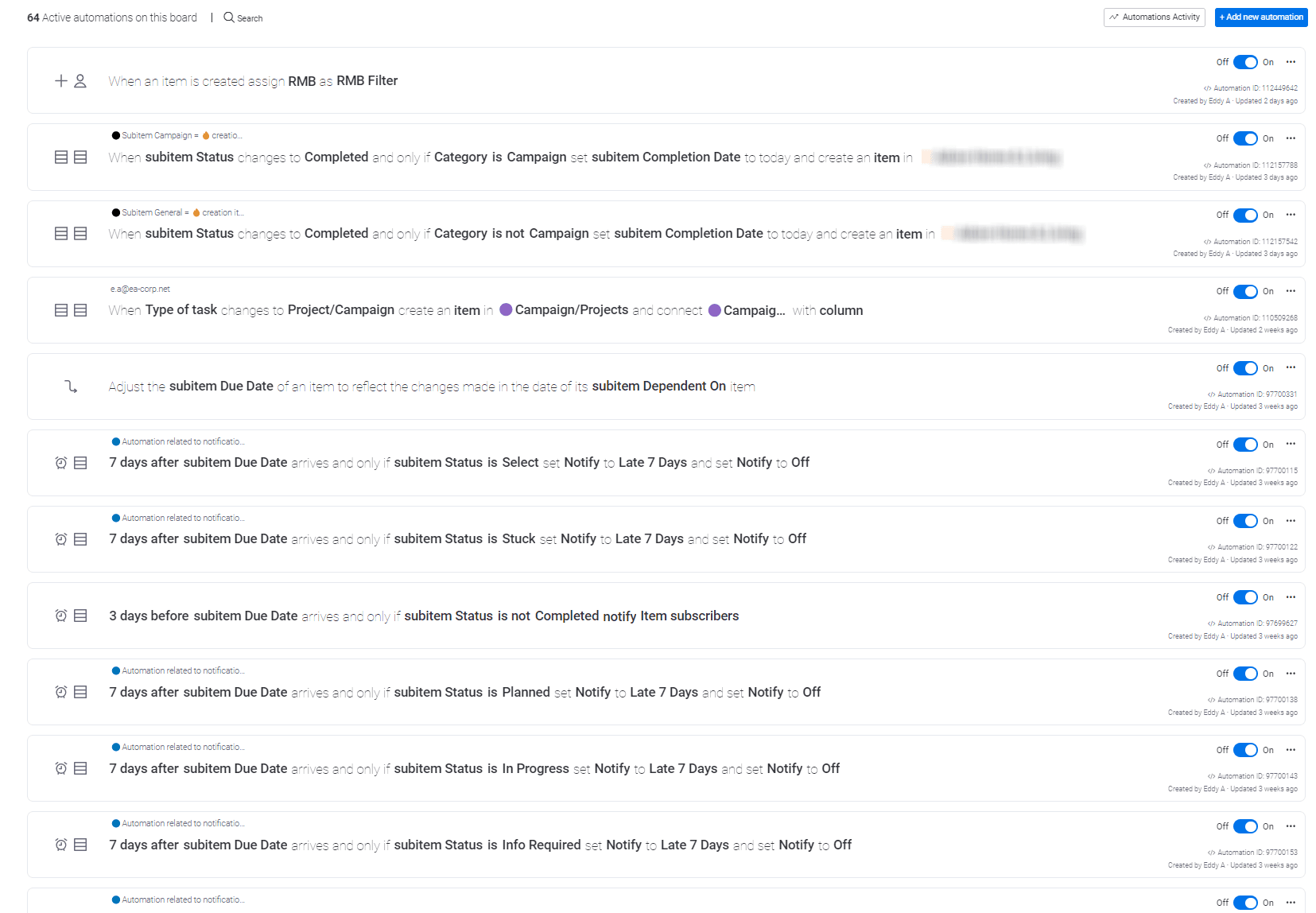
Marketing Automations
Automations built to streamline day-to-day operations, automatically assigning owners, creating linked items, adjusting due dates, and triggering status-based notifications—keeping the workflow running smoothly without manual intervention.
Marketing
Automations
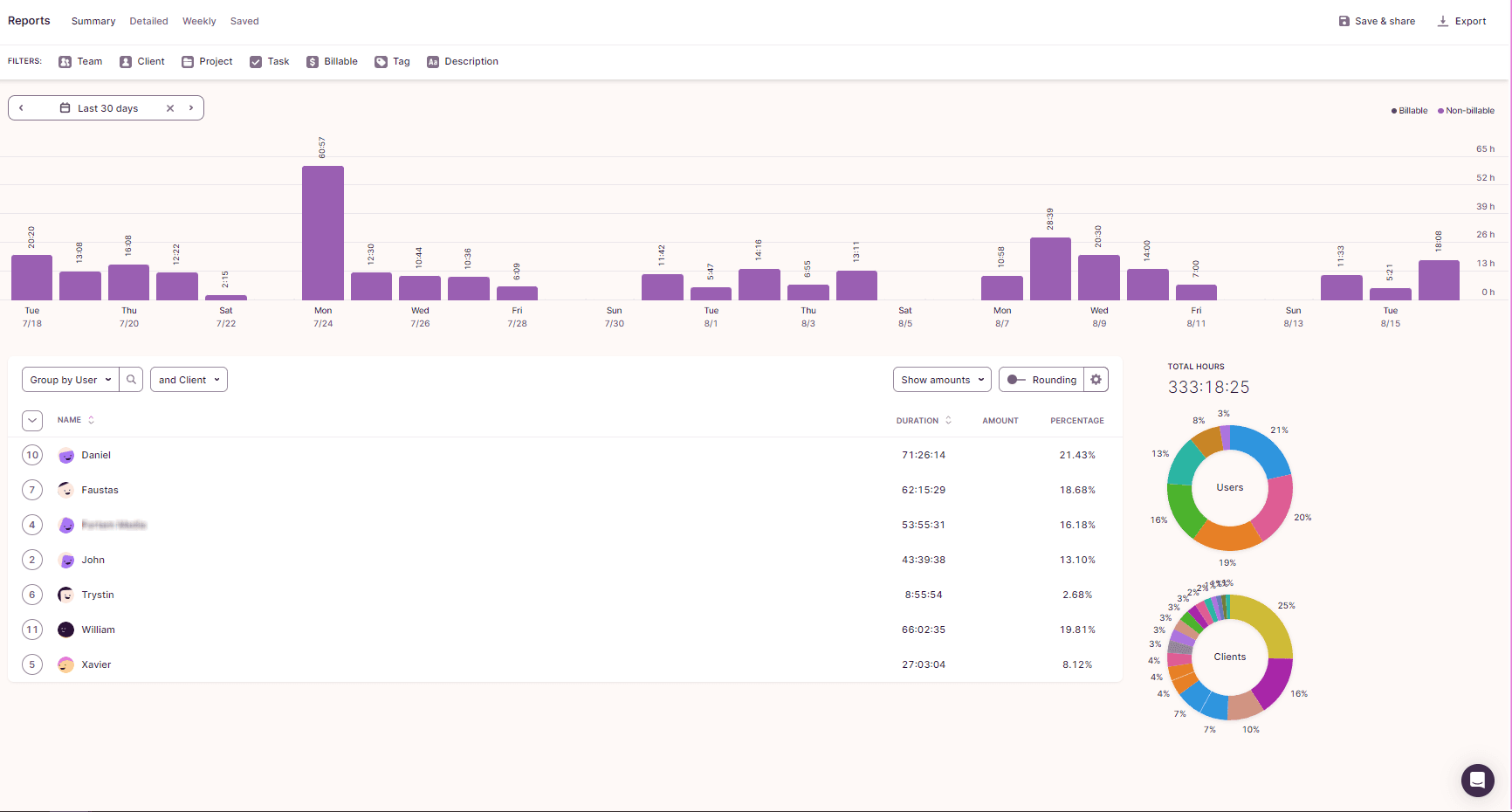
Time Tracking Report on Toggl Integrated with Monday.com
Automated time-tracking sync between Monday.com and Toggl Track, built to give the team a more efficient reporting workflow. While tasks were managed and executed in Monday.com, time entries were automatically synced to Toggl Track, enabling detailed, easy-to-read reports on hours logged per user, client, and project.
Marketing
Time Tracking
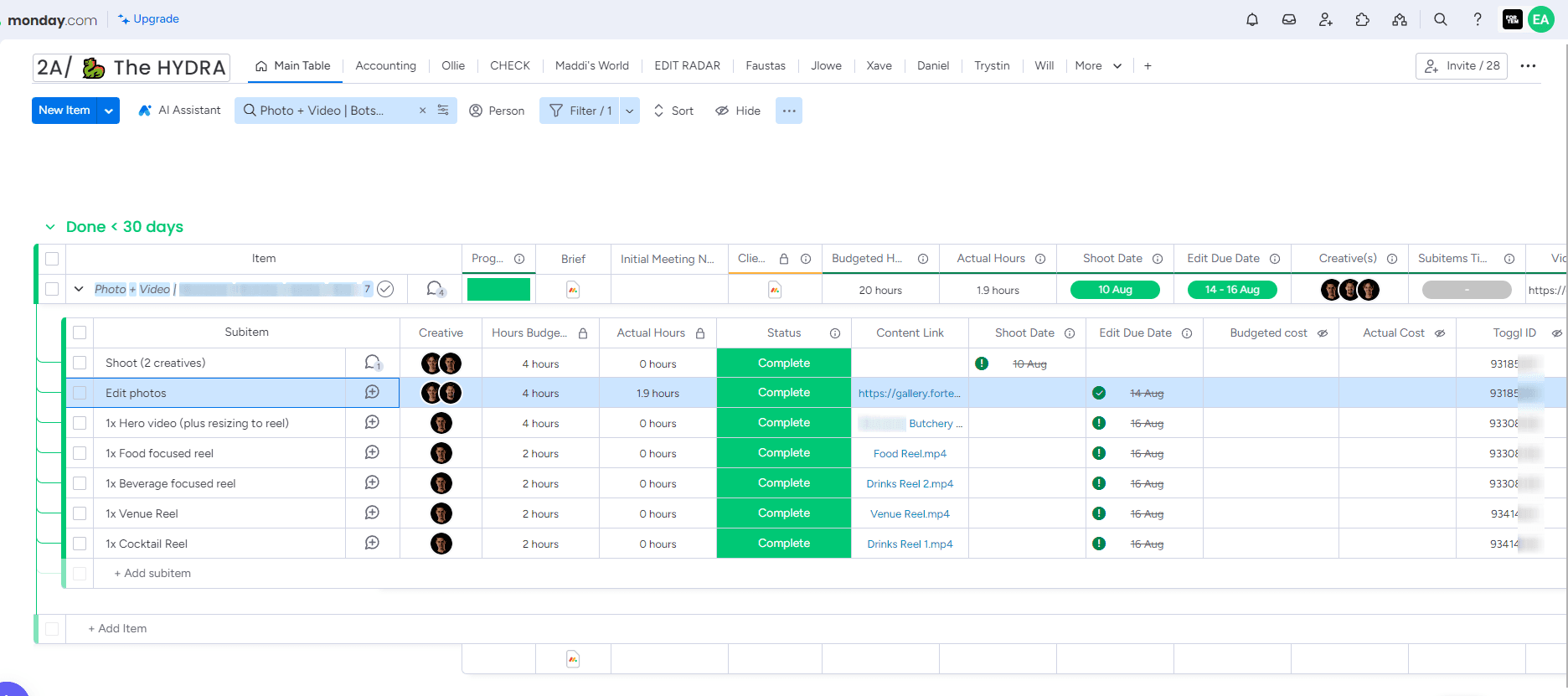
2 Way Sync of the Tasks Between Monday.com and Toggl
A centralized monday.com board used to manage the team's photo and video production workflow, tracking tasks by creative, budgeted vs. actual hours, shoot dates, and deliverable status. Each subitem represents a specific content piece, with progress, content links, and cost tracking, which are automatically synced to Toggl in order to generate accurate, real-time time-tracking reports.
Marketing
Time Tracking
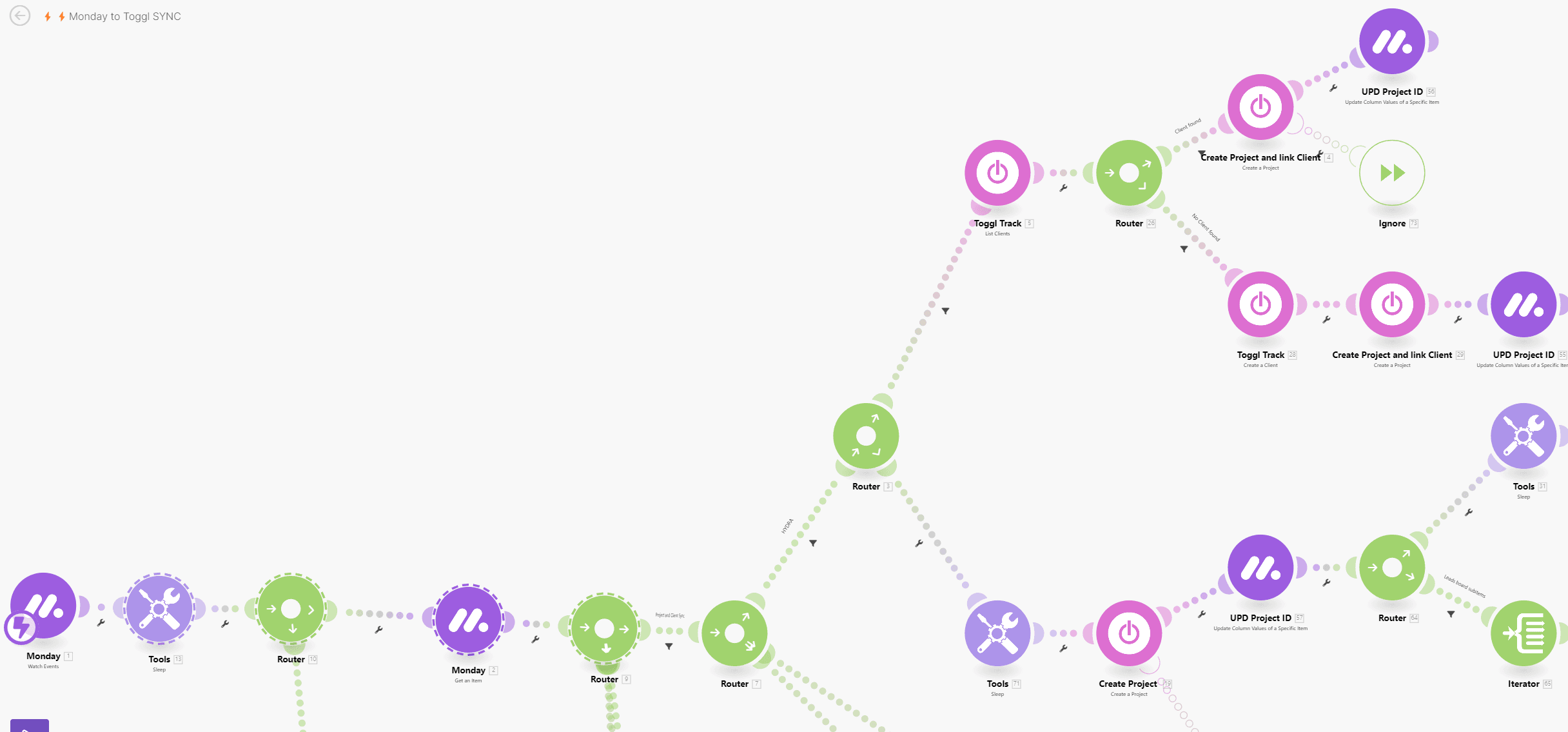
Time Tracking with Make.com
An automated workflow (built in Make/Integromat) that connects monday.com and Toggl Track, triggering whenever a task is created or updated on monday.com. The scenario routes data through a series of modules, creating or linking projects and clients in Toggl and updating the corresponding Project ID back on monday.com, ensuring both platforms stay fully synced without any manual input.
Marketing
Time Tracking
Make.com
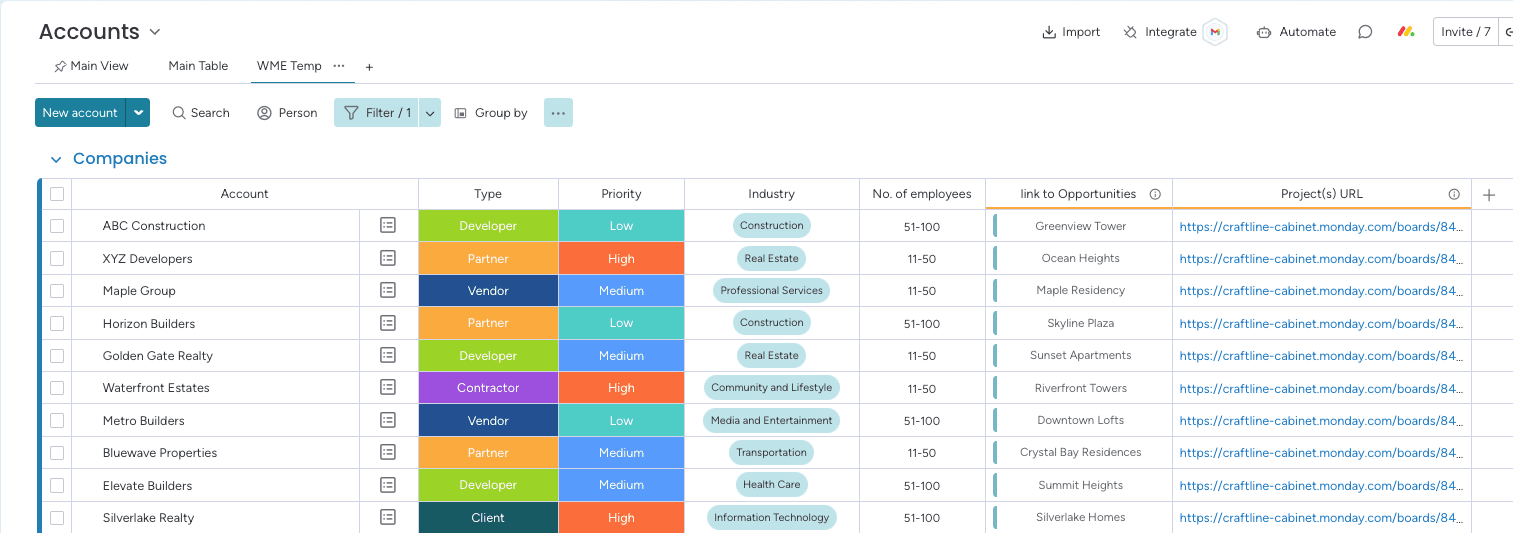
Accounts Board
The Accounts board tracks organizations, their details, and links them to opportunities. It also tracks projects that are associated with the different organizations.
Manufacturing
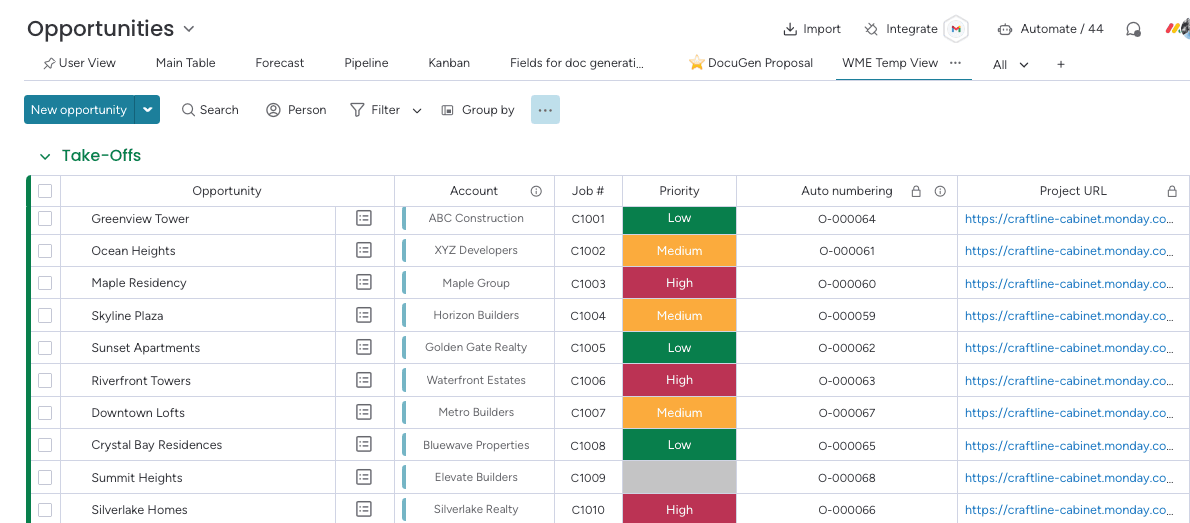
Opportunities Board
The Opportunities board records new opportunities, associating them with accounts to streamline tracking. The sales team can create new projects in the different salesperson workspace when an opportunity reaches the 'Take Off' stage.
Manufacturing
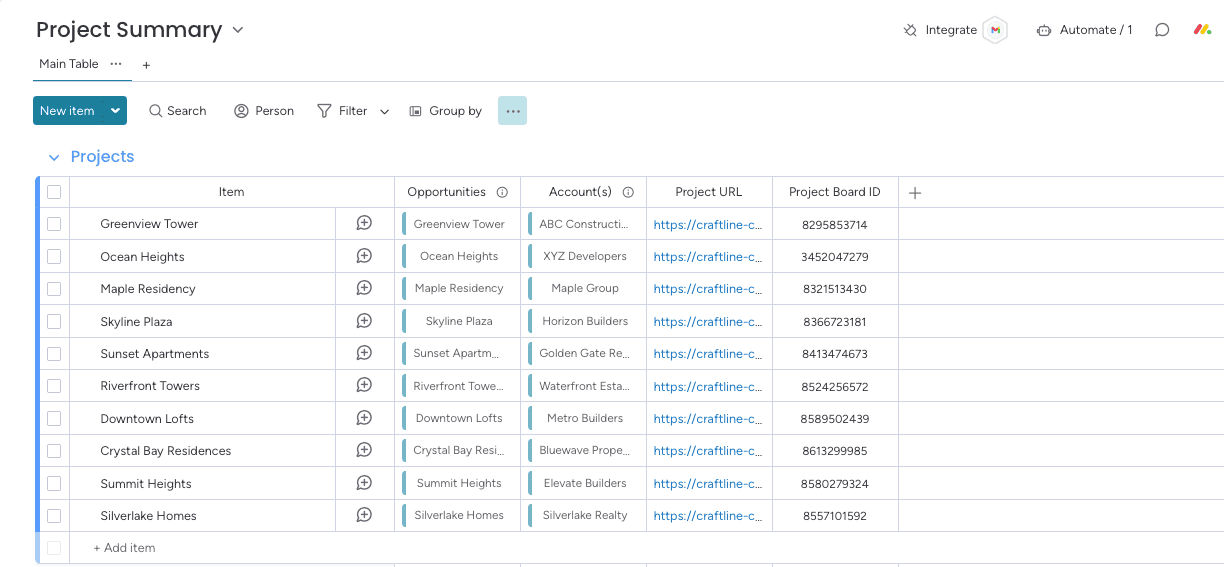
Project Summary Board
The Project Summary board provides the sales team with an overview of ongoing projects for better management and visibility.
Manufacturing
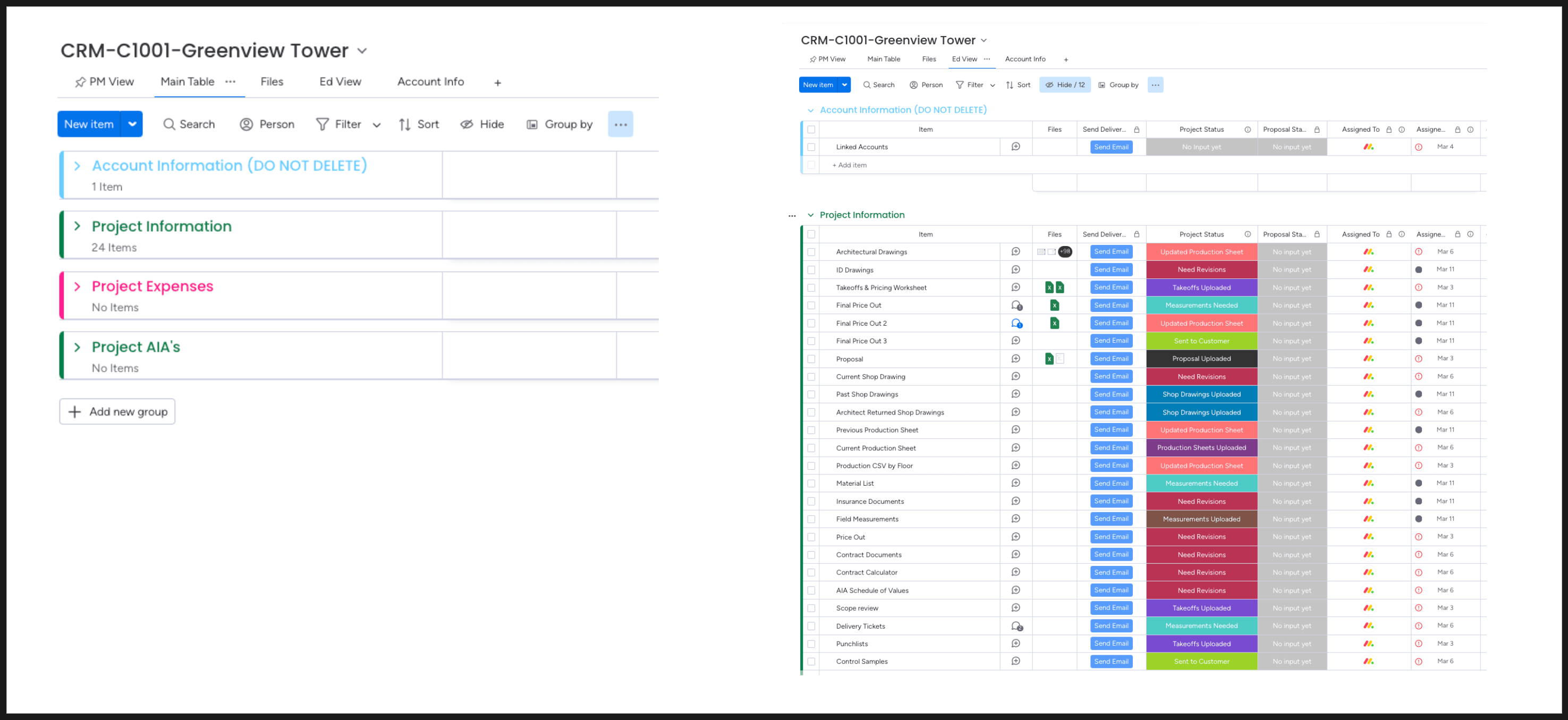
Project Board
The Project board provides the detailed list of tasks the salesperson should follow during the project implementation process.
Manufacturing
Project Management
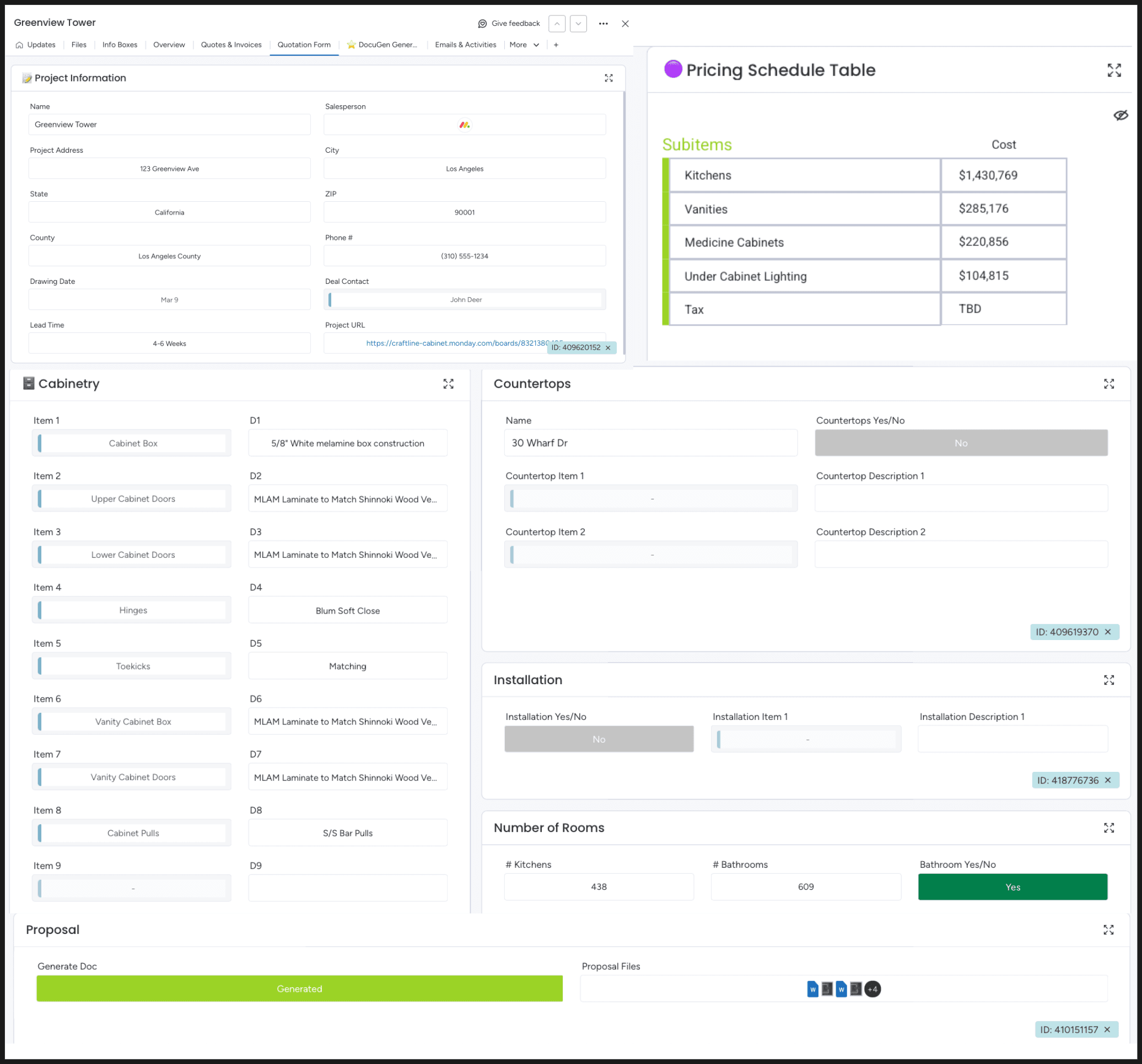
Quote Generation
The Opportunity Board with an item card for Quote Generation that allows users to create invoices and quotes directly from opportunities. Once an opportunity reaches a Proposal stage, users can generate a document with pre-filled details like job number, account, and pricing. Users can add specific requests from clients for different items in the item card. This streamlines the sales process, ensuring quick and accurate quote creation.
Manufacturing
Invoicing
Docgeneration
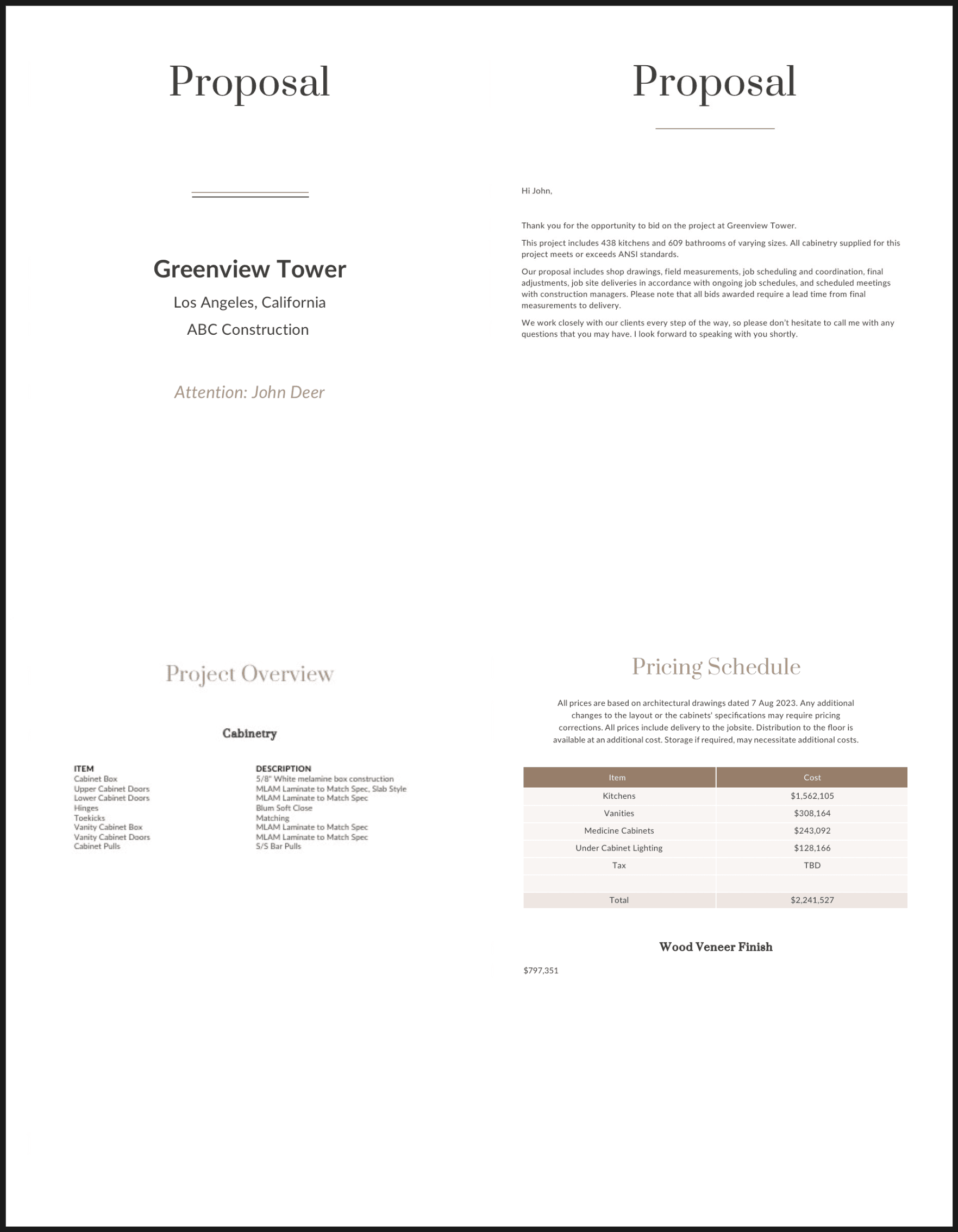
Quote Document
The generated document in Docugen using the prefill fields from the Opportunities board.
Manufacturing
Invoicing
Docgeneration
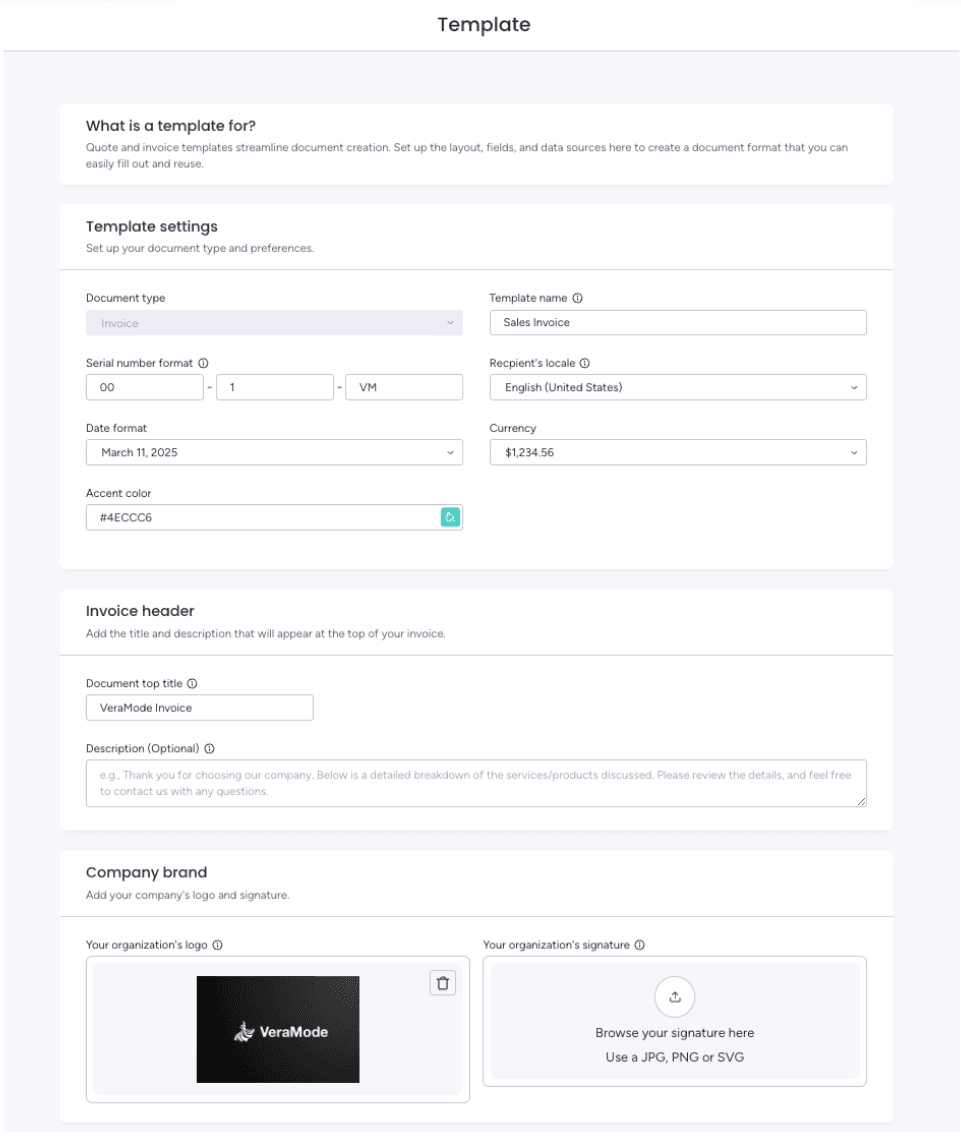
Invoice Generation Retail 1/3
The Monday CRM Quotes & Invoices feature allows users to easily create quotes and invoices by connecting their client list and product catalog to the invoice templates. This streamlines the billing process, saving time and ensuring accuracy. It simplifies client management with seamless integration of client and product data.
Retail
Invoicing
CRM
Docgeneration
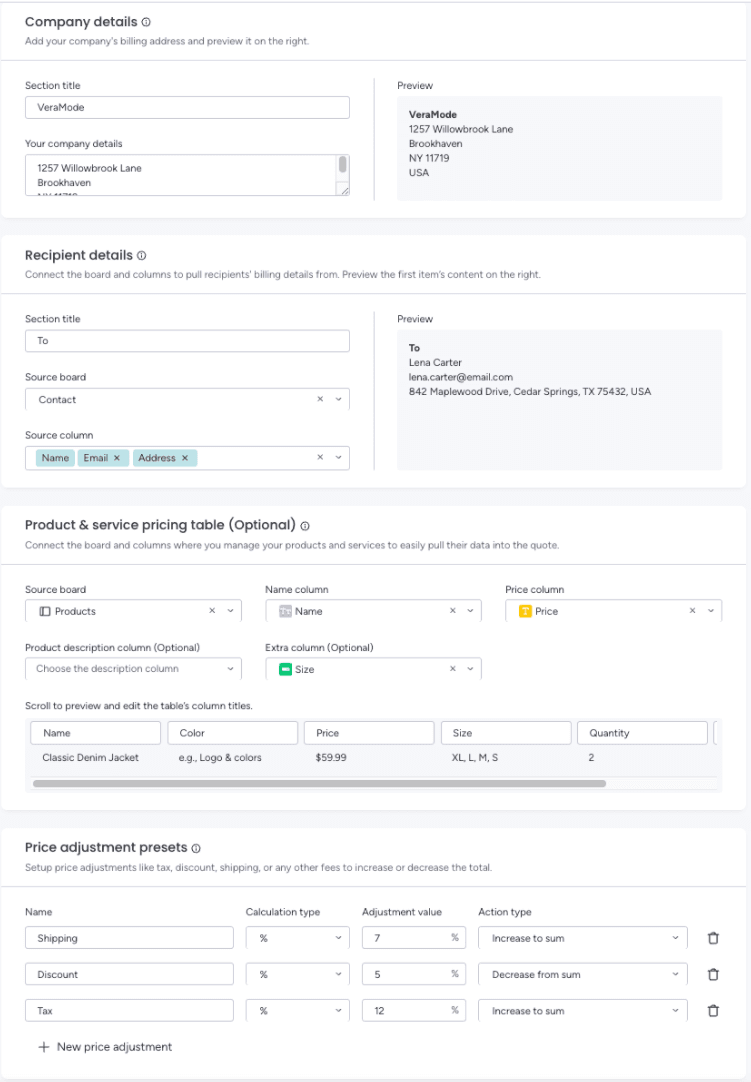
Invoice Generation Retail 2/3
The Monday CRM Quotes & Invoices feature allows users to easily create quotes and invoices by connecting their client list and product catalog to the invoice templates. This streamlines the billing process, saving time and ensuring accuracy. It simplifies client management with seamless integration of client and product data.
Retail
Invoicing
CRM
Docgeneration
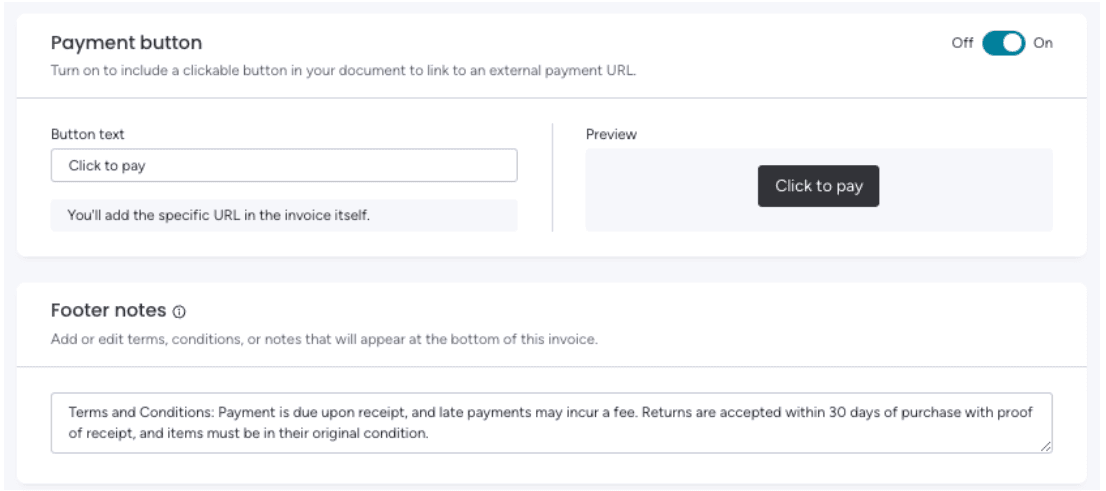
Invoice Generation Retail 3/3
The Monday CRM Quotes & Invoices feature allows users to easily create quotes and invoices by connecting their client list and product catalog to the invoice templates. This streamlines the billing process, saving time and ensuring accuracy. It simplifies client management with seamless integration of client and product data.
Retail
Invoicing
CRM
Docgeneration
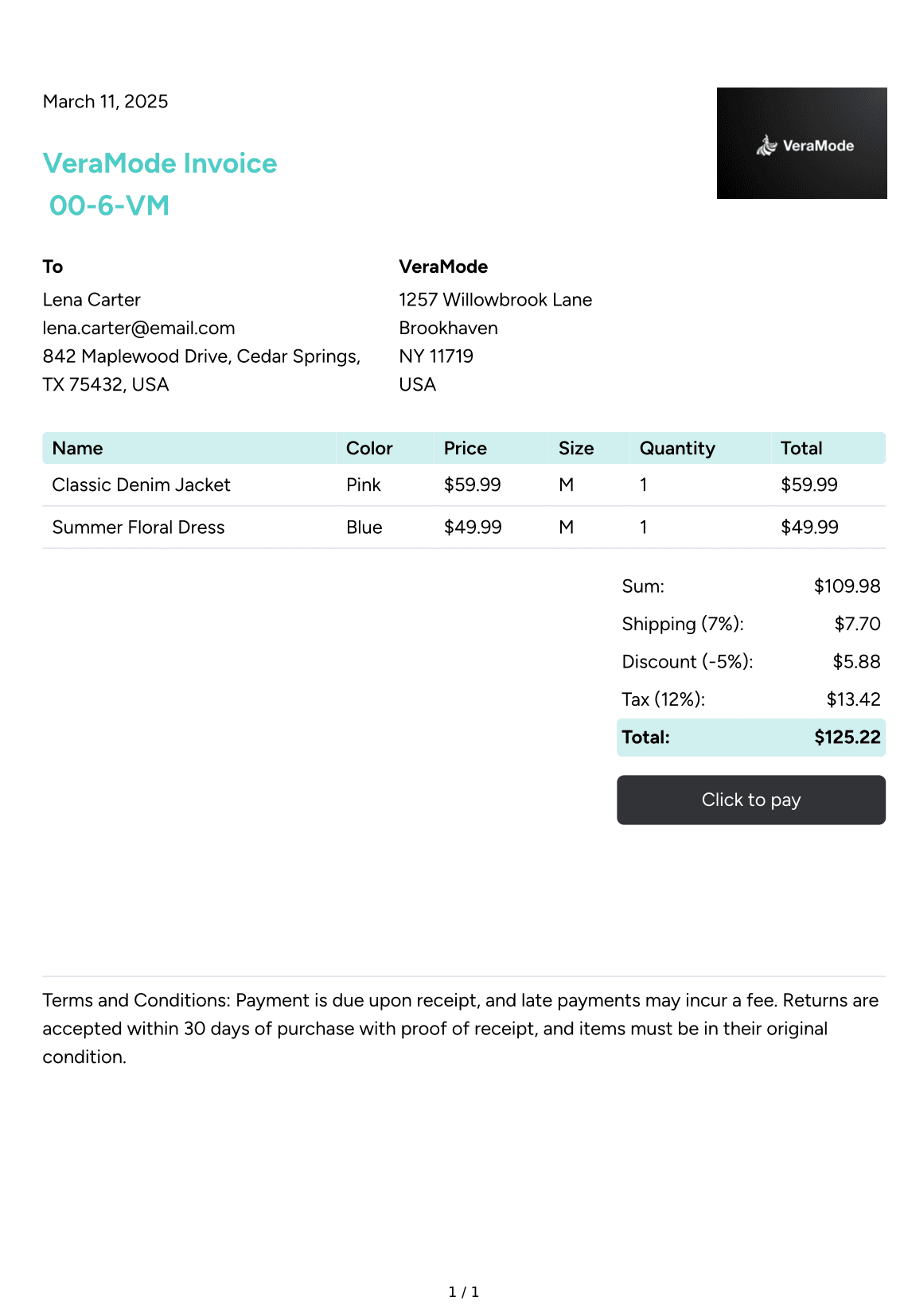
Invoice Document
The generated document using the Monday Quotes & Invoice feature.
Retail
Invoicing
CRM
Docgeneration
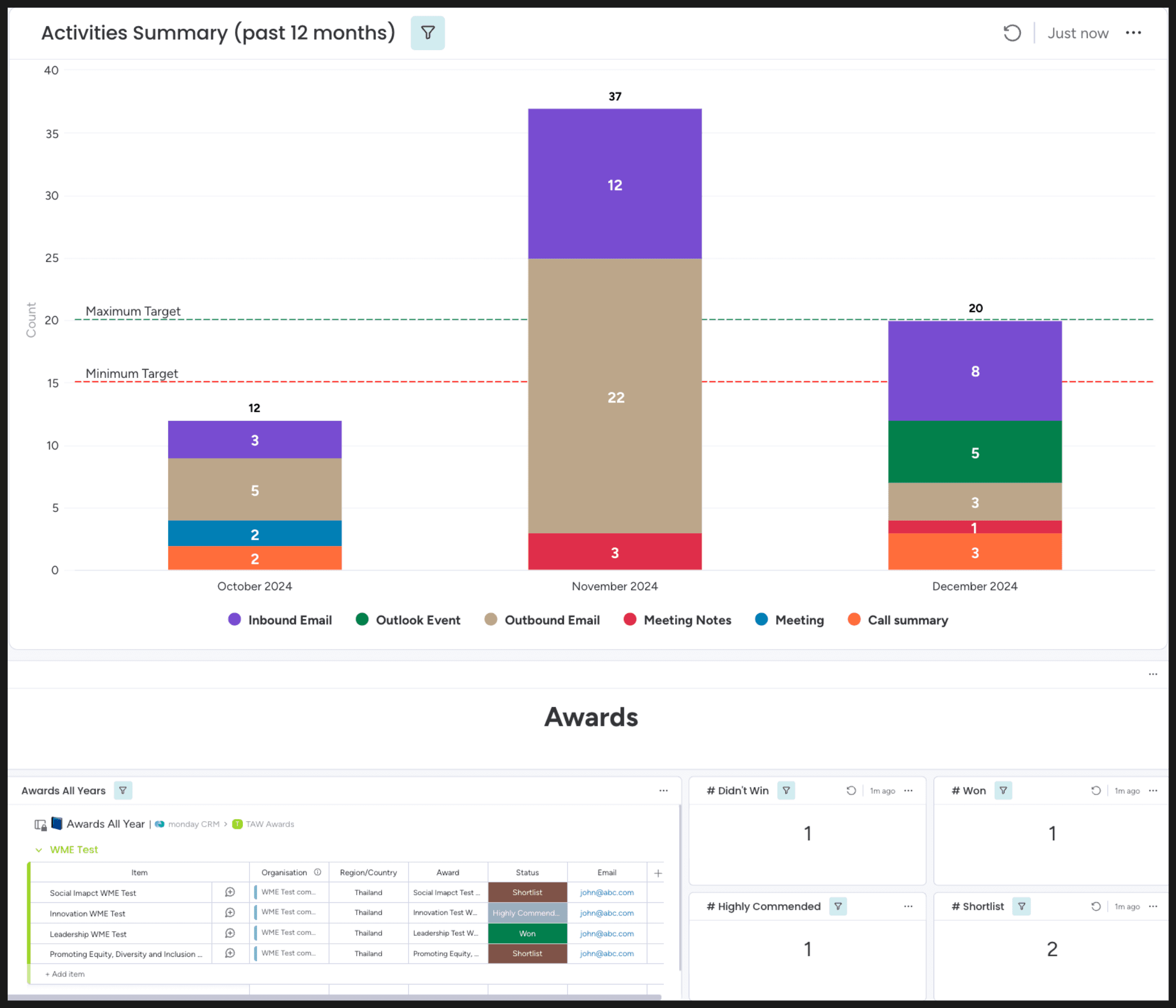
Organization Activity Summary
The Organization Snapshot Dashboard provides an overview of activities such as emails, events, meetings, and calls, filtered by organization. It also tracks awards given to organizations, displaying categories like wins, shortlisted entries, highly commended, and those that didn't win.
Activity Tracking
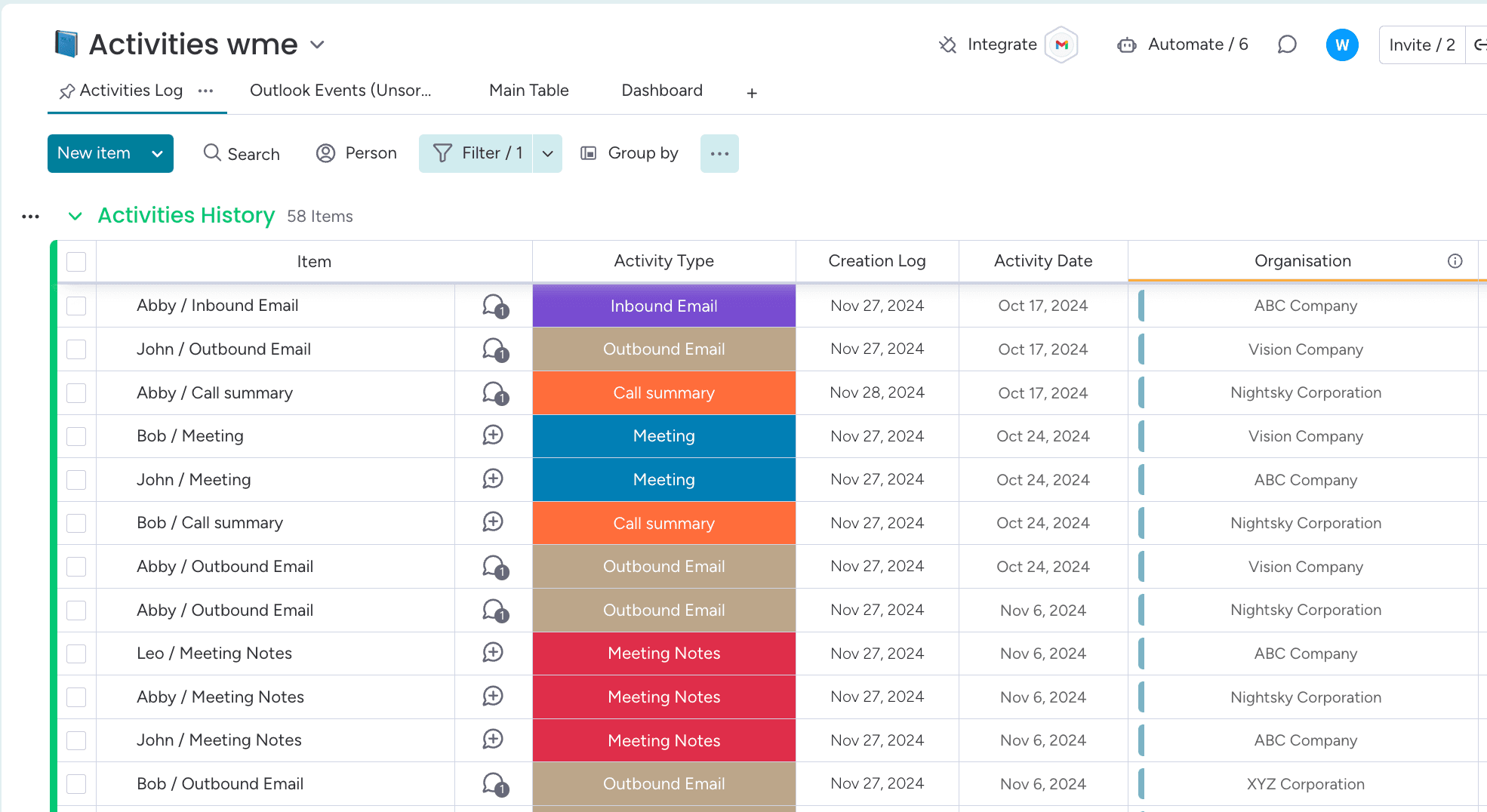
Activity Board
The Activities board provides a centralized view of all activities, tracking both emails, meetings and call summaries for different organizations in one place. It allows users to stay updated on communication and task progress efficiently.
Real Estate
Activity Tracking
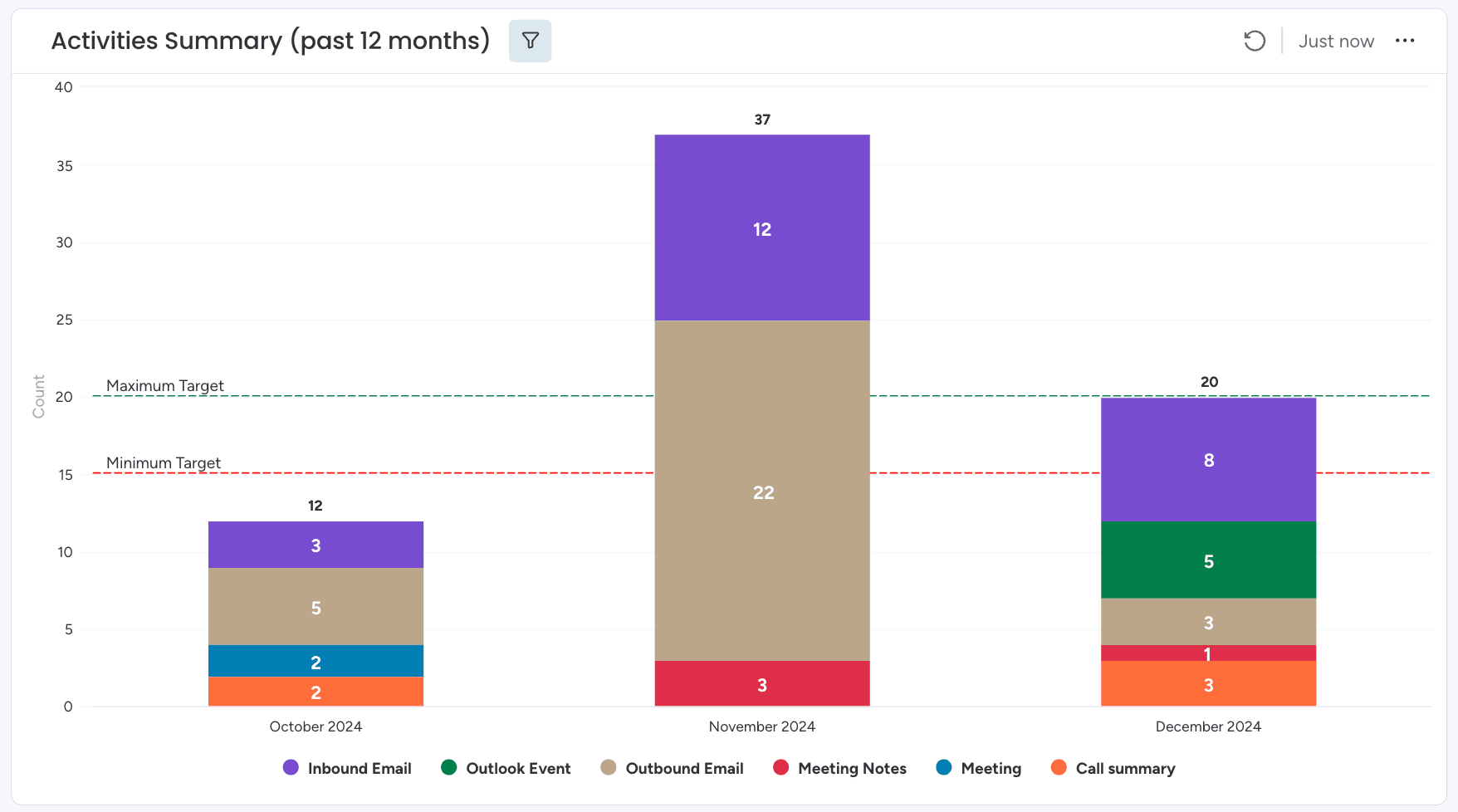
Activity Summary Chart
Activity summary chart provides a visual representation of the activities for the organization. This enhances workflow visibility and helps manage engagements seamlessly.
Real Estate
Activity Tracking
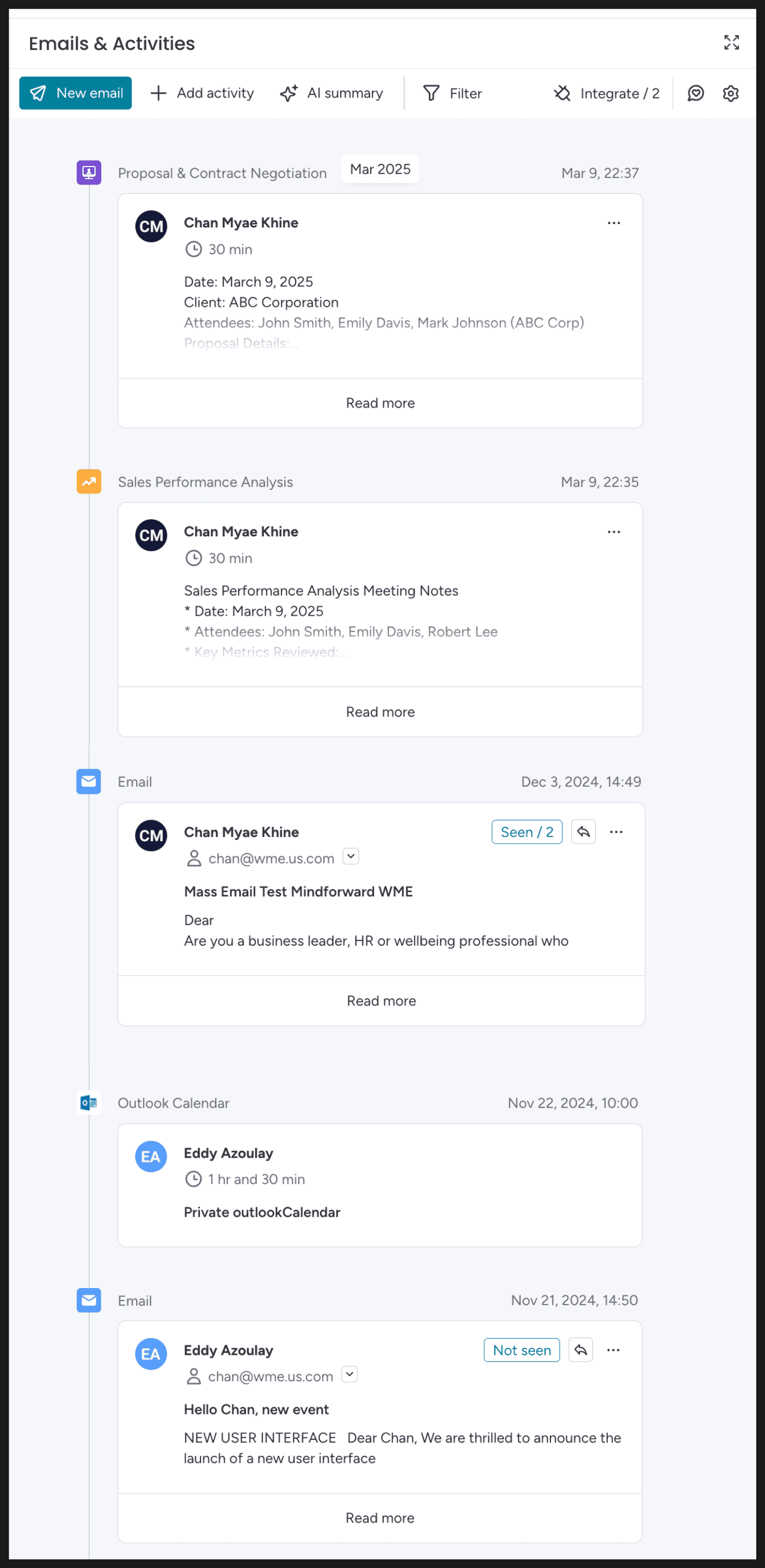
Emails & Activities
Emails and Activities logs all activities associated with the email column on the board. For example, you can send emails through this page to the contacts, add meeting notes and call summaries as well as create custom activities such as sales performance analysis, and contract negotiations so you can add all the necessary information associated with this contact.
Real Estate
Activity Tracking
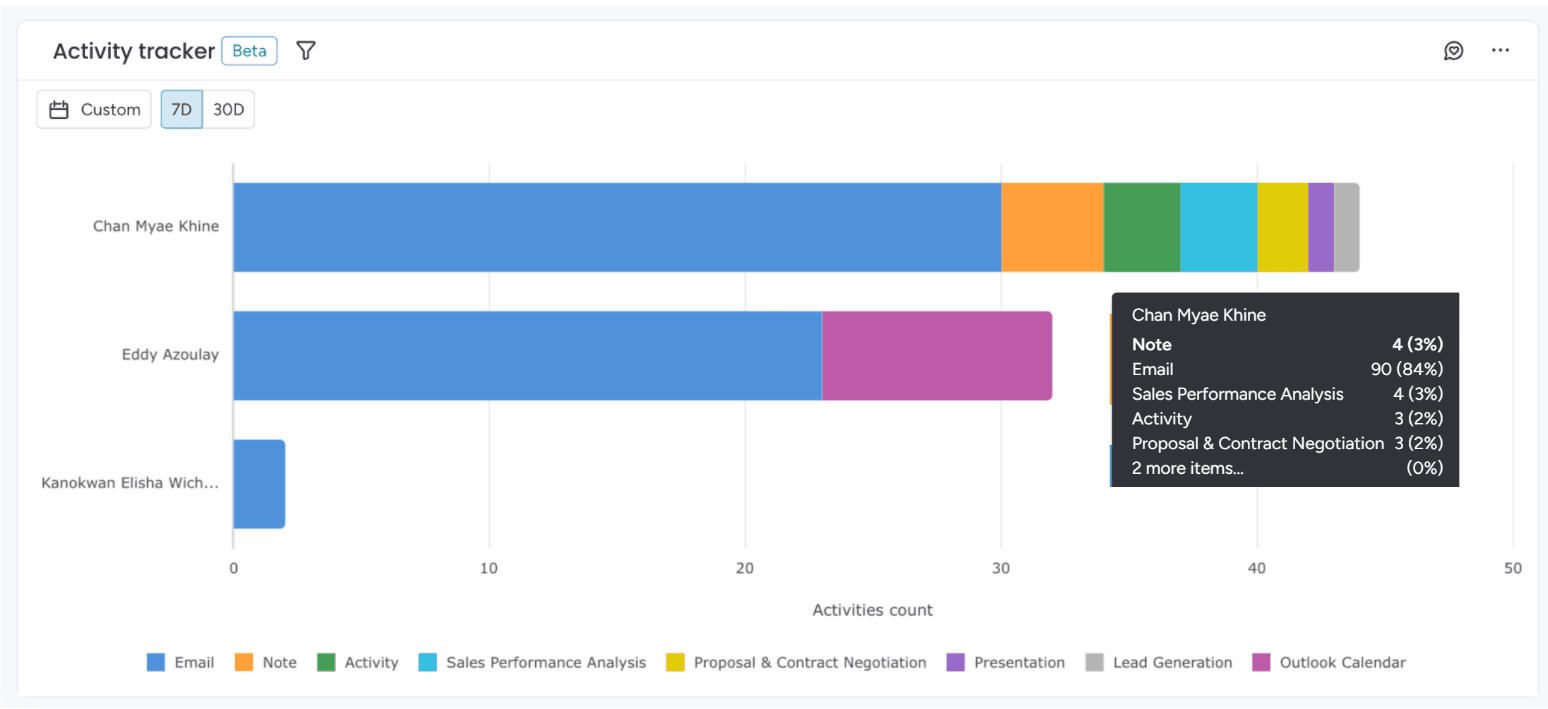
Activity Tracker
The Activity Tracker tracks emails and other activities, displaying them under the name of the person who added them. It provides an overview of various activities added in the Emails and Activities such as emails, notes, call summaries as well as the custom activities such as sales performance analysis, and contract negotiations. Any new activity logged will instantly reflect in the chart.
Real Estate
Activity Tracking
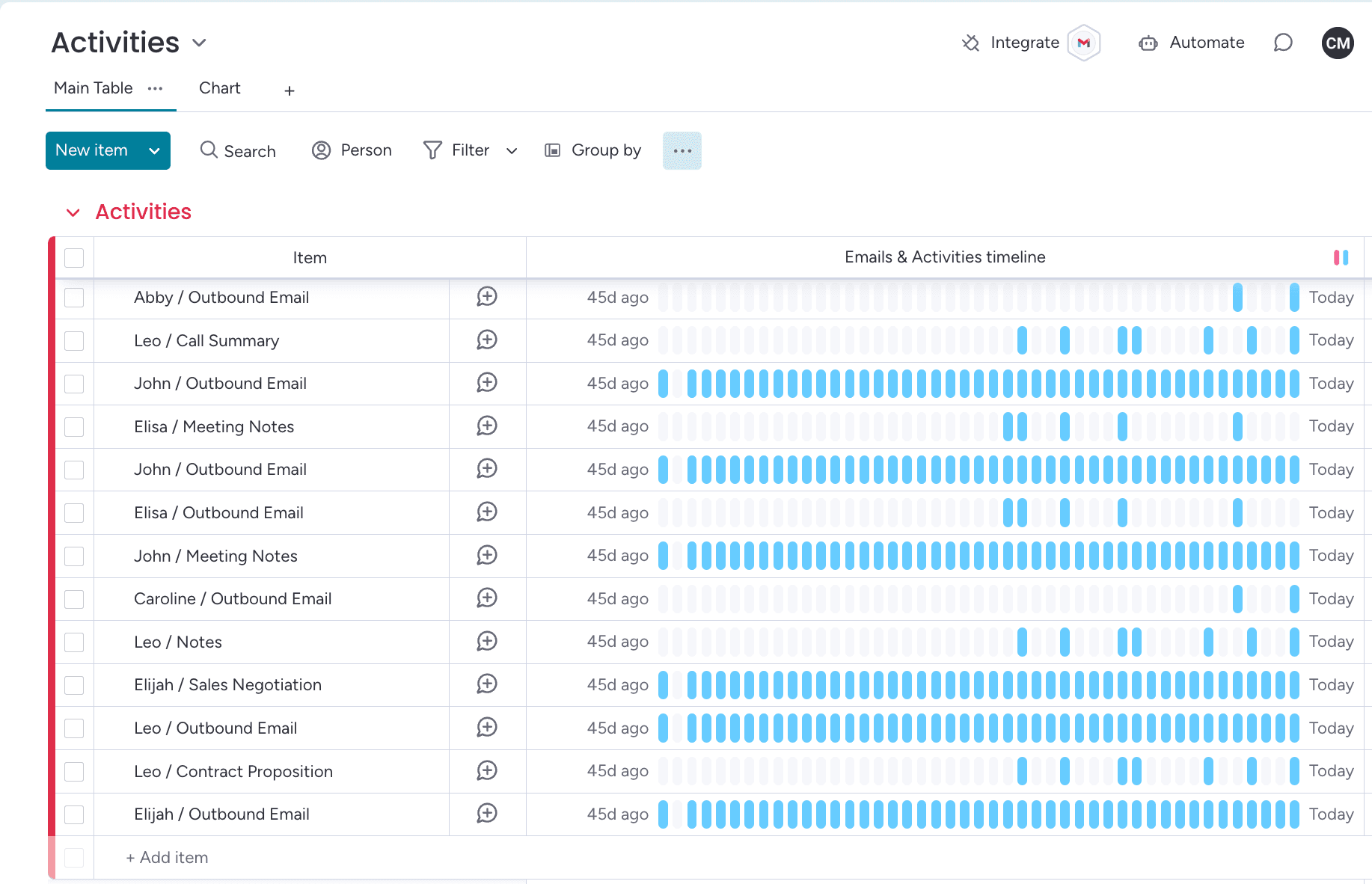
Email & Activities Timeline
Emails & Activities Timeline tracks all activities for the past 45 days, displaying email interactions and activities such as meetings, notes, and custom activities that are added in the Emails & Activities item card. Daily activity is color-coded with pink representing incoming emails and blue for all other activities. This visual system helps users easily identify and manage communication flow and task progress.
Real Estate
Activity Tracking
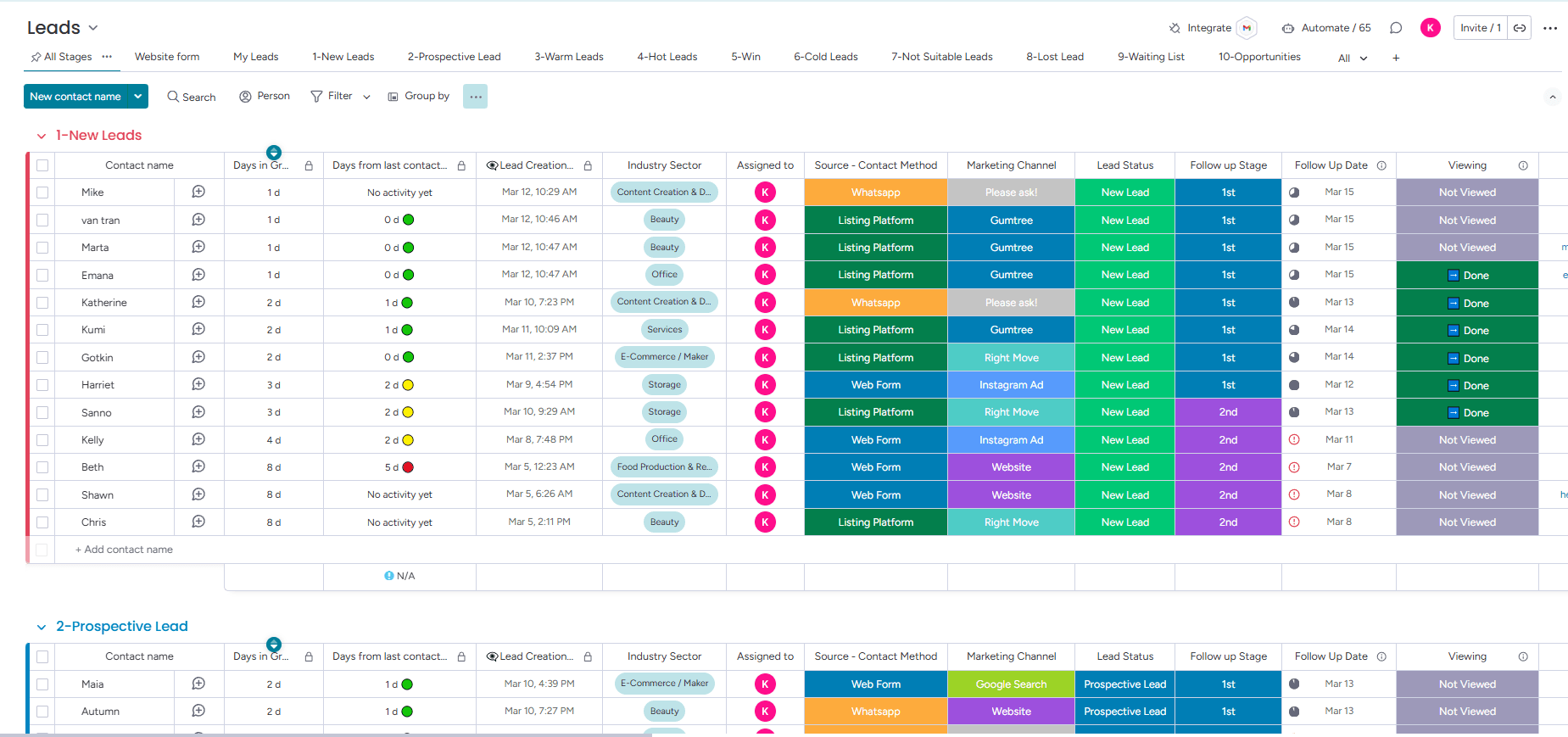
Lead Tracking Board
This custom CRM is built for a construction and real estate company which streamlines lead tracking, including their sources, viewing follow-ups, and more.
Real Estate
CRM
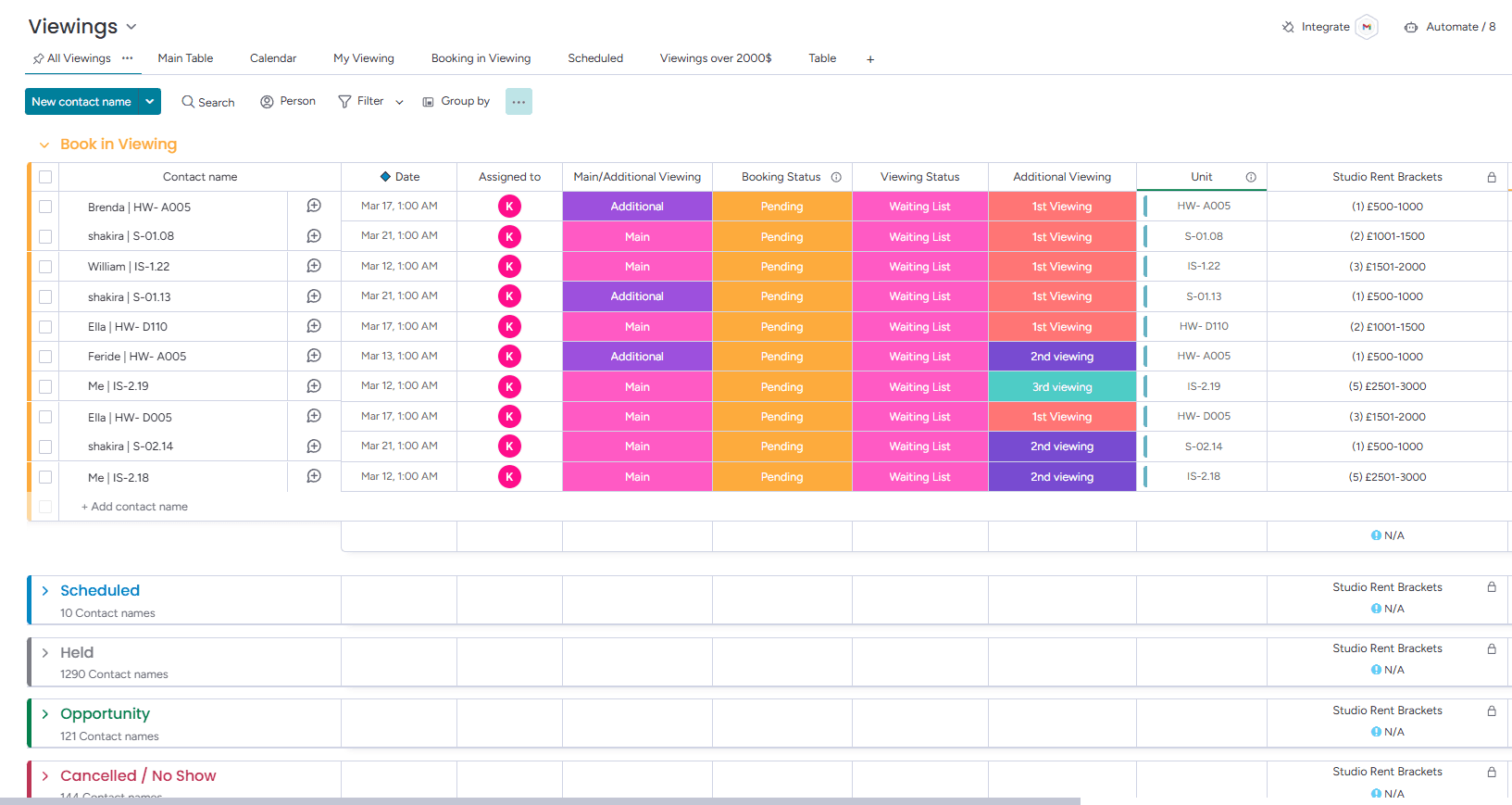
Viewings Board for Efficient Scheduling
The viewings board is part of the CRM that enables the sales team to schedule unit viewings with leads and efficiently manage their schedule.
Real Estate
CRM
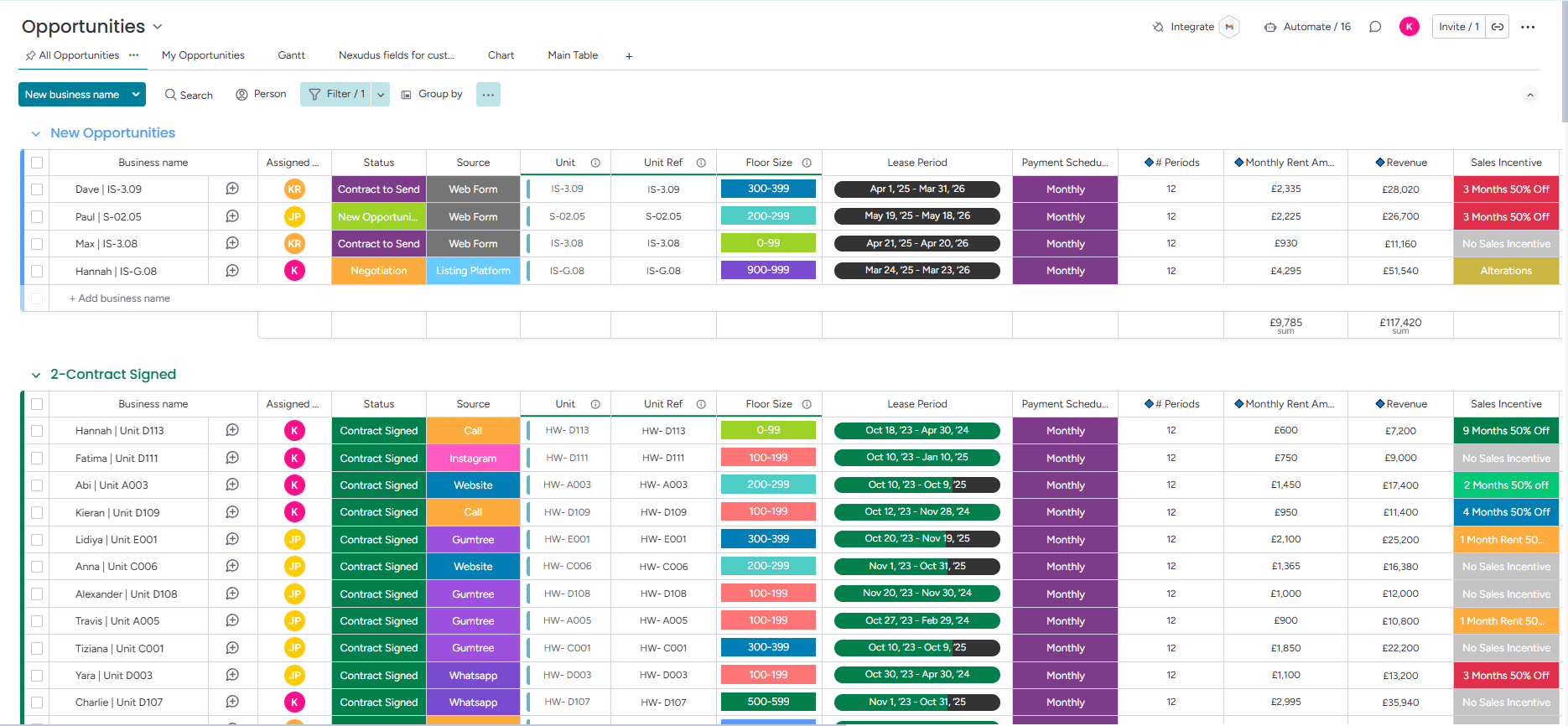
Opportunity Tracking & Contract Generation Board
The Opportunity board allows you to track all opportunities within your business, set contract terms, generate contracts, and send them electronically for signature.
Real Estate
CRM
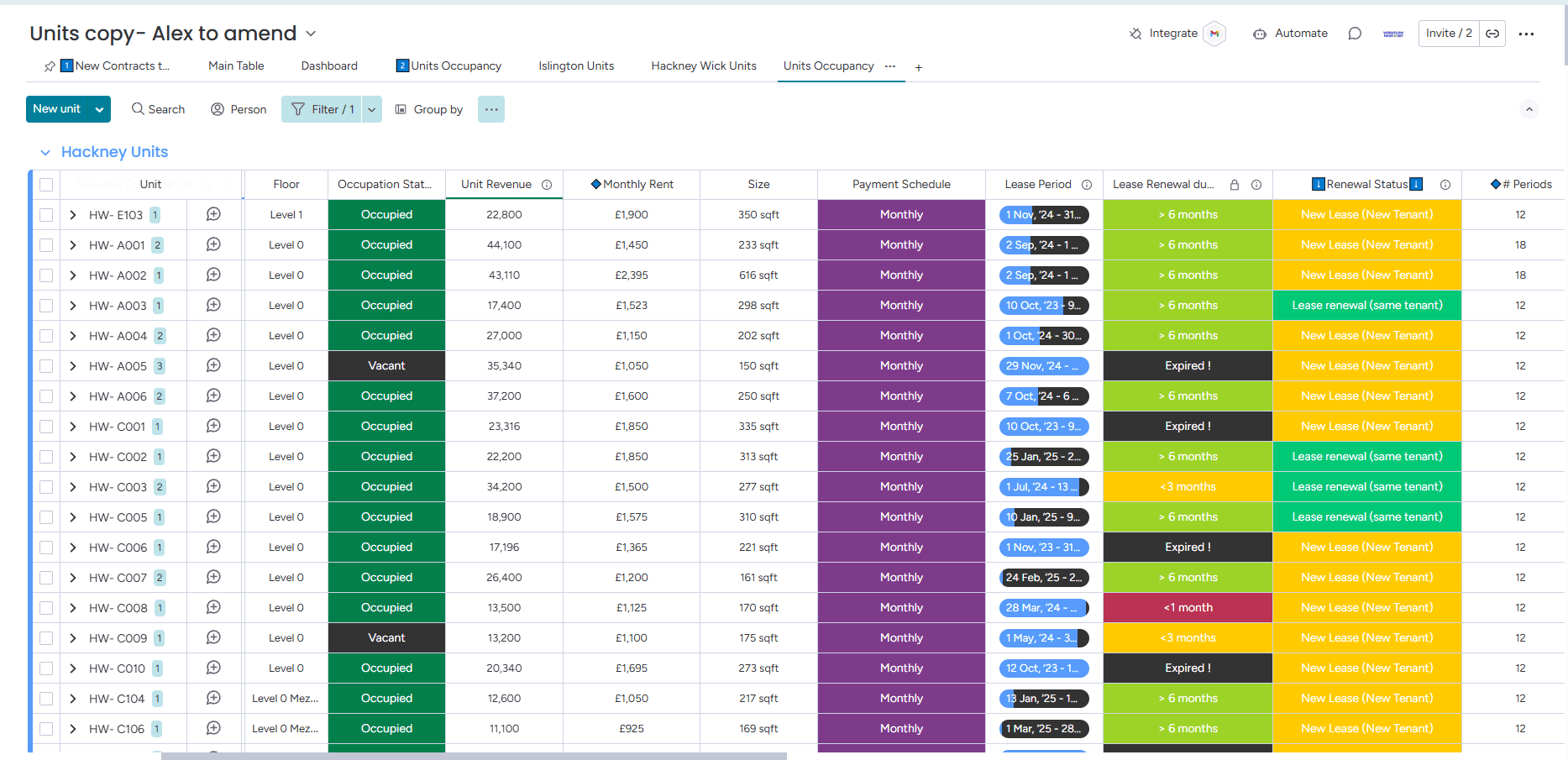
Units Occupancy & Lease Tracking Board
The Units board is designed to track the occupancy of units across different sites. It effectively monitors occupancy, as well as current and past tenant information. A key feature of this board is the automatic lease renewal reminders for the sales team, ensuring timely follow-up with tenants to either end or renew their contracts.
Real Estate
CRM
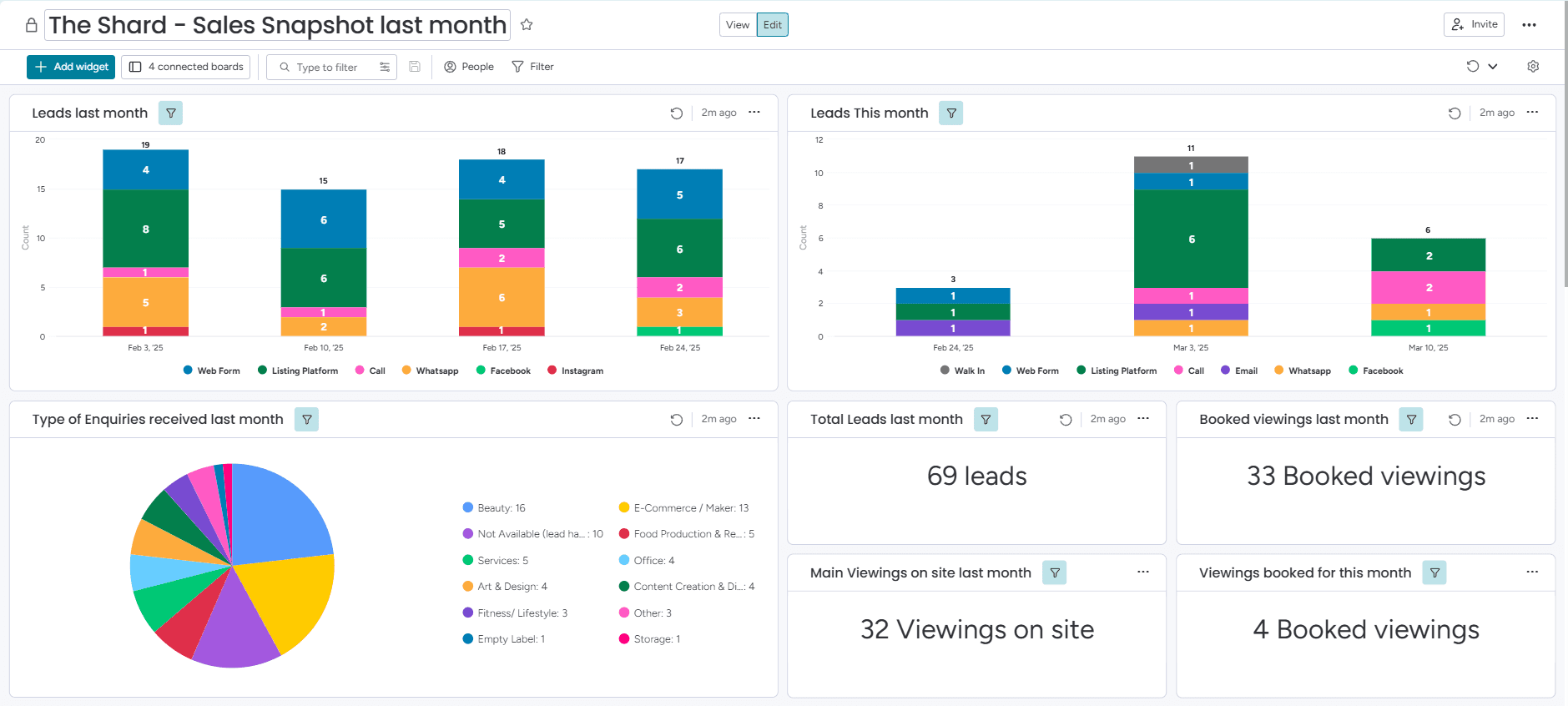
Lead Analysis Dashboard 1/2
This dashboard provides a clear overview of sales performance, total leads, conversion rates, and contracts.
Real Estate
Dashboard
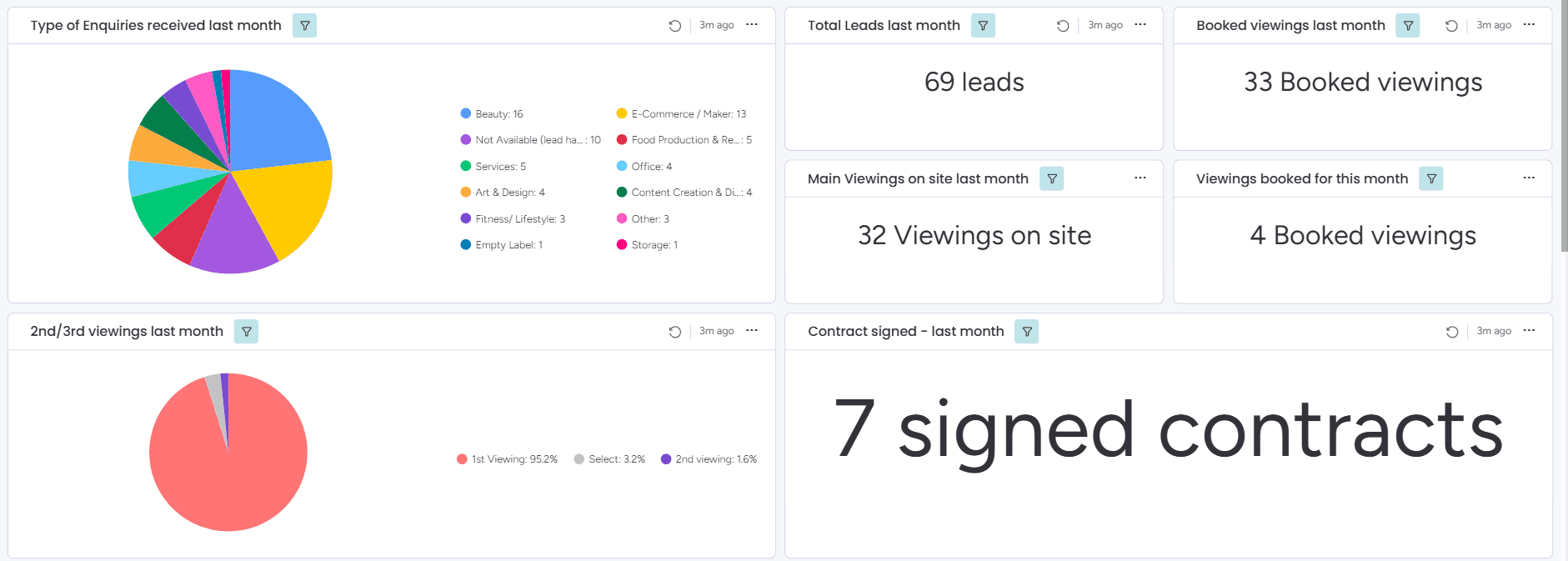
Lead Analysis Dashboard 2/2
This dashboard tracks inquiry types, viewing bookings, contract signings, and more, providing valuable insights to support better decision-making.
Real Estate
Dashboard
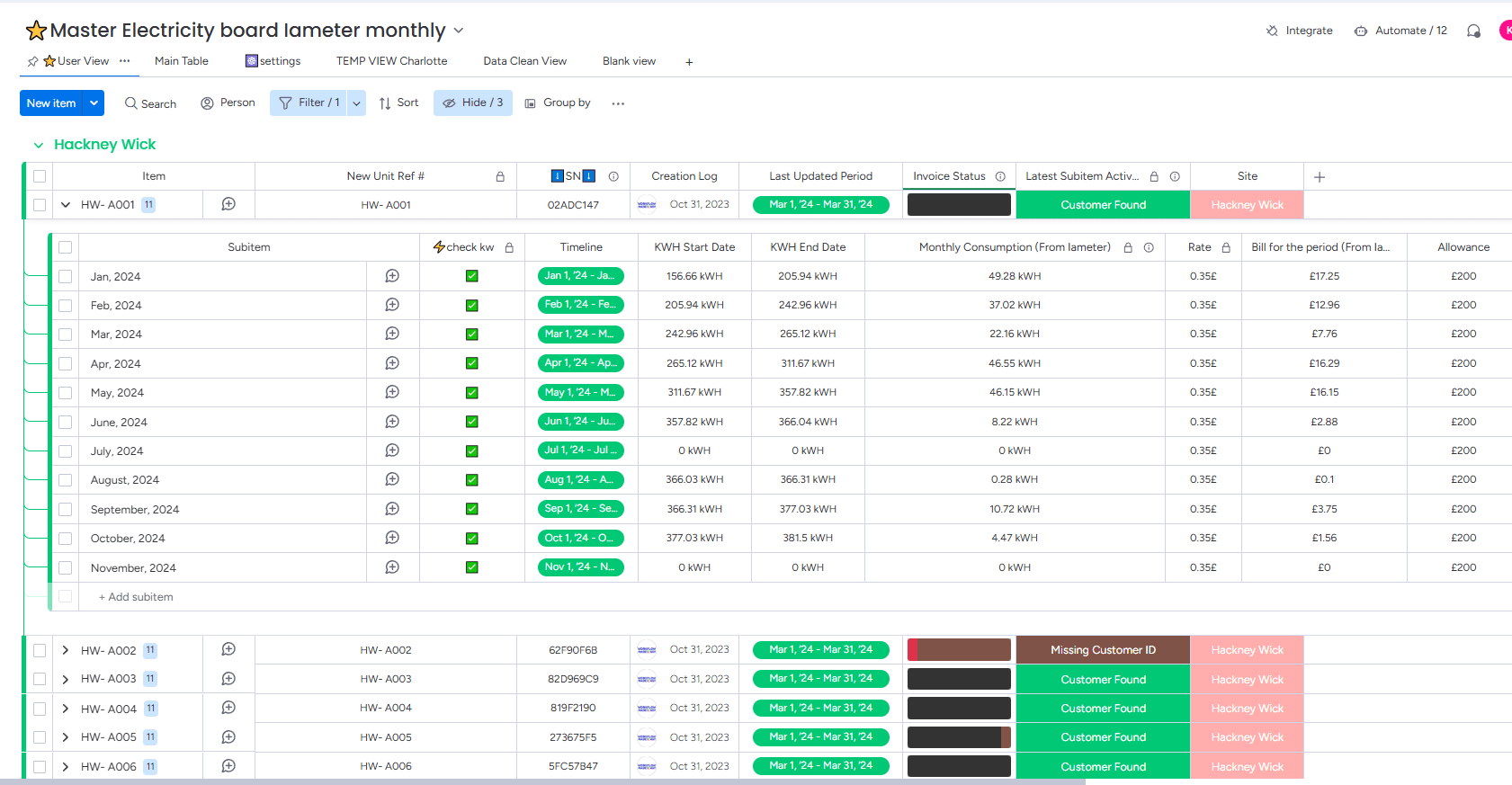
IAMMETER Integration for Automated Energy Tracking
Successfully integrated the IAMMETER platform with Monday.com, enabling both daily and monthly synchronization of electricity usage for all units. This ensures more accurate reporting and automates electricity bill generation and delivery to tenants.
Real Estate
Integrations
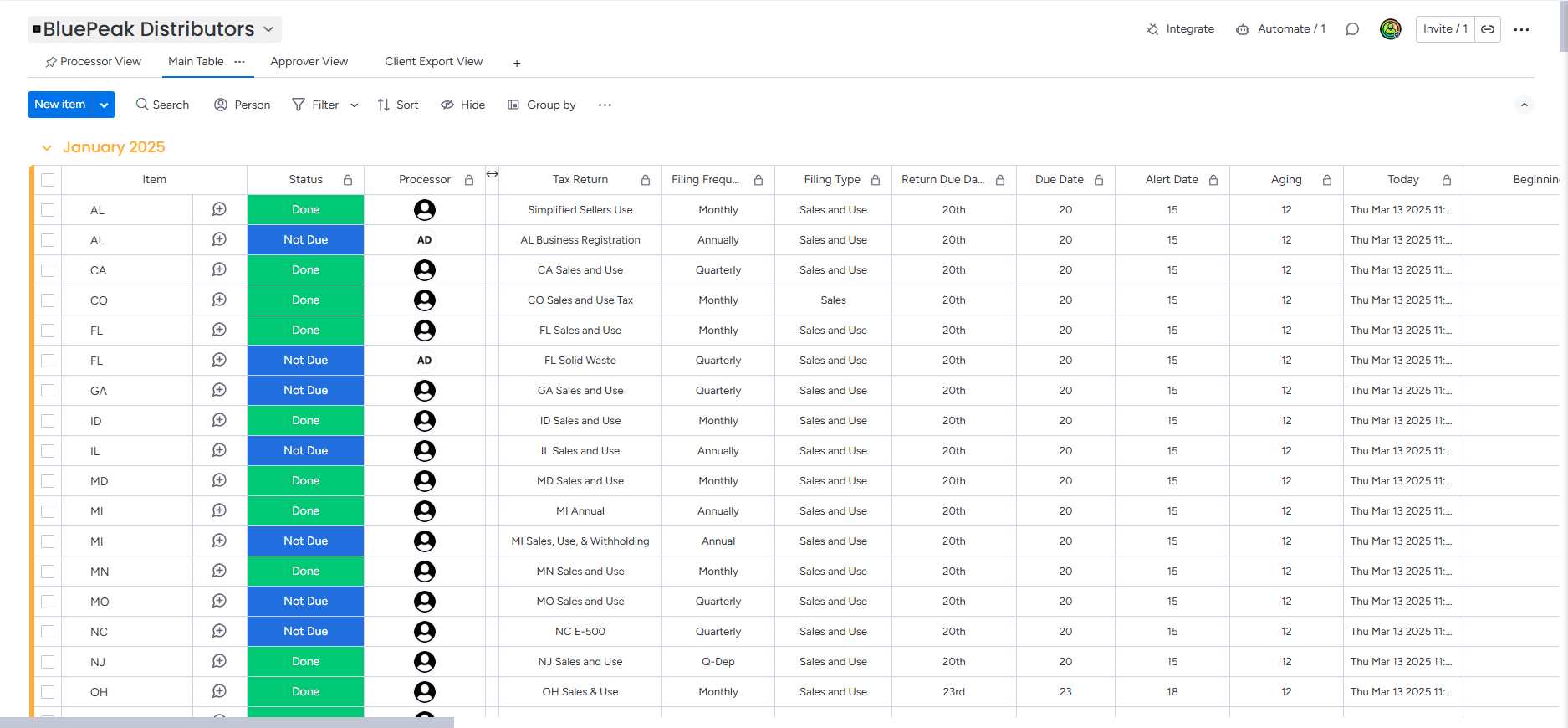
Monthly Tax Tracking Board 1/2
This board was designed to track taxes on a monthly basis. The data is automatically rolled over, enabling the team to work more efficiently.
Finance
Integrations
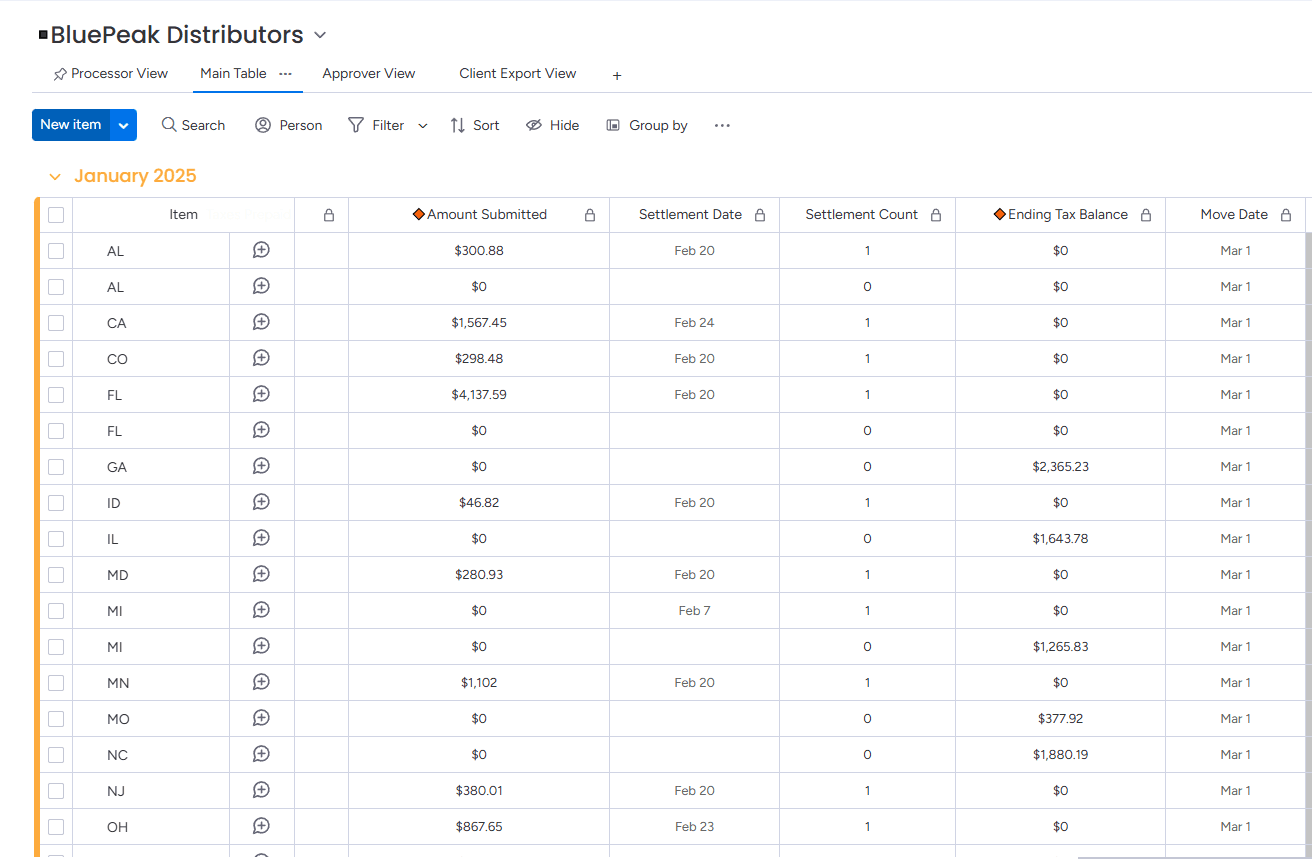
Monthly Tax Tracking Board 2/2
This board was designed to track taxes on a monthly basis. The data is automatically rolled over, enabling the team to work more efficiently.
Finance
Integrations
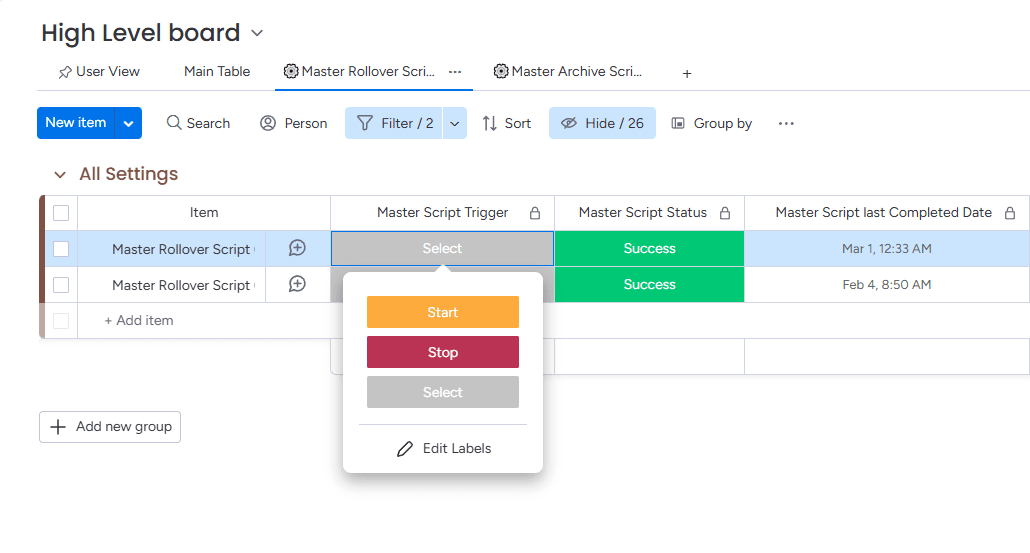
Centralized Tax Rollover for 800+ Boards
Triggering the tax rollover process for over 800 boards from a high-level board that manages all clients.
Finance
Integrations
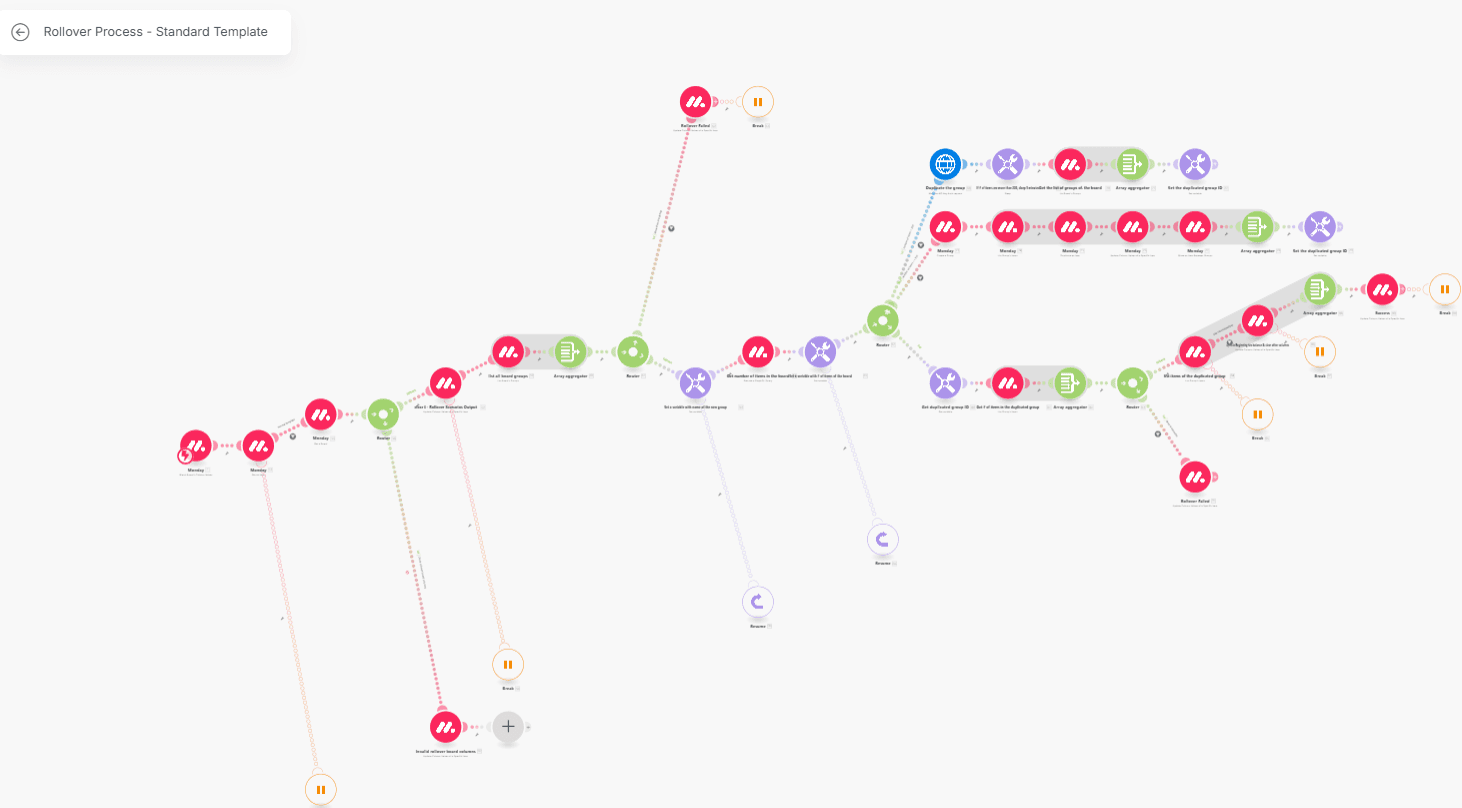
Automated Tax Rollover with Make.com
This Make.com scenario enables, with a single click, the rollover of previous tax balances, preparation of upcoming months. This solution streamlines workflows, reduces errors, and enhances efficiency.
Finance
Make.com
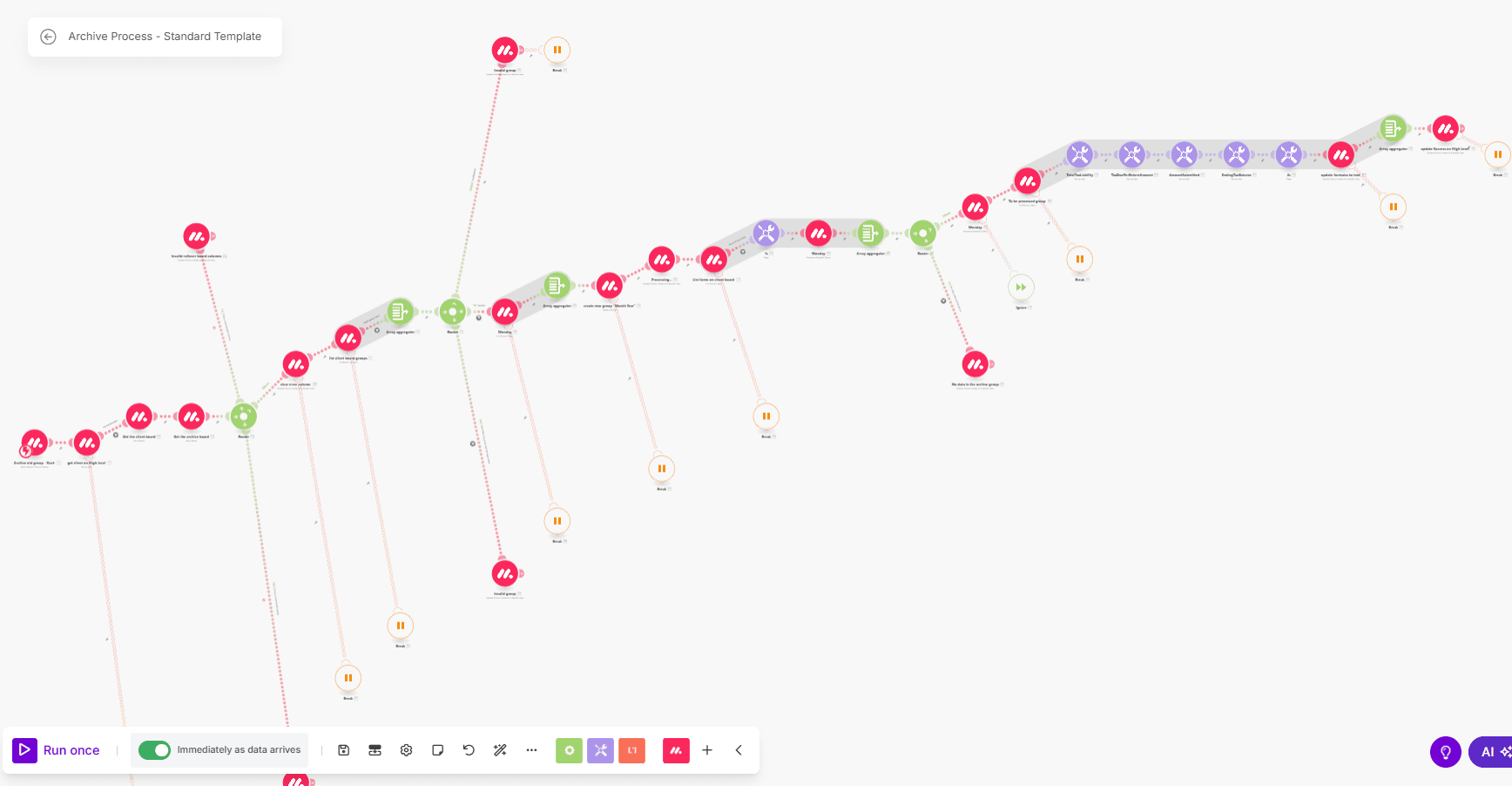
Automated Data Archiving with Make.com
This Make.com scenario archives data, keeping it accessible to the team while locking it for edits.
Finance
Make.com
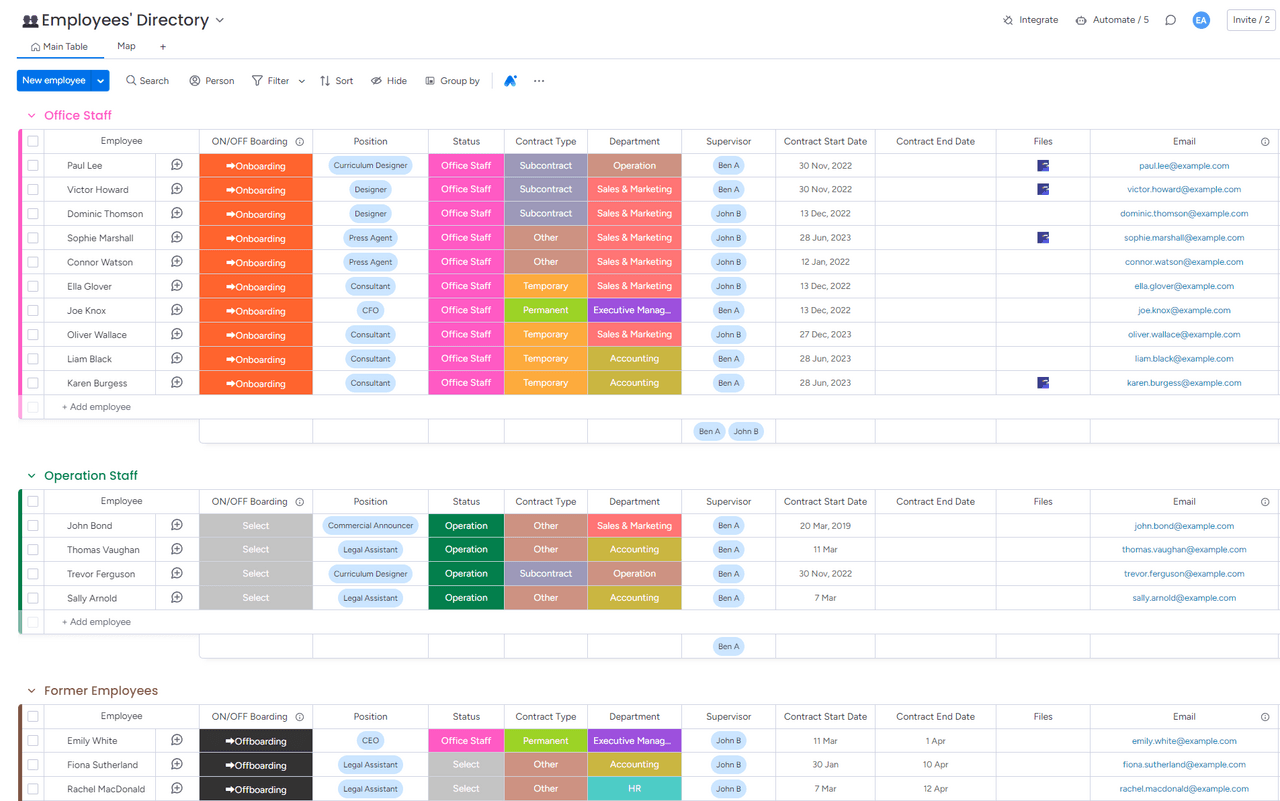
Employee's Directory Overview
A detailed screenshot of an employee directory interface, displaying sections for office staff, operation staff, and former employees. The interface includes columns for employee details such as onboarding status, position, contract type, department, supervisor, contract dates, and email addresses.
Human Resources
Directory
On/Offboarding
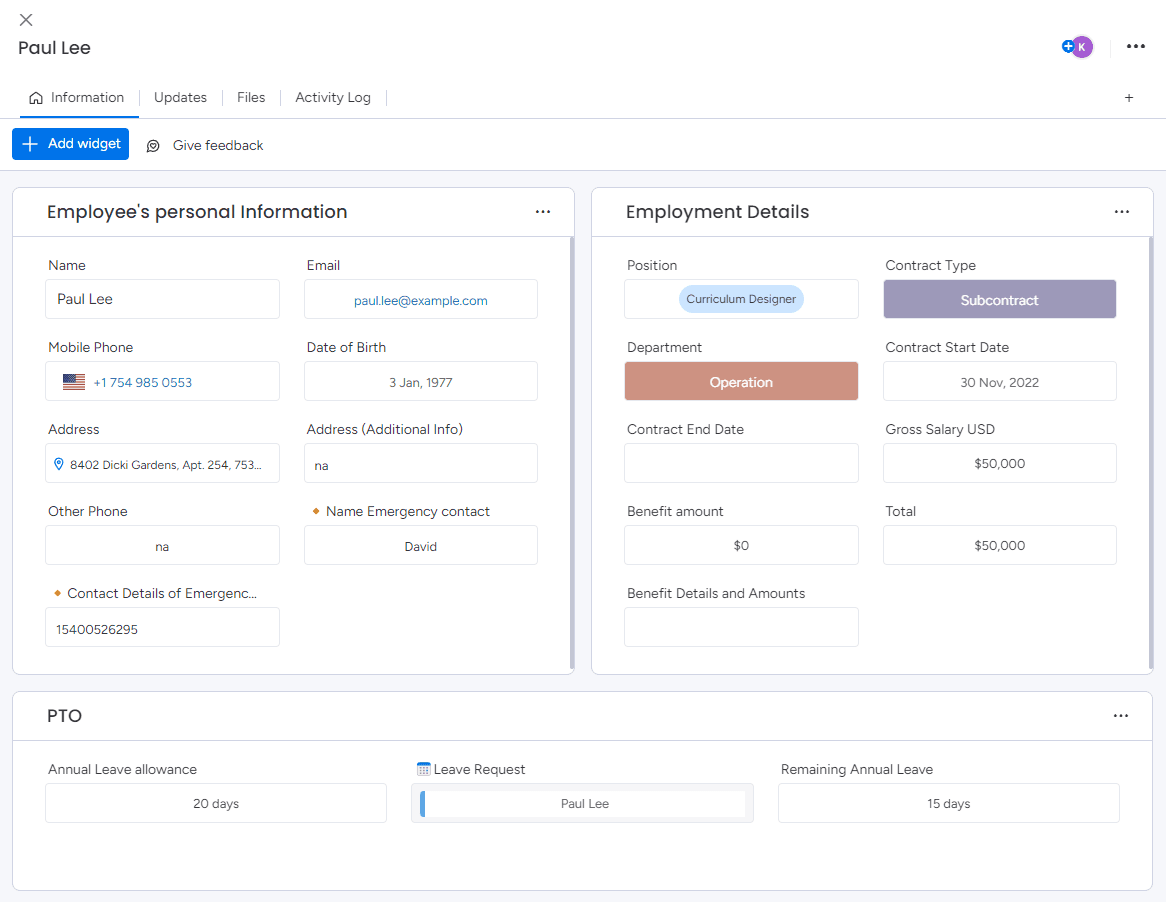
Employee Profile Interface
A comprehensive view of an employee's profile page, featuring sections for personal information, employment details, and paid time off (PTO). The interface includes fields for name, contact details, employment position, salary, and leave balance.
Human Resources
Item Card
Directory
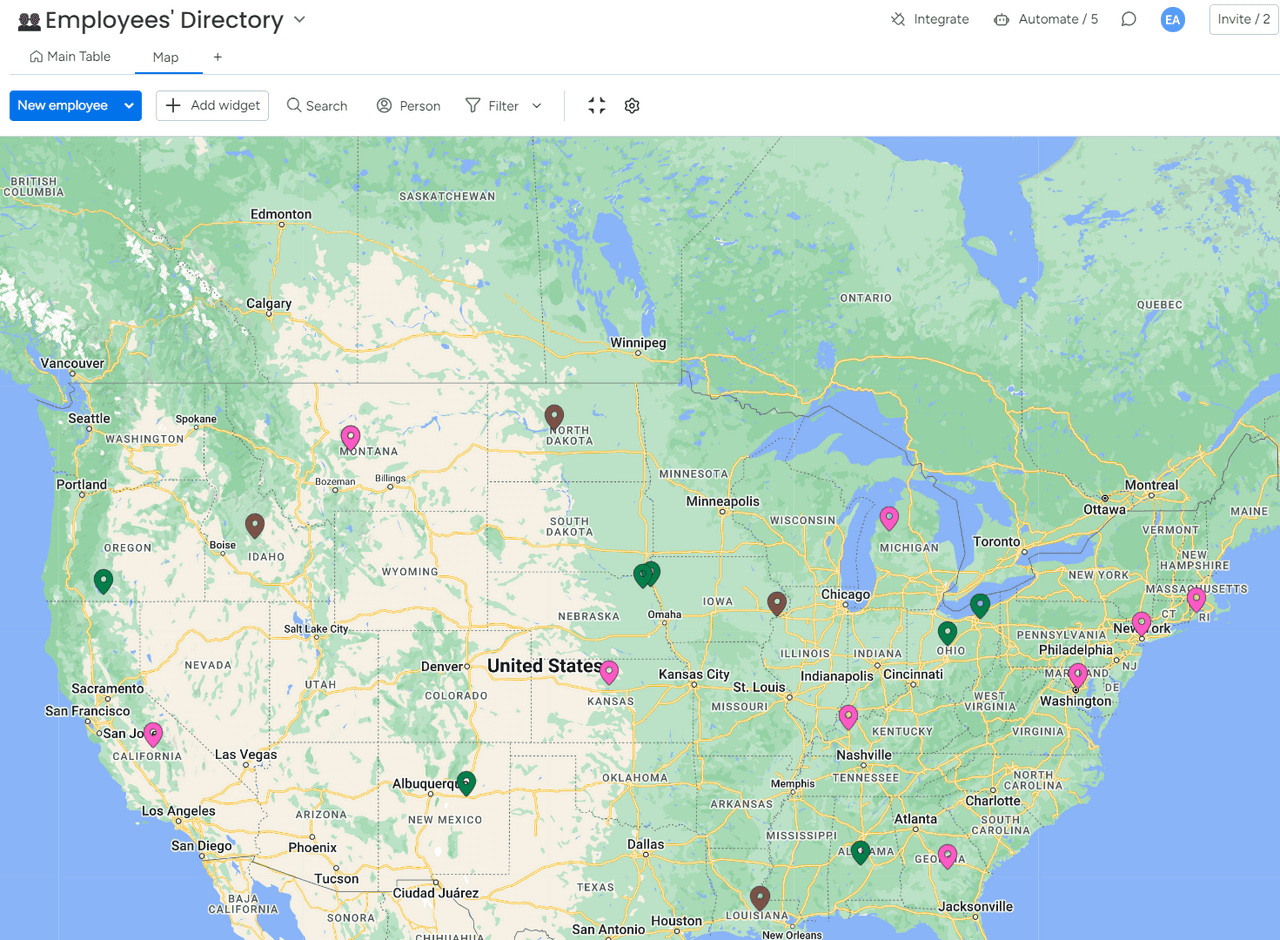
Employee Type Distribution Map
An interactive map displaying the geographic distribution of employees, with colored pins indicating different types of employees. This visualization helps in understanding the regional placement of various employee categories across the United States.
Human Resources
Maps
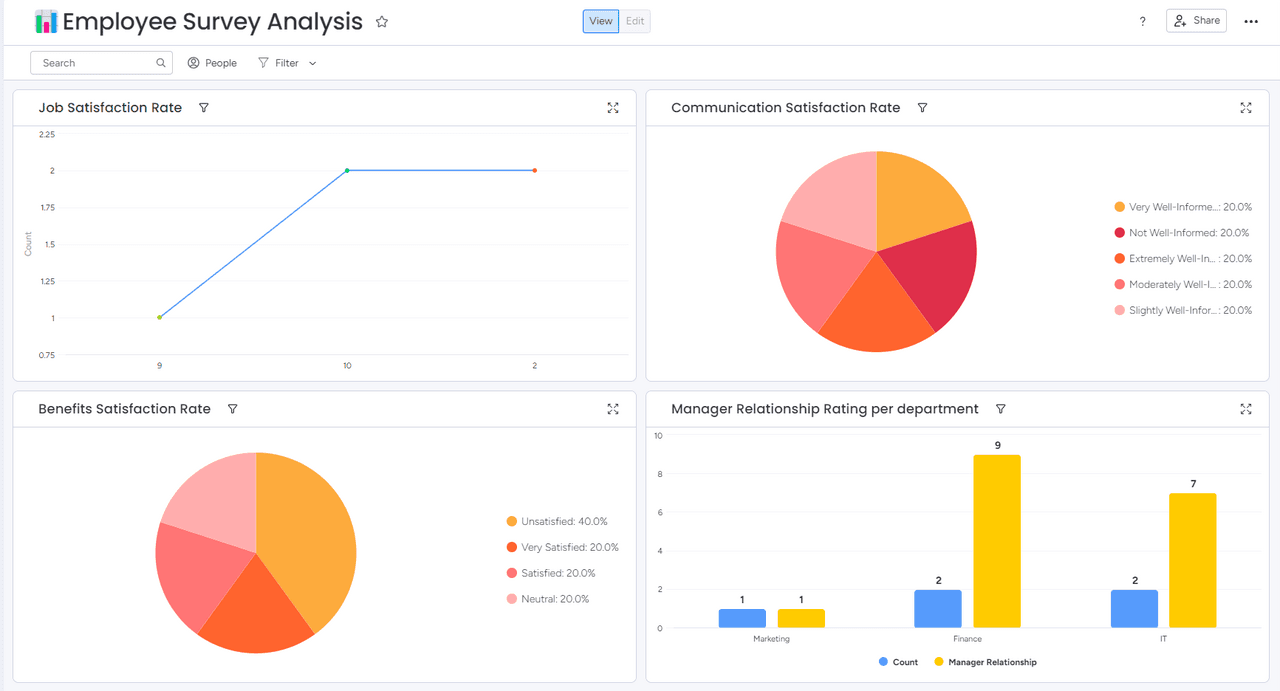
Detailed Employee Survey Analysis Dashboard
A comprehensive dashboard presenting various metrics from an employee survey, including job satisfaction trends, communication satisfaction rates, benefits satisfaction levels, and manager relationship ratings across departments. This visualization aids in identifying areas of employee contentment and areas needing improvement.
Human Resources
Survey
Dashboard
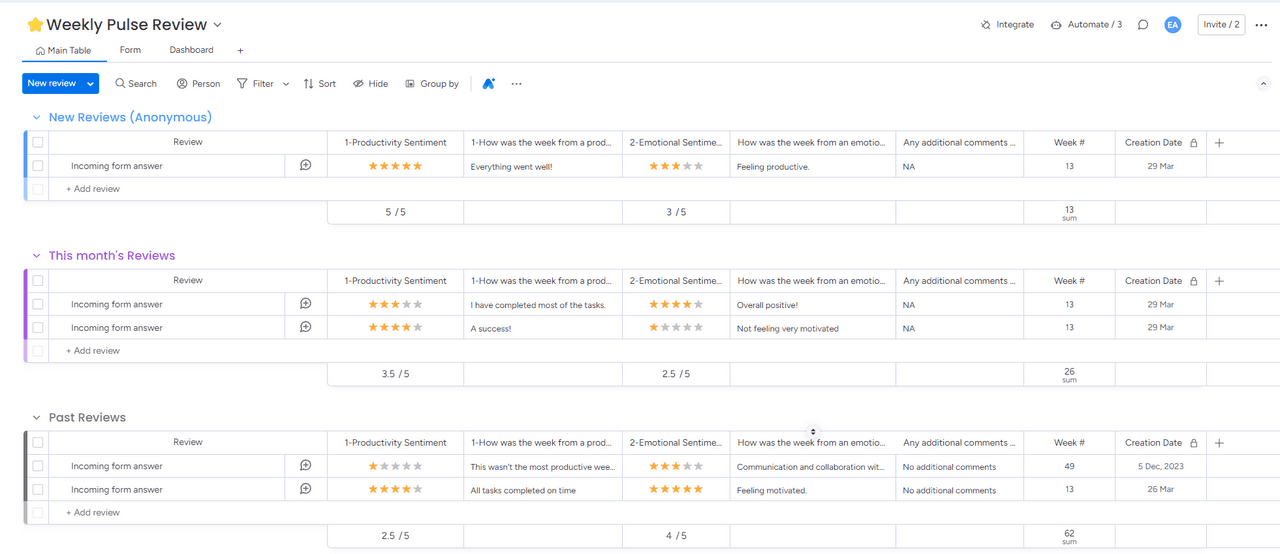
Weekly Pulse Review Interface
A screenshot displaying a 'Weekly Pulse Review' from an organizational feedback platform. The interface is segmented into categories such as 'New Reviews (Anonymous)', 'This month's Reviews', and 'Past Reviews', each listing reviews with details on productivity and emotional sentiment, along with star ratings and additional comments.
Human Resources
Survey
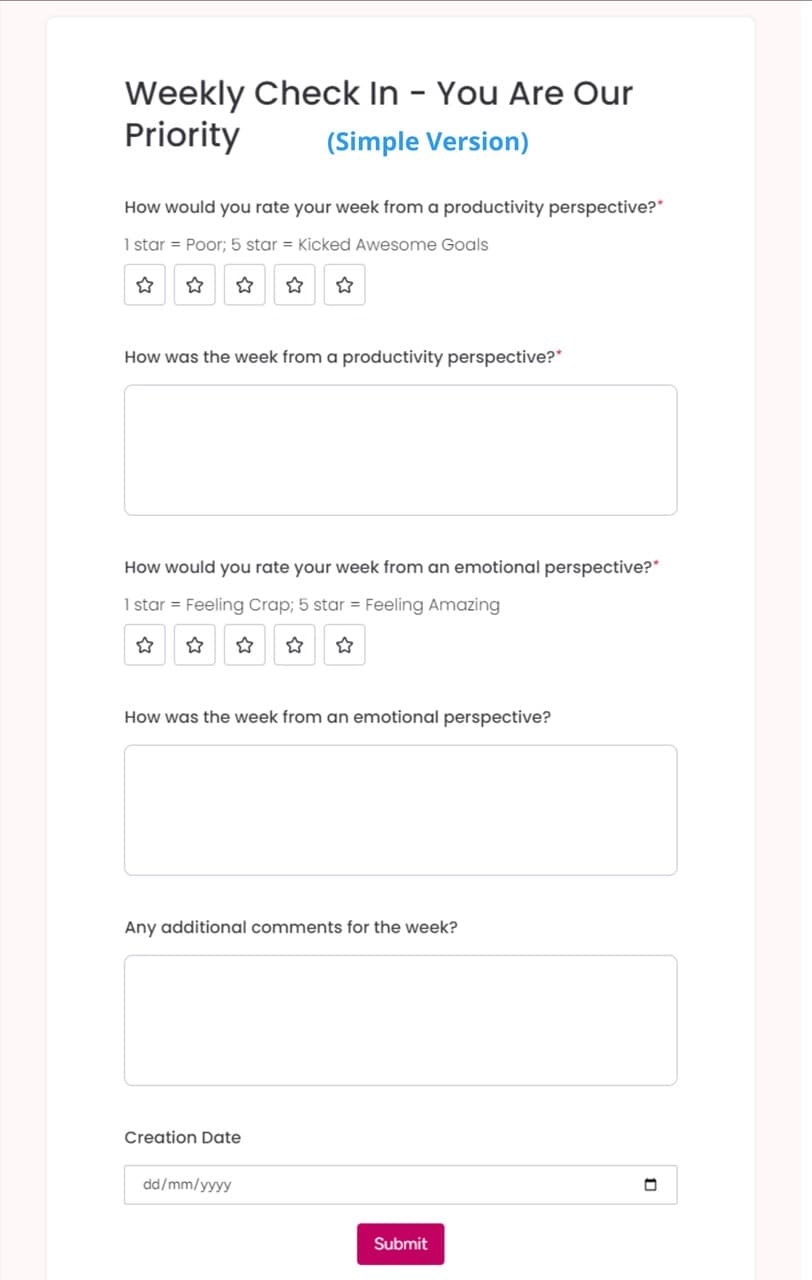
Simple Weekly Check-In Form
A straightforward digital form titled 'Weekly Check In – You Are Our Priority (Simple Version)' designed for employees to rate their week's productivity and emotional state using a star system, with space for open-ended responses and additional comments.
Human Resources
Survey
Forms
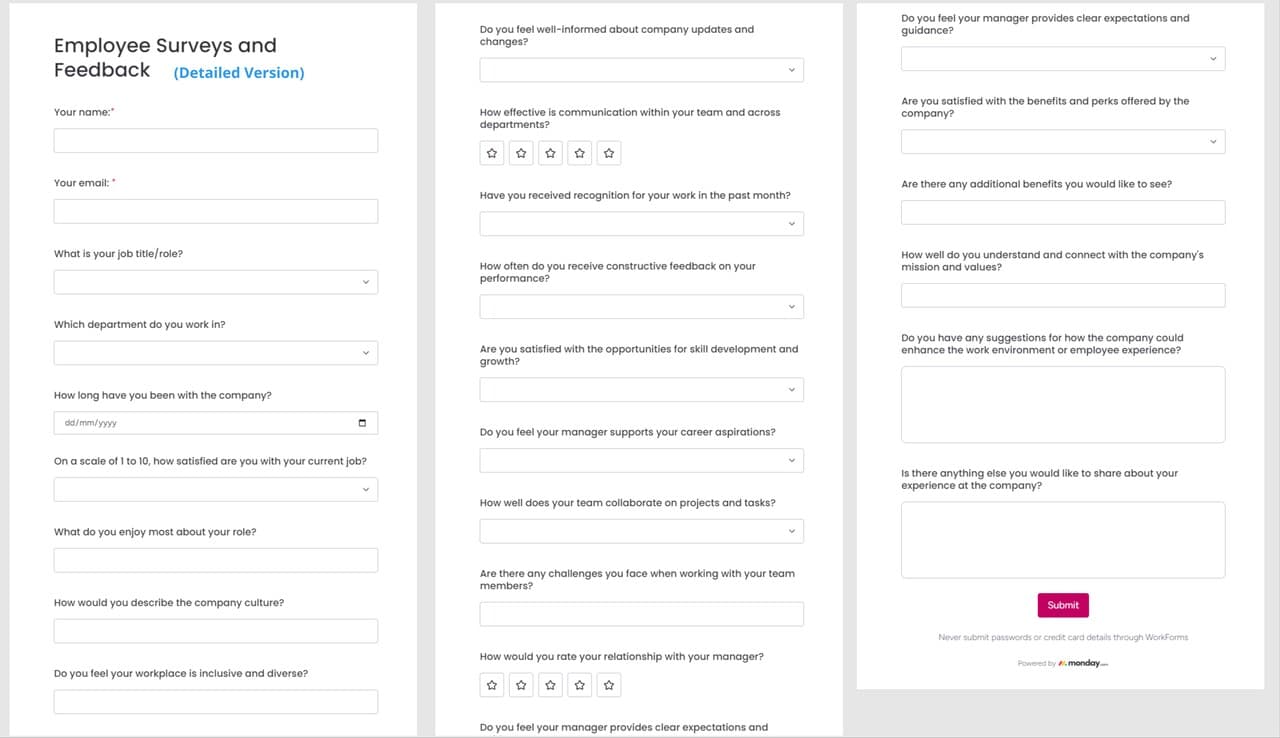
Comprehensive Employee Feedback Form
A detailed digital form titled 'Employee Surveys and Feedback (Detailed Version)' designed for in-depth employee feedback. It includes multiple sections asking for personal details, job satisfaction, communication effectiveness, managerial support, team dynamics, and personal suggestions for improving the workplace.
Human Resources
Forms
Survey
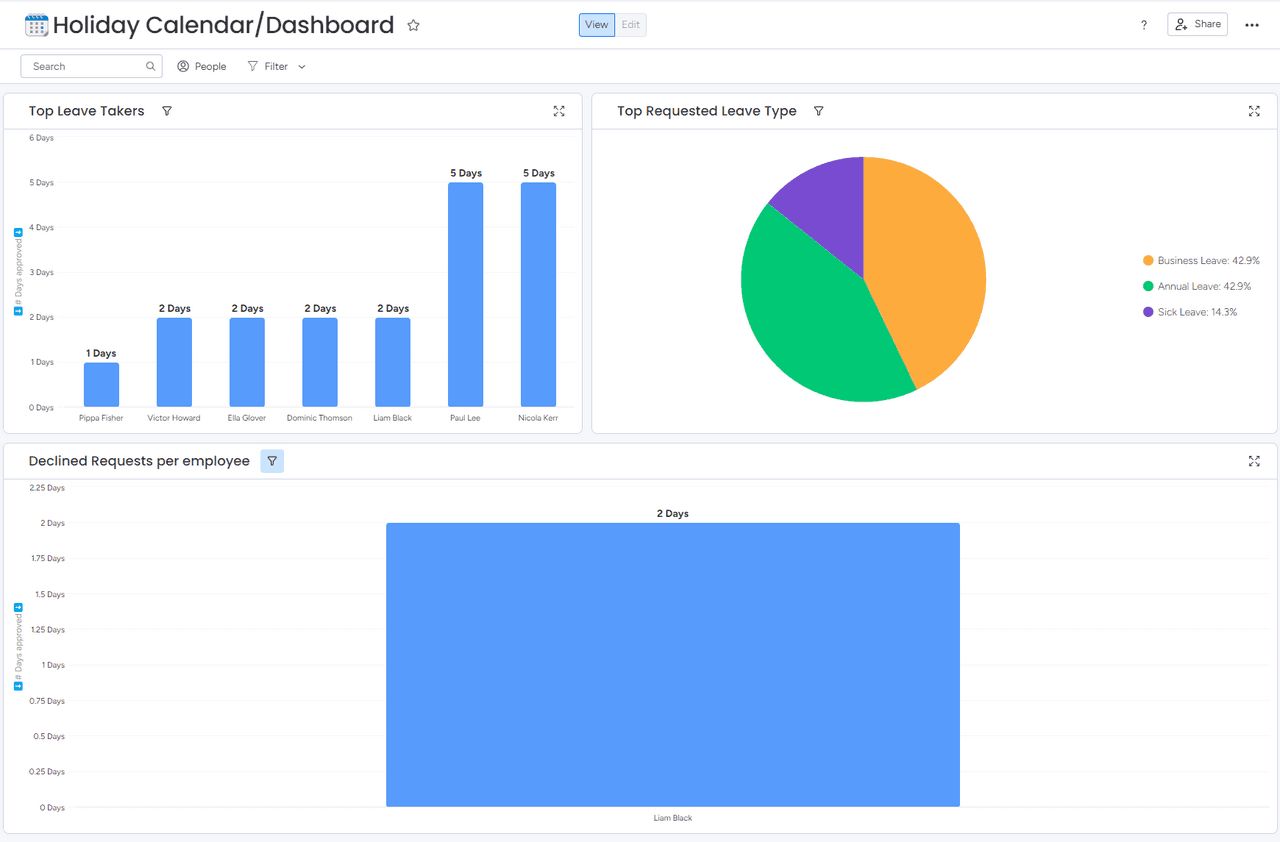
Analyzing Employee Leave Patterns
A detailed corporate dashboard displays various metrics including top leave takers, types of leave taken, and declined requests per employee, effectively visualizing human resources data to aid in management decisions. The dashboard uses bar graphs and a pie chart to break down leave statistics by individual and category.
Human Resources
Dashboard
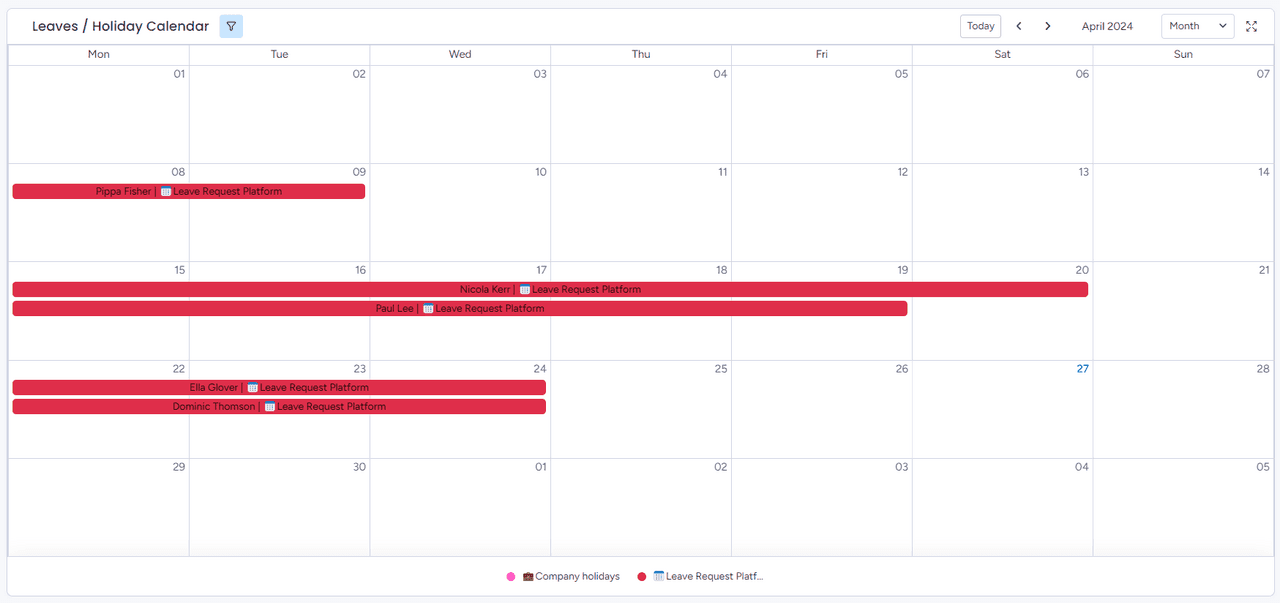
Organized Leave Schedule
A detailed calendar display of employee leave requests for a month, marking out individual time-offs and holidays, ensuring a clear visual representation of staff availability and planned absences. The layout provides an efficient overview for management and team coordination.
Human Resources
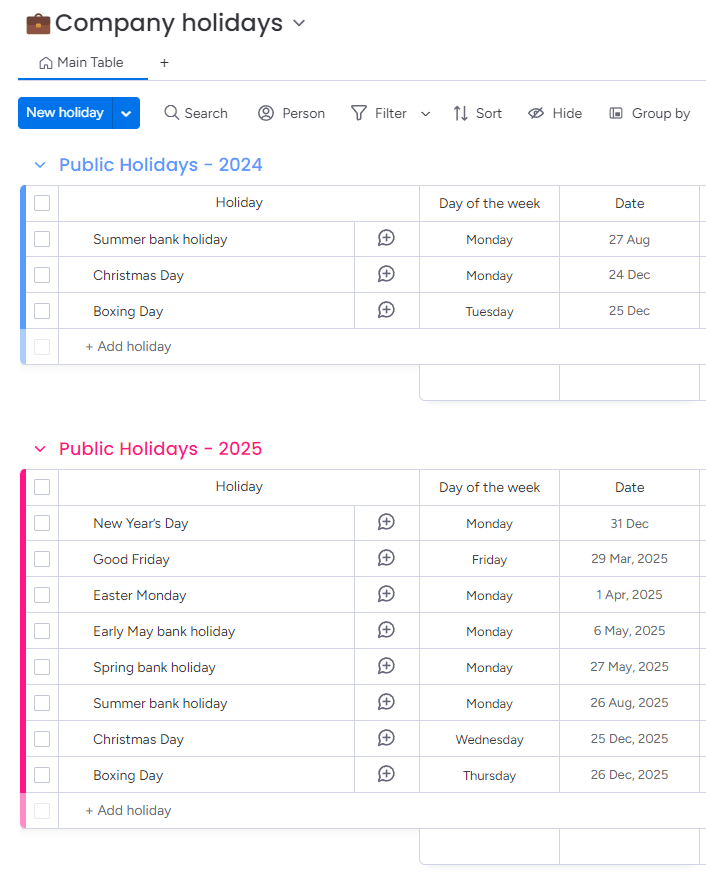
Scheduled Holidays Overview
A detailed list of upcoming public holidays presented in an organized format, showing the specific dates and days of the week for each holiday, facilitating advanced planning and scheduling.
Human Resources
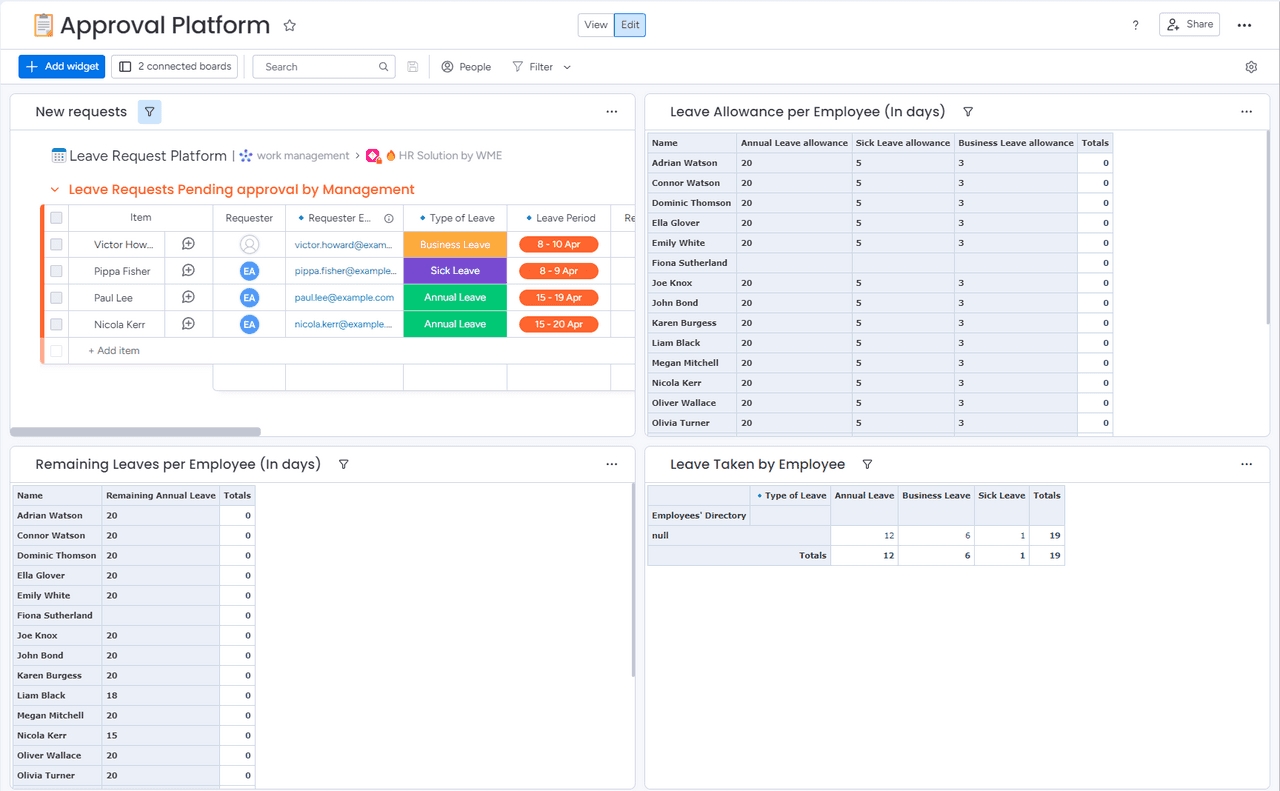
Employee Leave Management Dashboard
A comprehensive interface displaying various sections related to employee leave management, including pending approval requests, leave allowances, and a summary of remaining leaves per employee, which supports efficient tracking and decision-making for HR departments.
Human Resources
Dashboard
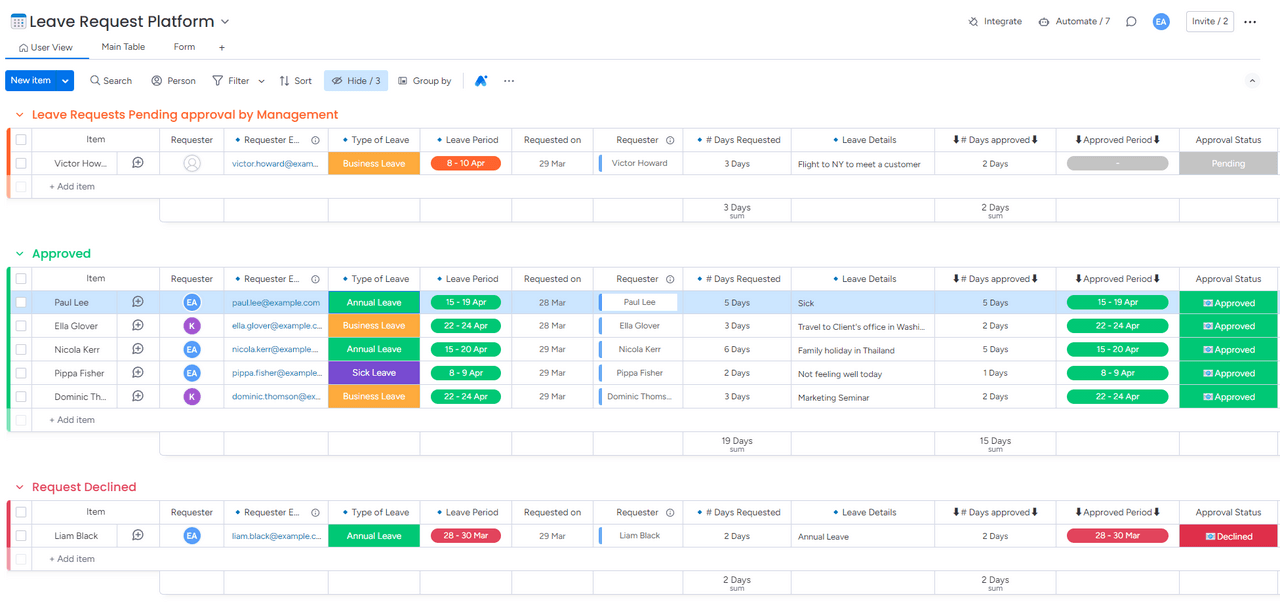
Leave Request Management System
An organized leave request platform showcasing different sections for 'Leave Requests Pending Approval by Management', 'Approved', and 'Request Declined'. This system details each request with information such as requester, type of leave, period, and approval status, providing a clear view of employee leave management.
Human Resources
Dashboard
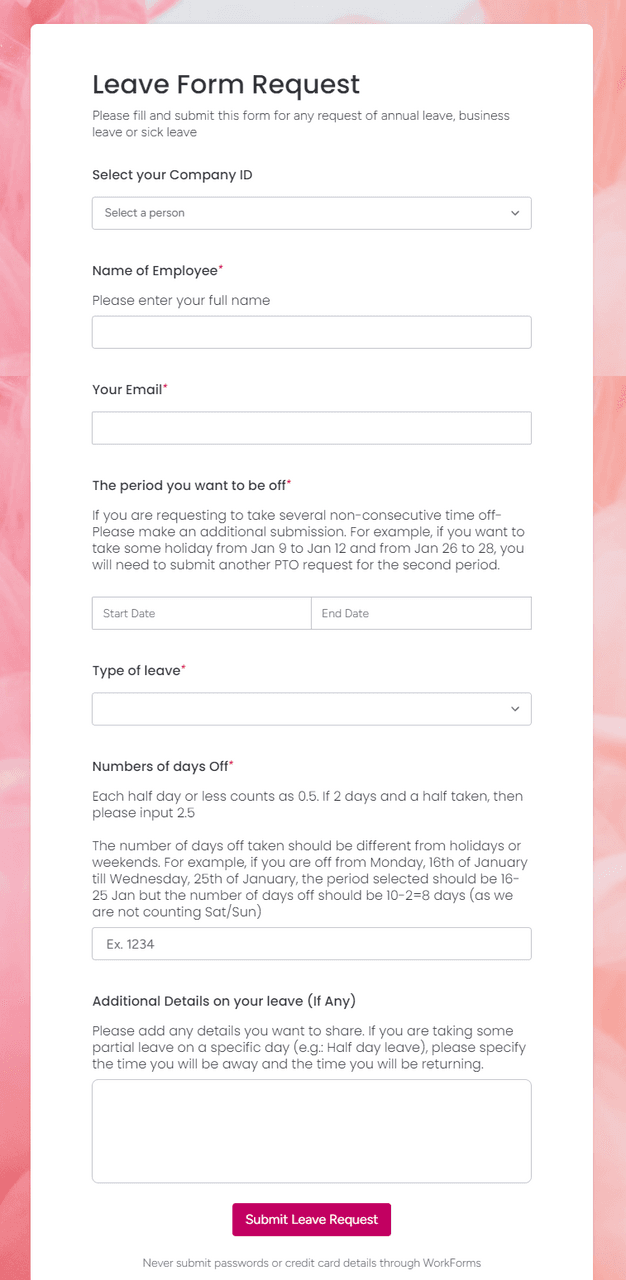
Employee Leave Form Submission Interface
An intuitive leave request form designed for employees to submit requests for annual, business, or sick leave. The form includes fields for company ID, employee name, email, type of leave, date range, number of days off, and additional details to ensure comprehensive leave planning.
Human Resources
Forms
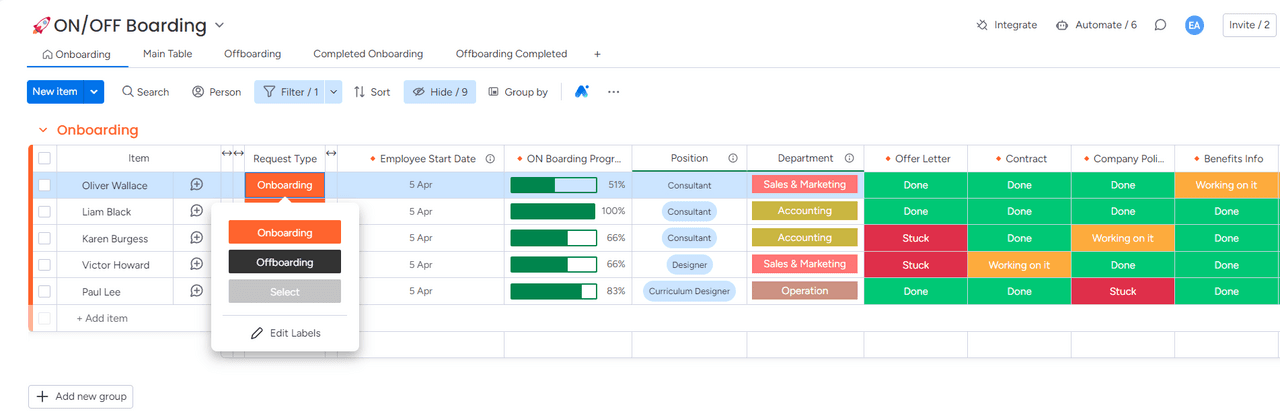
Employee Onboarding Status Dashboard
A detailed view of an employee onboarding dashboard, illustrating various employees' onboarding stages, start dates, progress bars, positions, departments, and status of essential documents such as offer letters, contracts, and company policies. This interface helps track the onboarding progress effectively.
Human Resources
On/Offboarding
Dashboard
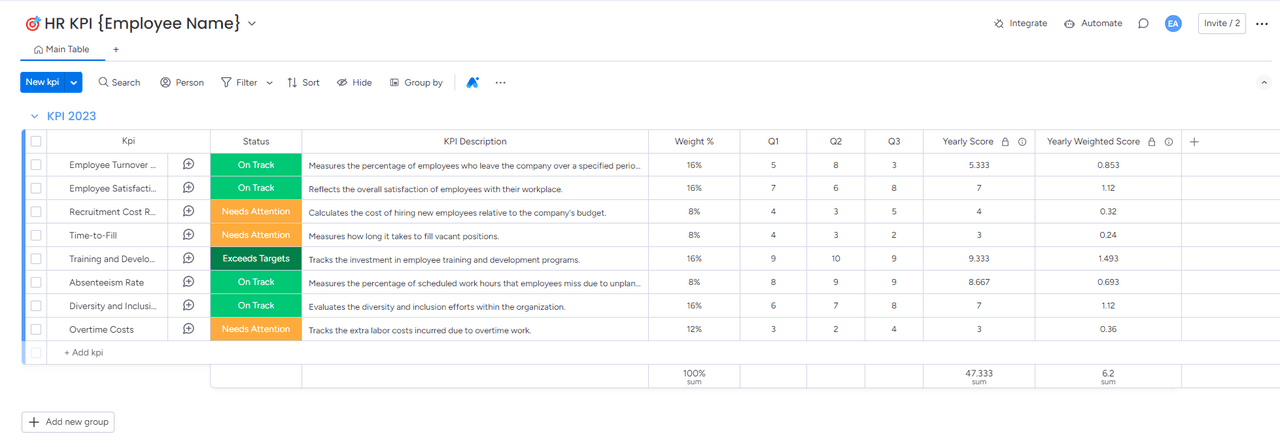
HR Key Performance Indicators Dashboard
An extensive HR KPI dashboard for tracking and evaluating various performance metrics for 2023. This interface displays KPIs such as employee turnover, satisfaction, recruitment costs, time-to-fill positions, and more, each with a status update indicating if they are on track, need attention, or exceed targets.
Human Resources
KPI
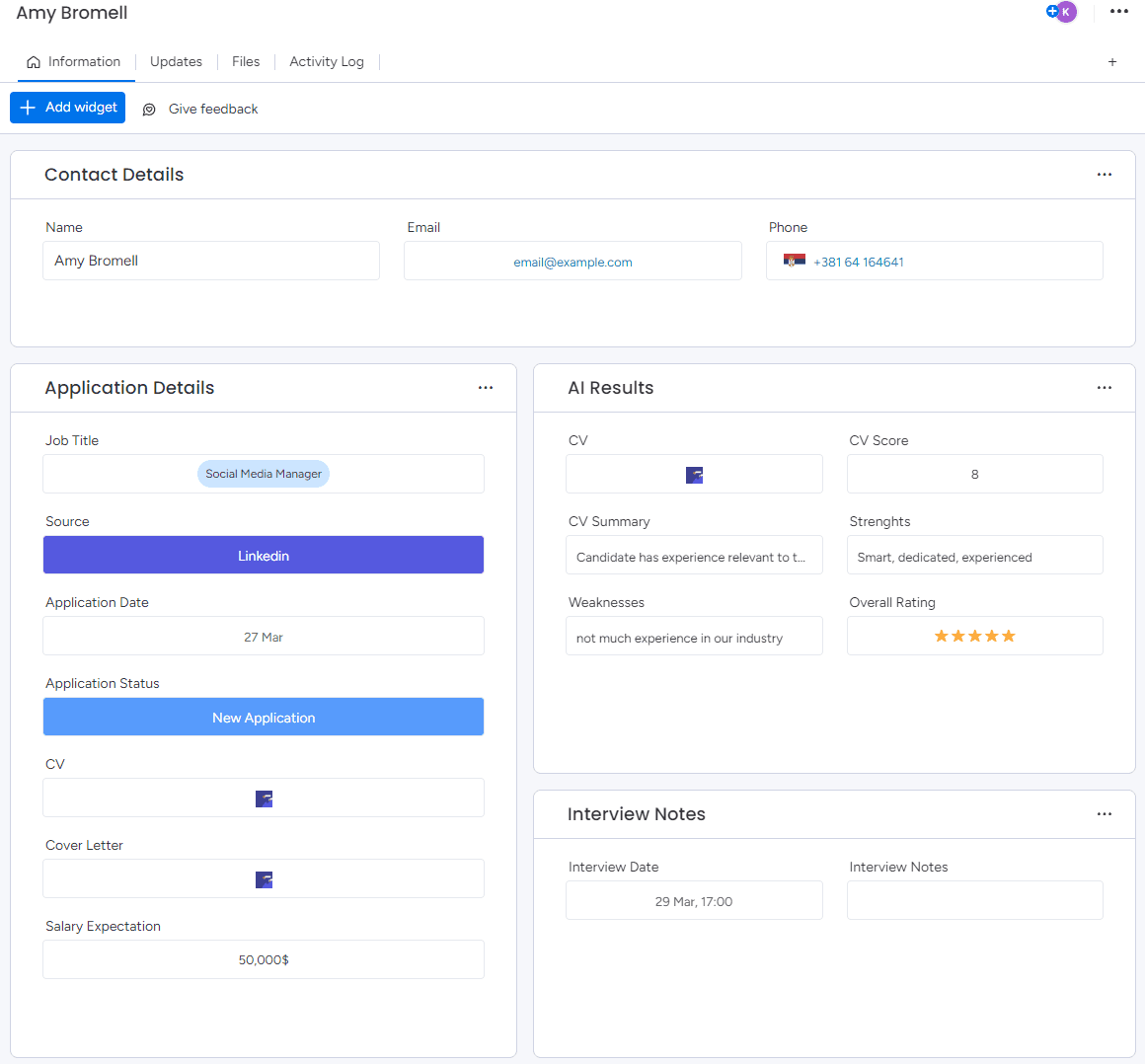
Candidate Overview
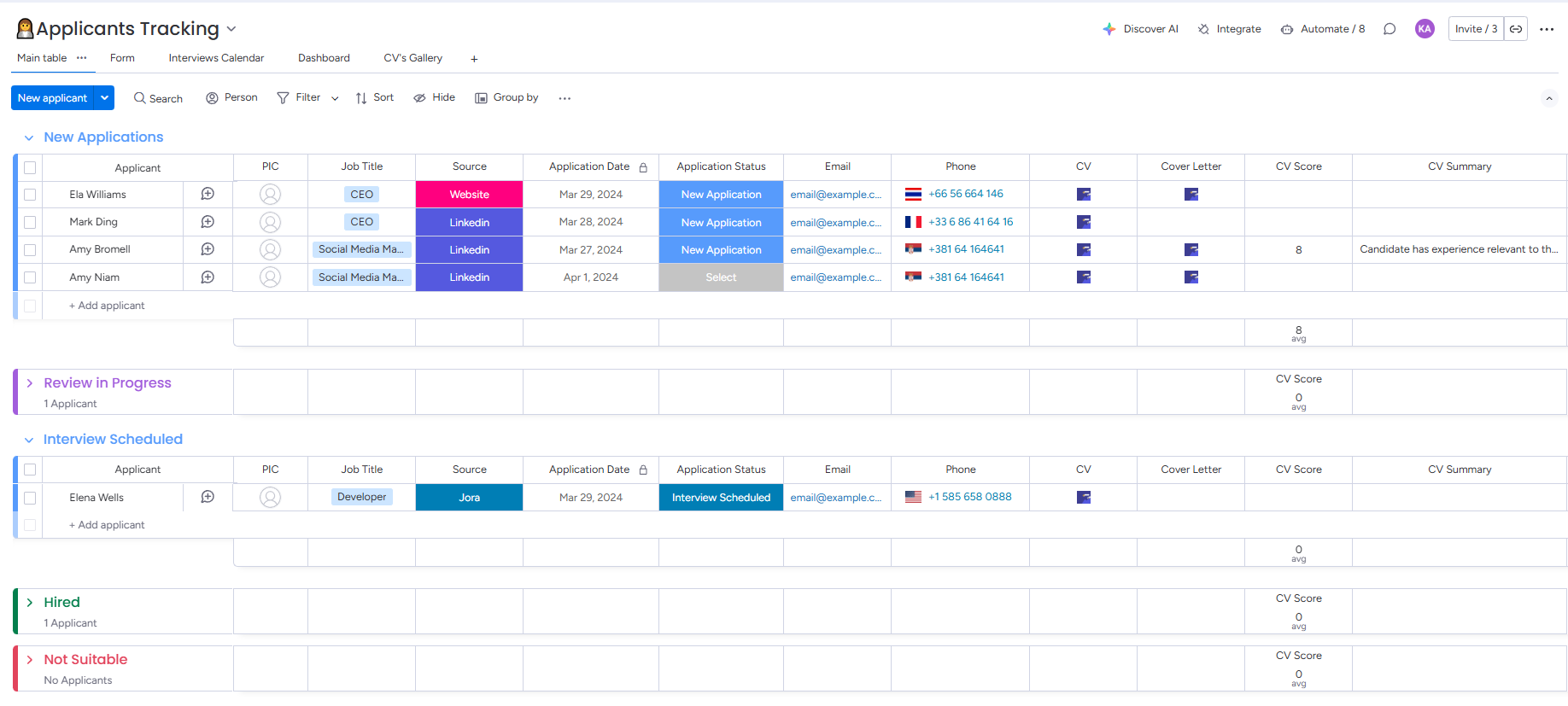
A digital interface displays the profile of a job applicant, highlighting their application for a Social Media Manager position, sourced from LinkedIn, with detailed sections including contact details, application status, CV insights, and interview notes. The page also features AI-driven results evaluating their strengths and suitability for the role.
Human Resources
Item Card
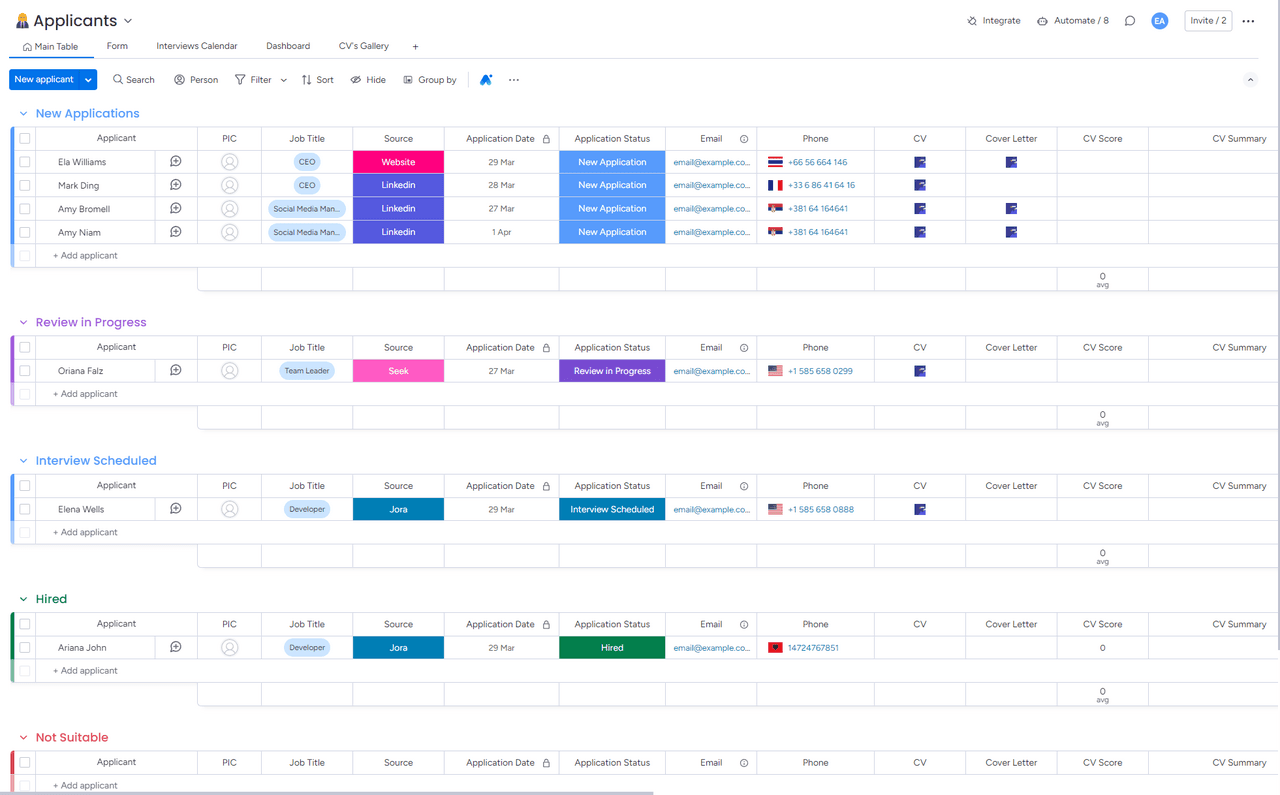
Navigating Talent: An Applicant Tracking System
A screenshot of an applicant tracking board, displaying various stages of the recruitment process such as new applications, review, interviews, and hiring outcomes. The board meticulously categorizes candidates by job titles, sources, and application dates, enhancing the recruitment workflow.
Human Resources
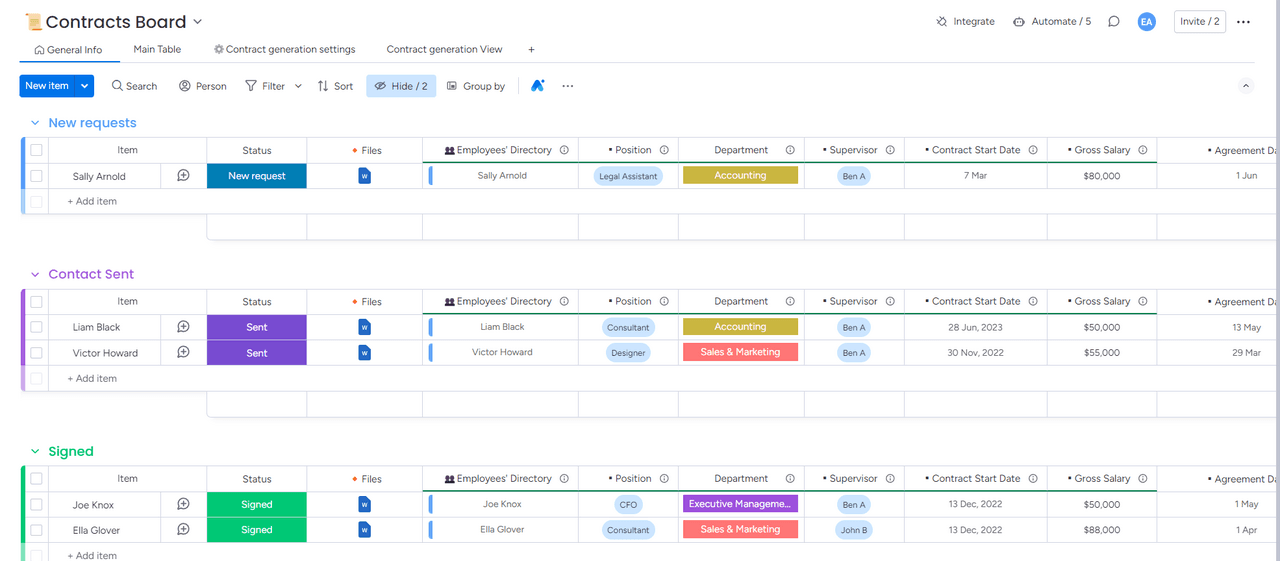
Contract Management Workflow
An interactive dashboard showing the contract management process across different stages, including new requests, contracts sent, and signed agreements. This dashboard also provides detailed insights into each employee’s position, department, salary details, and contract start dates.
Human Resources
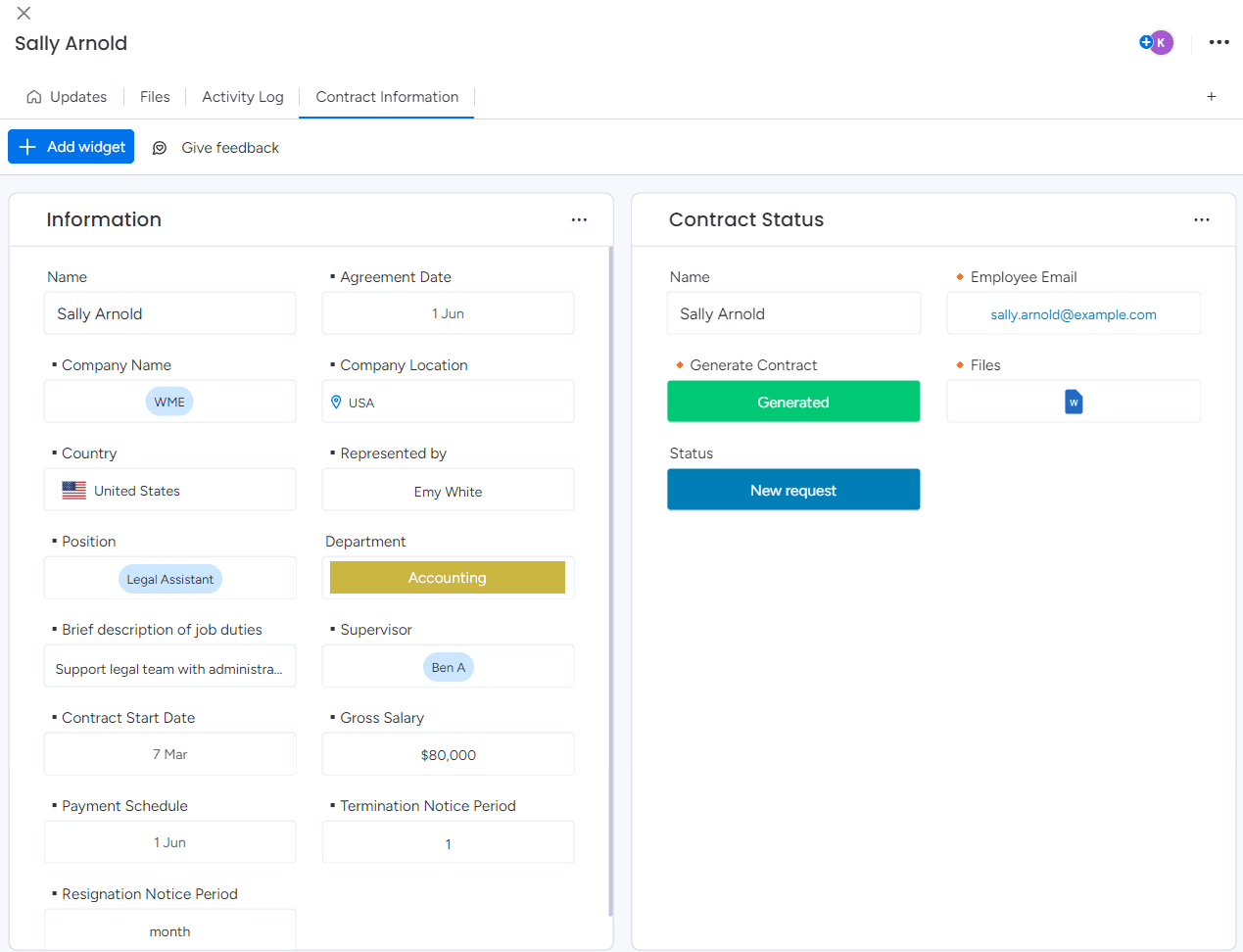
Employee Contract Detail View
A detailed profile view of an employee, showcasing contract information such as start date, salary, job duties, and supervisory details, alongside options to generate and manage the contract status.
Human Resources
Item Card
Directory
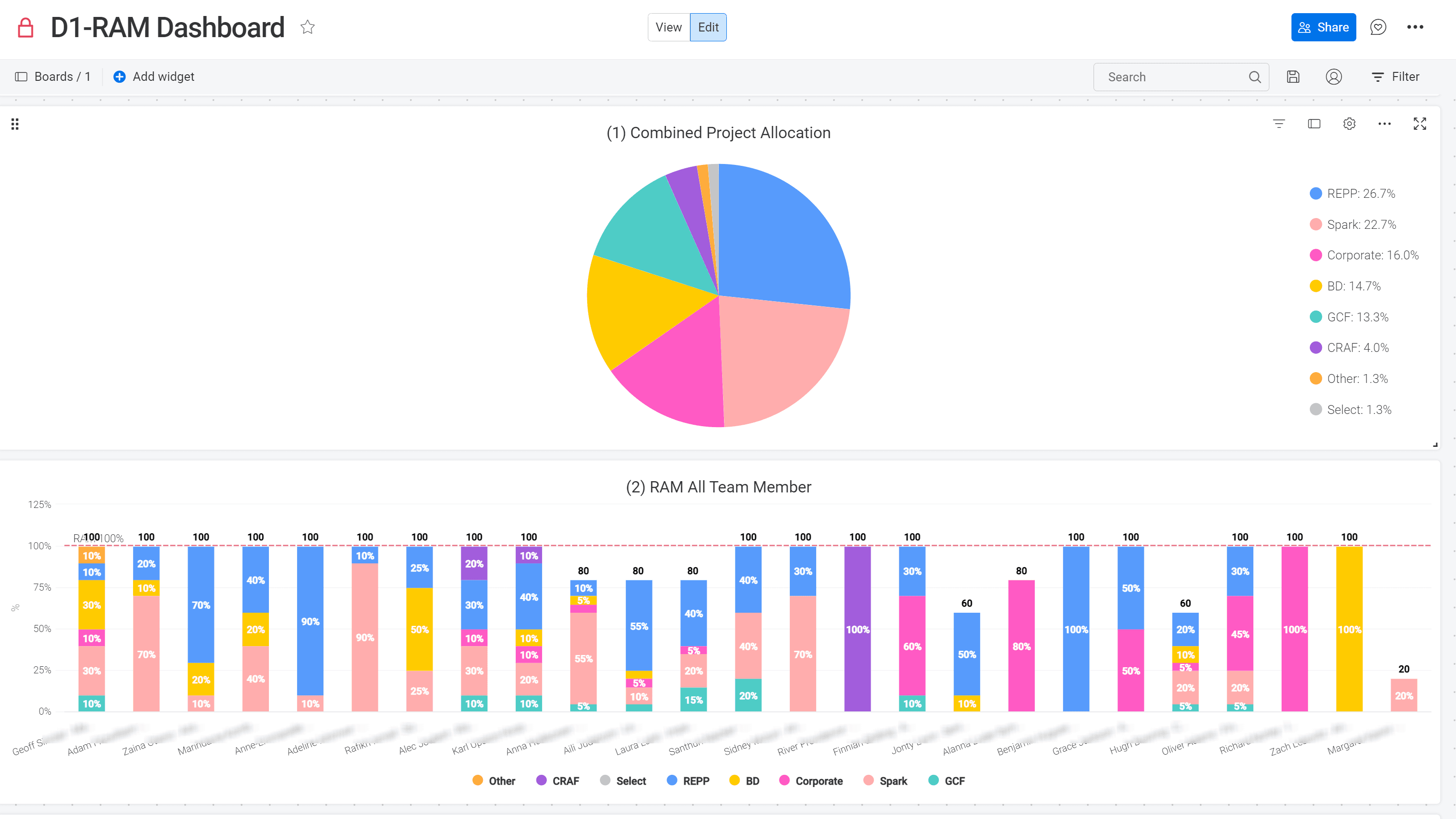
Resource Allocation Management 1/3
Analysis of the time spent by each team member on specific projects and the combined effort.
Human Resources
Dashboard
Resource Management
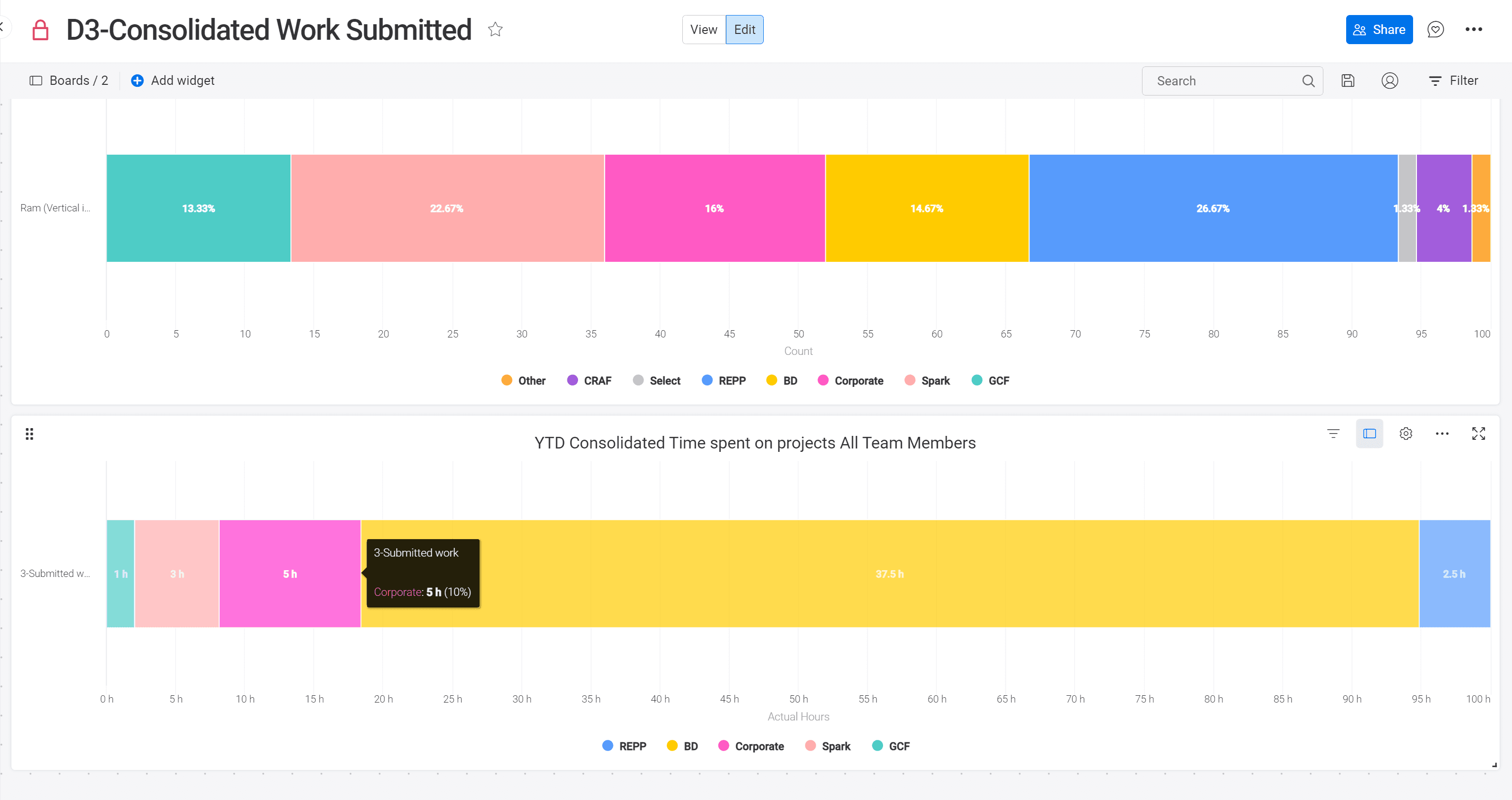
Resource Allocation Management 2/3
The workflow built allowed deep analysis of the team submitted work and compare it to time initially planned.
Human Resources
Resource Management
Dashboard
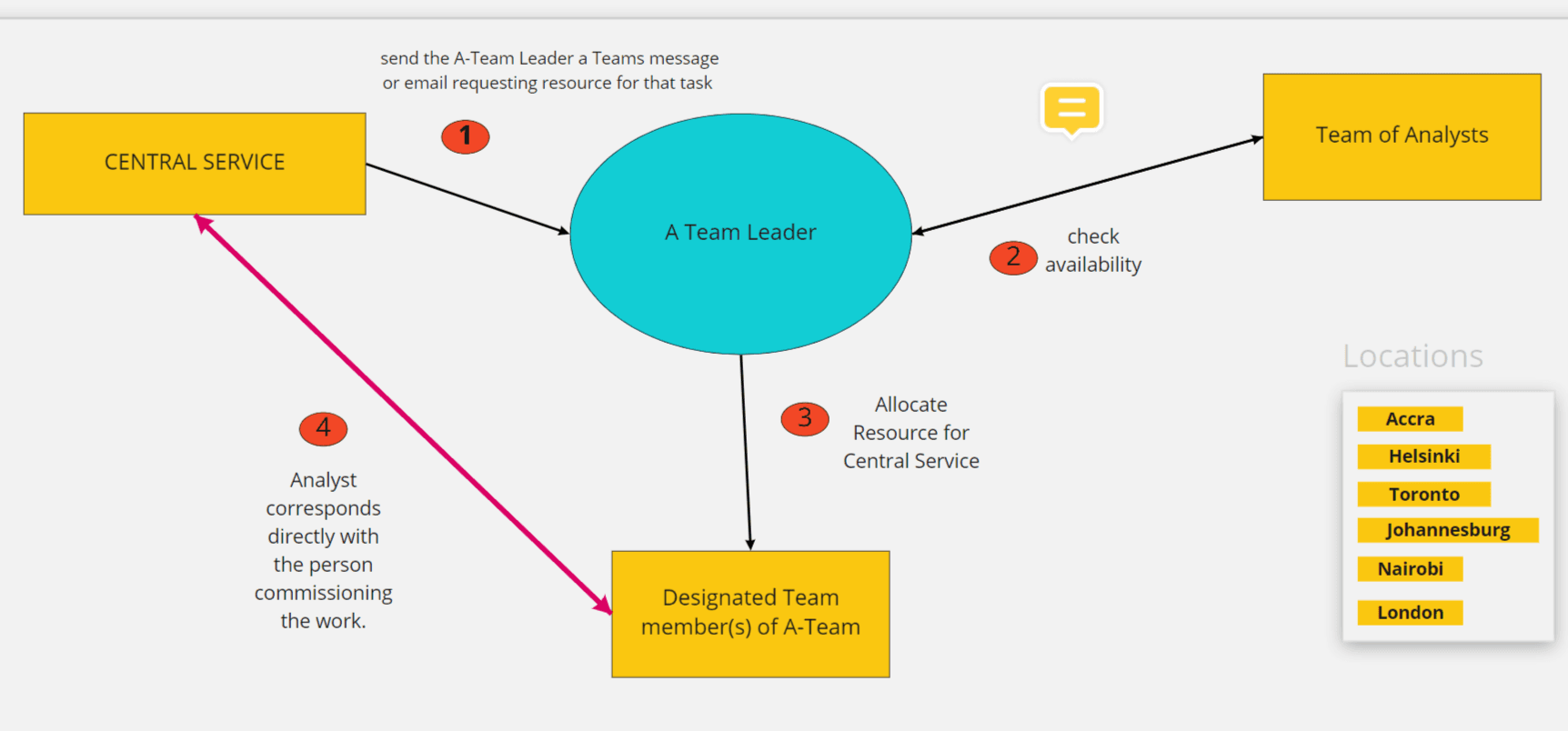
Process Mapping for NGO with Worldwide Presence
This diagram maps out the communication flow between a global team of analysts and a central service, illustrating how resource requests are routed, availability is confirmed, and work is allocated across the team's international locations—clarifying roles and communication paths at each step of the process.
Human Resources
Process Mapping
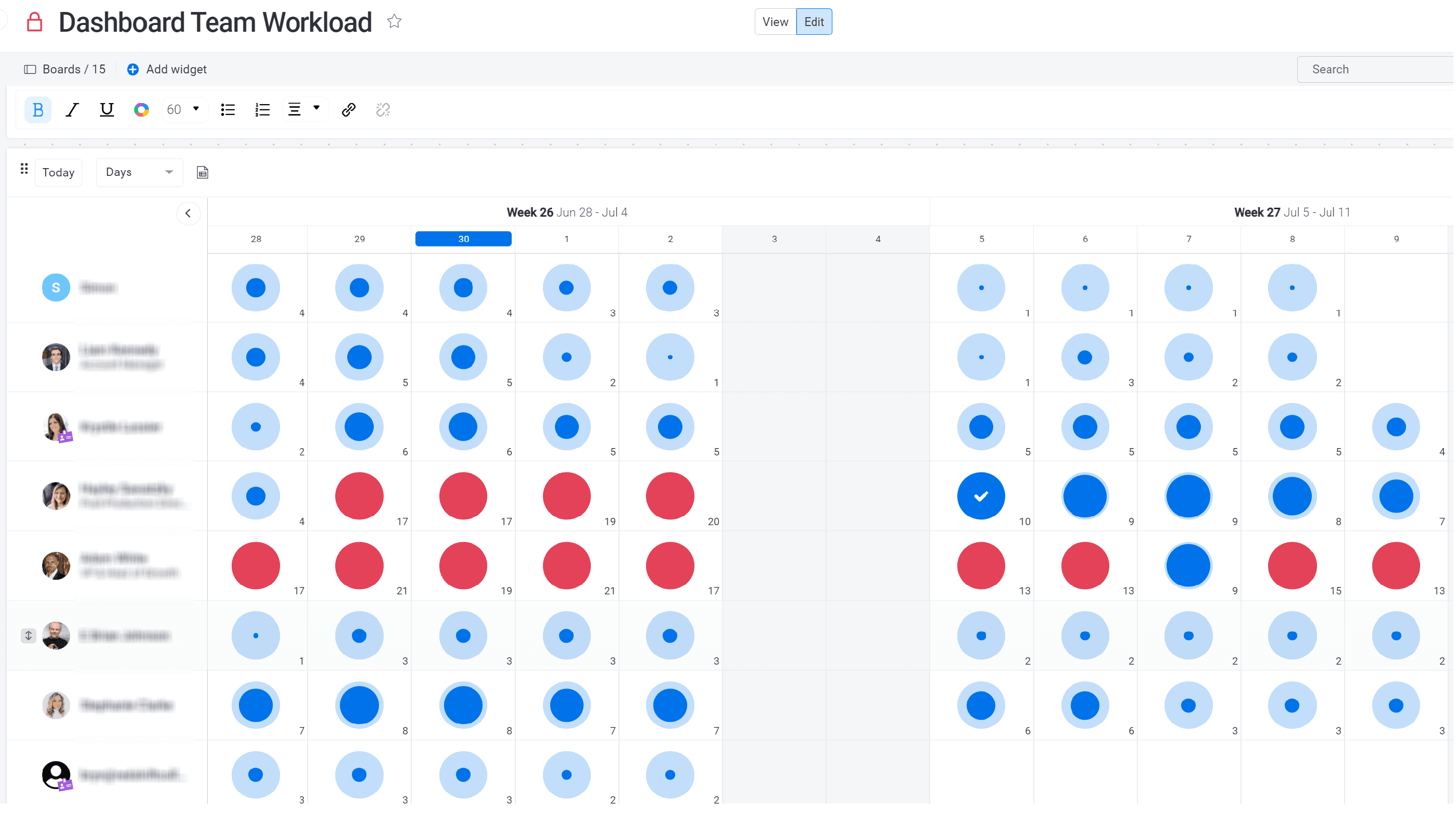
Workload Management
Used to manage the workload capacity of each individual, to see who is available to take a new project, who is overloaded, etc...
Human Resources
Dashboard
Resource Management
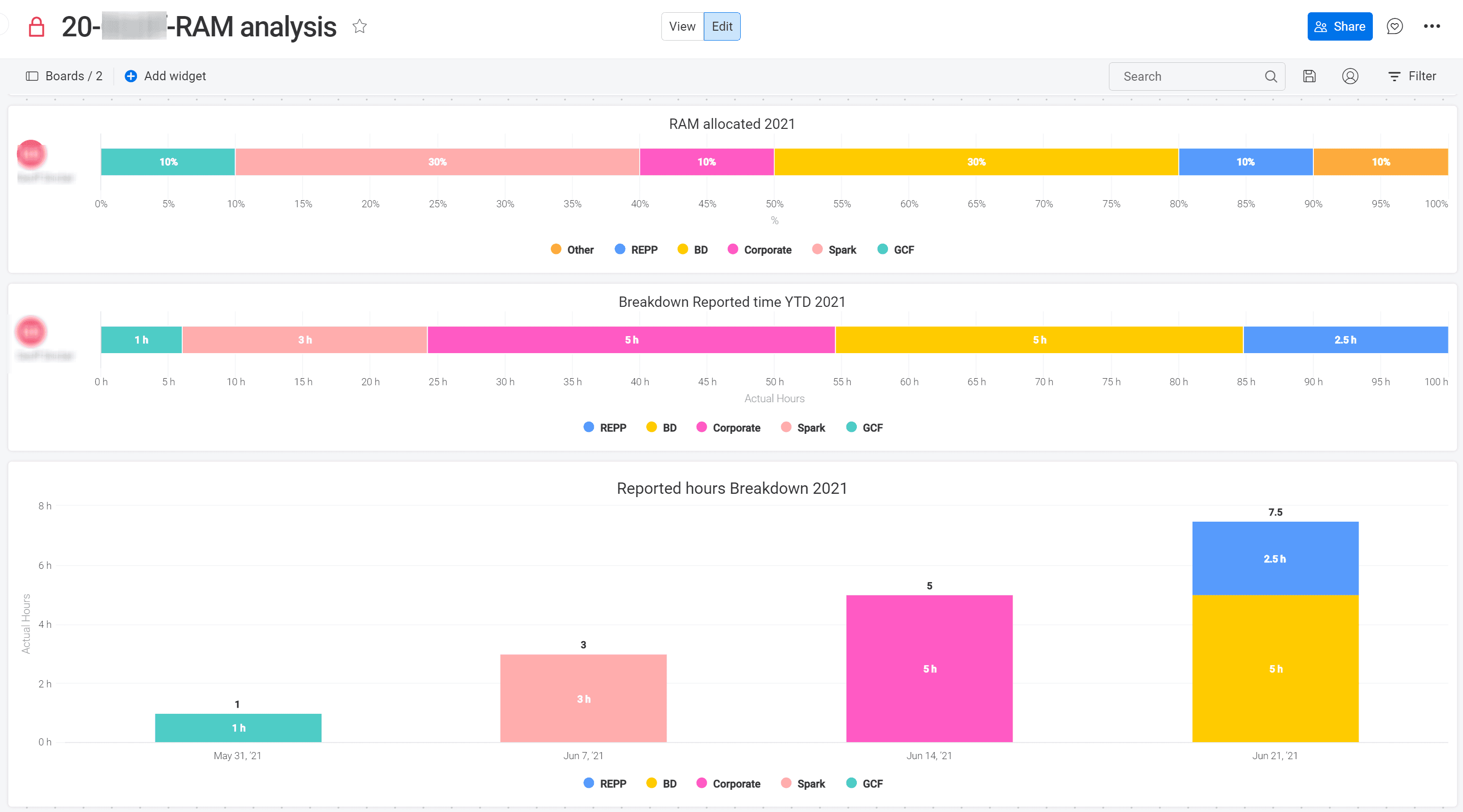
Resource Allocation Management 3/3
Detailed reporting of the time spent by an individual on specific projects and compare it to the theoretical time that was allocated. This reporting was used for one-on-one meetings between management and the employees.
Human Resources
Dashboard
Resource Management
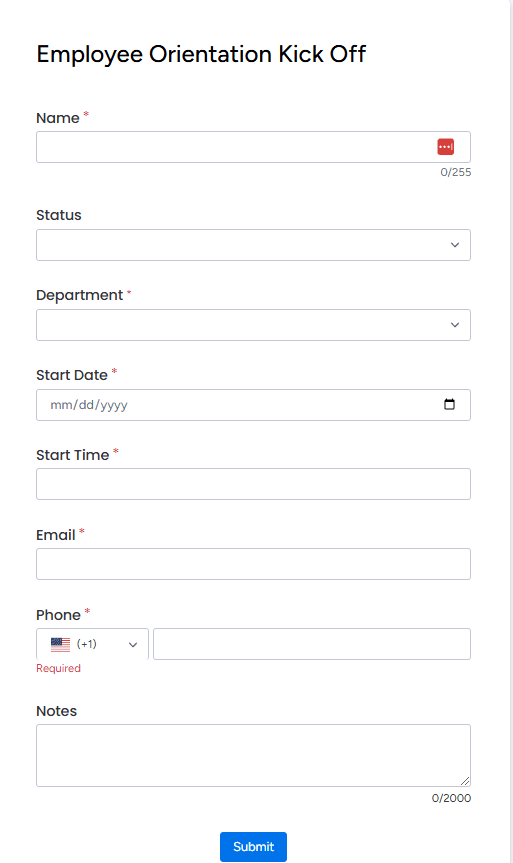
Employee Onboarding Form
This form is used to submit new employee details, triggering the automatic onboarding process.
Human Resources
Forms
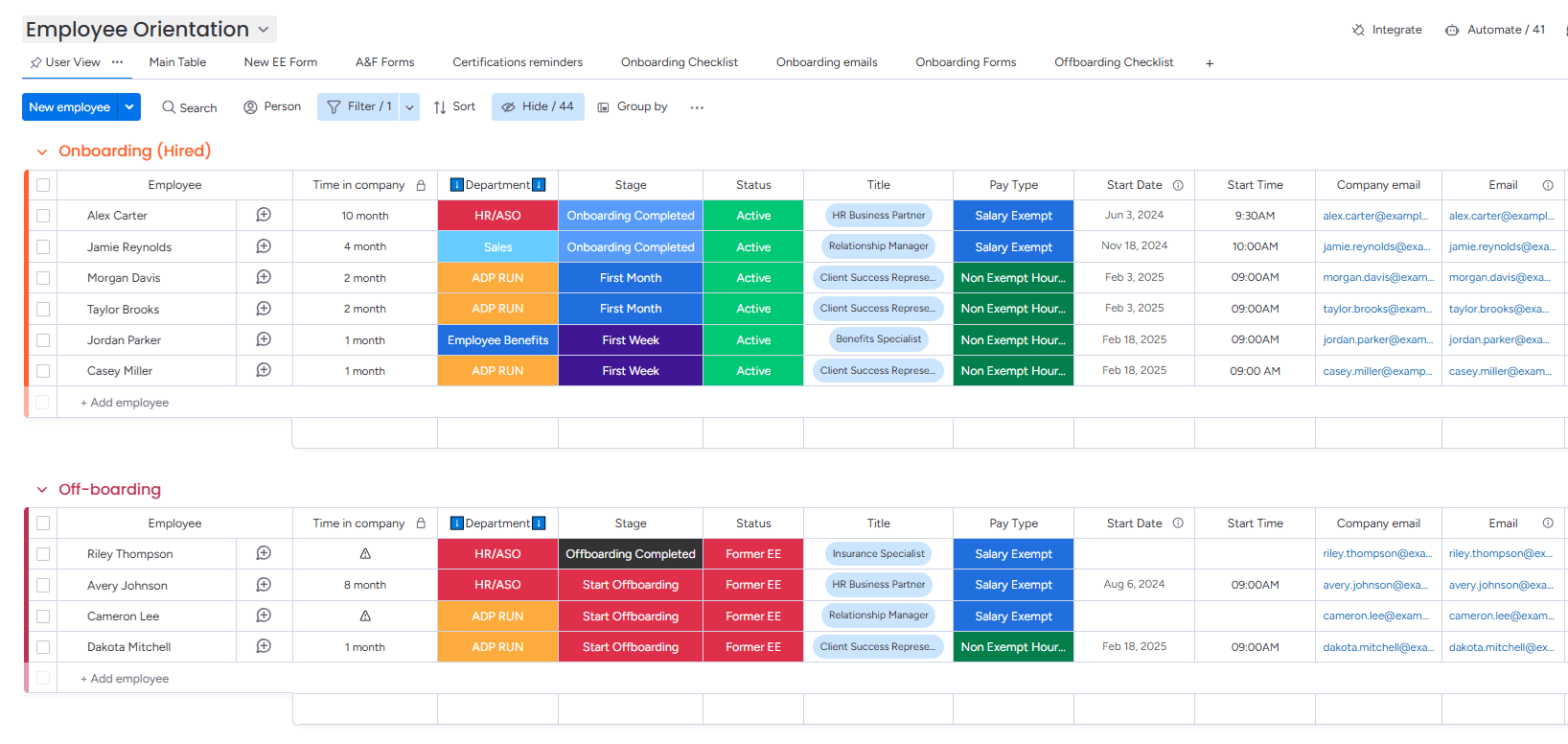
Employee Directory
Easily tracking employee on/offboarding stages and their information.
Human Resources
On/Offboarding
Dashboard
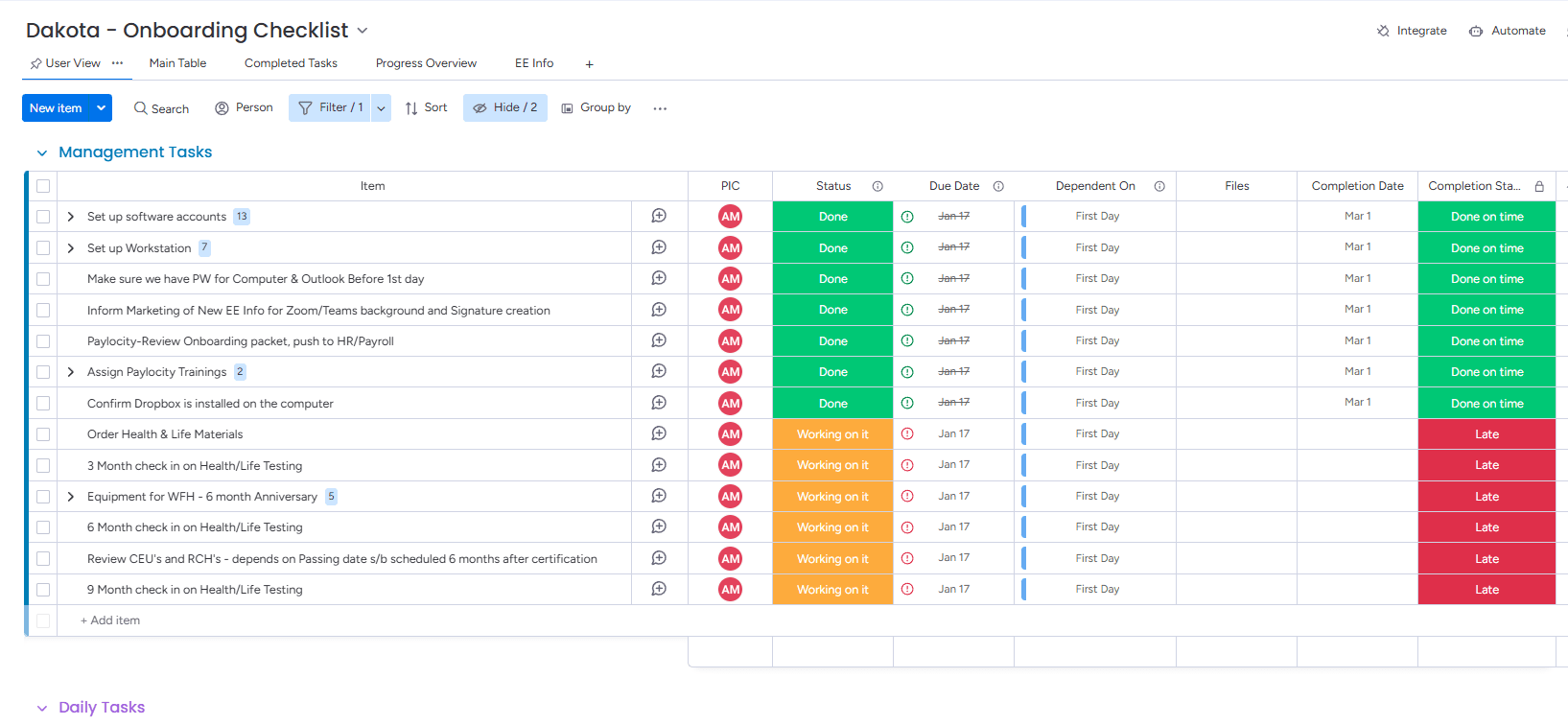
Employee Onboarding Checklist
An employee onboarding checklist that is automatically generated, with all due dates set based on the start date, and the completion status of each task tracked throughout the onboarding process.
Human Resources
Dependency
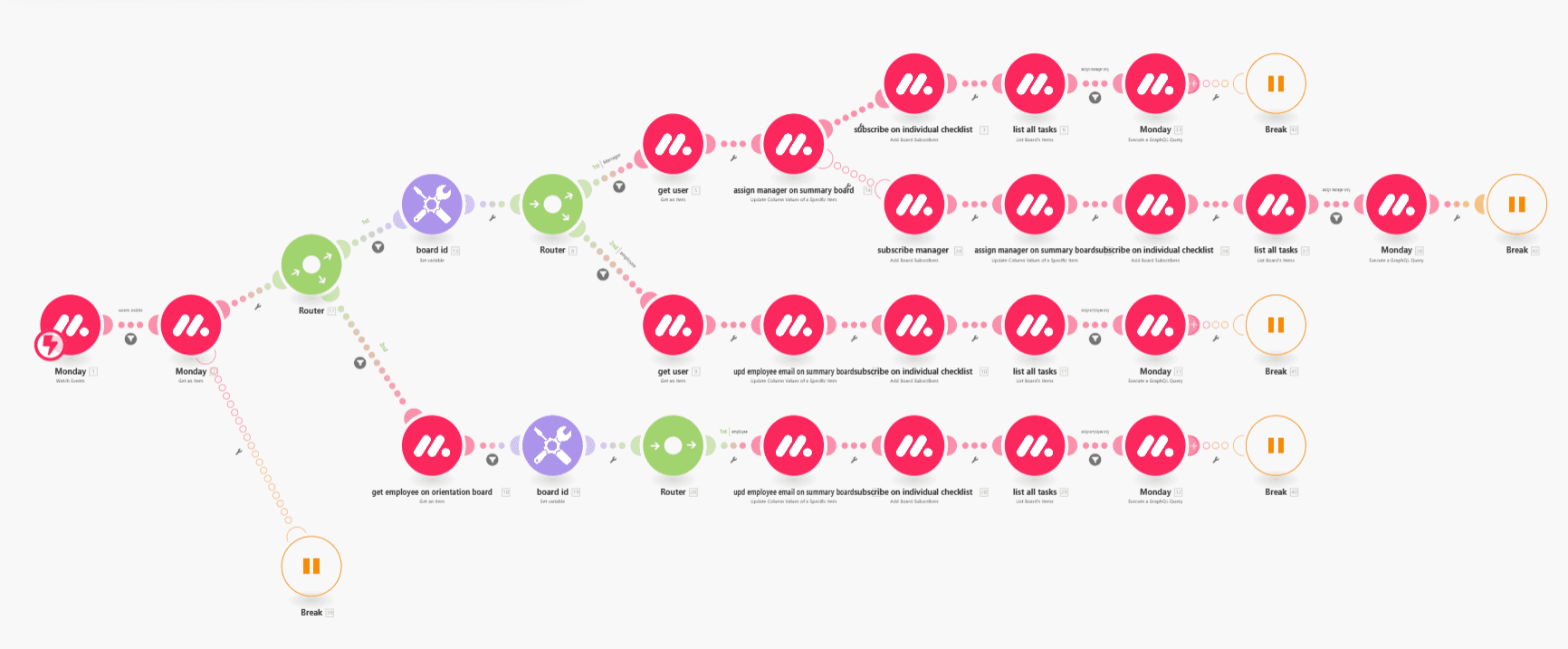
Automated Onboarding Checklists with Make.com
Implemented an automated process using Make.com to generate onboarding checklists for new employees, ensuring that both new hires and their managers are automatically assigned their respective tasks on the employee’s first day.
Human Resources
Make.com
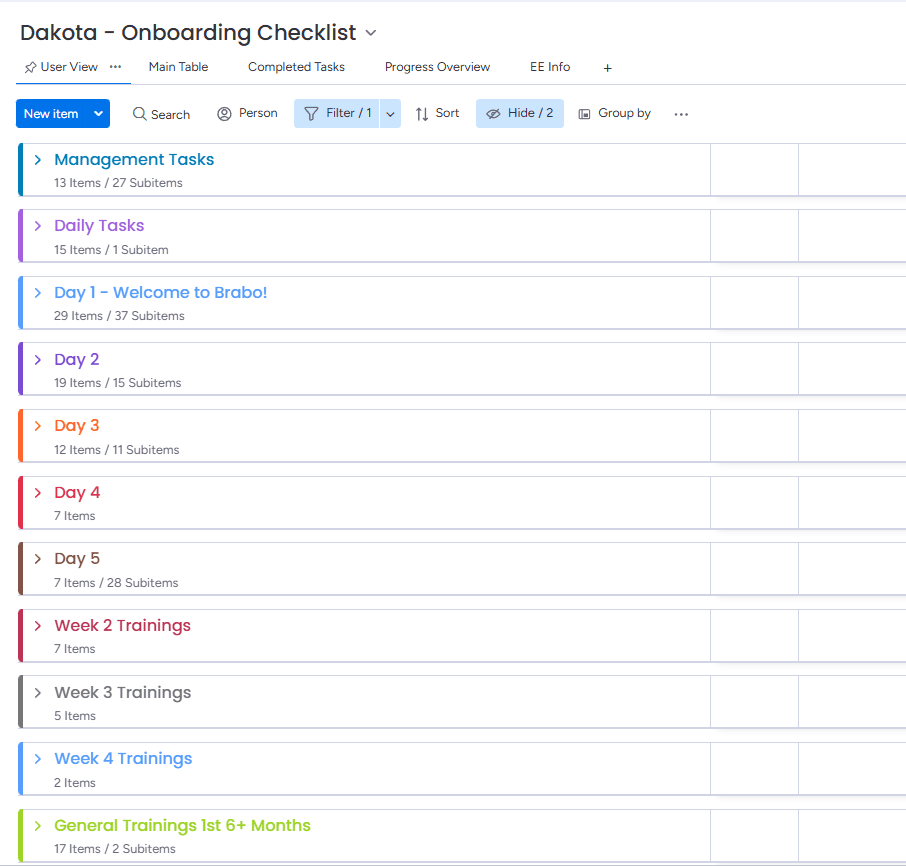
Onboarding Checklist Tracking
Onboarding checklist groups and tasks, which their completion status will be aggregated into a summary board for all new employees.
Human Resources
Task Management
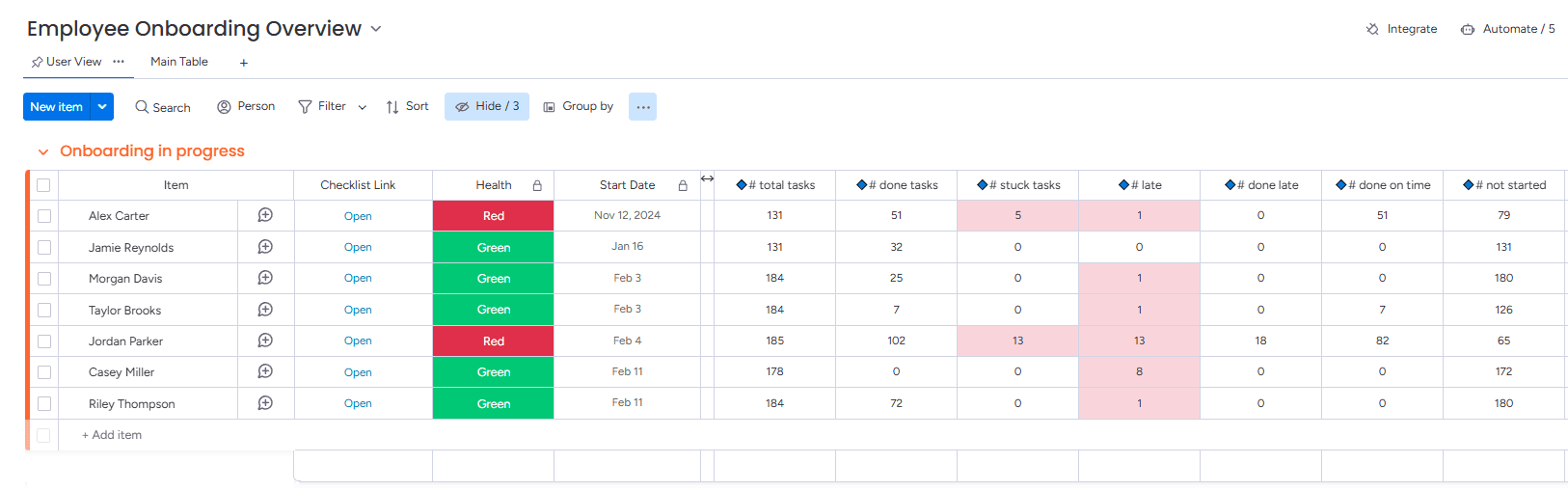
Centralized Dashboard for Onboarding Progress 1/2
A centralized project dashboard offering a clear overview of each employee's onboarding progress, tracking the completion of all stages in their process.
Human Resources
Project Overview
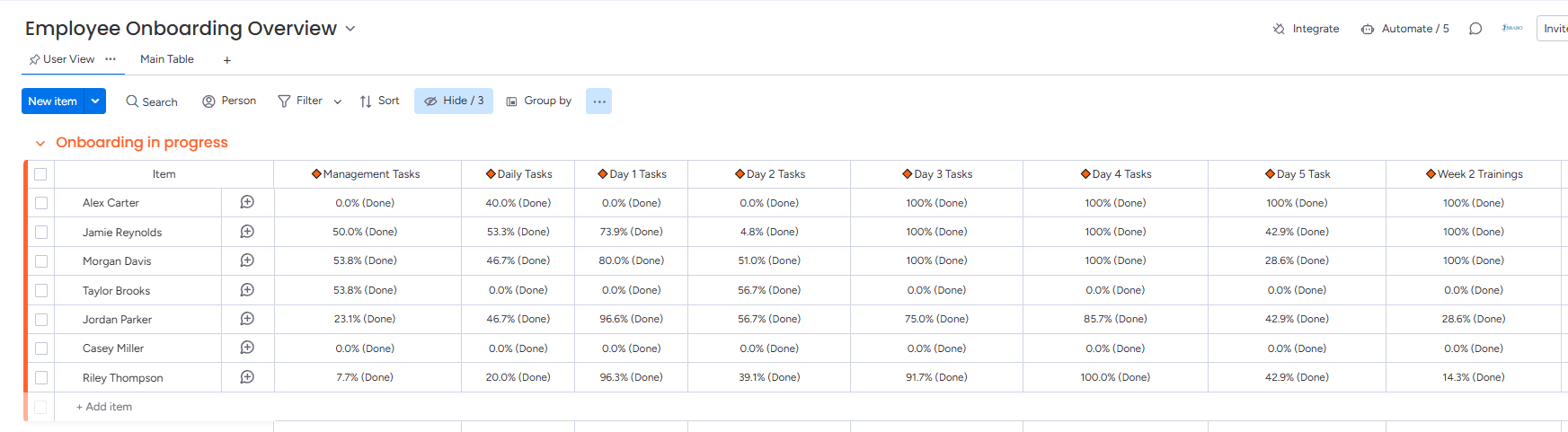
Centralized Dashboard for Onboarding Progress 2/2
This section of the dashboard displays the completion status of each stage.
Human Resources
Project Overview
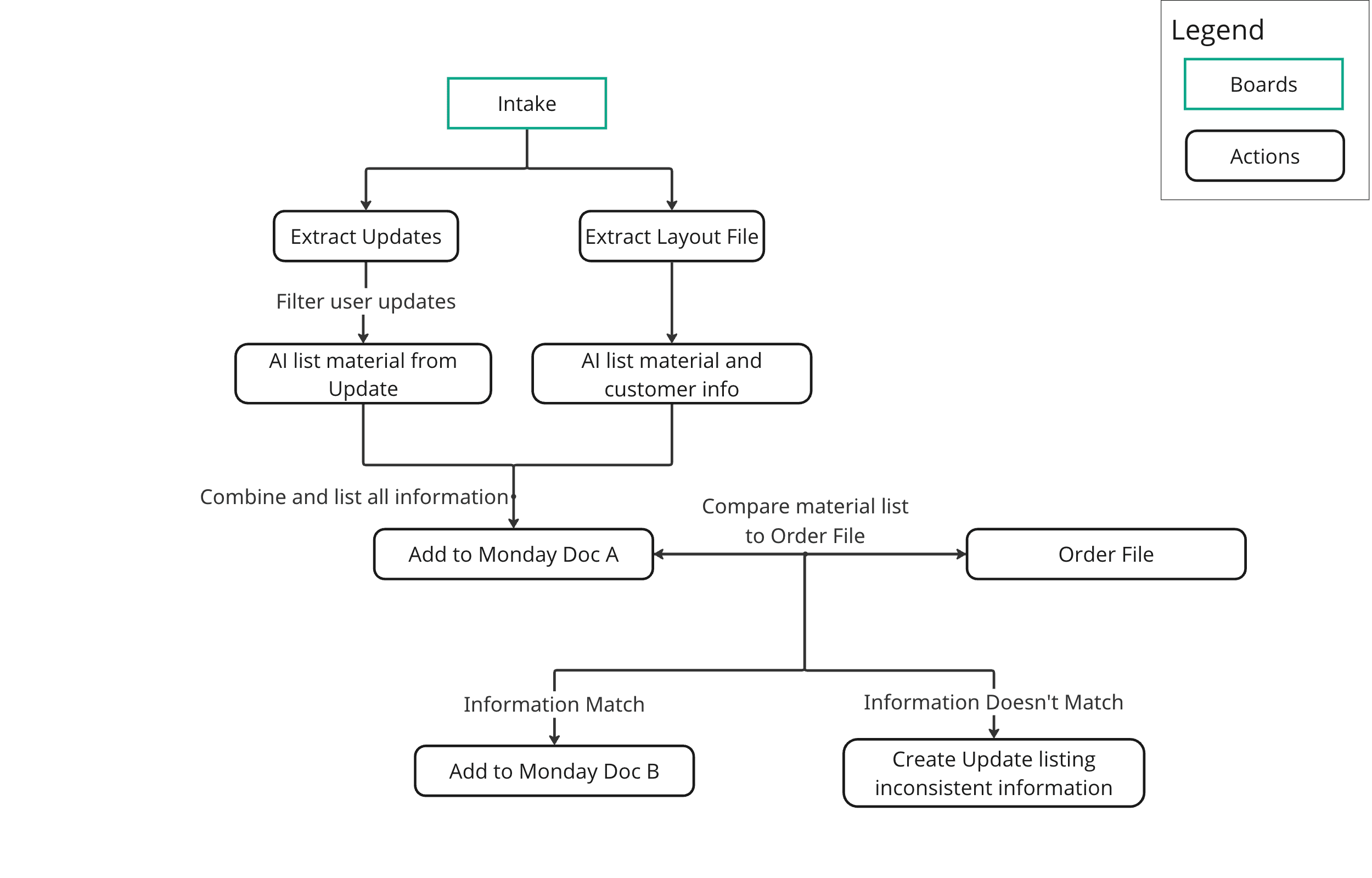
AI-Driven Material Intake and Document Matching Process 1/2
This diagram illustrates an AI-powered intake and validation workflow for furniture manufacturing. It extracts materials and customer information from email updates and layout files, merges the data into a central Monday.com document, and compares it to the original order file. The system flags discrepancies automatically, reducing manual review and minimizing human error in the production process.
Manufacturing
Process Mapping
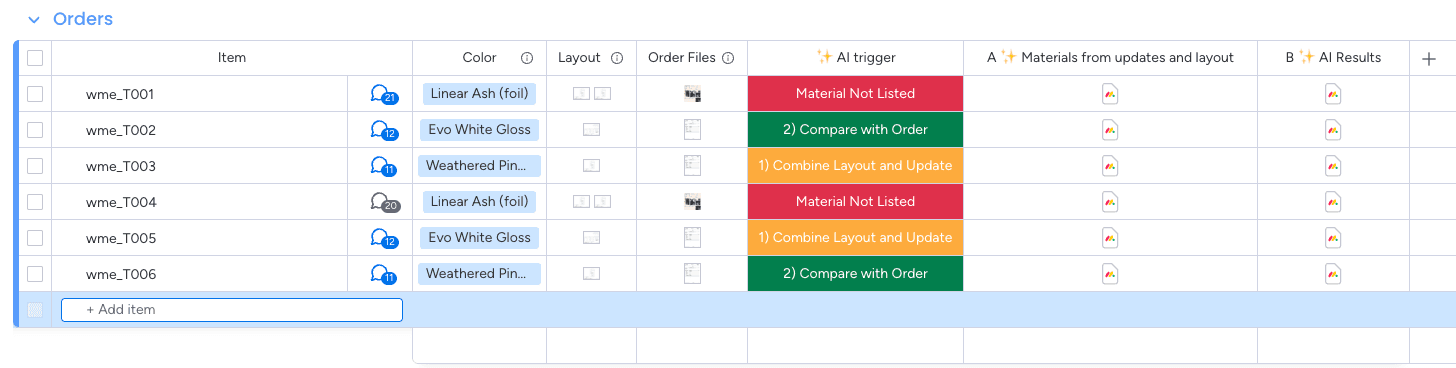
AI-Driven Material Intake and Document Matching Process 2/2
This Monday.com board supports an AI-powered workflow for validating furniture orders. It tracks each item’s materials and layout data extracted from the update section and files, then compares the combined results against original order files. AI triggers status highlight inconsistencies or confirm accuracy, helping reduce manual checks and minimize human error in the manufacturing process.
Manufacturing
AI
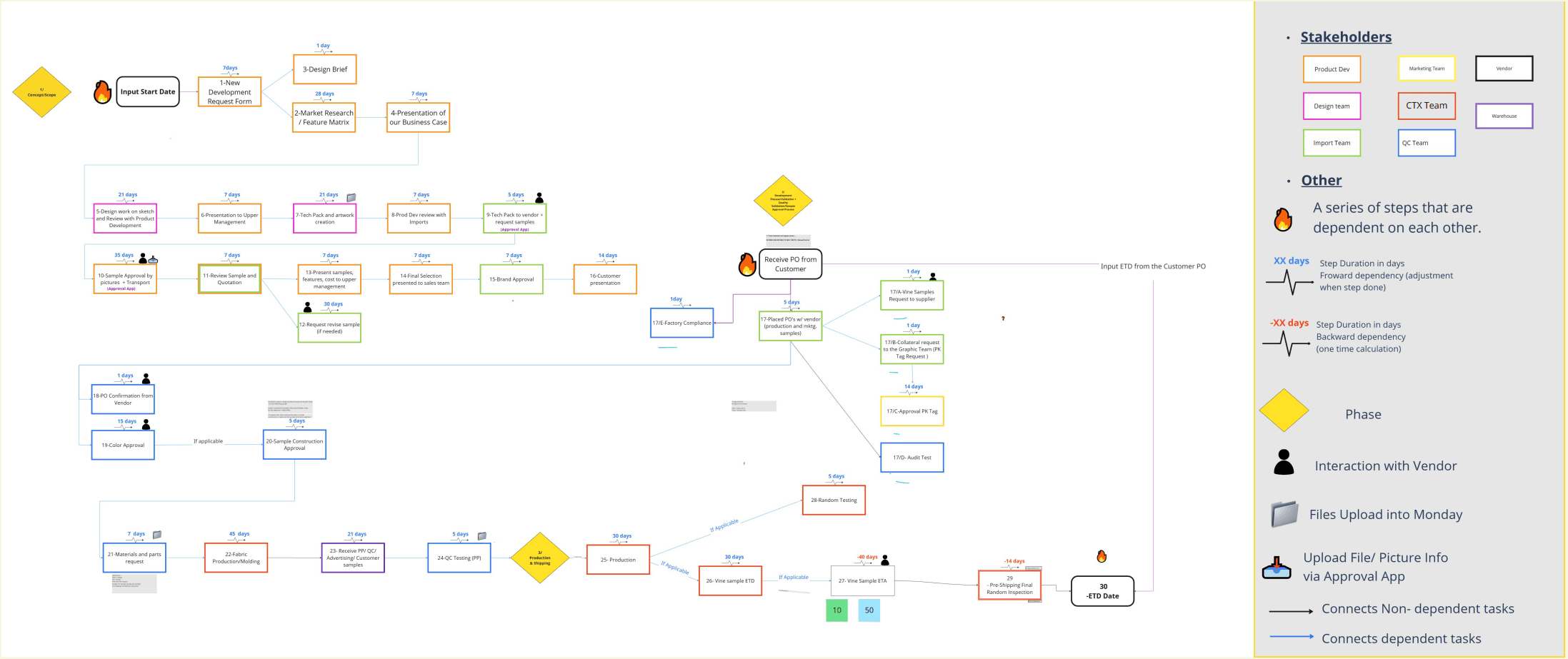
Product Sourcing and Manufacturing Workflow Mapping
Mapped the complete sourcing and manufacturing workflow for a product sourced from China and produced in North America.The process flow outlines key steps from initial development request to final product delivery, identifies stakeholder involvement across multiple teams, maps task dependencies, and tracks critical production milestones to ensure efficient project execution.
Manufacturing
Process Mapping
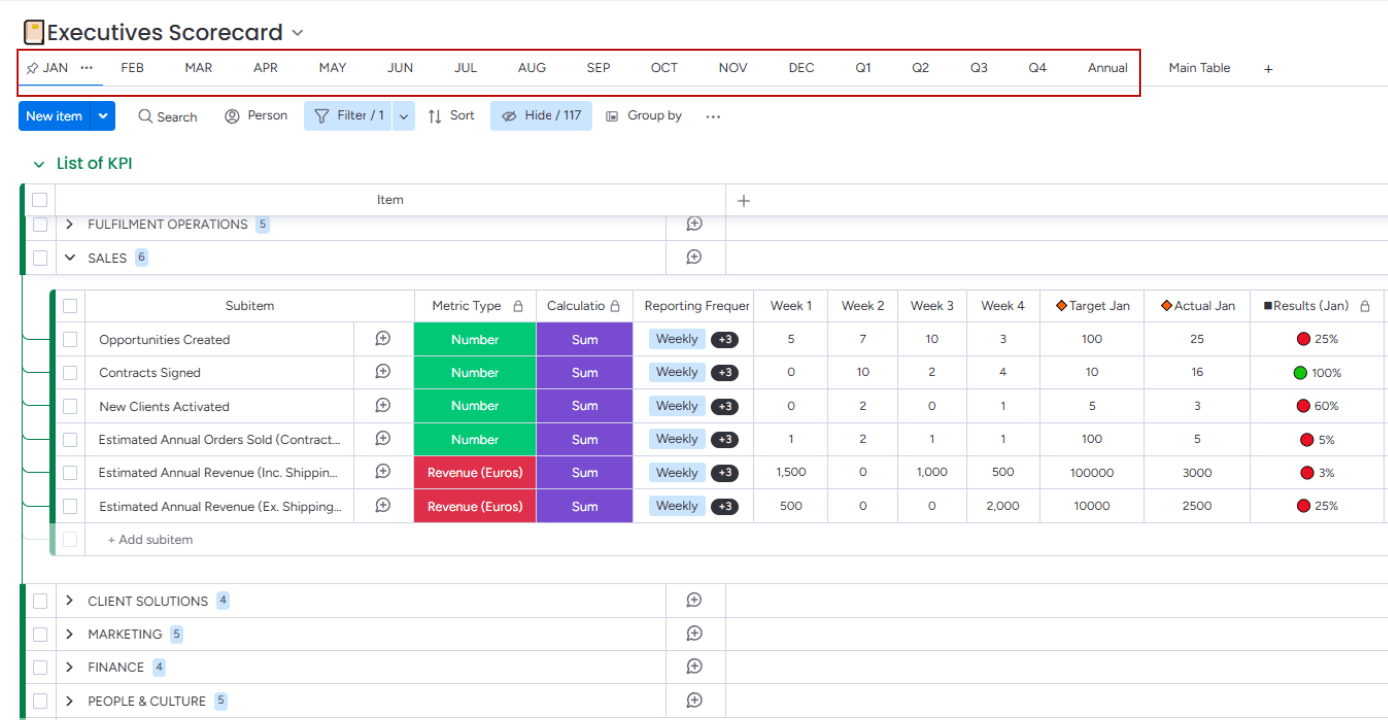
Executives KPI Tracking – Monthly View
Built a dynamic KPI dashboard in monday.com for an eCommerce fulfillment company, where each KPI has its own AI-powered calculation logic. The board enables granular, department-level tracking of key metrics on a monthly basis.
Logistics
KPI
AI
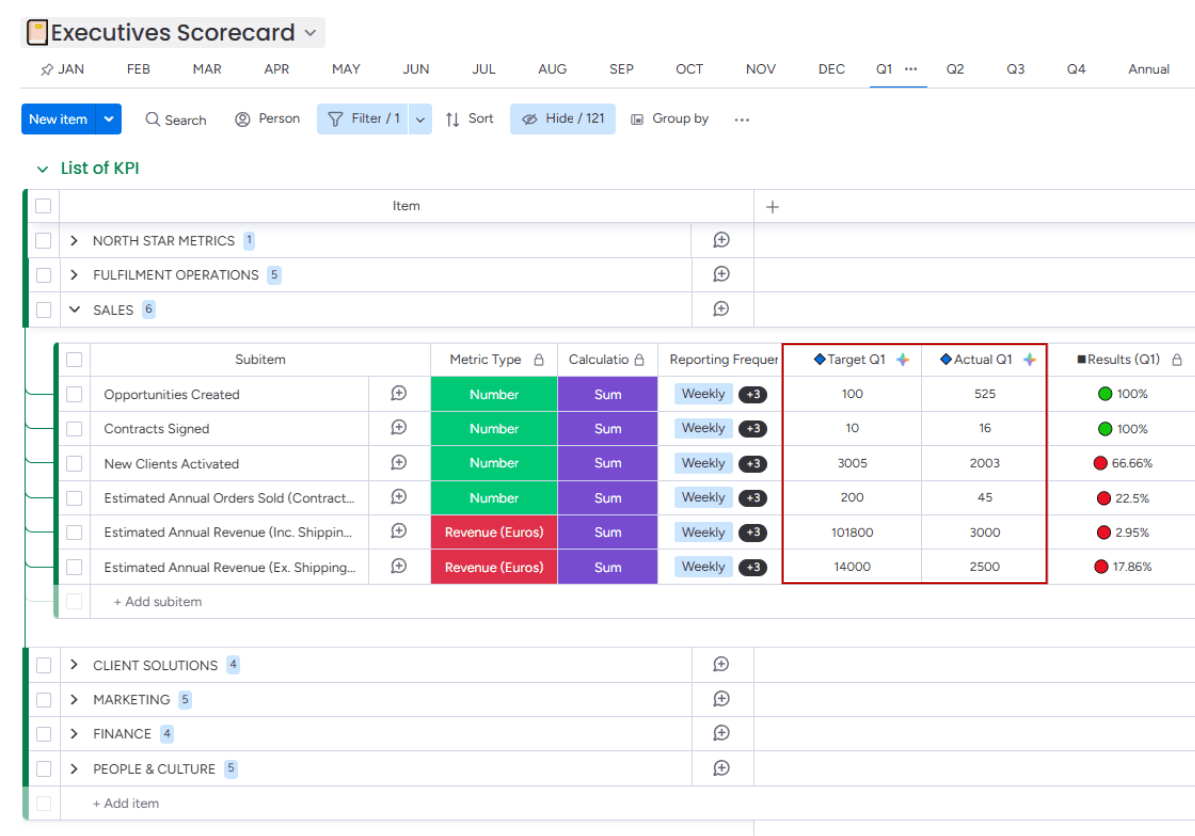
Executives KPI Tracking – Quarterly View
Monthly KPIs automatically roll up into a quarterly view, allowing leadership to monitor broader performance trends and compare departmental progress throughout each quarter.
Logistics
KPI
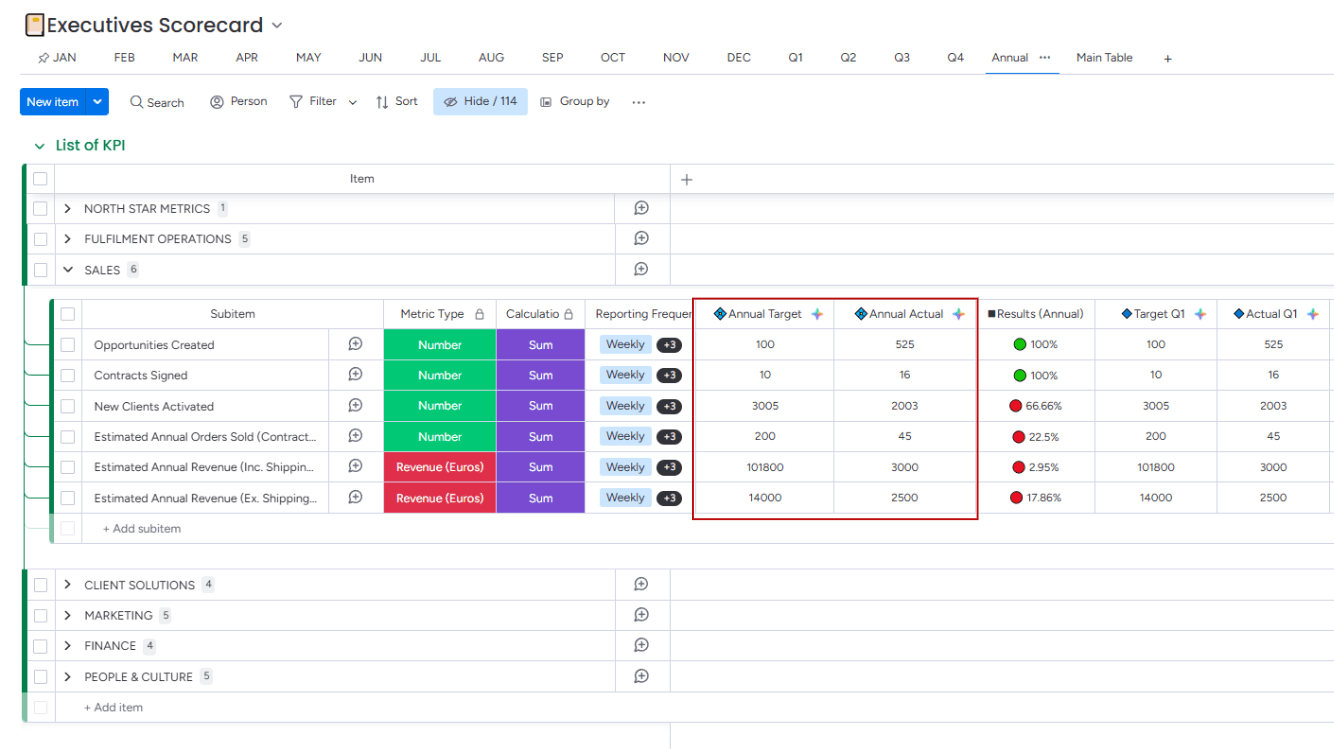
Executives KPI Tracking – Annual View
Quarterly data is rolled into an annual dashboard, making it easy to compare quarter-over-quarter progress and evaluate year-end performance across all departments.
Logistics
KPI
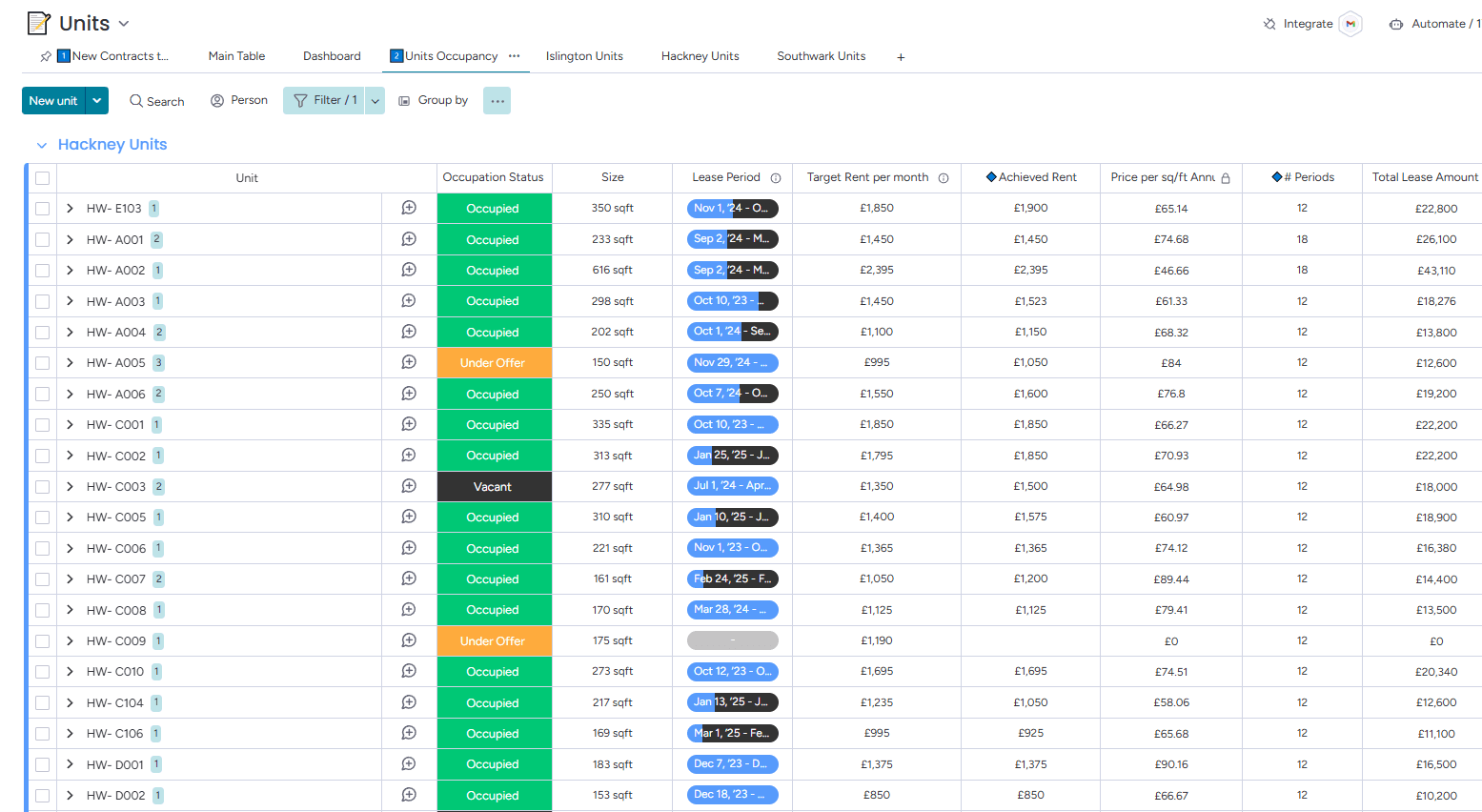
Dynamic Knowledge Base in Monday.com (1)
For this project, we built an AI-powered chat support bot for a real estate company's website. It helps leads find their ideal property by matching their preferences with live listings managed in monday.com, which serves as the dynamic knowledge base updated daily.
Real Estate
AI
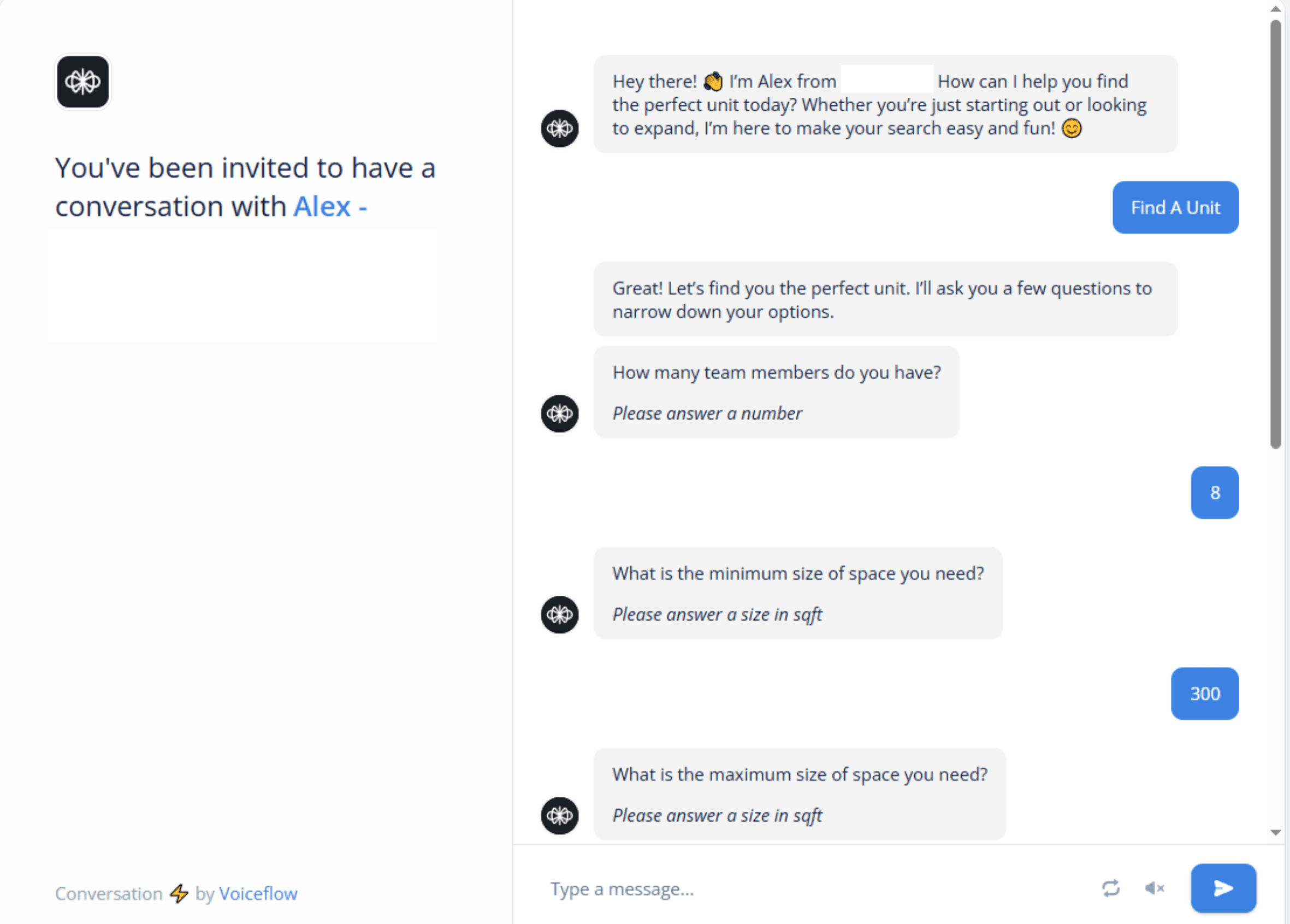
AI Bot Engaging with Leads (2)
The website chat bot engages visitors by asking key questions about their property needs, such as size, budget, and preferred square meters. This interactive flow captures the lead's exact requirements in a natural, user-friendly way.
Real Estate
AI
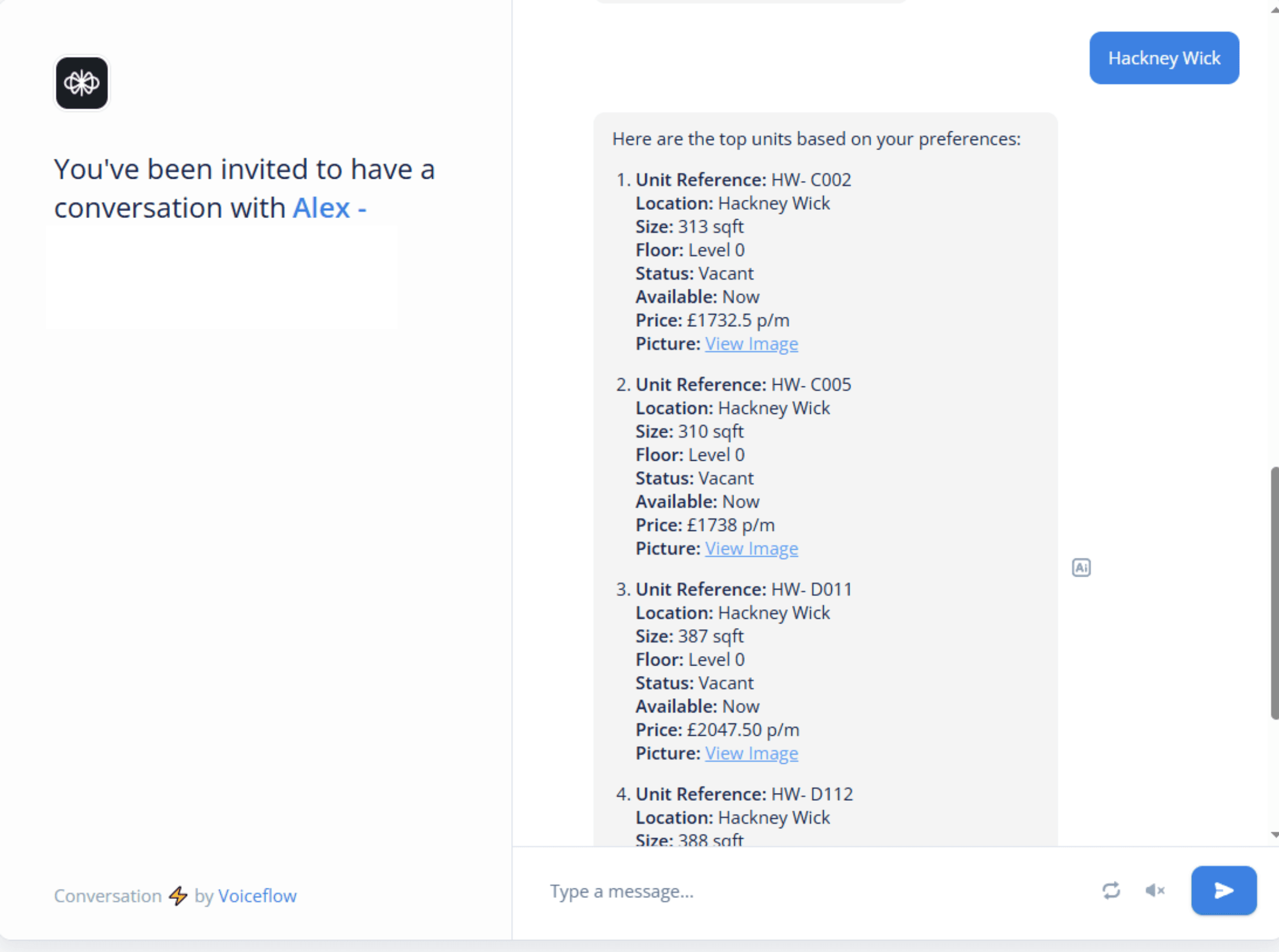
Tailored Property Recommendations (3)
Based on the lead's answers, the bot searches the monday.com database in real time and suggests the best matching units. This delivers instant, relevant results and streamlines the property search experience.
Real Estate
AI
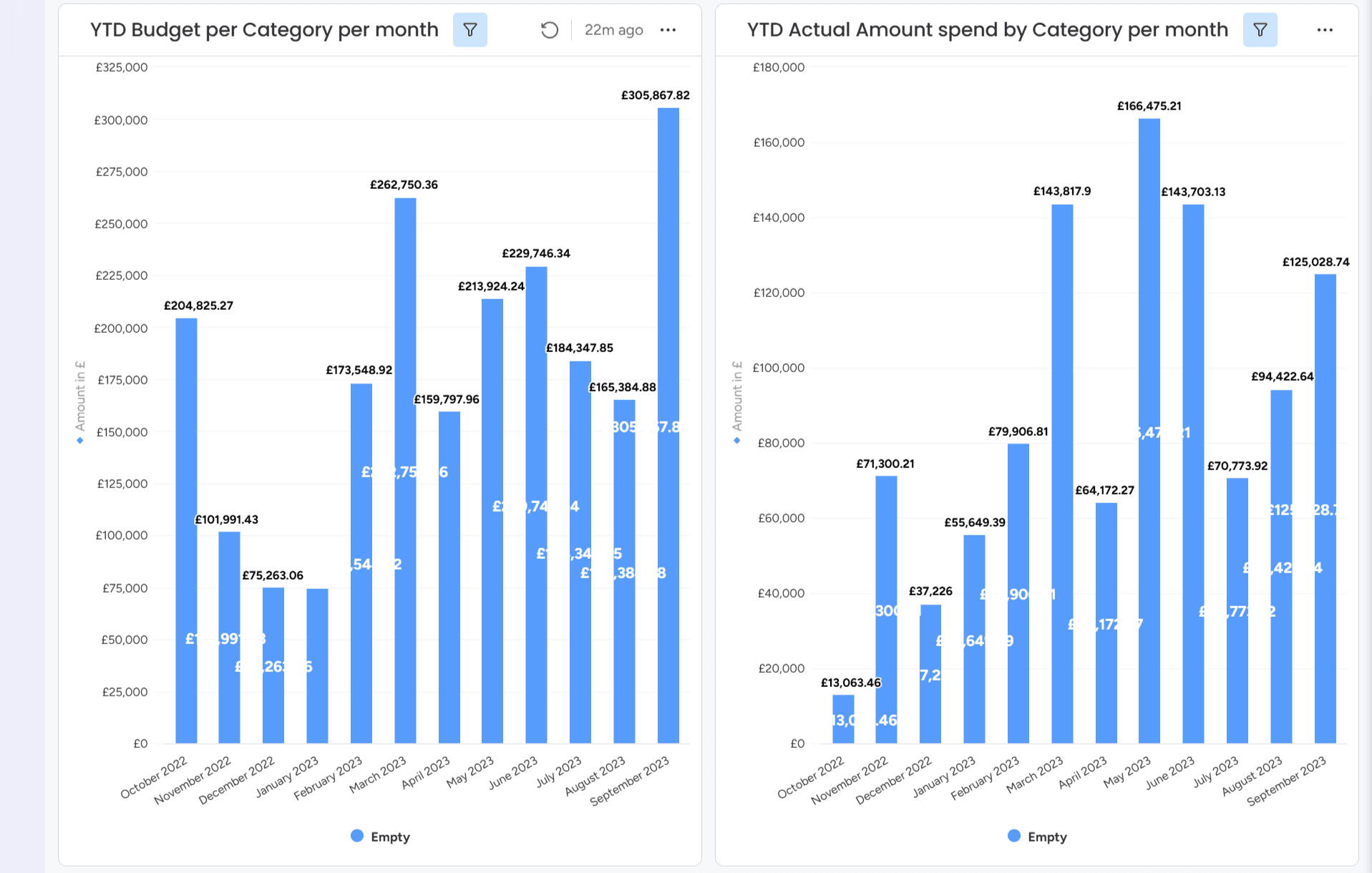
Budgeted vs Actual Spend per Category by Month (YTD)
This set of charts provides a side-by-side comparison of the year-to-date budgeted versus actual spending across categories on a monthly basis. The visual breakdown highlights variances between planned allocations and real expenditures from October 2022 to September 2023, supporting financial accountability and variance analysis.
Finance
Dashboard
KPI
Cost Analysis
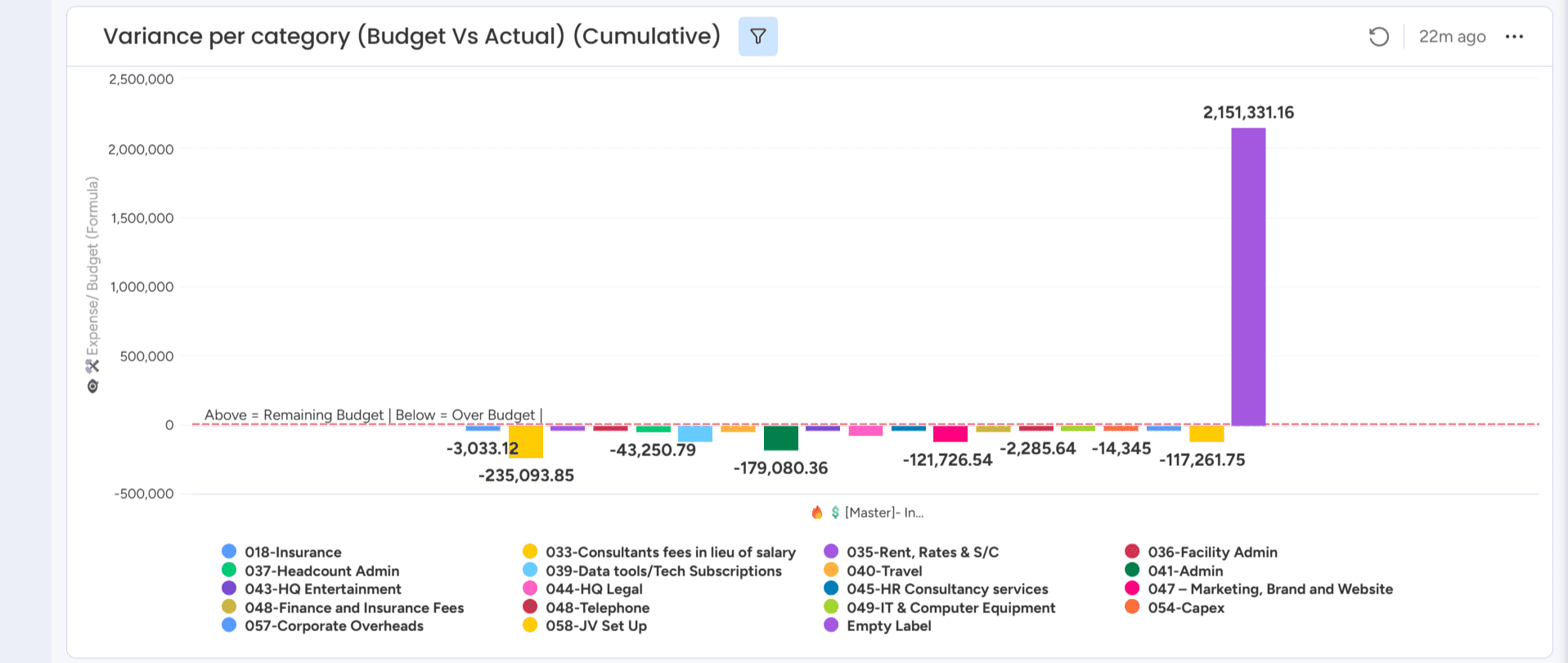
Cumulative Budget vs Actual Variance by Category
This visual presents the cumulative variance between budgeted and actual spend per category. Positive values indicate remaining budget, while negative values reflect overspending. It provides a concise overview of how different cost areas are tracking against their financial plans, supporting effective budget monitoring and control.
Finance
Dashboard
KPI
Cost Analysis
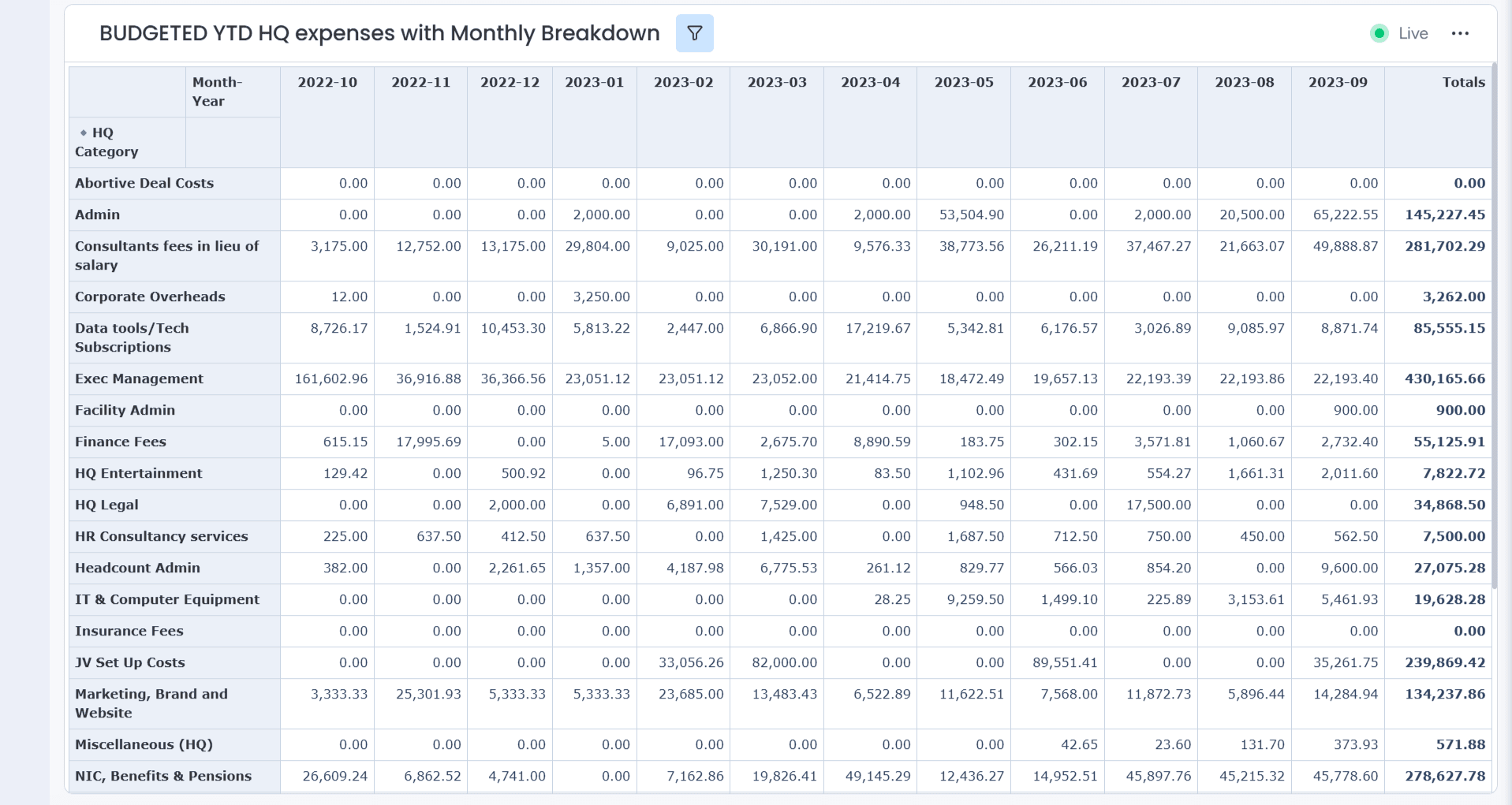
YTD Budgeted HQ Spend – Monthly P&L Equivalent View
This table serves as the equivalent of a Profit & Loss (P&L) view on Monday.com, offering a detailed monthly breakdown of year-to-date budgeted expenses across HQ categories. It provides financial transparency and control by tracking allocations per category and showing cumulative totals, aiding informed decision-making and budget reviews.
Finance
Dashboard
KPI
Cost Analysis
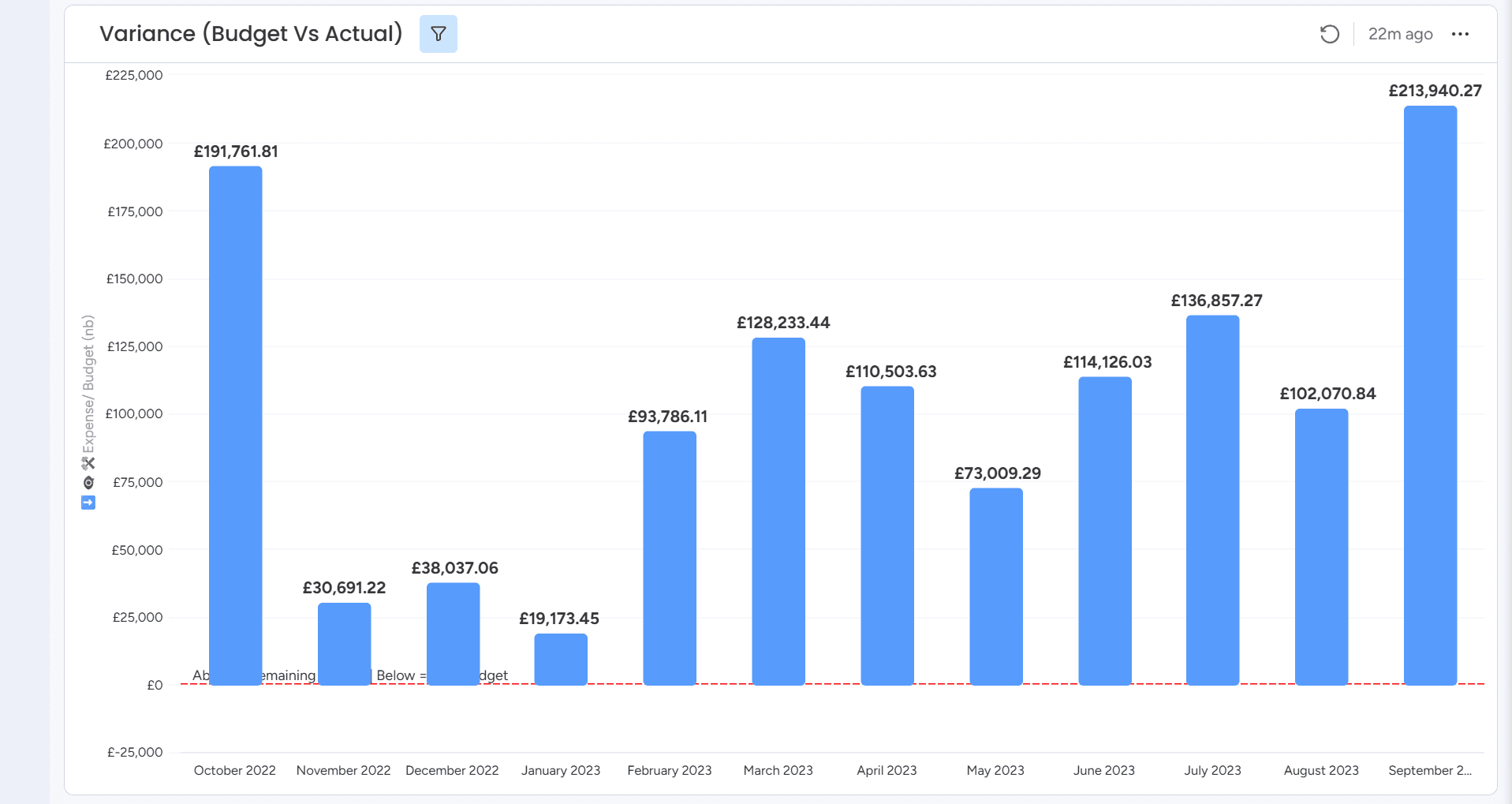
Monthly Budget vs Actual Variance Summary (YTD)
This bar chart displays the monthly variance between budgeted and actual spend from October 2022 through September 2023. Positive values represent underspend (remaining budget), supporting clear visibility into financial performance trends and highlighting months with significant cost savings or close budget alignment.
Finance
Dashboard
KPI
Cost Analysis
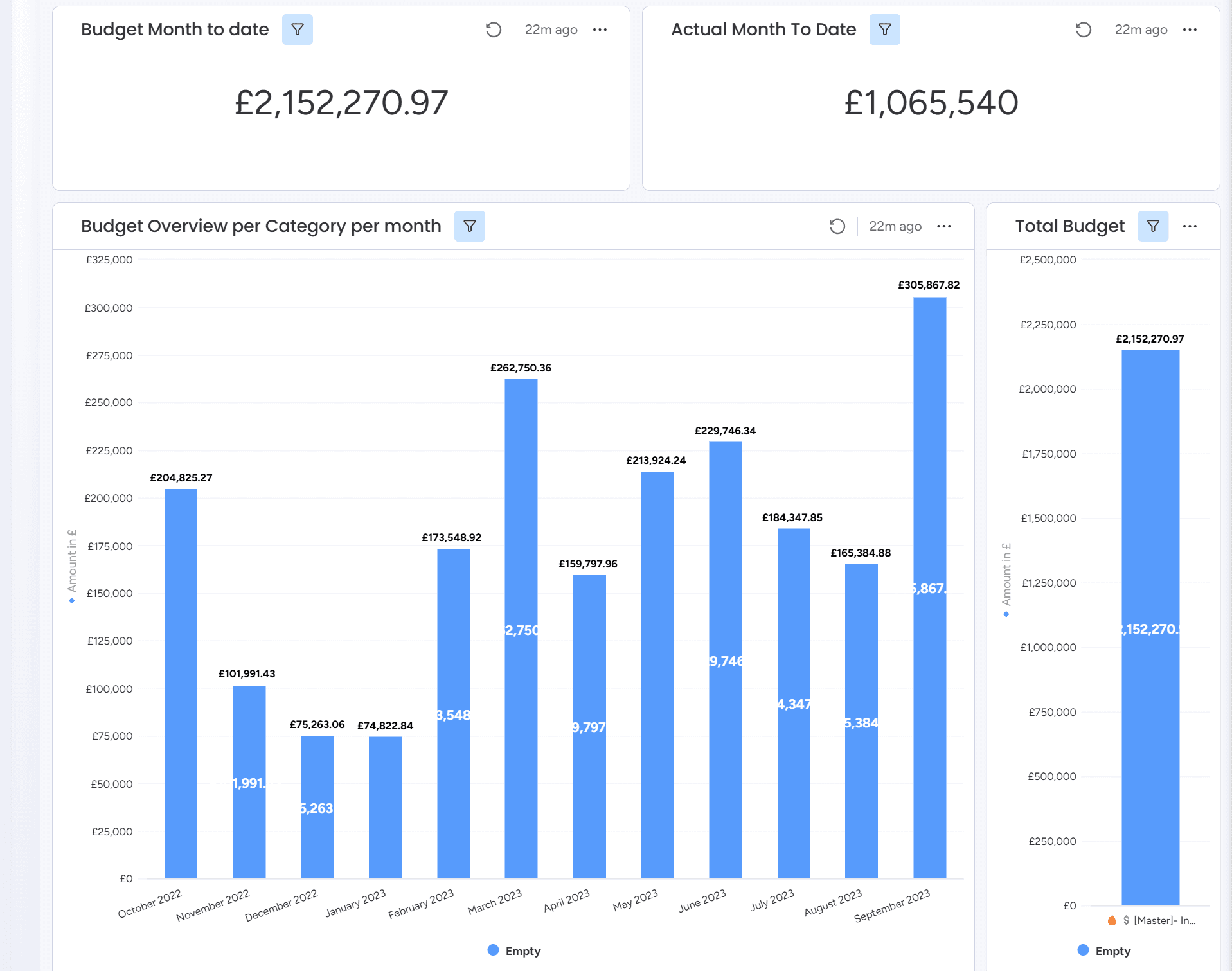
YTD Financial Summary with Monthly Budget Distribution
This dashboard provides a comprehensive financial snapshot, comparing total budget versus actual spend year-to-date. It includes a monthly budget breakdown per category, the overall budget and actual amounts to date, and a total budget column view—offering stakeholders a clear perspective on financial progress and remaining budget.
Finance
Dashboard
KPI
Cost Analysis
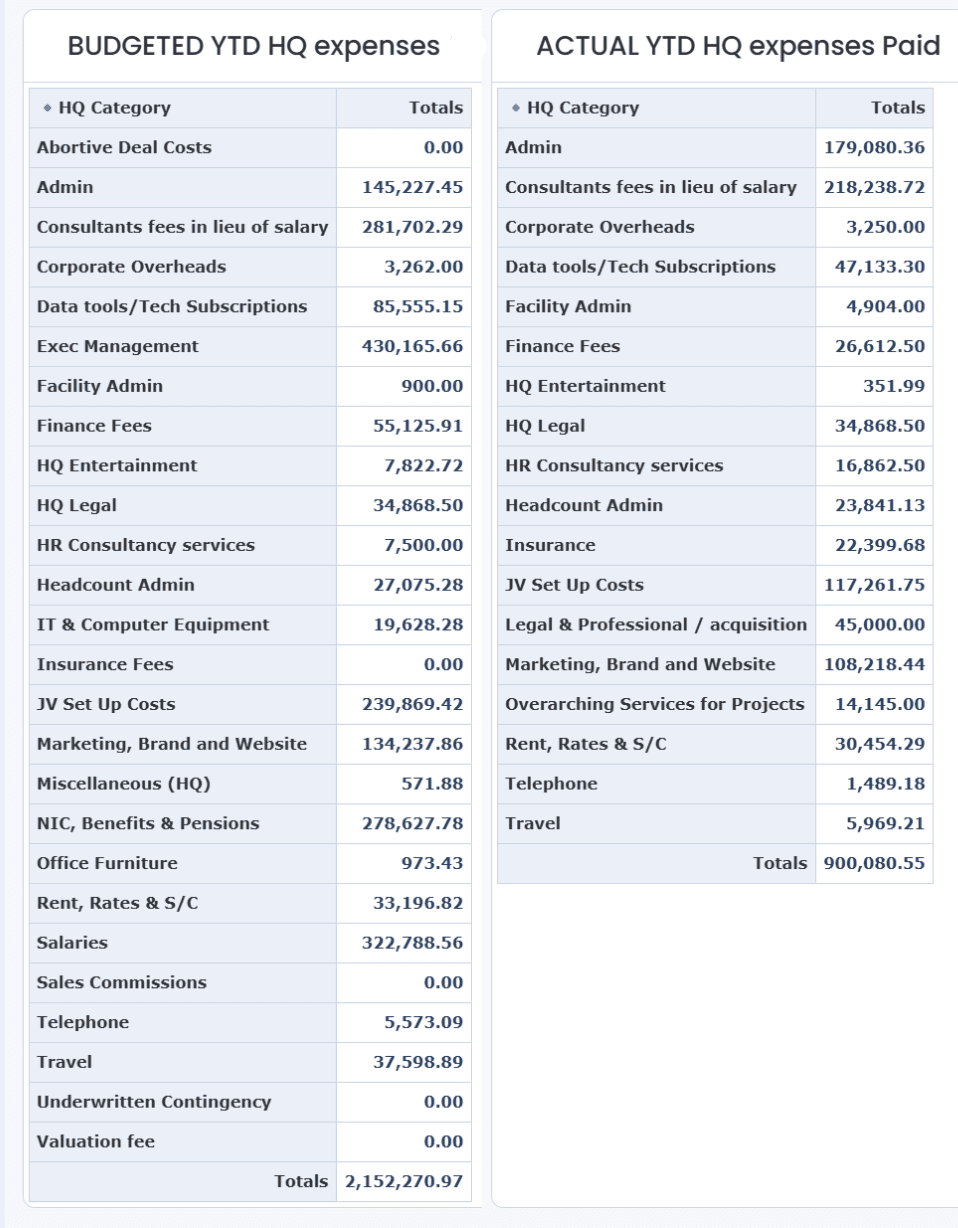
Side-by-Side HQ Expense Comparison: Budgeted vs Paid (YTD)
Those 2 tables presents a side-by-side comparison of year-to-date budgeted versus actual HQ expenses, broken down by category. It highlights discrepancies between planned and actual spending, offering a clear view of financial adherence and areas requiring further review or adjustment.
Finance
Dashboard
KPI
Cost Analysis
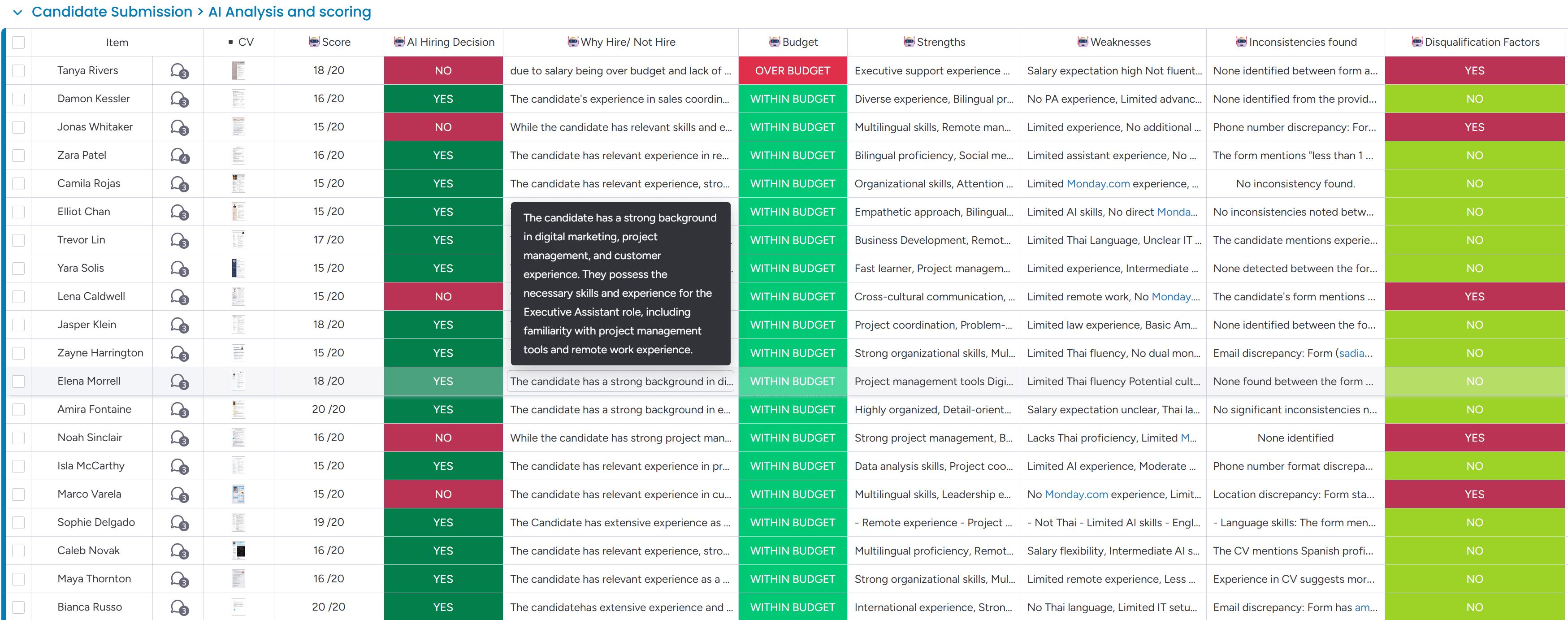
AI-Powered Candidate Evaluation for Hiring Decisions
This screenshot showcases an AI-driven candidate scoring system designed to support recruitment decisions. It evaluates applicants based on multiple factors including score, hiring decision, reasoning, budget alignment, strengths, weaknesses, and inconsistencies. It integrates CV analysis and highlights disqualification factors for a comprehensive review process, helping HR teams streamline shortlisting and ensure hiring accuracy.
Human Resources
AI
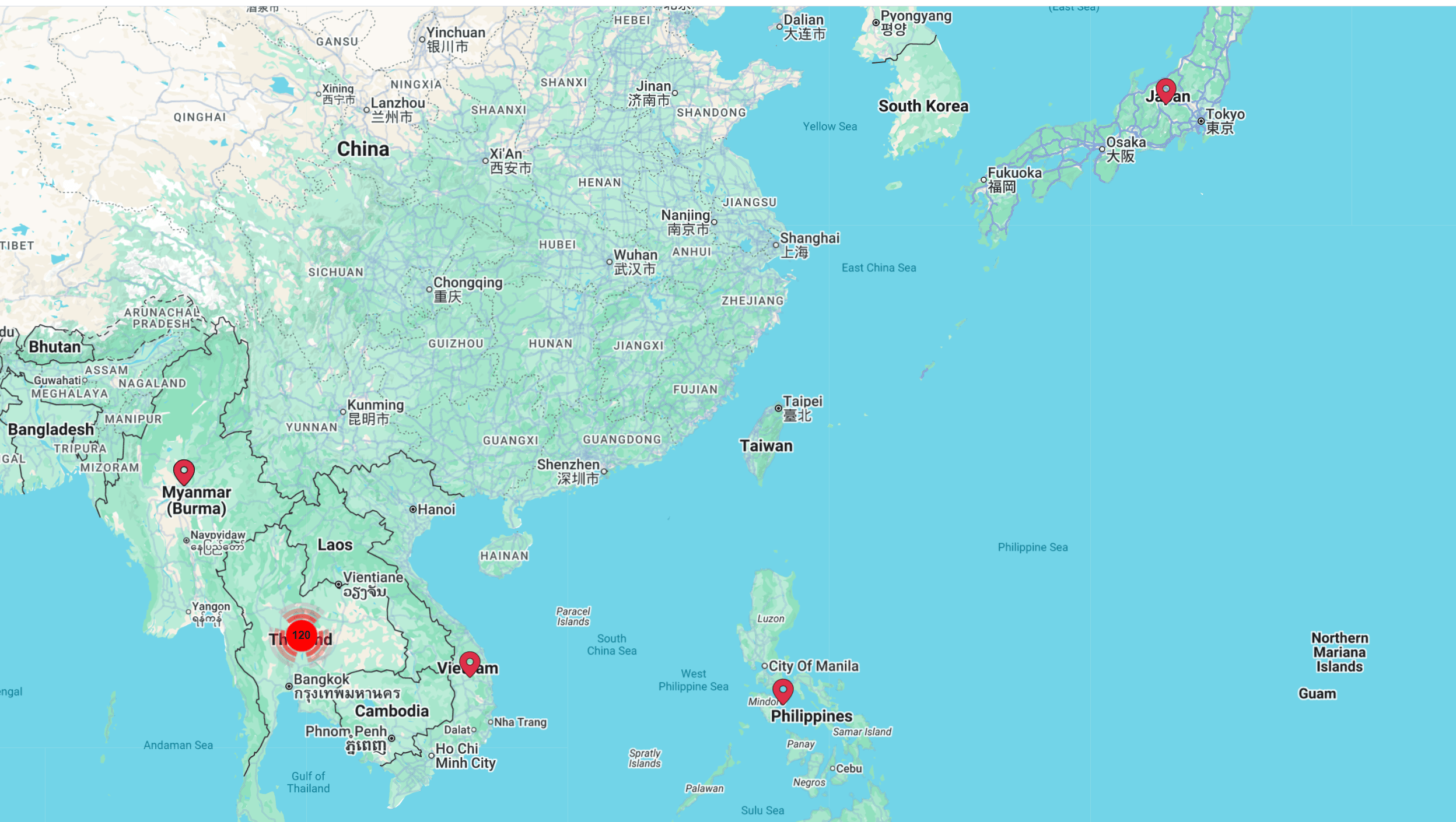
Geographic Distribution of Executive Assistant Applicants
This screenshot visualizes the geographic distribution of applicants for the Executive Assistant position using an interactive map view. It highlights key candidate clusters across South and Southeast Asia, enabling hiring teams to assess regional representation, consider time zones, and plan interview logistics more effectively.
Human Resources
Maps
Directory
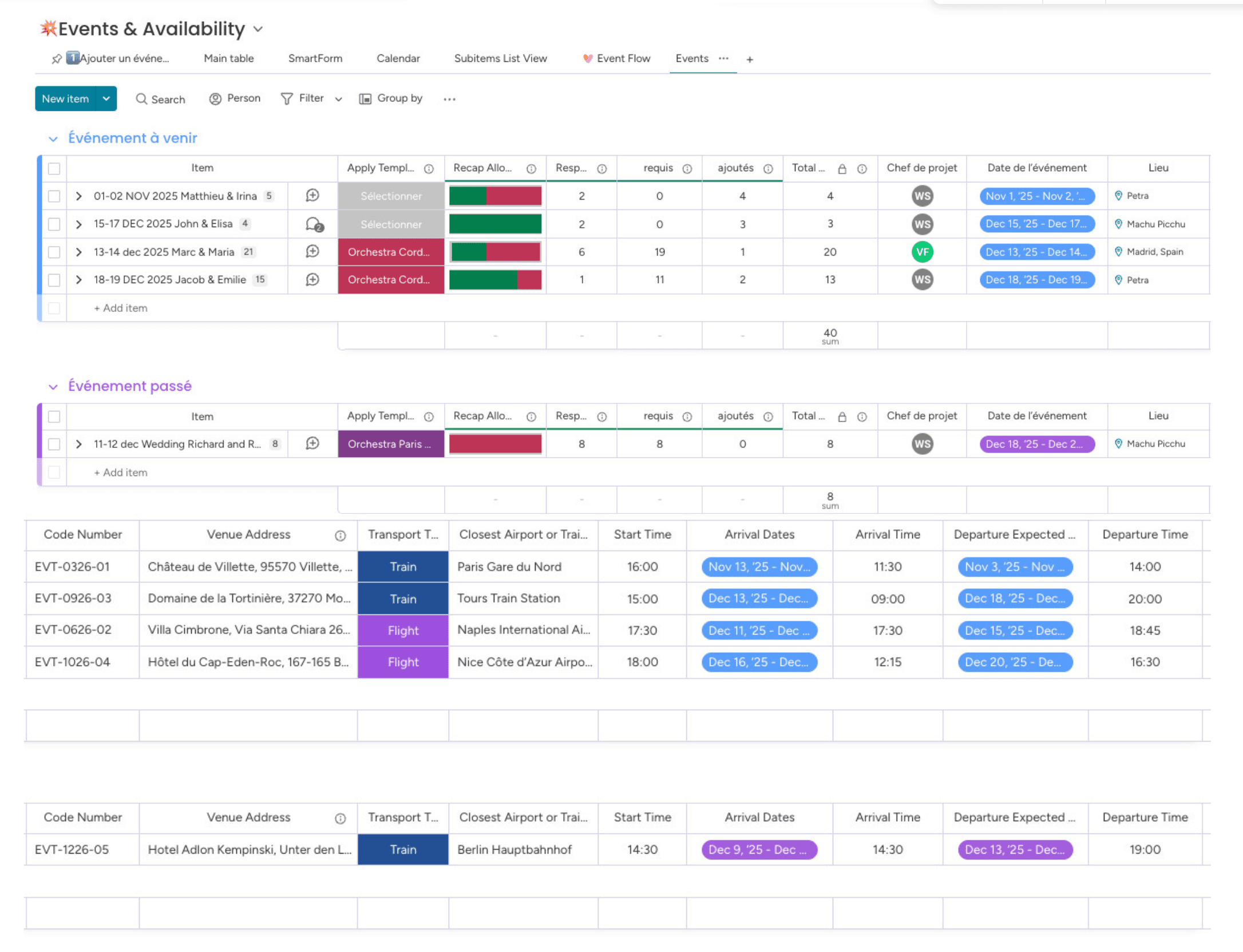
Event Management Board for Destination Weddings
This monday.com board was built for a wedding event organizer to manage high-end destination weddings in one centralized workspace. It separates upcoming and past events, offering clarity on resource allocation, project ownership, and team responsibilities. Each wedding entry includes precise travel logistics such as transportation mode, airport or train station proximity, and detailed arrival and departure schedules. The structure ensures smooth coordination across multiple complex events.
Event Management
Project Management
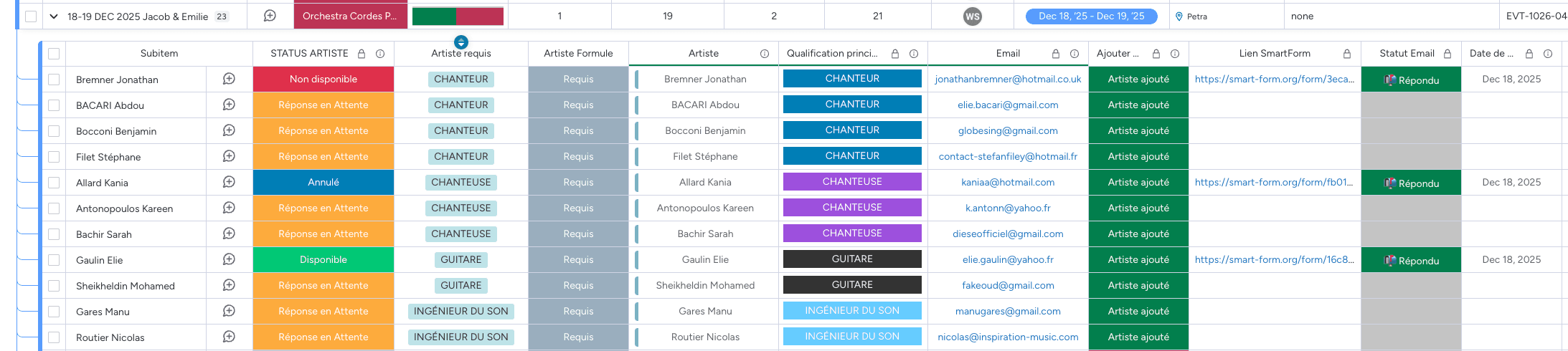
Artist & Crew Coordination for Wedding Event
This monday.com subitem view is dedicated to coordinating artists and technicians for a wedding event. It tracks each participant’s role—such as singer, guitarist, or sound engineer—alongside their availability, required presence, and status of confirmation. SmartForms are integrated for easy self-submission of availability updates, while email statuses and submission dates ensure timely coordination. This structured format enables seamless planning of performers and logistics for complex, high-end weddings.
Event Management
Project Management
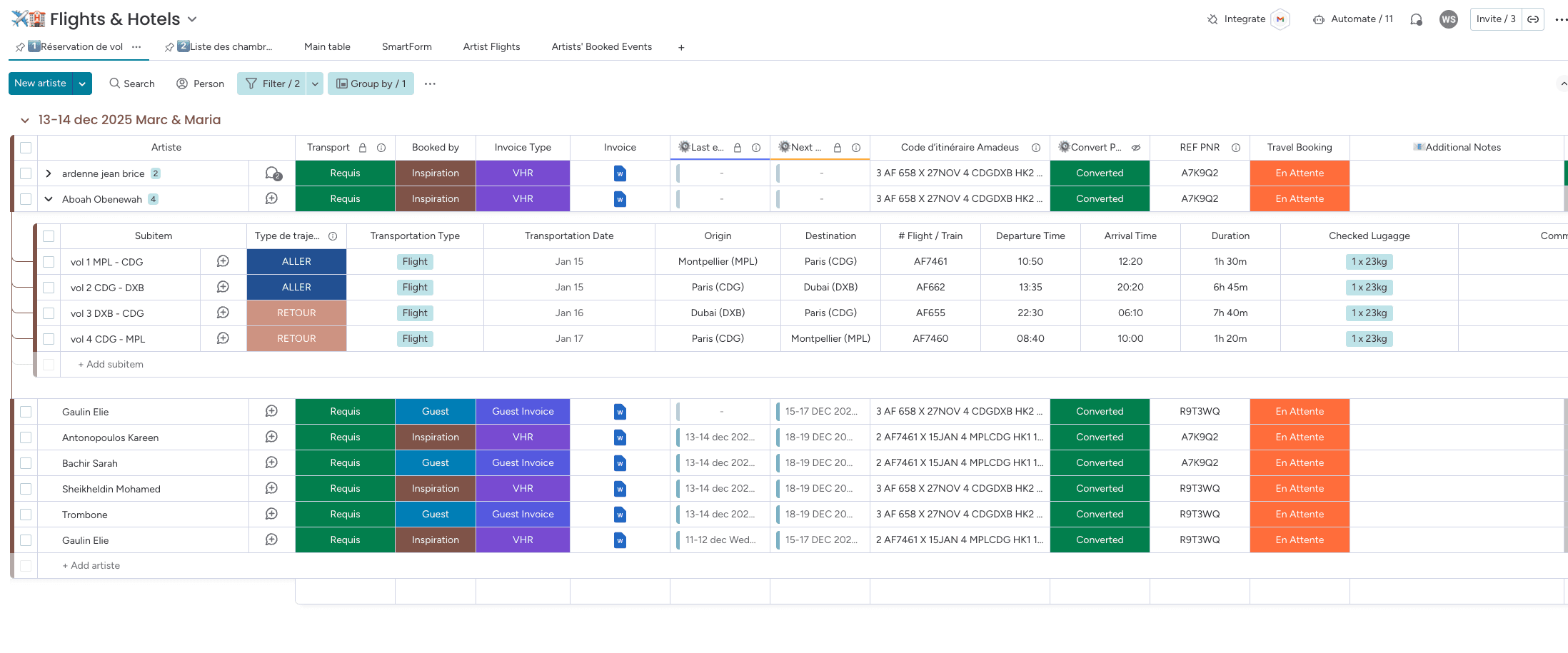
Flight Segmentation and Travel Logistics for Wedding Event Artists
This monday.com board provides a structured view of artist transportation and accommodation for wedding events. Each artist entry includes segmented flight itineraries showing transportation type, origin, destination, flight numbers, baggage allowance, and travel duration. The board also captures invoice types, who handled the booking, and current travel confirmation statuses. Subitems help visualize multi-leg trips for better planning and transparency. It’s an effective tool for managing travel logistics across multiple international events.
Event Management
Orders Tracking
Resource Management
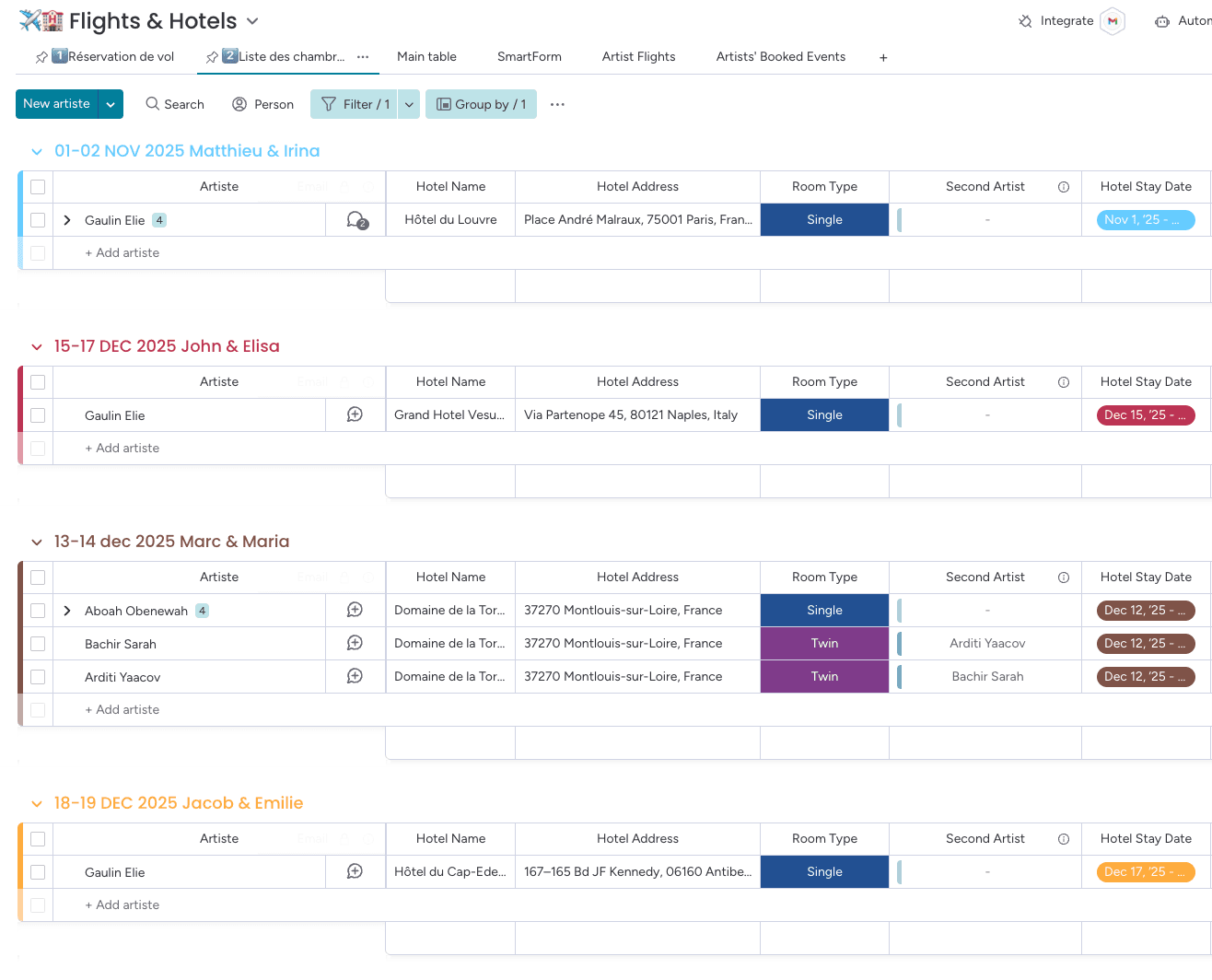
Hotel Booking Overview for Artists Across Wedding Events
This monday.com board organizes hotel accommodation details for artists performing at destination weddings. Grouped by event, it tracks hotel names, addresses, room types, and artist pairings. Each entry includes check-in dates, second artist if applicable, and room type (e.g., single or twin), enabling efficient planning and avoiding booking overlaps. This structured view ensures clarity and logistical accuracy when managing multiple accommodations across several high-end events.
Event Management
Orders Tracking
Resource Management
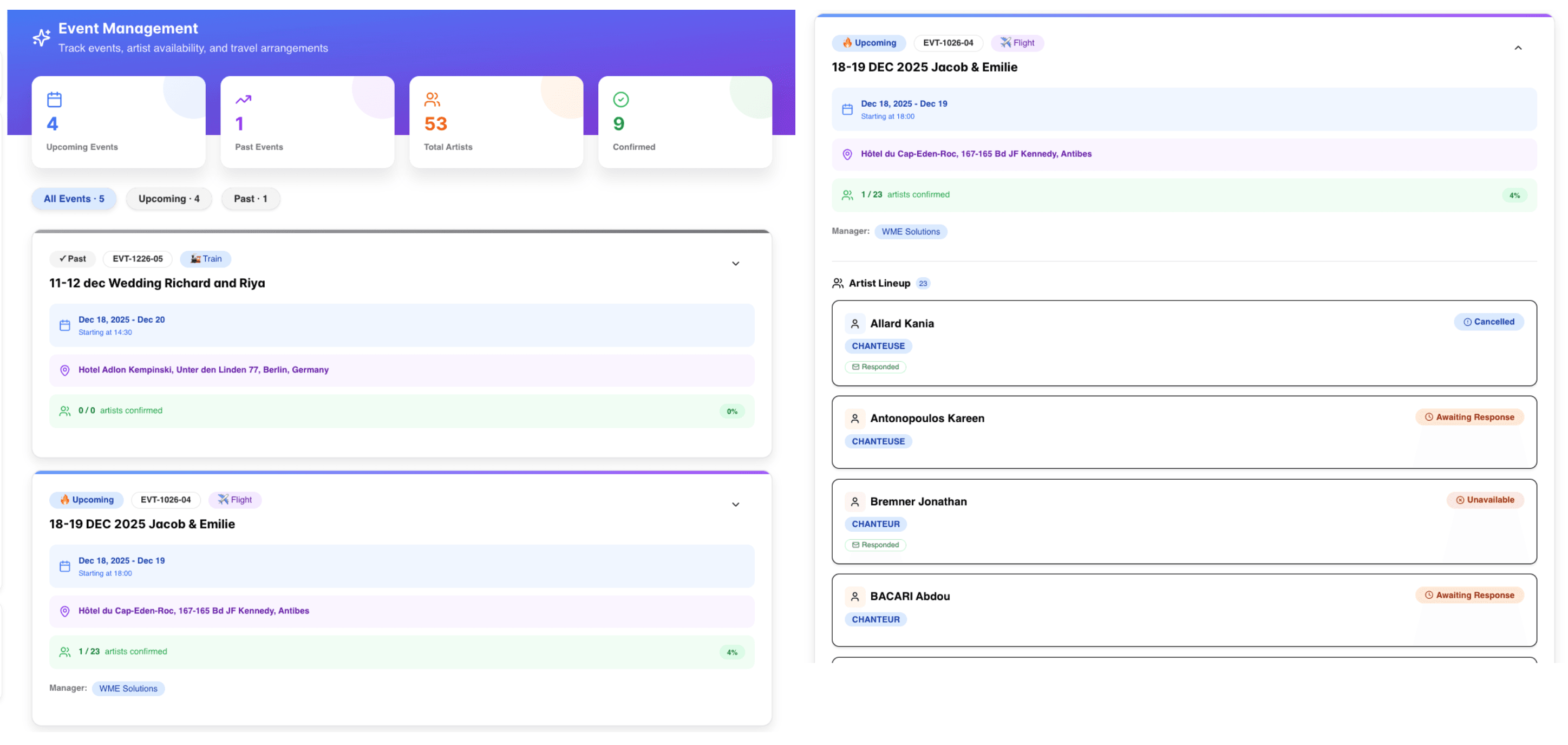
Visual Dashboard for Wedding Events, Artist Availability & Travel Tracking
This visual dashboard, built with monday vibe, offers a streamlined overview of wedding event management, focusing on artist assignments, availability, and travel details. It separates upcoming and past events, showing venue details, dates, transport modes, and manager assignment. Each artist’s confirmation status is clearly displayed, providing an intuitive snapshot of team readiness. Ideal for quick checks and high-level planning of multi-artist destination weddings.
Event Management
Project Management
Dashboard
Monday Vibe
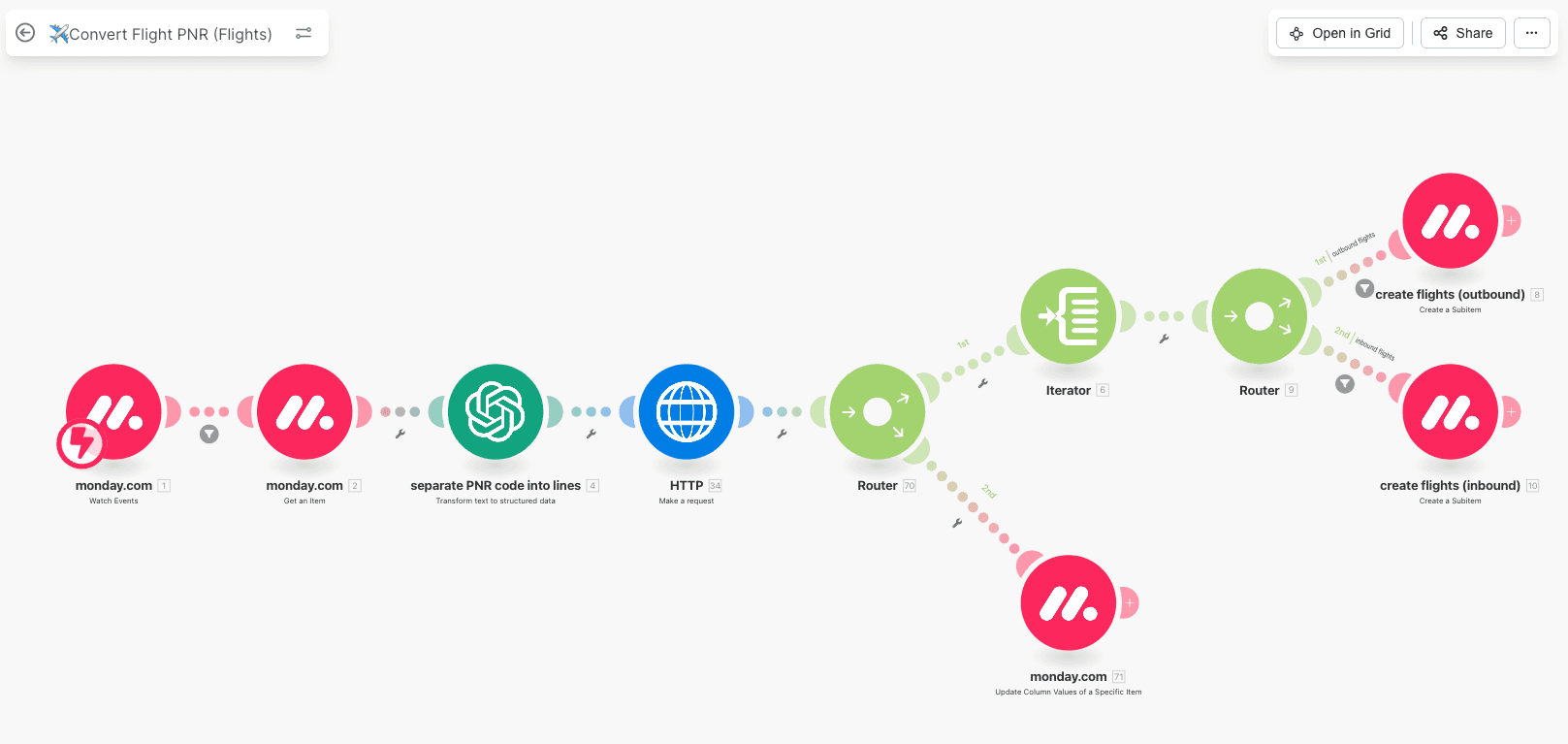
Automated Travel Logistics from Artist Confirmation to Booking Creation
This Make.com scenario automates the entire travel logistics flow for confirmed artists participating in wedding events. Once artists are marked as confirmed, they are automatically added to the Flights & Hotels board. An integrated Make automation retrieves Amadeus PNR codes, separates the flight data into structured lines, and populates outbound and inbound flight subitems accordingly. The workflow uses HTTP calls, AI-powered text parsing, and routers to distinguish between flight directions. This solution streamlines bookings and eliminates manual data entry.
Event Management
Integrations
Automations
Make.com
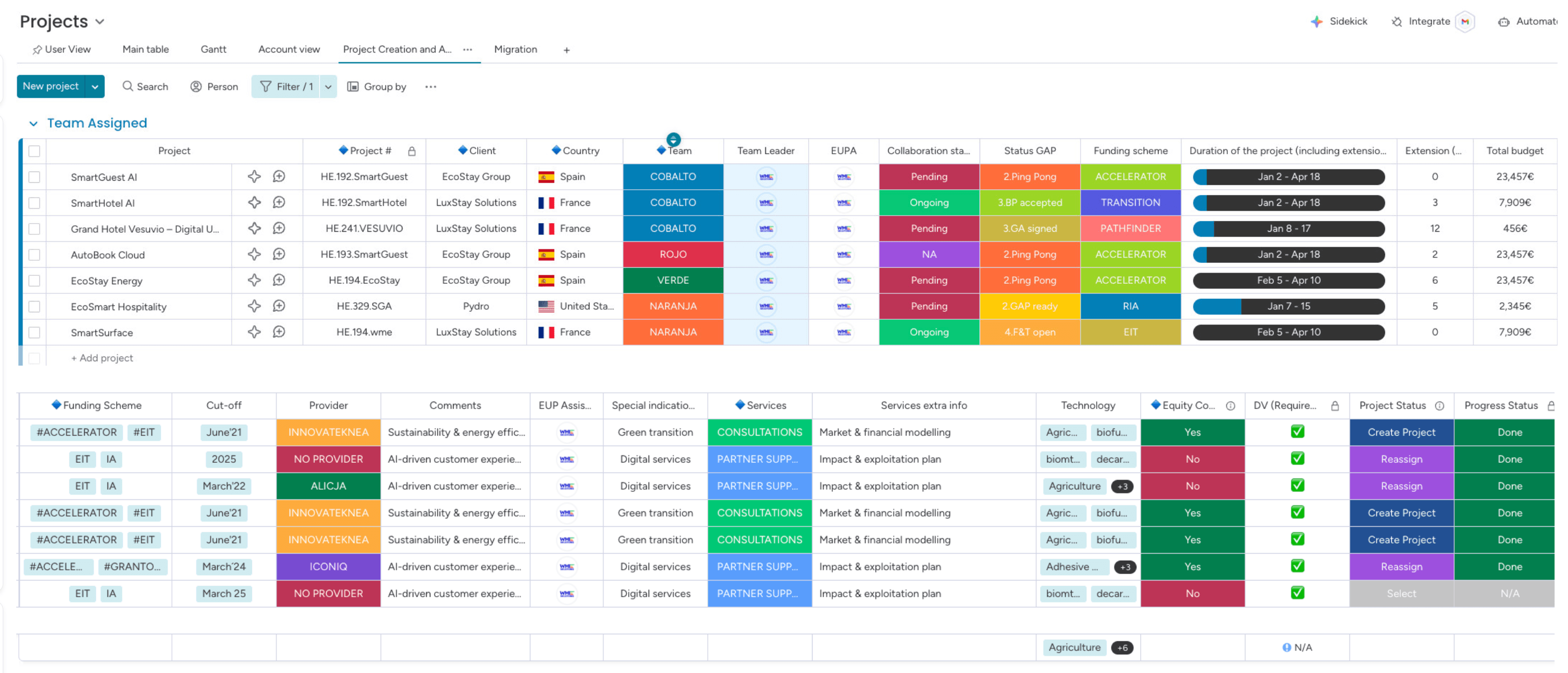
Grant Management Dashboard for Multi-Team EU-Funded Projects
This screenshot highlights a centralized monday.com workspace designed for efficient grant management of EU-funded projects. It enables cross-team coordination with detailed tracking of project titles, clients, countries, funding schemes (e.g., EIT, ACCELERATOR, PATHFINDER), and budget allocations. The dashboard also monitors collaboration stages, document readiness, equity commitments, and progress statuses — offering full visibility from proposal to execution. This setup ensures compliance, accountability, and streamlined operations across complex grant workflows.
Grant Management
Project Management
Cost Analysis
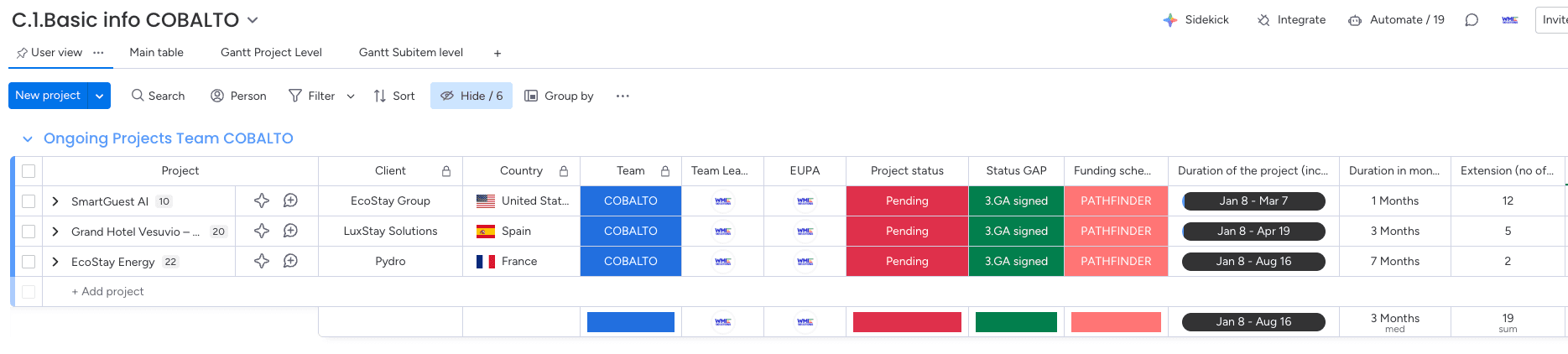
COBALTO Team’s Active Grant Projects Overview – PATHFINDER Focus
This screenshot presents a filtered monday.com board showing all ongoing EU-funded projects managed by the COBALTO team. Each project is under the PATHFINDER funding scheme and shares the same GAP status: “GA signed.” The view includes essential grant management details such as project status, country, client, duration, and extension periods. This streamlined interface enables focused tracking of project phases, duration, and compliance milestones for the team’s active portfolio.
Grant Management
Project Management
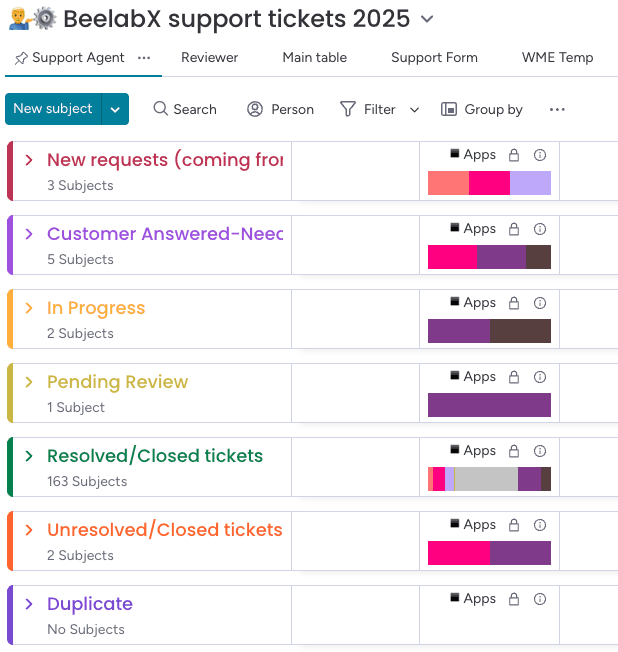
Ticketing Board for BeelabX App Support and Workflow Status
This screenshot shows a monday.com ticketing board built for managing customer support across BeelabX applications. The system categorizes incoming requests through stages such as “New Requests,” “In Progress,” “Pending Review,” and “Resolved/Closed.” With clear grouping, automation-ready columns, and centralized visibility, this board streamlines support workflows and improves response efficiency.
Software Development
Ticketing
Task Management
Automations
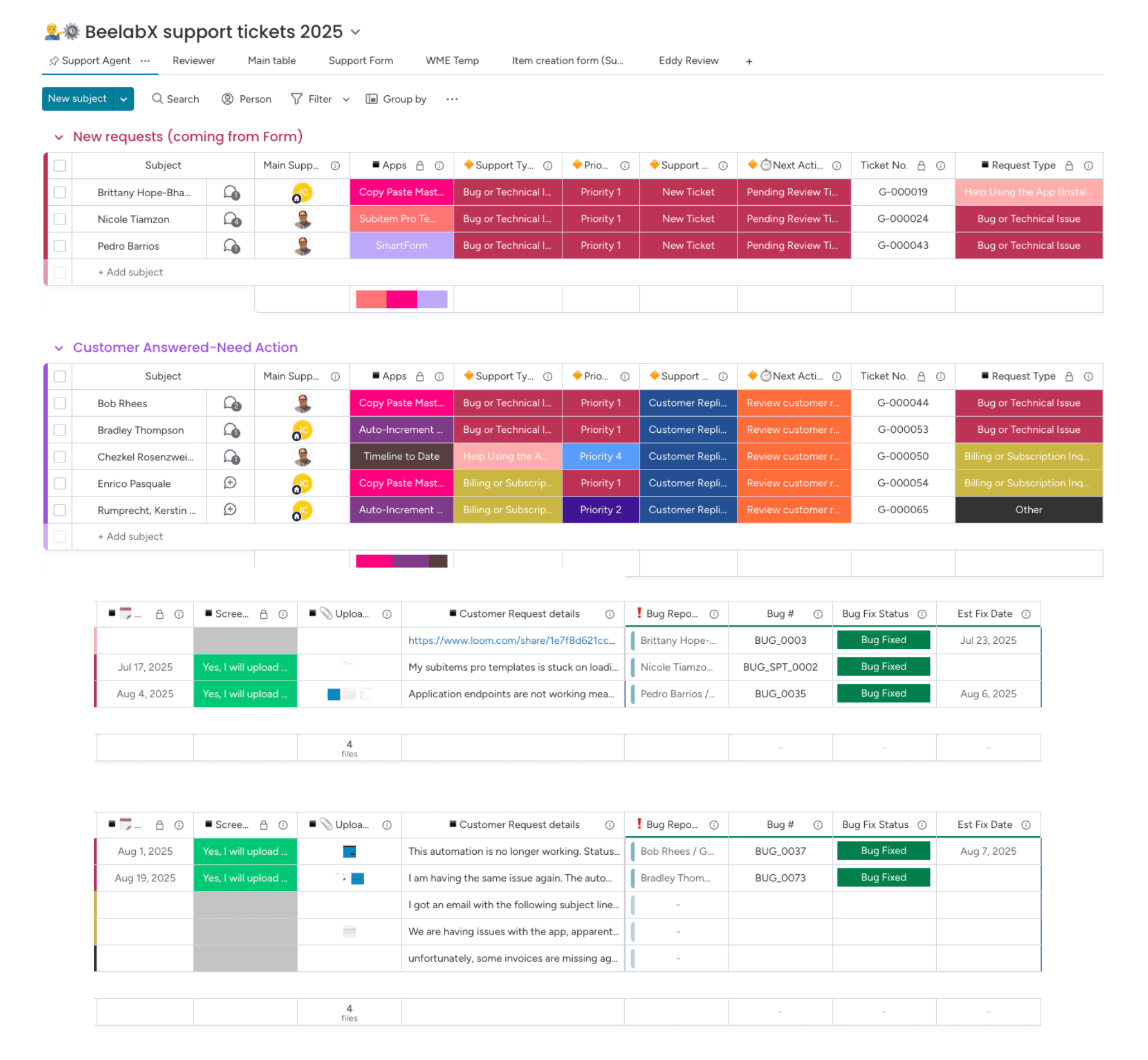
End-to-End Support Ticket Tracking and Resolution Workflow
This monday.com board streamlines the entire customer support ticket lifecycle—from new incoming requests via forms, to customer responses and final bug resolution tracking. Tickets are categorized by priority, support type, and current action status, providing clear visibility for agents to manage, track, and close issues efficiently.
Software Development
Ticketing
Task Management
Automations
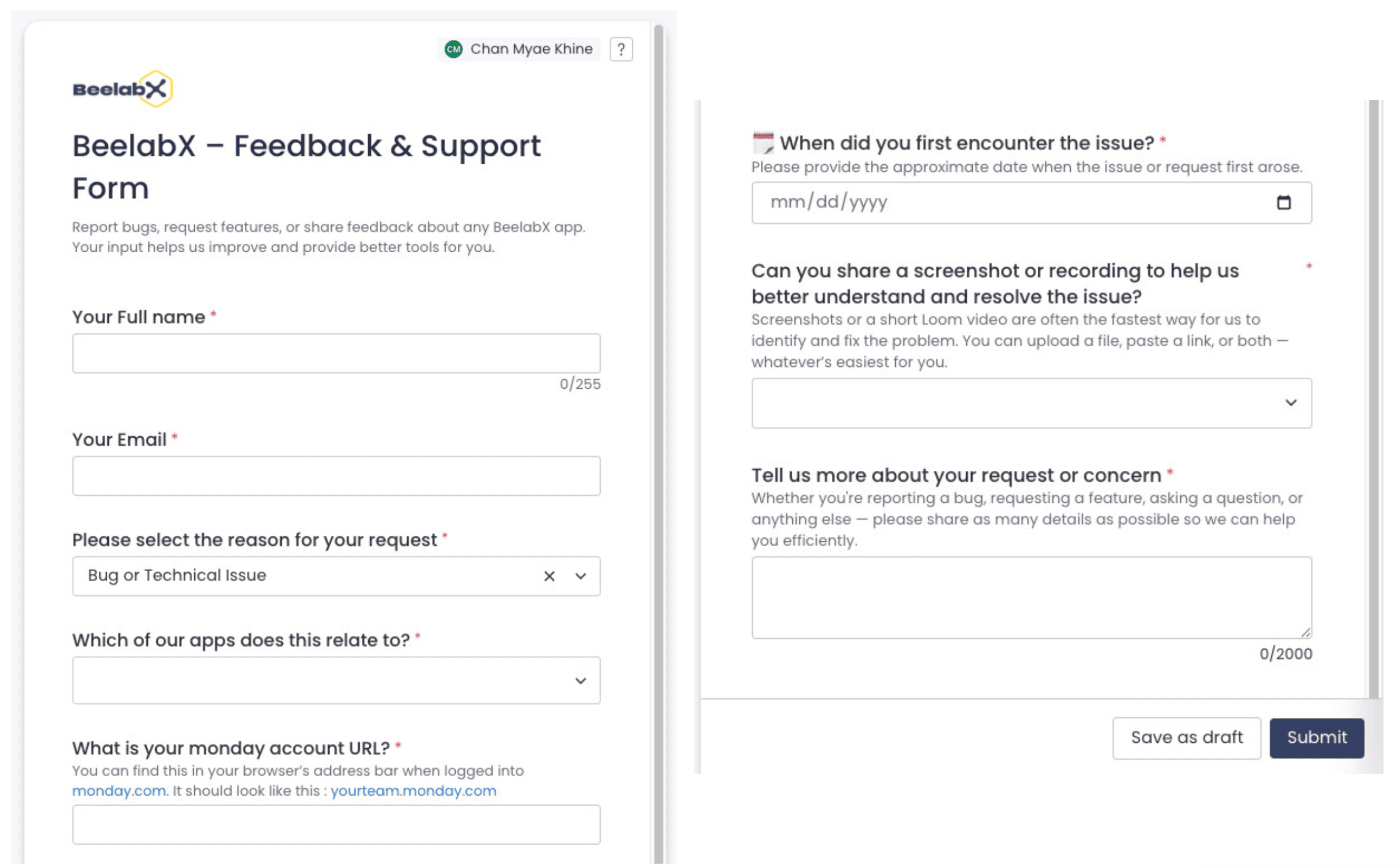
Comprehensive Customer Support Ticket Form for BeelabX
This monday.com form streamlines customer support for BeelabX by collecting detailed feedback, bug reports, and feature requests. Users can specify the issue type, affected app, and account URL while providing supporting visuals and contextual information, ensuring efficient resolution by the support team.
Software Development
Ticketing
Forms
Survey
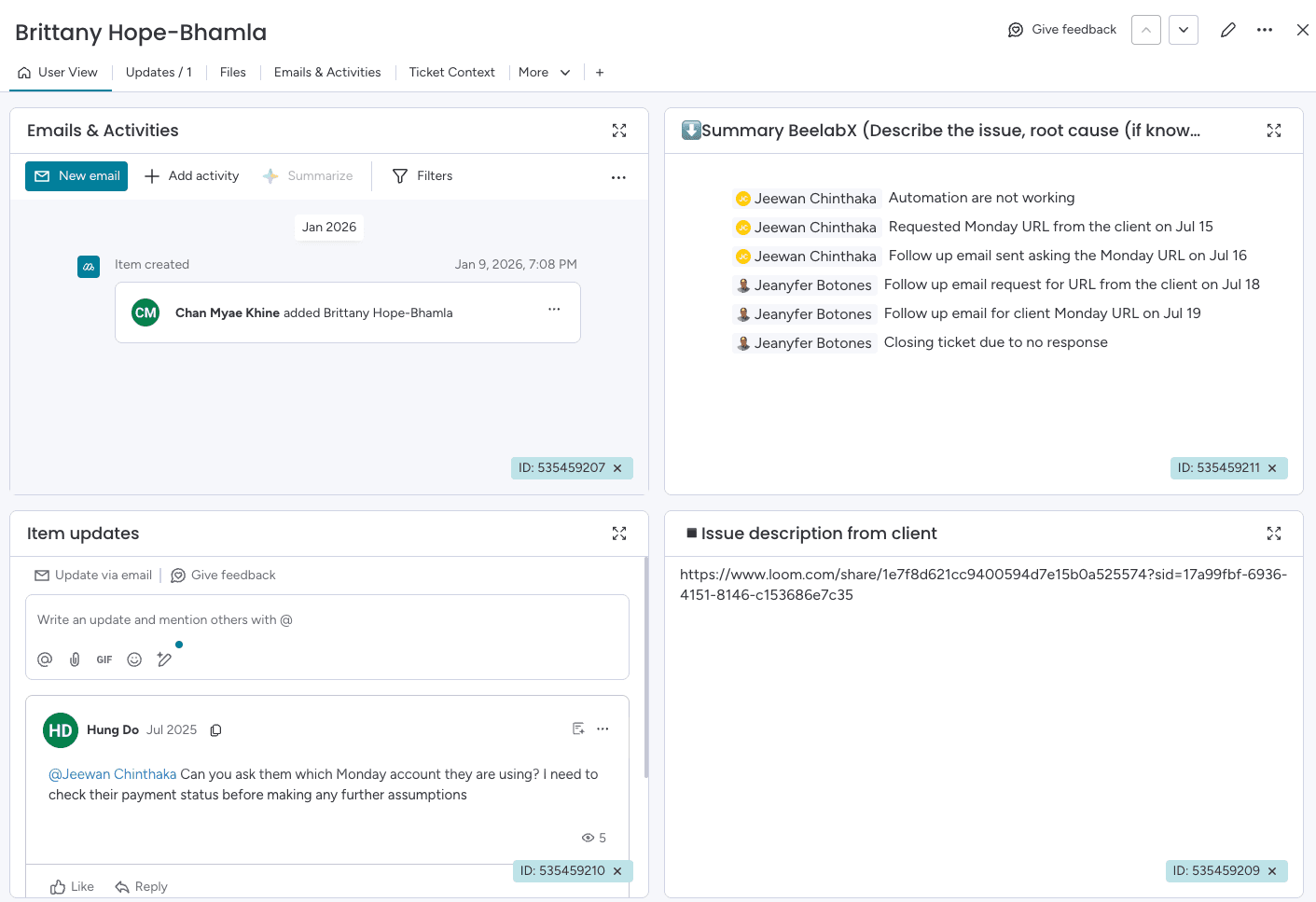
Detailed monday.com Ticket View for Efficient Client Support (1/2)
This monday.com dashboard provides a comprehensive overview of an individual client support ticket. It consolidates emails, activities, client-submitted information, internal updates, agent tracking, and bug status — all in one unified view, enabling rapid troubleshooting and transparency.
Software Development
Ticketing
Time Tracking
Item Card
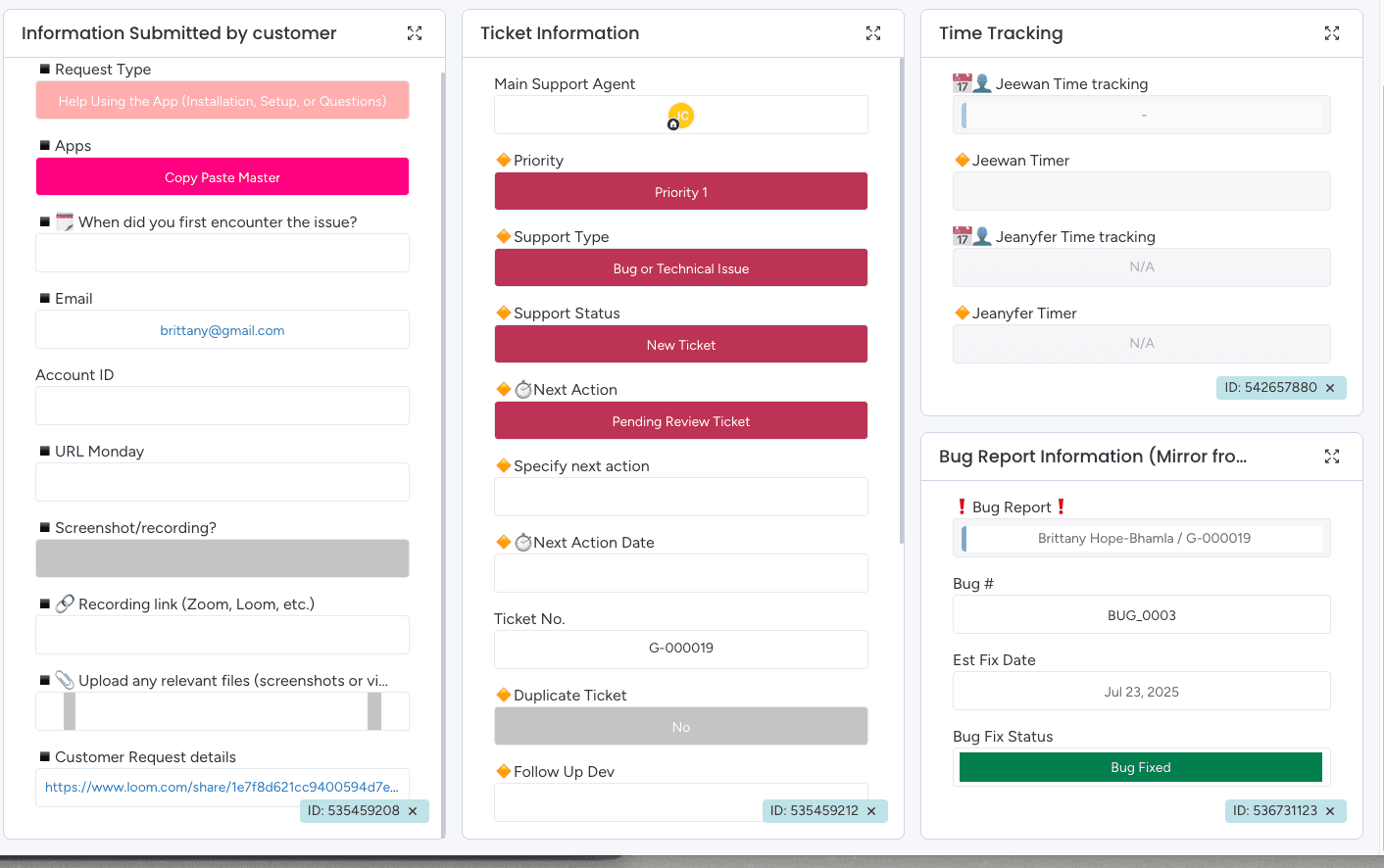
Detailed monday.com Ticket View for Efficient Client Support (2/2)
This monday.com dashboard provides a comprehensive overview of an individual client support ticket. It consolidates emails, activities, client-submitted information, internal updates, agent tracking, and bug status — all in one unified view, enabling rapid troubleshooting and accountability.
Software Development
Ticketing
Time Tracking
Item Card
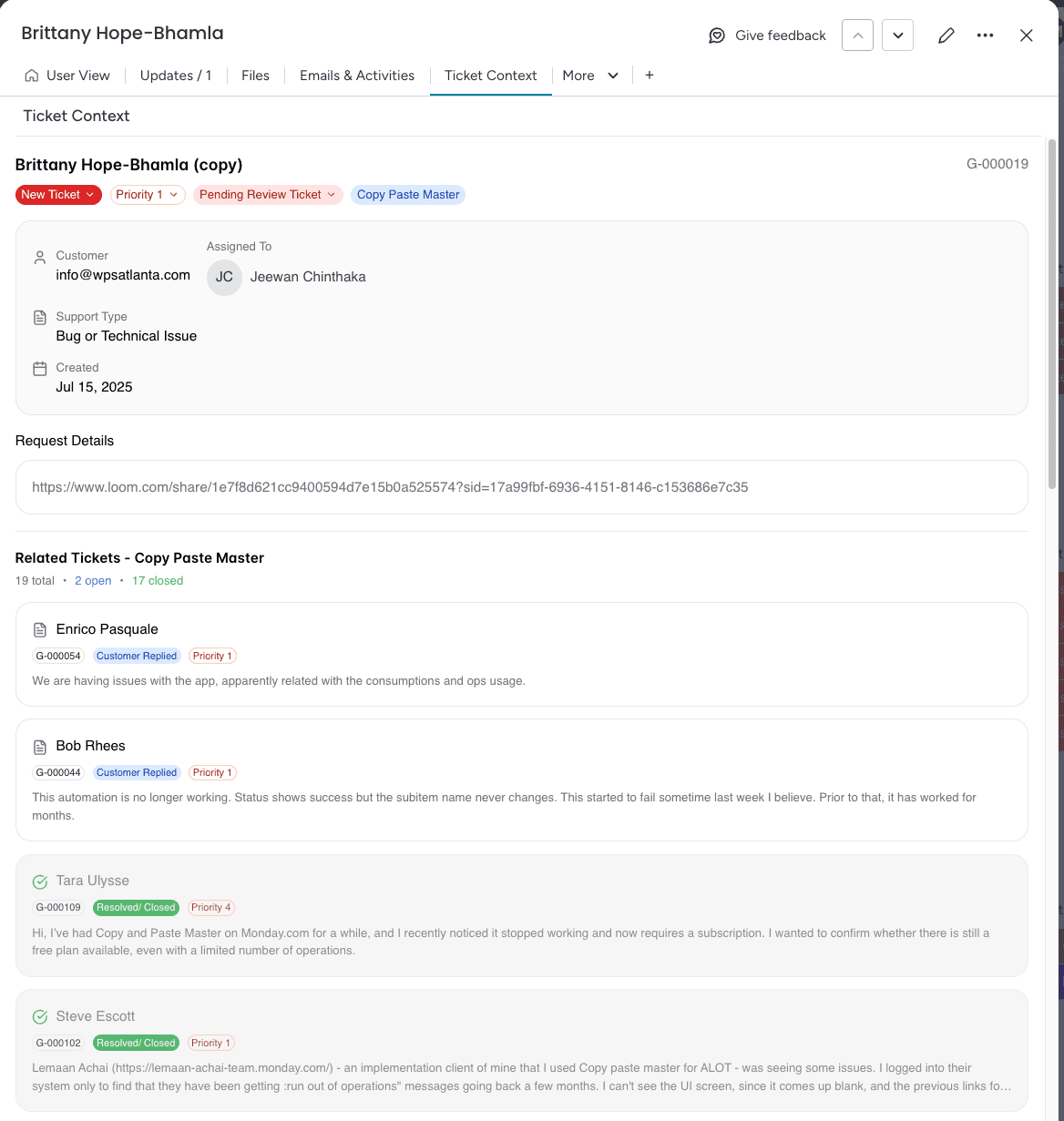
Ticket Context View Using monday Vibe for Linked Case Insights
This Ticket Context view, created with monday vibe using AI, centralizes key ticket information while linking it to related past cases. It provides instant context, accelerates issue resolution, and improves decision-making for support teams handling complex or recurring issues.
Software Development
Ticketing
Monday Vibe
AI
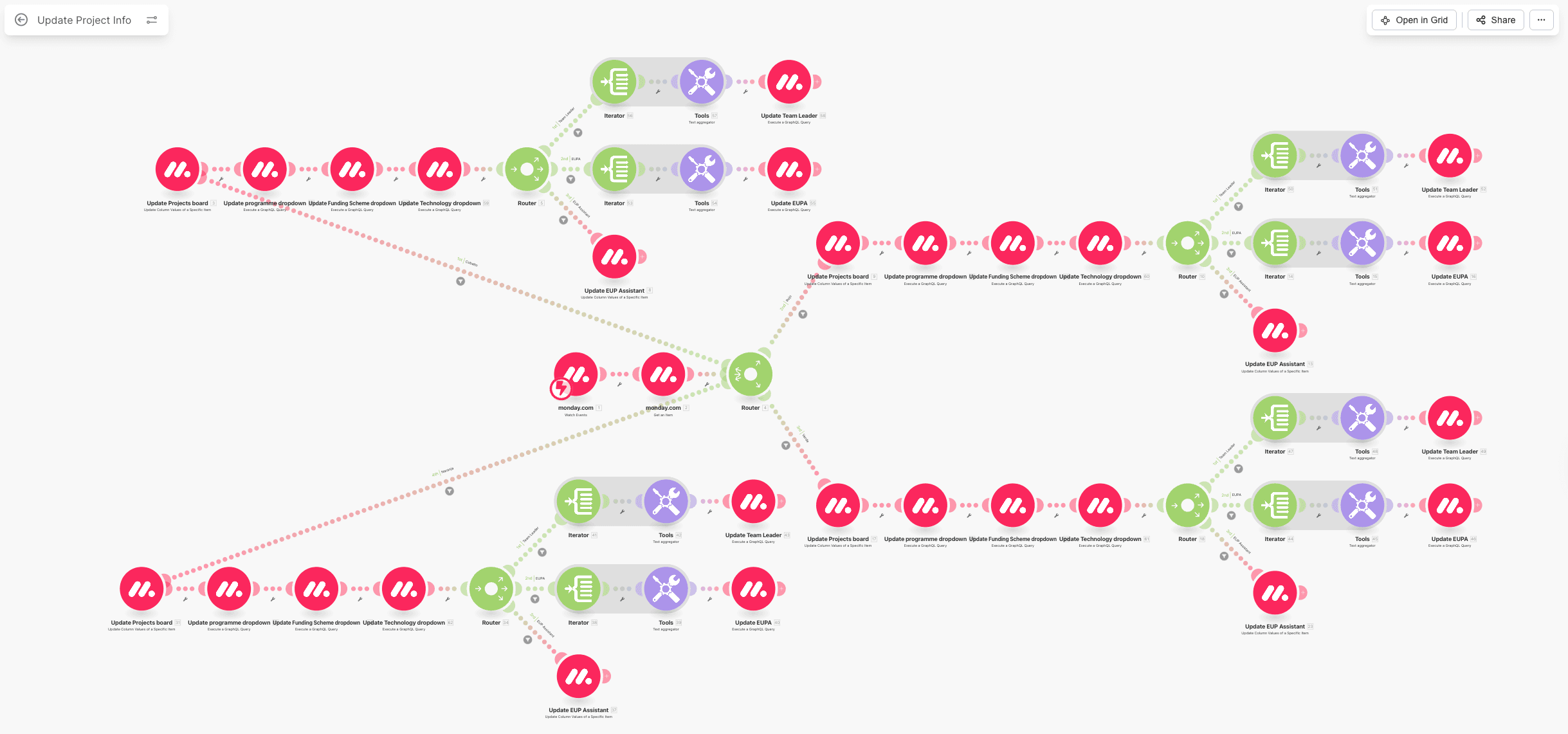
Make.com Scenario for Syncing Team Boards to a Master Grant Dashboard (1/2)
This Make.com scenario enables real-time synchronization of grant project data from four individual team boards into a centralized Master Projects board in monday.com. As project details are frequently updated within team-specific boards, the scenario ensures that all changes — including dropdown fields, assignments, and metadata — are automatically reflected in the Master board. This integration enhances transparency, eliminates manual duplication, and ensures consistency across all departments involved in grant management.
Grant Management
Project Management
Make.com
Integrations
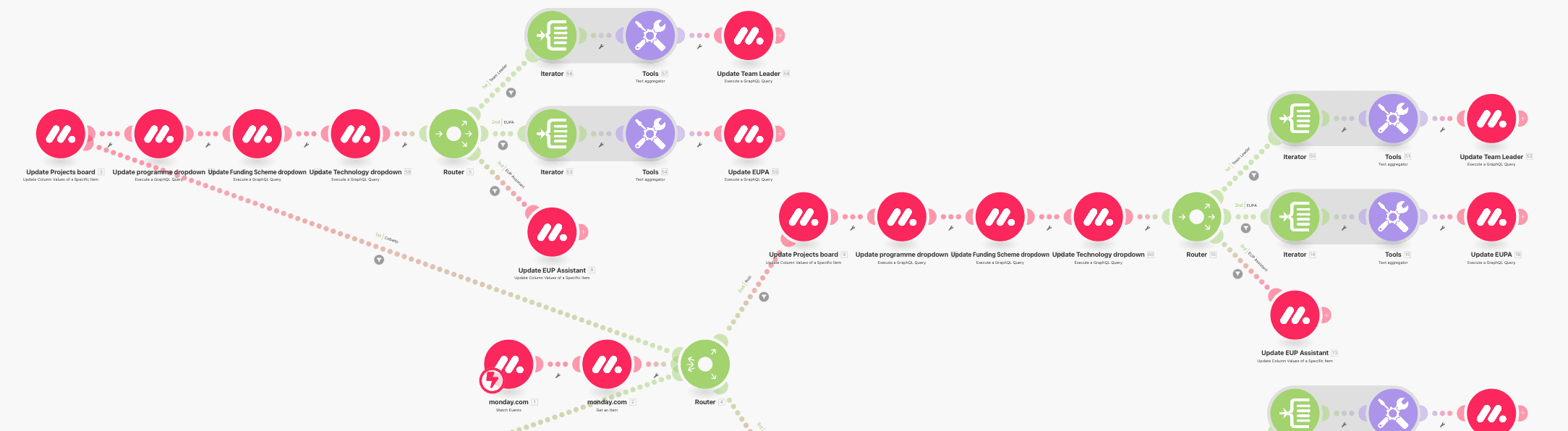
Make.com Scenario for Syncing Team Boards to a Master Grant Dashboard (2/2)
This Make.com scenario enables real-time synchronization of grant project data from four individual team boards into a centralized Master Projects board in monday.com. As project details are frequently updated within team-specific boards, the scenario ensures that all changes — including dropdown fields, assignments, and metadata — are automatically reflected in the Master board. This integration enhances transparency, eliminates manual duplication, and ensures consistency across all departments involved in grant management.
Grant Management
Project Management
Make.com
Integrations
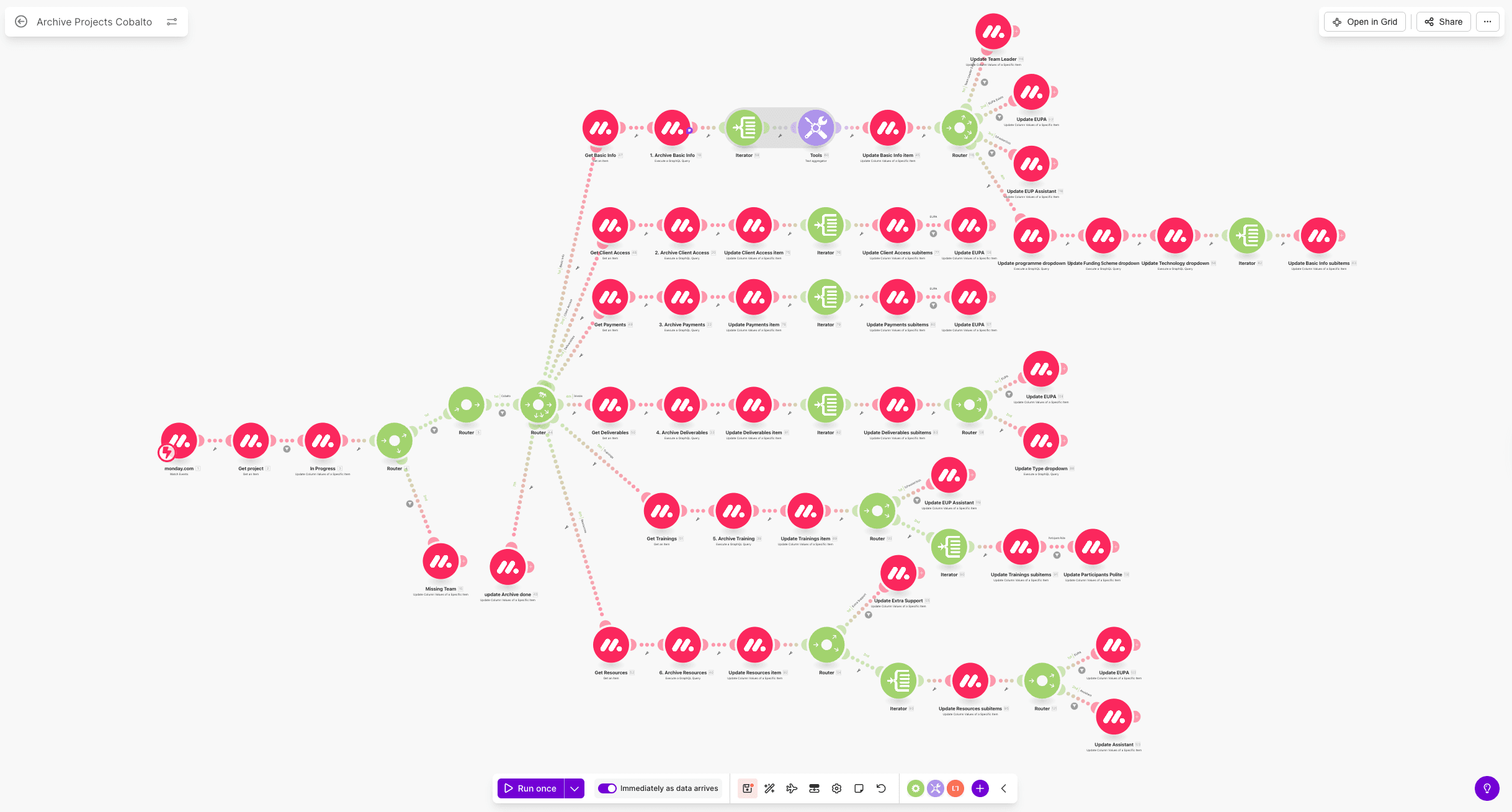
Make.com Scenario for Automated Archiving Across Six Grant Boards (1/2)
This Make.com scenario automates the archiving process of completed projects across six active grant management boards. When a project is marked as “Archive” in the centralized Master Projects board, the scenario identifies the corresponding records in six distinct team boards and transfers them to their respective archive boards. This ensures a fully automated, consistent, and error-free closure process — eliminating manual handling and safeguarding data integrity. With each team managing different grants and funding sources on separate boards, this setup provides structure, traceability, and efficient post-project organization across the entire grant lifecycle.
Grant Management
Project Management
Make.com
Integrations
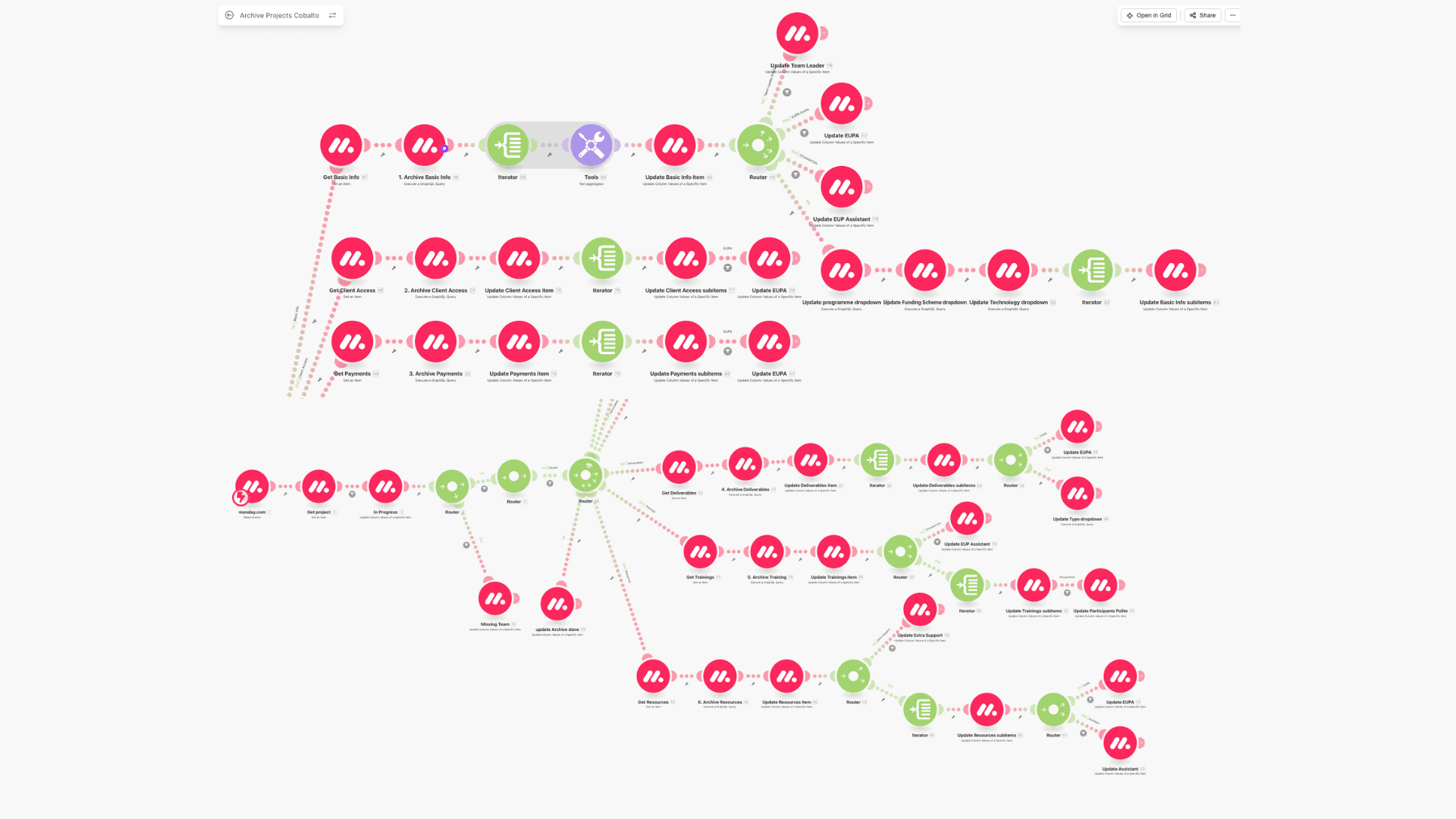
Make.com Scenario for Automated Archiving Across Six Grant Boards (2/2)
This Make.com scenario automates the archiving process of completed projects across six active grant management boards. When a project is marked as “Archive” in the centralized Master Projects board, the scenario identifies the corresponding records in six distinct team boards and transfers them to their respective archive boards. This ensures a fully automated, consistent, and error-free closure process — eliminating manual handling and safeguarding data integrity. With each team managing different grants and funding sources on separate boards, this setup provides structure, traceability, and efficient post-project organization across the entire grant lifecycle.
Grant Management
Project Management
Make.com
Integrations
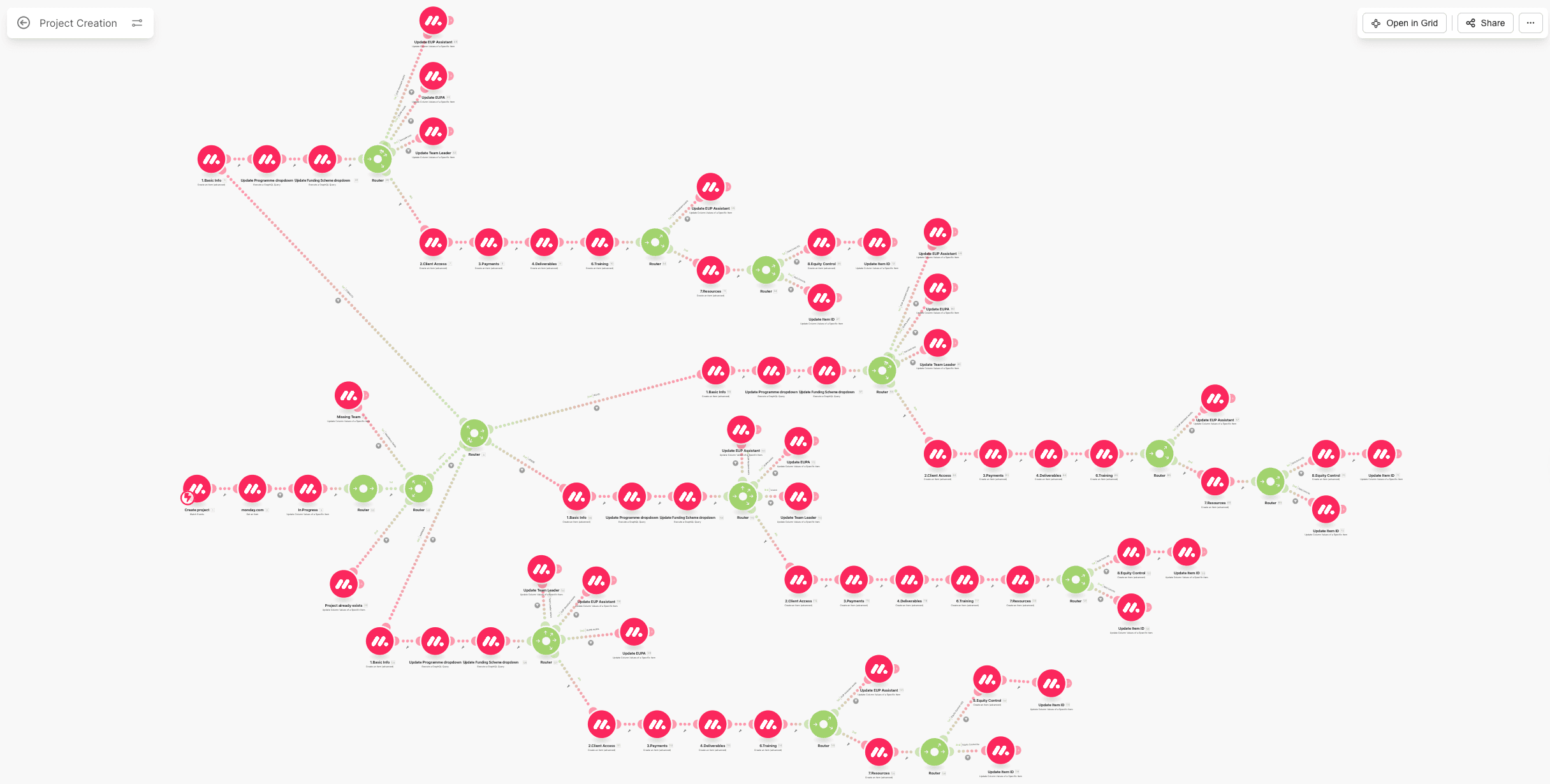
Make.com Scenario for Automated Project Creation from Master to Team Boards (1/2)
This Make.com scenario automates the creation of new grant projects from a centralized Master board into six individual team boards. Once a user selects the target team and completes the required fields, the system validates the data and generates corresponding project entries in the appropriate team boards. Each board manages different grants and funding schemes, so this process ensures consistent project structure, reduces manual input errors, and streamlines onboarding. The result is improved visibility, simplified project navigation, and greater efficiency in managing distributed grant portfolios.
Grant Management
Project Management
Make.com
Integrations
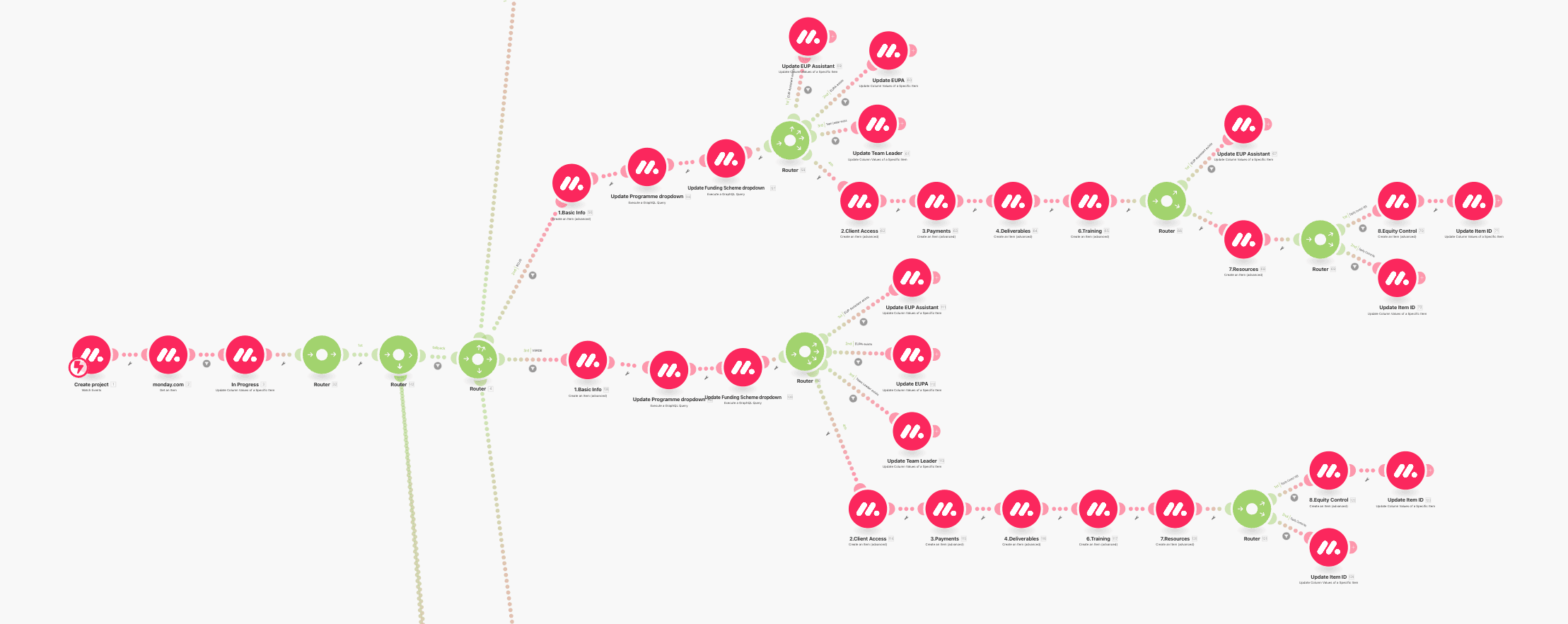
Make.com Scenario for Automated Project Creation from Master to Team Boards (2/2)
This Make.com scenario automates the creation of new grant projects from a centralized Master board into six individual team boards. Once a user selects the target team and completes the required fields, the system validates the data and generates corresponding project entries in the appropriate team boards. Each board manages different grants and funding schemes, so this process ensures consistent project structure, reduces manual input errors, and streamlines onboarding. The result is improved visibility, simplified project navigation, and greater efficiency in managing distributed grant portfolios.
Grant Management
Project Management
Make.com
Integrations
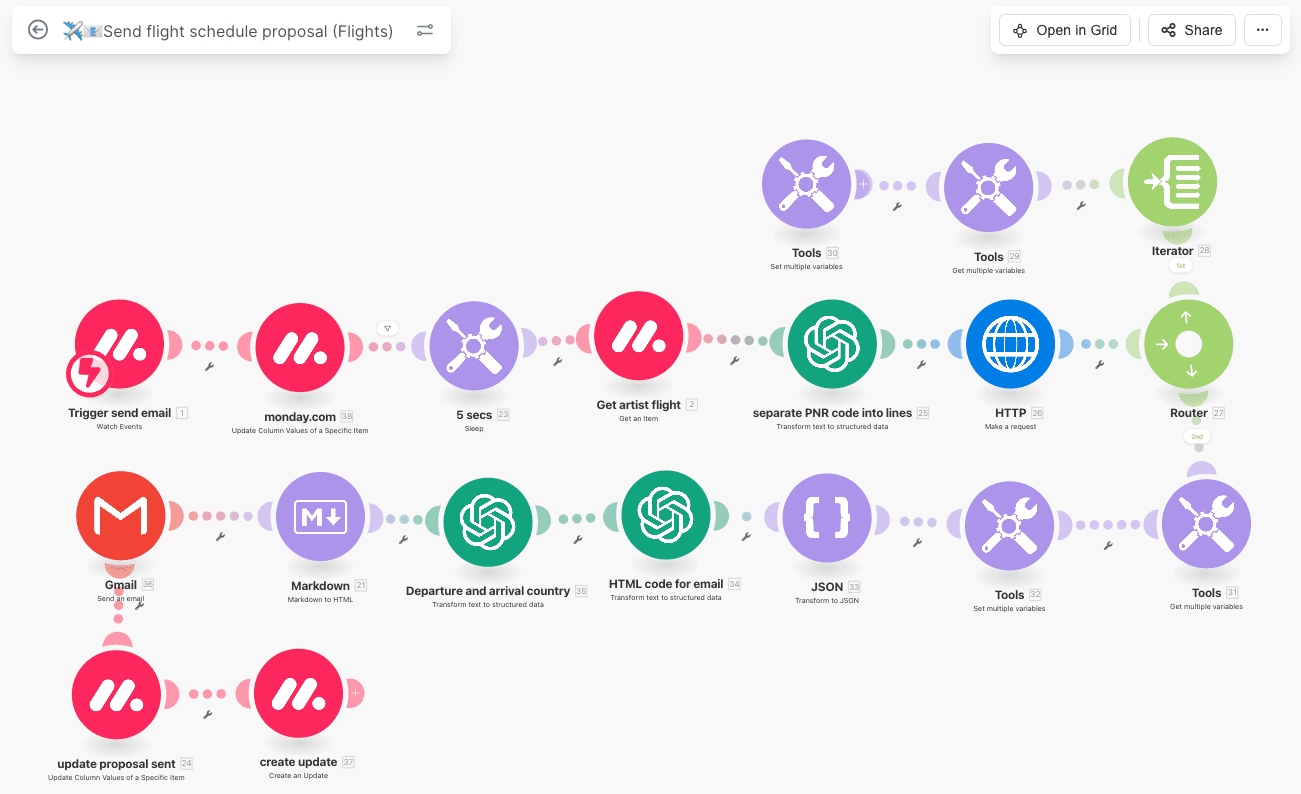
AI-Driven Flight Proposal Automation for Event Travel Management (1/2)
This AI-powered Make.com automation streamlines the creation and delivery of personalized flight schedule proposals within an event management workflow. By extracting and interpreting PNR codes, the scenario identifies multiple flight segments, structures departure and arrival details, and dynamically generates formatted HTML emails. Integrated with monday.com, it ensures accurate data handling, seamless communication, and efficient approval before ticket purchase, regardless of itinerary complexity.
Event Management
AI
Make.com
Automations
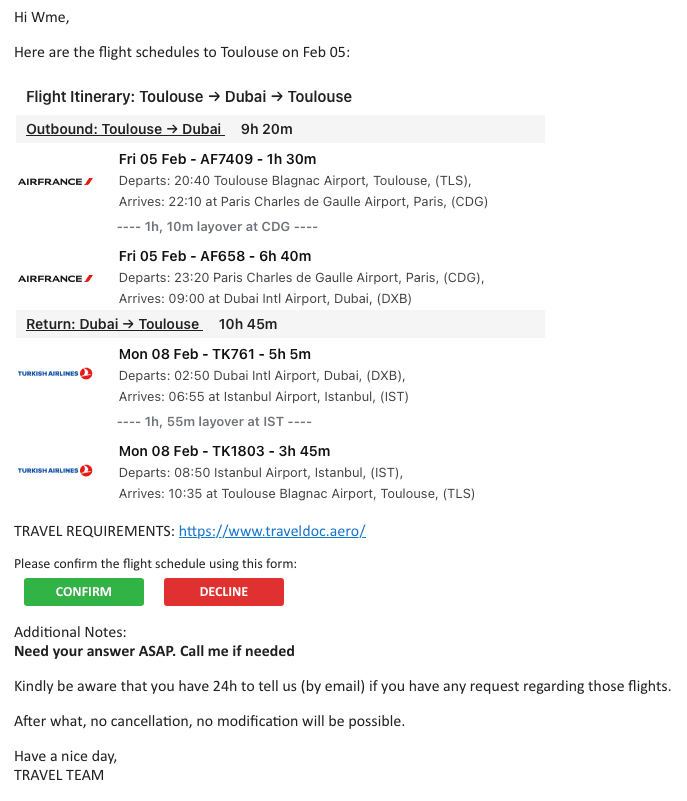
AI-Driven Flight Proposal Automation for Event Travel Management (2/2)
This automated, AI-generated email presents a complete and clearly structured flight itinerary, including outbound and return segments, layovers, durations, and airline details. Built from structured data extracted from PNR codes, the email dynamically adapts to complex travel scenarios and provides recipients with clear confirmation or rejection actions. Integrated within an event travel workflow, it ensures fast decision-making, reduces manual coordination, and secures approvals before ticket issuance.
Event Management
AI
Docgeneration
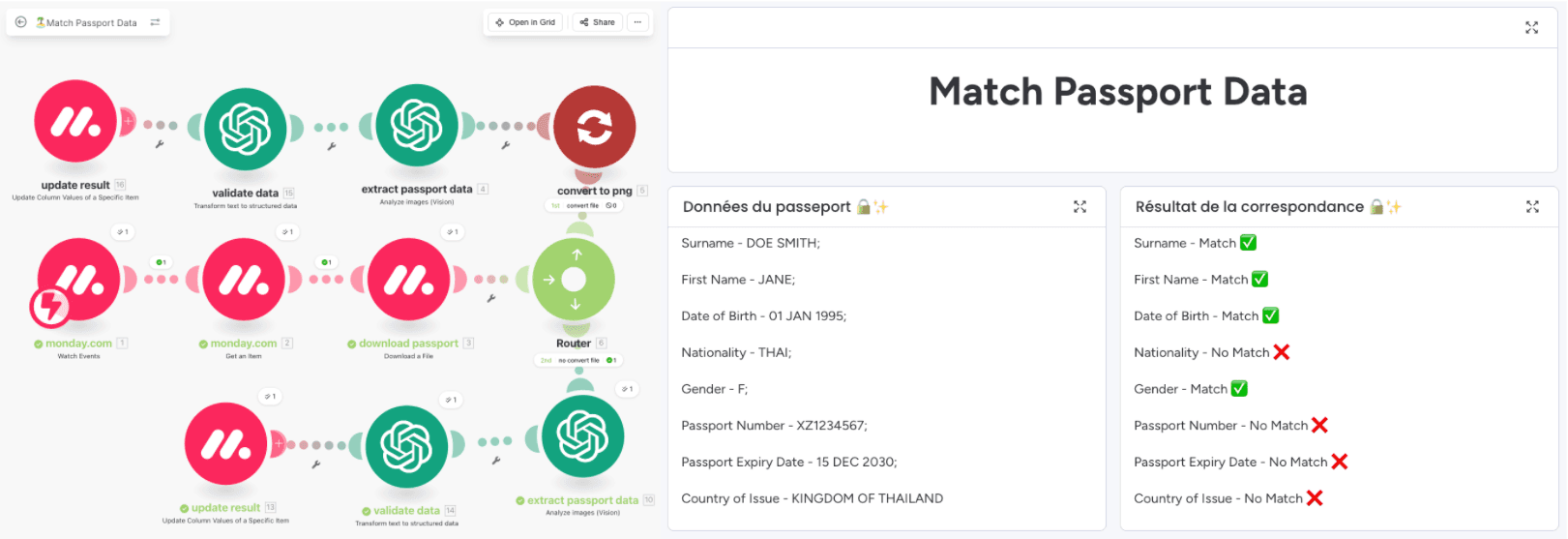
Automated Passport Verification Using OpenAI Vision and monday.com
This AI-powered automation validates passport information by combining form data, document analysis, and intelligent verification logic. Passport details submitted via a monday.com form are securely stored and compared against data extracted directly from uploaded passport images using OpenAI Vision. The workflow automatically identifies matches and discrepancies in real time, flags inconsistencies, and updates validation results on the board, significantly reducing manual checks while improving accuracy and compliance within event travel operations.
Event Management
AI
Integrations
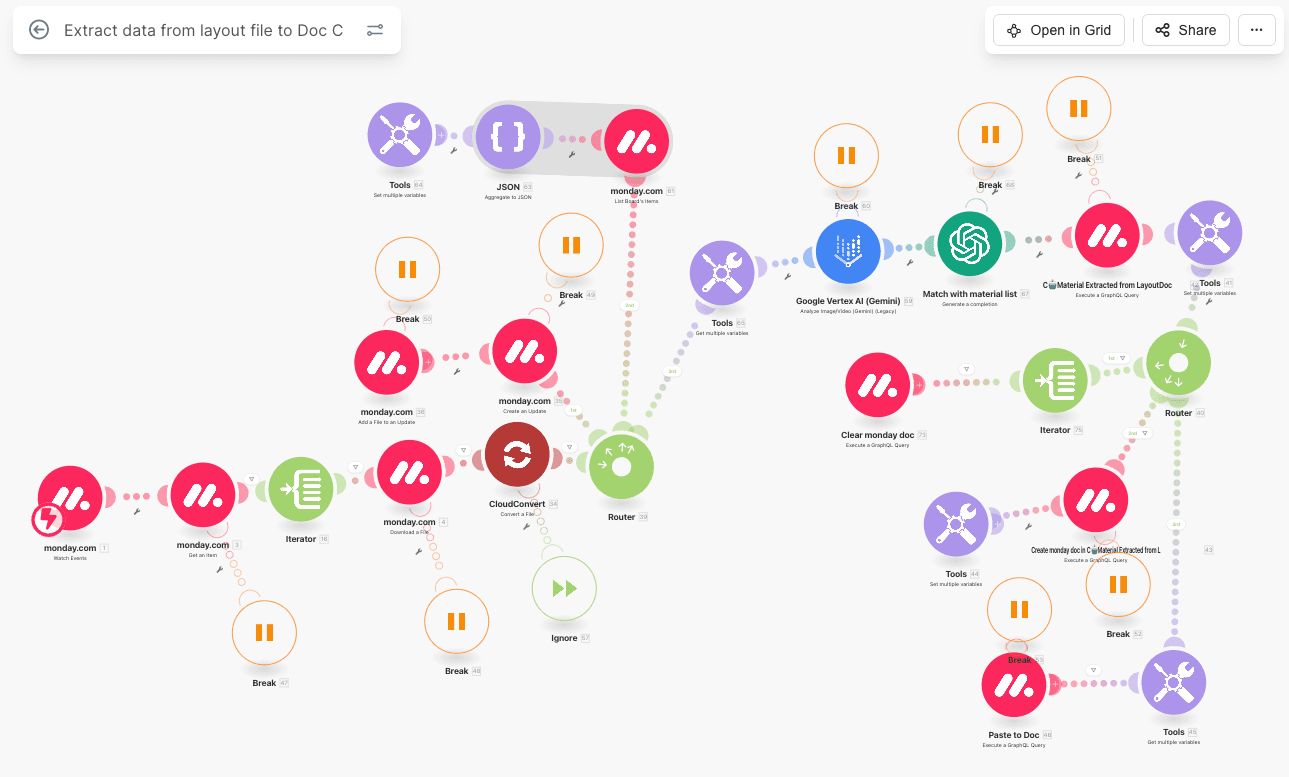
AI-Based Blueprint Material Extraction and Database Matching (1/2)
This AI-powered workflow automates the extraction and validation of material data from architectural layout files uploaded to monday.com. Using Google Vertex AI (Gemini), the scenario identifies material codes and relevant information directly from blueprint documents. These materials are then intelligently matched against a structured product database to verify accuracy and required quantities. The validated results are automatically compiled into a monday doc, enabling faster planning, reduced manual data entry, and streamlined procurement processes in construction projects.
Construction
AI
Make.com
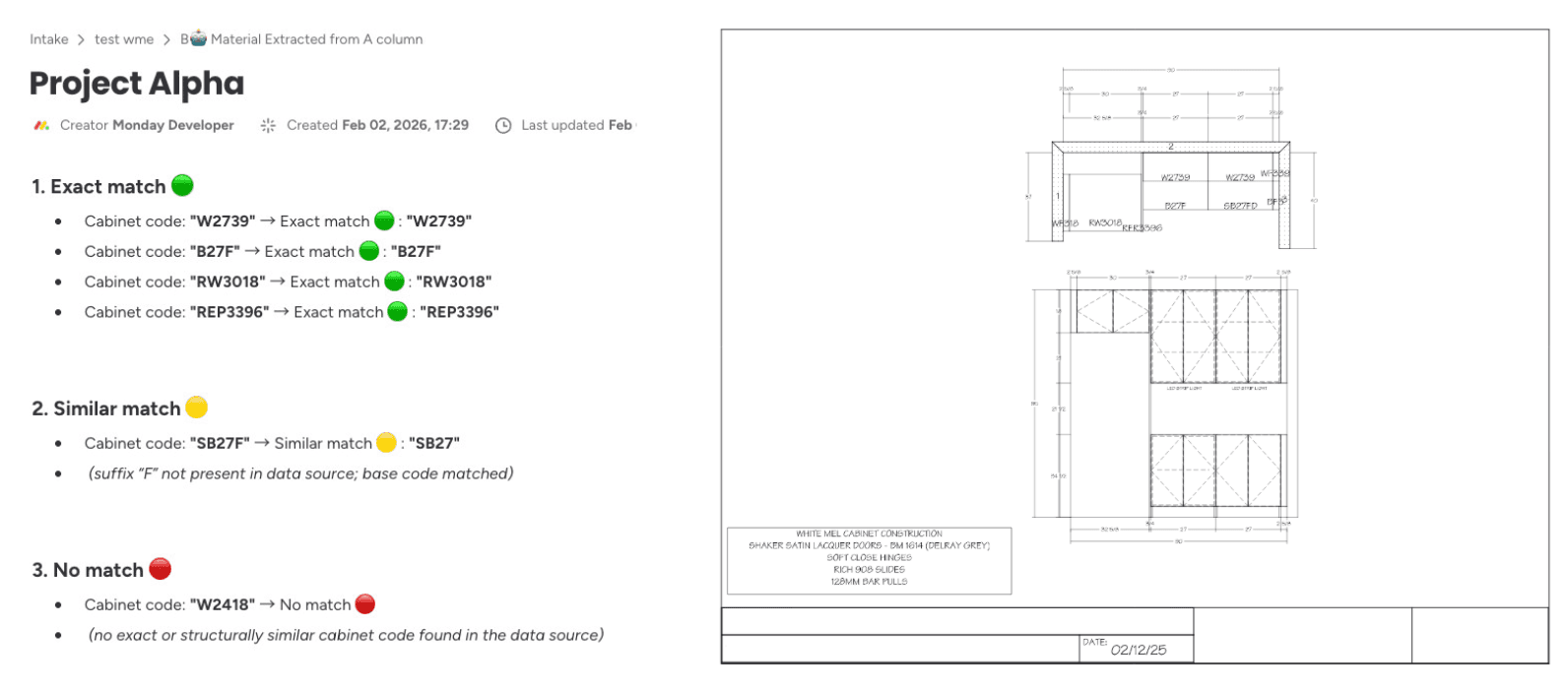
AI-Based Blueprint Material Extraction and Database Matching (2/2)
This monday.com view displays the results of an AI-driven material matching process applied to architectural blueprints. Material and cabinet codes extracted from layout drawings are evaluated against a structured product database and classified into exact matches, similar matches, or no matches. Clear visual indicators highlight validation outcomes, allowing teams to quickly identify confirmed items, acceptable alternatives, and missing references. This interface supports faster design validation, accurate material planning, and improved decision-making in construction workflows.
Construction
AI
Docgeneration
Dashboard
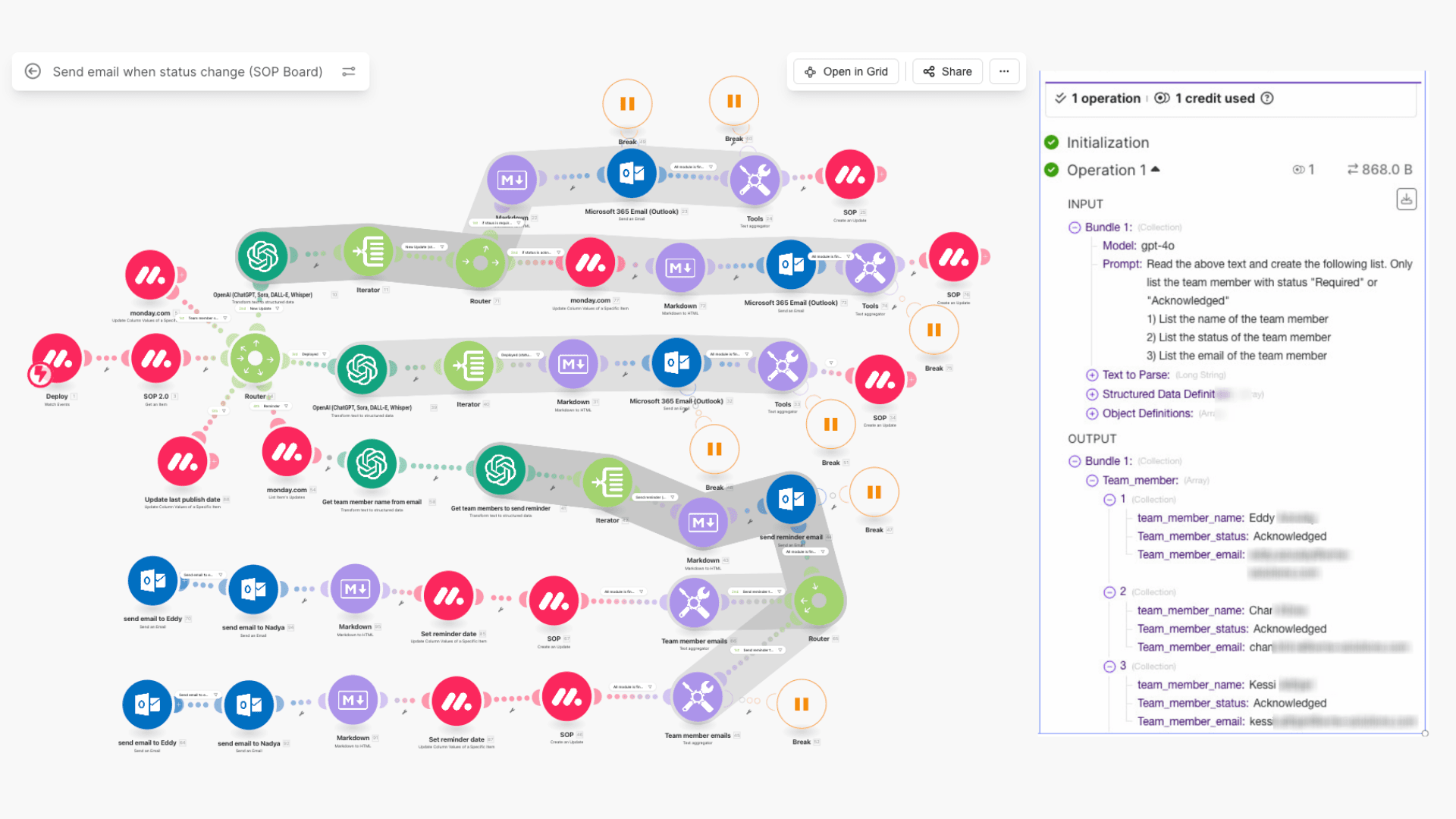
AI-Driven SOP Reviewer Identification and Email Notification Workflow
This enhanced Make.com automation uses OpenAI as a decision engine to analyze SOP review requirements in monday.com and generate a structured list of relevant reviewers. By interpreting each team member’s status (Required or Acknowledged), the AI outputs validated names, roles, and email addresses in a clean, machine-readable format. The workflow then automatically sends targeted Microsoft 365 email notifications and reminders only to the appropriate recipients, ensuring accurate SOP distribution, traceable acknowledgements, and full compliance without manual coordination.
Software Development
AI
Make.com
Integrations
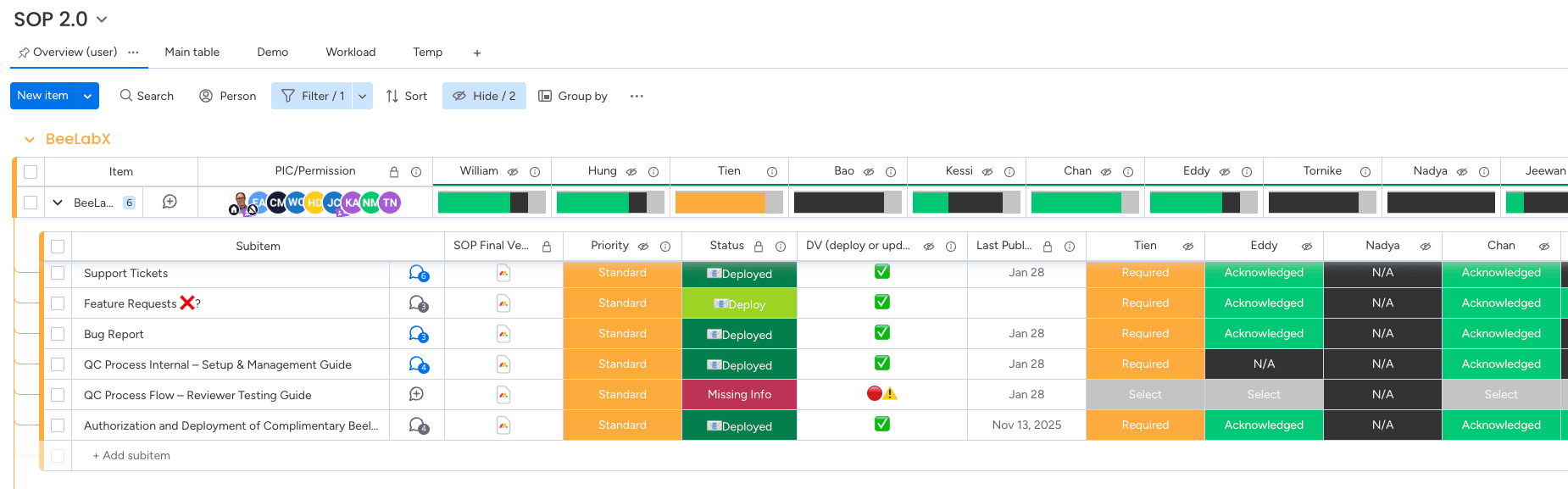
AI-Driven SOP Distribution and Acknowledgement Automation in monday.com
This AI-powered automation streamlines SOP distribution and acknowledgement using monday.com and Make.com. When an SOP is deployed or updated, OpenAI identifies required reviewers from board statuses and automatically sends targeted Microsoft 365 email notifications, while acknowledgements are tracked directly on the board to ensure accountability and compliance.
Software Development
AI
Make.com
Integrations
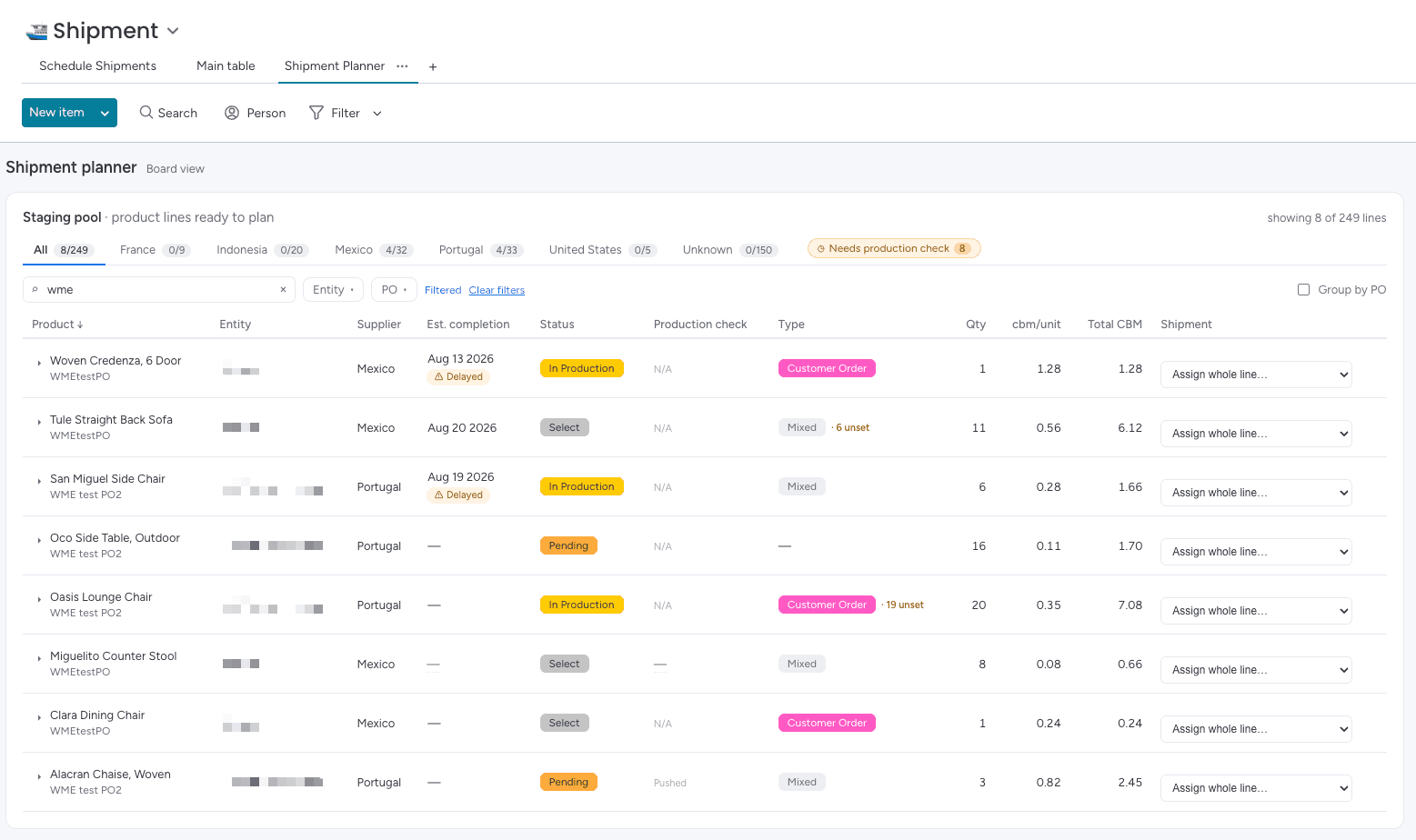
Shipment Planning Staging Pool with Product Line Volume Tracking
Custom board view app on monday.com presenting a staging pool of all product lines ready to ship, with quantity, CBM per unit, and total volume drawn live from the board's data. Planners can filter by PO number, product name, entity, or country of origin, and immediately spot lines flagged as delayed, pending, or needing a production check. Each line is assigned to the correct shipment from the same view, keeping the entire planning process inside monday.com.
Manufacturing
Orders Tracking
Inventory
Custom App Interface
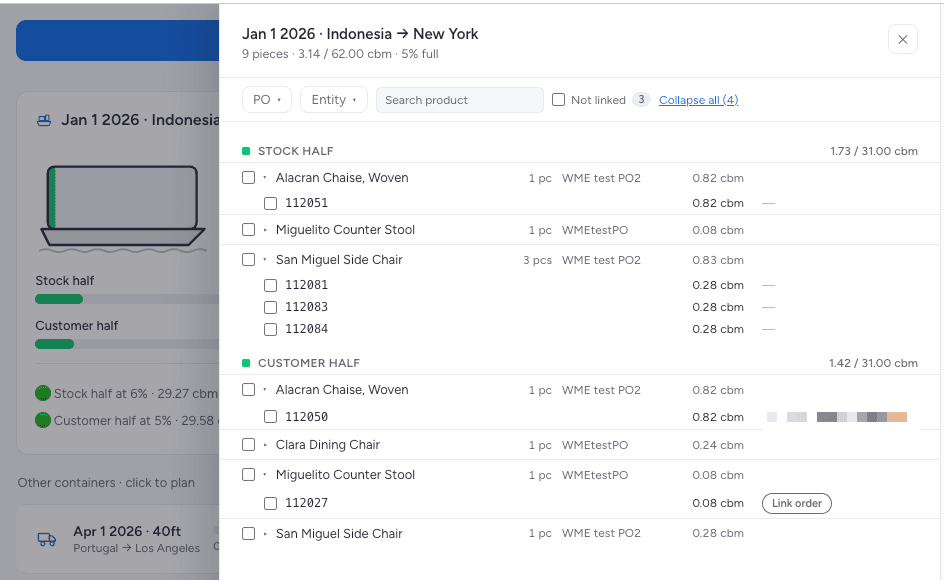
Detailed Shipment Breakdown with Line-Level Volume and Order Linking
Opened from the board view app, this panel reveals the full contents of a planned container, grouped into a stock half and a customer-order half — a default 50/50 split of total capacity — with running CBM totals against each half's budget. Order numbers sit beneath each product line, and unlinked pieces are flagged so planners can attach the correct sales order before departure. Search and PO or entity filters make it fast to locate a specific product inside a loaded container.
Logistics
Orders Tracking
Item Card
Inventory
Custom App Interface
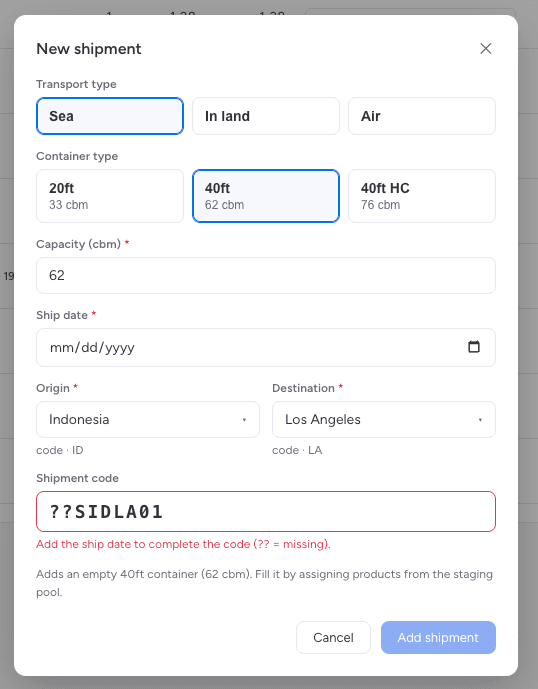
Shipment Creation Form with Automatic Container Code Generation
Built into the board view app, this form creates a new empty container in a few clicks, capturing transport mode, container type, capacity, ship date, and the origin-destination pair. Selecting a container type auto-fills the correct CBM capacity, while the shipment code is generated live from the route codes and ship date, with inline validation prompting for anything missing. The new container is written straight back to the monday.com board and is immediately available to fill.
Logistics
Custom App Interface
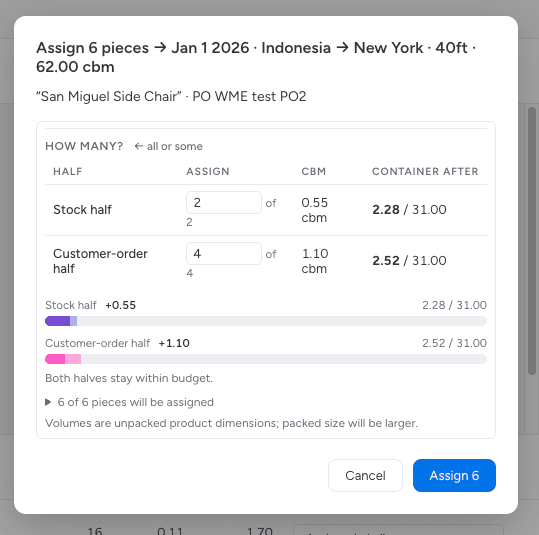
Real-Time Capacity Preview When Assigning Product Lines to Containers
When assigning a product line to a container, this dialog lets planners split the quantity between the stock half and the customer-order half, each holding 50% of capacity by default. Every entry instantly recalculates the CBM impact and previews the resulting fill for both halves, with progress bars confirming that neither side exceeds its budget. All allocations are saved directly to the underlying monday.com board.
Logistics
Inventory
Custom App Interface
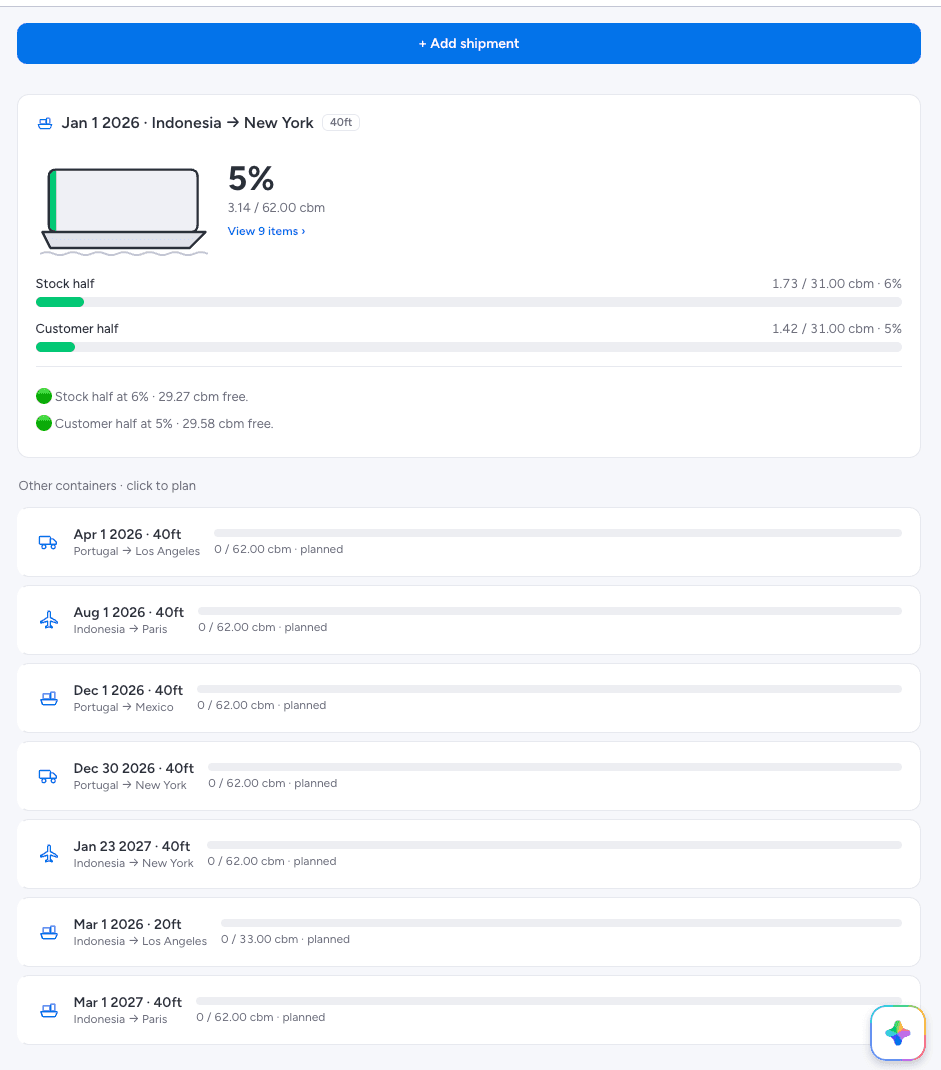
Container Fill Overview Tracking Capacity Across All Planned Shipments
This section of the board view app shows how full each container is, with a visual fill indicator, overall CBM utilisation, and separate progress tracking for the stock and customer-order halves. Colour-coded status lines report remaining free volume, while all other planned containers are listed below with their route, size, and current load, ready to be opened and filled. It turns capacity planning across an entire shipping calendar into a single view inside monday.com.
Logistics
Dashboard
KPI
Resource Management
Custom App Interface
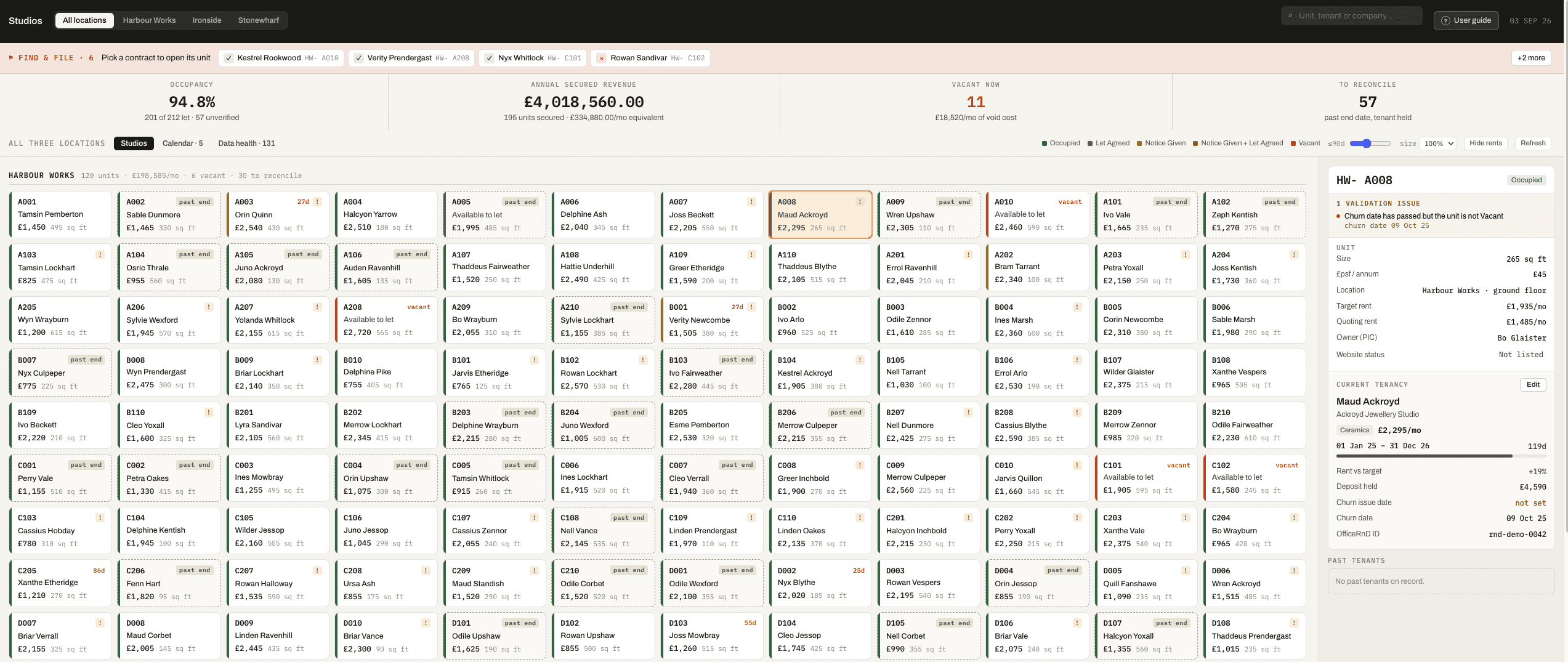
Live Studio Portfolio Grid with Occupancy and Revenue Metrics
This custom board view replaces monday.com's default table with a live allocation grid covering 212 studios across three sites. Occupancy, secured annual revenue, current vacancies and records needing reconciliation are calculated in real time and pinned above the grid, while colour-coded tiles surface lease status, expiry countdowns and data warnings at a glance. A built-in privacy toggle masks every financial figure for screen sharing, and search filters instantly across unit, tenant and company.
Custom App Interface
Real Estate
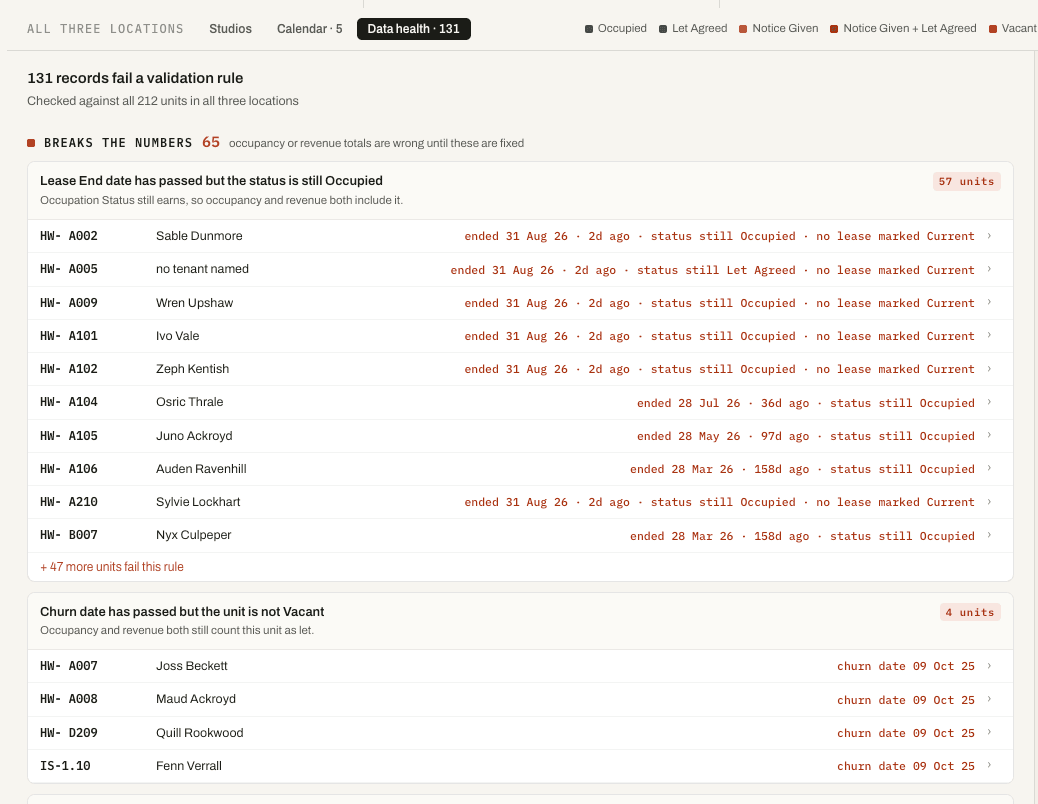
Data Health Audit Ranking Errors That Distort Revenue Reporting
A dedicated data health view audits every unit against validation rules and ranks the failures by how badly each one distorts reporting. The top tier isolates records that corrupt occupancy and revenue totals — leases that ended while the status still reads Occupied, for example — and states the financial consequence in plain language beneath each rule. Every row links straight through to the affected unit, turning a static audit into an actionable work list.
Real Estate
Operations/Checklist
Custom App Interface
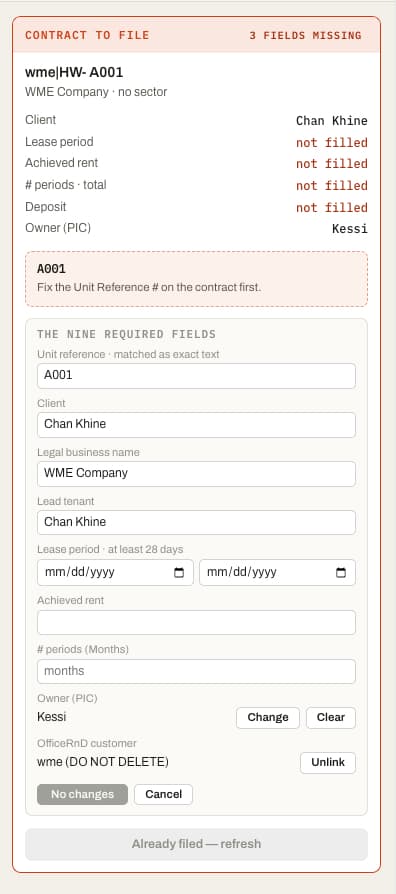
Guided Contract Filing Card with Validation Gate
The contract filing card validates a queued agreement against the fields required before submission, naming each missing value in place rather than failing silently on save. The action button doubles as the status indicator — it states exactly why filing is blocked, so there is no separate error banner to reconcile against it.
Real Estate
Custom App Interface
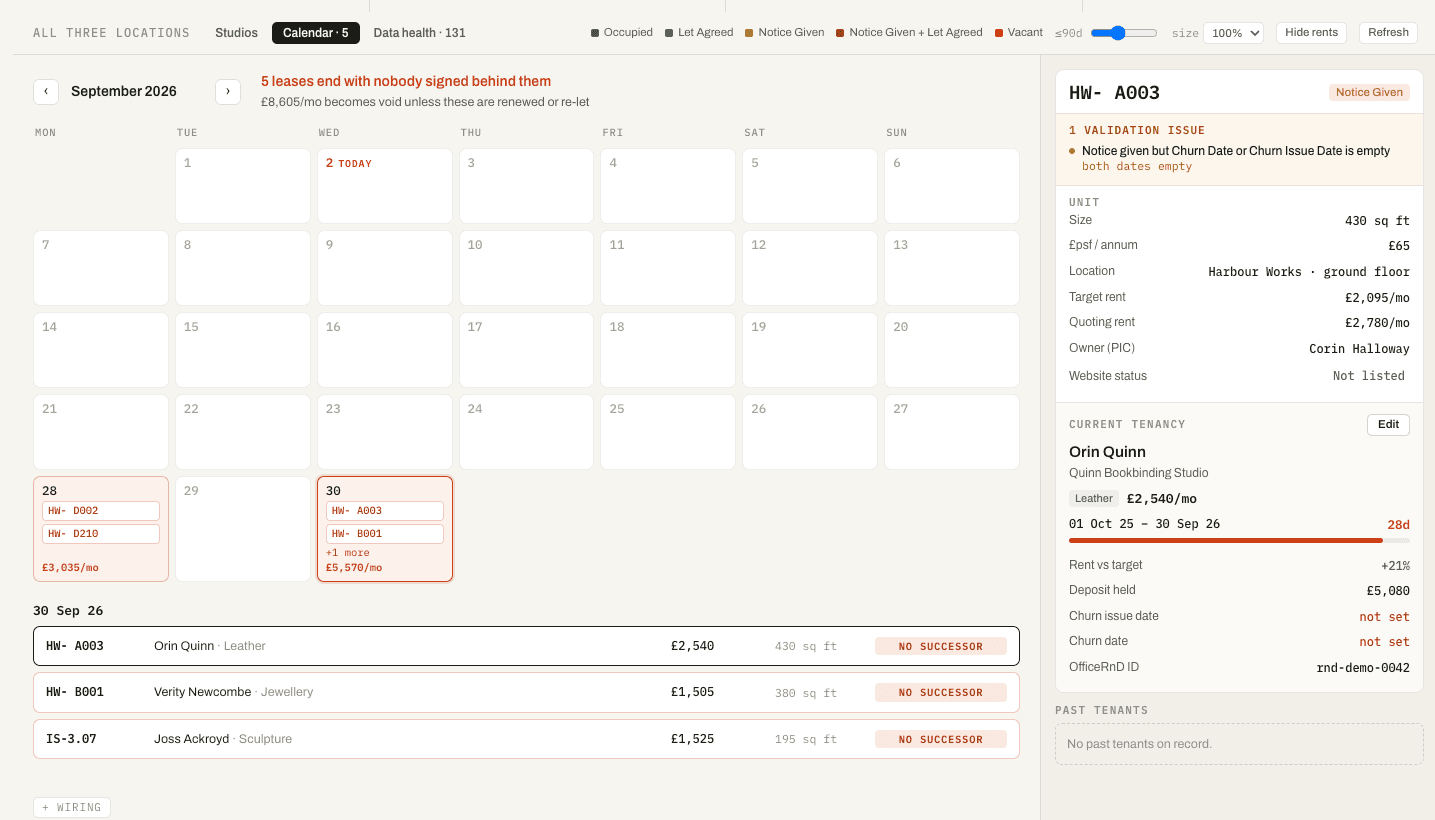
Lease Expiry Calendar Paired with Detailed Unit Inspection Panel
The calendar marks only the lease endings with nobody signed behind them, totalling the monthly income at risk across the month in view. Selecting any unit opens a detail panel carrying its size, rate per square foot, target versus achieved rent, deposit held, open validation issues and full tenancy history. Together they turn a reactive lettings process into a forward-looking one — showing not just what has expired, but what is about to.
Real Estate
Activity Tracking
Custom App Interface