

Detailed Shipment Breakdown with Line-Level Volume and Order Linking
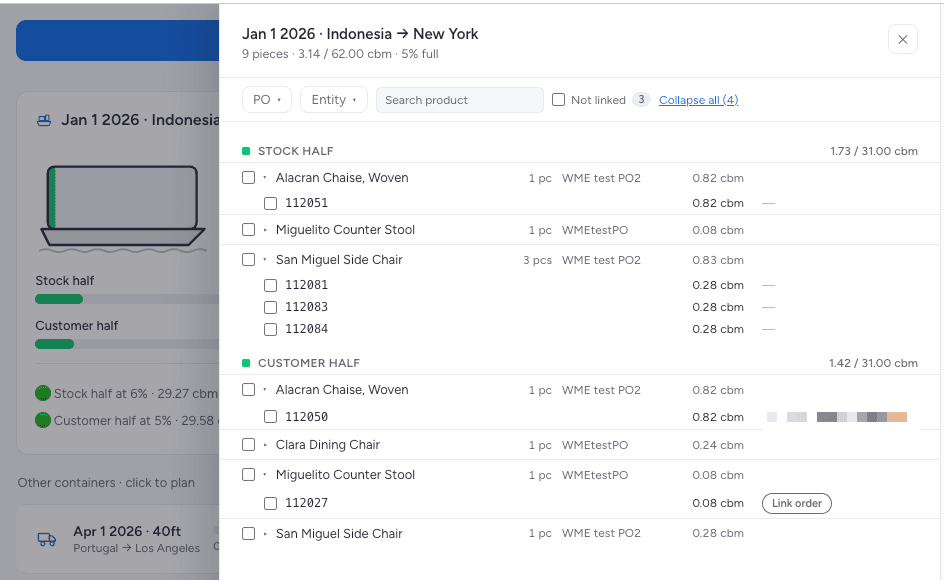
Opened from the board view app, this panel reveals the full contents of a planned container, grouped into a stock half and a customer-order half — a default 50/50 split of total capacity — with running CBM totals against each half's budget. Order numbers sit beneath each product line, and unlinked pieces are flagged so planners can attach the correct sales order before departure. Search and PO or entity filters make it fast to locate a specific product inside a loaded container.
Tags
LogisticsOrders TrackingItem CardInventoryCustom App Interface